Robin Bunevich is a Product Marketing Manager at Zoom. She oversees product marketing and strategy for Zoom AI. After three years of leading marketing for Zoom’s Event Solution products, and launching one of the fastest growing products at Zoom, Zoom Events, she is now focused on helping organizations seamlessly adopt AI into their workflows. Prior to Zoom, she ran marketing for live events at The New York Times, and was instrumental in helping the organization transition to a fully virtual events program in March of 2020. At Zoom, Robin uses her 15 plus years of marketing and advertising experience to drive awareness and adoption for Zoom’s AI solutions.
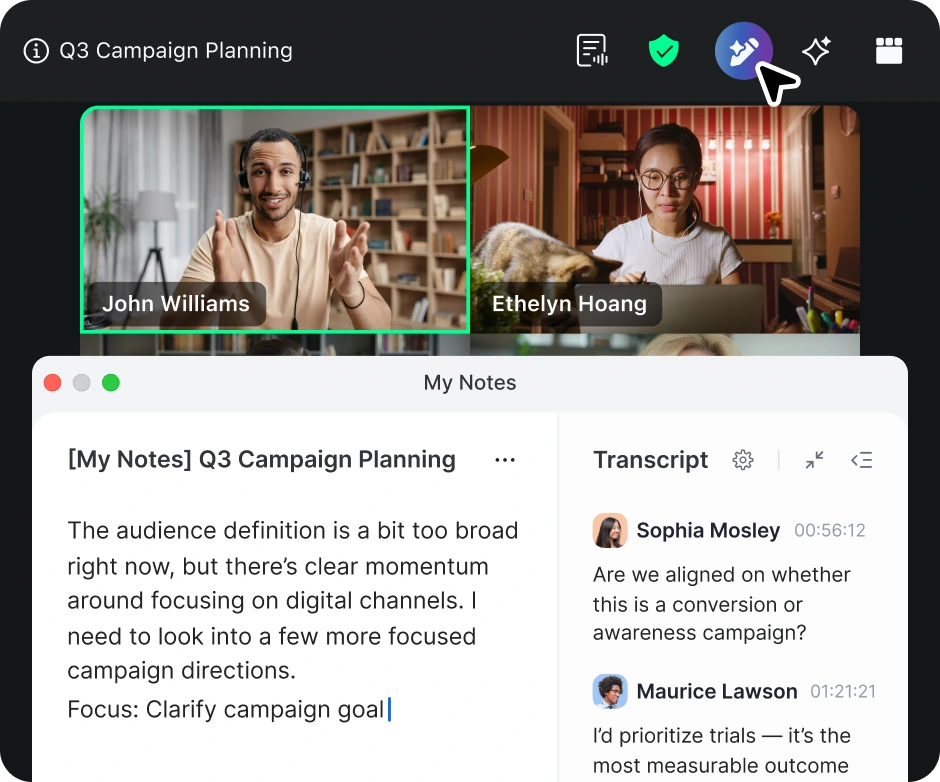
Last September we launched generative AI capabilities in Zoom, helping you to save time and focus on what matters most. Over half a million customers have been using built-in AI features to summarize meetings and Zoom Chat threads, ask in-meeting questions, create whiteboards, draft emails and Zoom Chat messages, and even receive clear, actionable feedback on their presentations after recorded meetings.
Because we believe AI should be accessible to everyone within an organization, these capabilities are available at no additional cost with the paid services in Zoom user accounts.* And we're not stopping there. We're delighted to share how AI in Zoom Workplace is evolving with new capabilities available throughout your workday.
Be more productive with AI
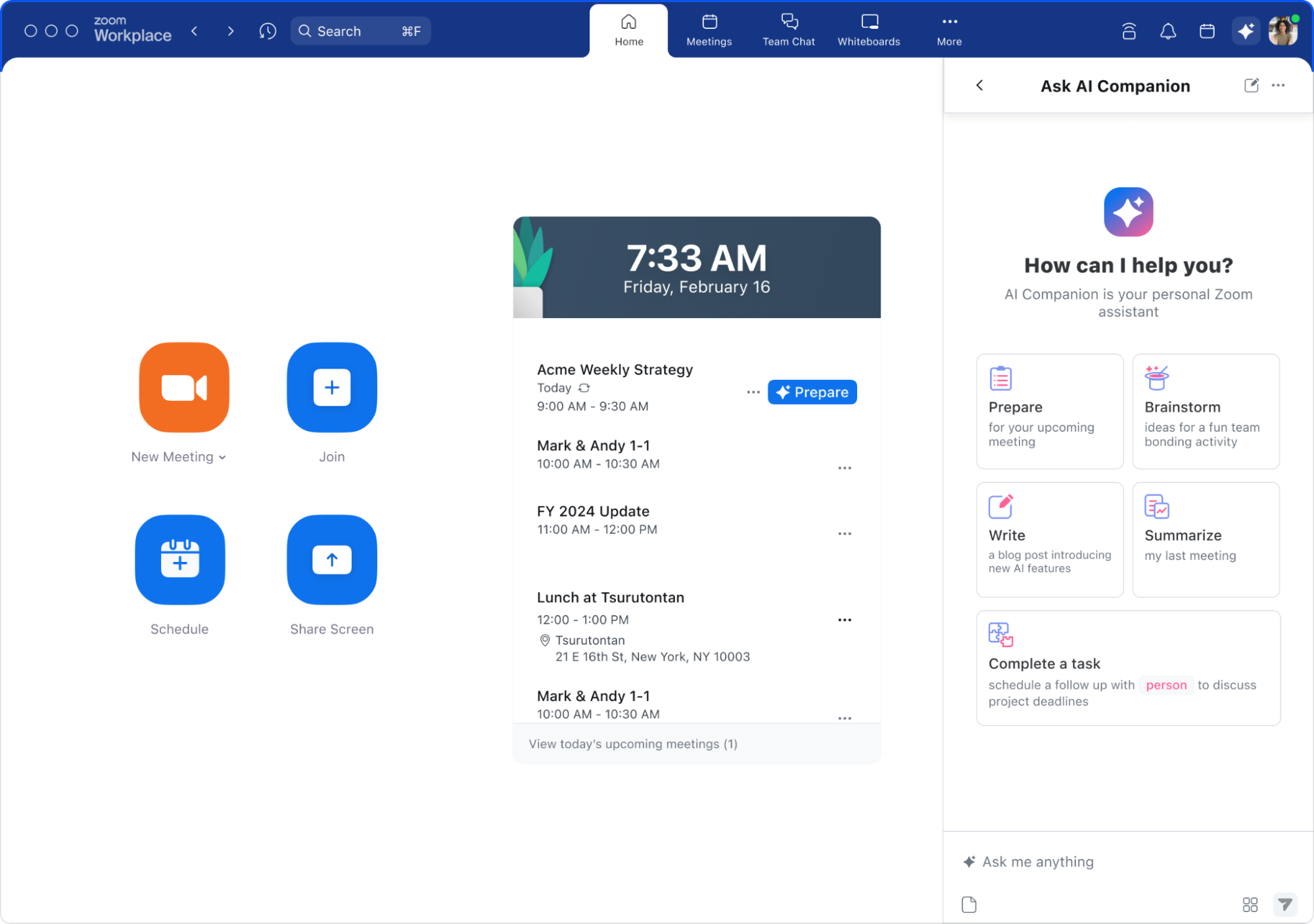
Everyone has had moments in their work when they didn’t feel completely prepared, or they needed some extra guidance to make a critical project land just right. You can get that assistance on a variety of tasks inside the AI sidepanel, a new feature built right into Zoom Workplace.
You need to focus your time on the most impactful parts of your work, so the AI sidepanel is designed to do the heavy lifting for you. From directly within the Zoom app, you can use the sidepanel to gather, synthesize, and share critical information from multiple data sources across Zoom Workplace and third-party applications. You’ll be able to have AI complete routine tasks for you like drafting agendas, brainstorming materials, and other content based on your chats, emails, meeting content, and more.
Show up prepared for every meeting: You can use AI to collect important information from your past meeting summaries, chats, emails, notes, and recordings – all shared with you in an instant.
Get organized and stay organized: You can use AI to remind you about important next steps you’ve promised a colleague, create action items, brainstorm ideas, and draft an agenda ahead of upcoming meetings.
Make faster and better-informed decisions: Get immediate answers to questions with information across Zoom Workplace. When you leverage AI to provide more context for your work decisions, you can feel more confident in making a better one.
Jump-start your drafts: Boost your productivity when you have AI compose messages, start meeting agendas, and suggest content. Save time and let AI start a first draft for you.
The new AI features are expected to be available in May and will continue to be included at no additional cost with the paid services in Zoom user accounts.* Later this year, AI will even be able to work with information from relevant assets in supported third-party apps, including Microsoft and Google productivity suites.
AI will gather, synthesize, and share the data you need to be more prepared and effective throughout your workday.
Save time with AI features for Zoom Phone
We’ve integrated Zoom AI into many of our Zoom Workplace products, including Meetings, Zoom Chat, Whiteboard, and more. Today, we’re bringing AI to Zoom Phone. It will deliver a number of powerful capabilities.
Simplify post-call follow-ups: AI can now summarize phone calls, and outline your action items post-call, so you can be more present during your phone calls.
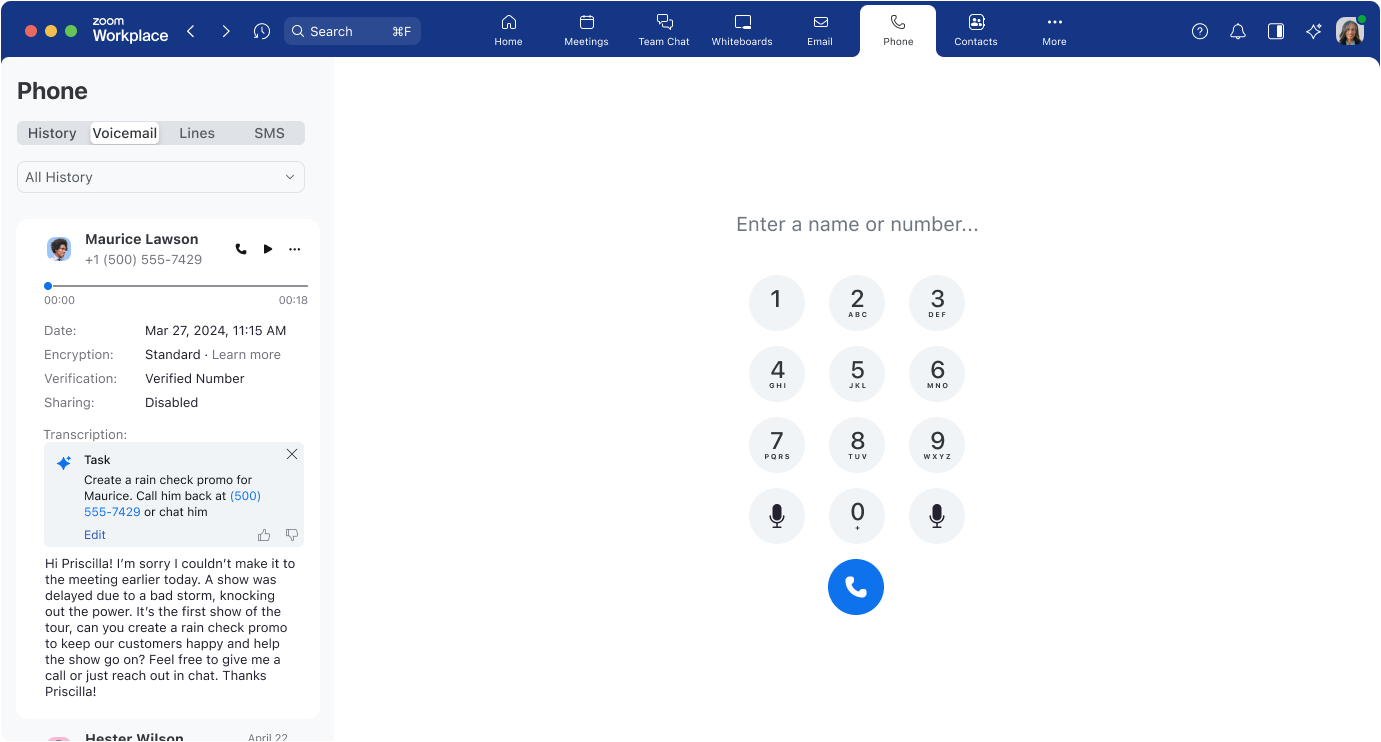
Tackle the most important voicemails first: AI’s voicemail prioritization can identify which voicemails need your immediate attention.
Easily identify tasks: With voicemail task extraction, AI can pick out the tasks and action items directly from voicemails so you can quickly get through your messages and focus your attention on what matters most.
Catch up quickly: AI can summarize Team SMS threads you received while you were out to keep you updated and to save you time from reading each message.
You’ll be able to see tasks, call summaries, and next steps right from Zoom Phone.
Learn more about Zoom Workplace
According to our recent internal benchmarking, Zoom AI can outperform leading AI model OpenAI GPT-4 for our most used features, as shared in a recent blog from Zoom Chief Technical Officer, Xuedong Huang. Our federated approach continues to serve our customers best where they use AI features the most, like in our most popular AI feature, meeting summaries – enabled by over half a million customers since September 2023. In addition, according to a GigaOm study commissioned by Zoom (published March 26, 2024), AI-powered transcription performed at 95% accuracy, and for in-meeting questions scenarios, AI delivered results that are four times faster than ChatGPT-4 web.
We continue to develop AI capabilities to better support your work on Zoom Workplace and the entire Zoom platform — like our recently added image generation with Zoom Events, sentence completion and quick scheduling in Zoom Chat, virtual background generation for Zoom Meetings, and flow chart and mind mapping creation for Zoom Whiteboard. We look forward to finding new and useful ways to incorporate generative AI into our workflows and yours.
If you want to know more about our vision for Zoom Workplace and the future of collaboration, make sure you watch out for all our Zoom Workplace offerings mentioned above, rolling out over April and May.







 8 min read