Deliver a smooth, professional client experience with AI-first workflows, intelligent agents, and seamless scheduling, all connected — without the added cost or complexity of traditional tools.


Solutions
Turn every client conversation into action
-
Business Consultant
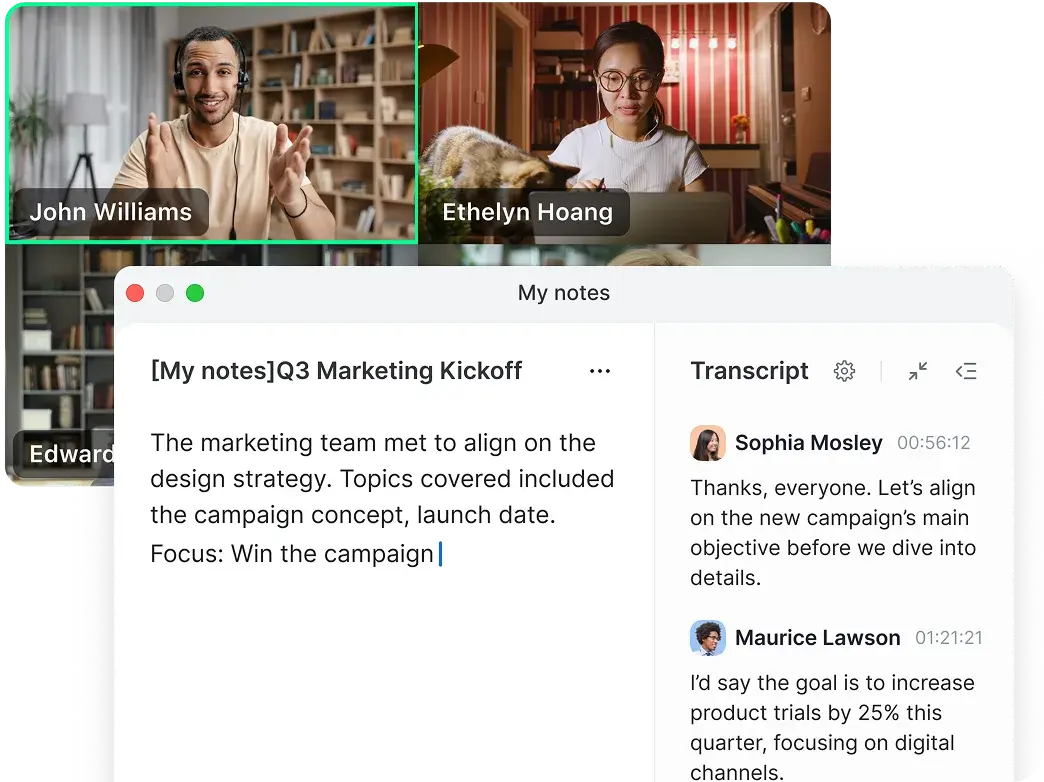
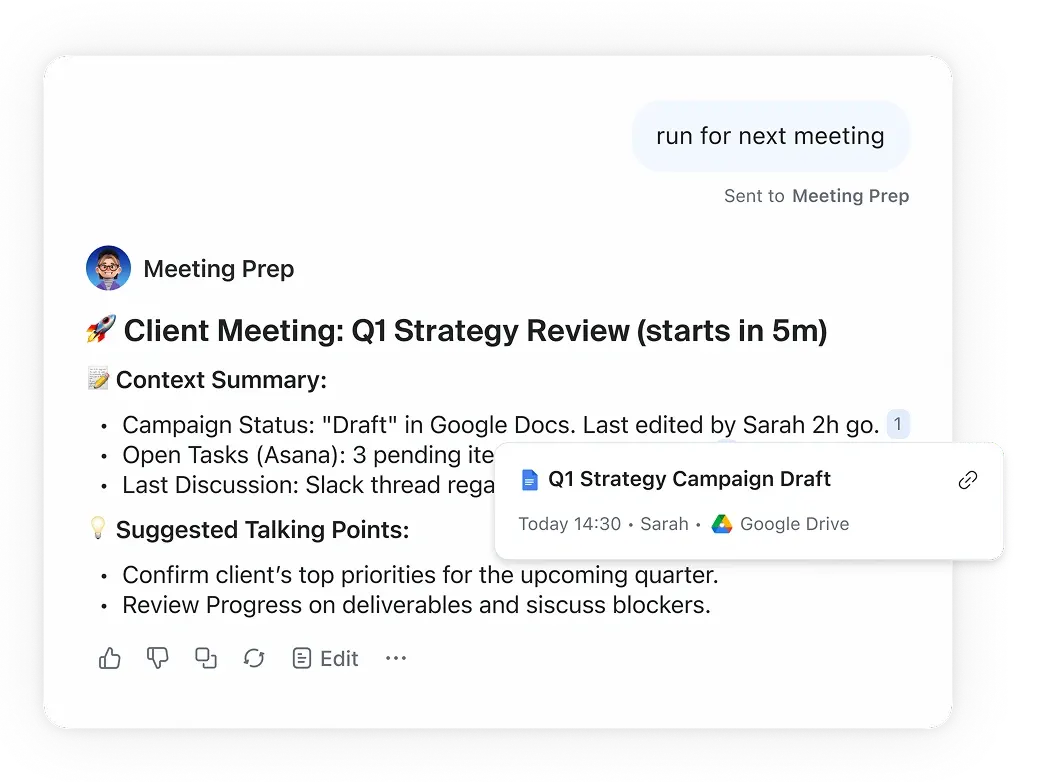
Before a strategy session a custom AI agent helps you gather insights from past meetings and documents so you walk in prepared, during the session. My notes captures key decisions, and after the call an AI workflow automatically sends you the recap and next steps.
-
Career Coach
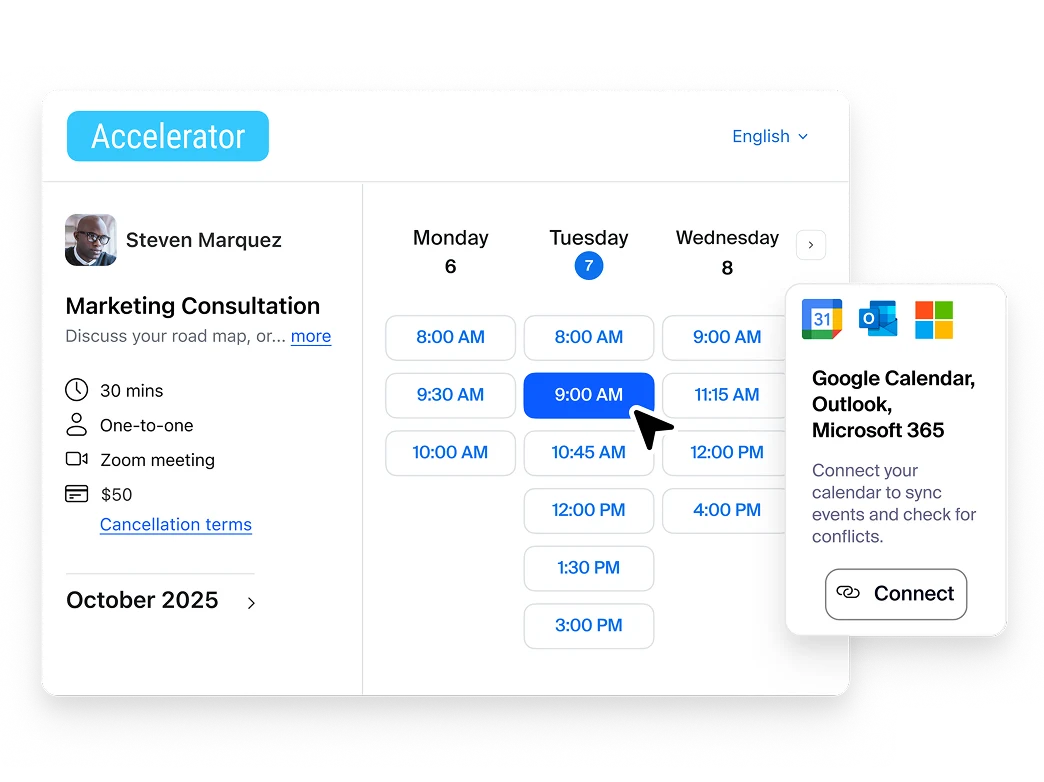
Clients book sessions instantly through your scheduling page, My notes captures key takeaways and goals from each conversation, and an AI workflow sends a personalized recap so clients stay accountable between sessions.
-
Marketing Consultant
Before a campaign review, a custom AI agent pulls insights from past meetings and project docs so you’re ready with answers, My notes captures feedback during the call, and an AI workflow sends the recap and next steps automatically.
-
Financial Advisor
Clients book follow-up meetings instantly, a custom AI agent pulls relevant details from past conversations and documents before the meeting, and My notes captures decisions so an AI workflow can send a clear recap afterward.
-
Insurance Agent
Clients schedule policy reviews in seconds, My notes captures key coverage questions during the meeting, and an AI workflow automatically sends a summary and next steps so nothing falls through the cracks.





Take your client interactions up a notch
Security and compliance
Protect sensitive
client data

Why Zoom Workplace?
AI Companion can be your ChatGPT alternative
Zoom AI Companion
AI Companion included with paid plans
ChatGPT
$15 - $24 per user/month
(billed monthly or annually)
No additional cost for paid Zoom accounts
$20-$30 per user per month
Leverages data from your Zoom Meetings and Zoom Chat as well as Gmail and Outlook, if connected. Can also use web-based search.
No integration with Zoom Workplace; must use it in a separate window or tab. Can only use generalized web-based search.
(billed monthly or annually)
Unlimited with higher tier plans (system file size limitations apply)
Unlimited with paid upgrade
(billed monthly or annually)
AI Companion vs. other note-taking tools
Zoom AI Companion
Otter.AI
Fathom
Zoom AI Companion is included in Zoom paid plans at no additional cost
Now Includes AI note-taking capabilities for Zoom Meetings and third party meeting platforms (Microsoft Teams and Google Meet)
Limited free plan
$8.33 or $20 per user per month for Pro or Business
Limited free plan
$15, $19, or $29 per user, per month for Premium, Team Edition Standard or Team Edition Pro
—
Available only through web portal and monthly query limit depend on plan type
—
Only available post meeting via web browser
Automate AI Companion with an intuitive onboarding flow that allows you to set it up and forget it, or have AI Companion join specific Zoom meetings as per your choice.
—
Add AI bot as an extra participant or configure automatic join
—
Add AI bot as an extra participant or configure automatic join
—
Supports 3 languages for meeting summary
—
Supports six languages for meeting summary
—
Requires paid Business plan or above
—
Requires paid Team Edition plan or above
Admin controls require paid Enterprise plan
10 pre-built templates available
Custom templates available with Custom AI Companion add-on
—
Requires paid plan for advanced features
—
Requires paid plan with customization limitations
—
Based on plan tier:
Basic: 300 minutes/month
Pro: 1200 minutes/month
Business and up: 6000 minutes/month
—
Based on plan tier:
Basic: 30 minutes
Pro: 90 minutes
Business and up: 4 hours
—
Requires paid Enterprise plan
—
Requires paid Team Edition plan and above
—
Requires paid Enterprise plan
—
Requires paid Enterprise plan
—
Requires paid Team Edition plan and above
Yes - Zoom AI Companion supports Optical Character Recognition (OCR) to extract readable text from screen share content during meetings
—
While Otter does not explicitly state support for OCR, they have the ability to add screen shots of slides or screen shares during a meeting and generate summary with relevant context.
How Zoom Scheduler stacks up against Calendly
Zoom Scheduler
Calendly
$5.99/month/seat
Or included with Business and Enterprise
plans
Standard - $10/month/seat
Teams - $16/month/seat
Standard
Unlimited
Free tier - 1 event
Standard and up - Unlimited
6 per person
Standard and up - 6 per person
(billed monthly or annually)
Standard and up
Standard and up
Standard and up
US and UK
Standard and up
Standard and up
Standard and up
Standard and up
Standard and up
Standard and up
Standard and up
Teams
Teams and up
Teams and up
Teams and up
Teams and up
Teams and up
Teams - $3/user/month add on
Enterprise - included
*Feature and price comparisons based on publicly available information as of March 2026.
Demos
This is what professional looks like






Professional Service Business Bundle
Get more when you bundle with Zoom Workplace
Explore products and pricing for professional services software.