


Meeting & Chat

Your AI takes great notes. Does it do anything else?
Meeting intelligence is only valuable if something happens after the meeting ends.
Learn the benefits of using AI to transcribe meetings and summarize information, so you can automate note taking with Zoom My Notes.
 8 min read
Published on March 13, 2025



Robin Bunevich is a Product Marketing Manager at Zoom. She oversees product marketing and strategy for Zoom AI. After three years of leading marketing for Zoom’s Event Solution products, and launching one of the fastest growing products at Zoom, Zoom Events, she is now focused on helping organizations seamlessly adopt AI into their workflows. Prior to Zoom, she ran marketing for live events at The New York Times, and was instrumental in helping the organization transition to a fully virtual events program in March of 2020. At Zoom, Robin uses her 15 plus years of marketing and advertising experience to drive awareness and adoption for Zoom’s AI solutions.
If you’ve ever been assigned to take notes in a meeting, you know the struggles. You’re trying to write down what every person said accurately, but if your attention shifts for just a moment, you might miss an important detail. It’s harder to participate in the discussion fully if you’re occupied with listening and typing. Then after your meeting, you need to clean up your notes, capture crucial next steps, and send your summary to the rest of the team. All these tasks eat away at your ability to be productive and can stop collaboration in its tracks. But help is at hand: an AI note taker is just the tool you need.
Many people are turning to AI meeting apps and tools to automate note taking and summarize meeting information. It’s like having an AI assistant by your side during meetings, taking notes, and keeping track of discussion items so you can focus on the conversation. Not to mention, having a meeting summary with key points to refer back to makes writing that follow-up email much easier.
See how you can benefit from an AI note taking tool — and why it just might become your new best friend in meetings.
Generative AI models are perhaps best known for generating messages based on a prompt, but they’re also great at summarizing information. They use natural language processing (NLP) to synthesize longer messages into short summaries that include key points about the text.
An AI note taker transcribes a meeting conversation and uses the transcript as the text input to generate a meeting summary of what was discussed. Many note taking apps also identify key points and action items based on the context of the call.
Some AI note taking apps require a full meeting recording to generate a meeting summary. If you don’t want your meeting recorded, look for a tool that doesn’t require it — for instance, Zoom My Notes can generate a meeting summary without recording the meeting.
Meeting summaries in Zoom Meetings have delivered reliable, accurate AI-generated recaps. Note taking with AI is about to get even better with My Notes, giving users the ability to bring a personal note taker to third-party, Zoom, and in-person meetings. Whether you're at your desk or on the go, My Notes works across devices so you never miss a detail.
With My Notes, you'll be able to take your own notes alongside your meeting, and Zooms AI features can enhance them with the meeting transcript for a more complete context of your meeting.
If you have an eligible paid Zoom Workplace plan, you already have access to AI features in Zoom (if you don't have an eligible plan, you can upgrade today). You may need to ask your Zoom administrator to turn on some features.
Think of how you can implement note taking with AI features before, during, and after your meetings:
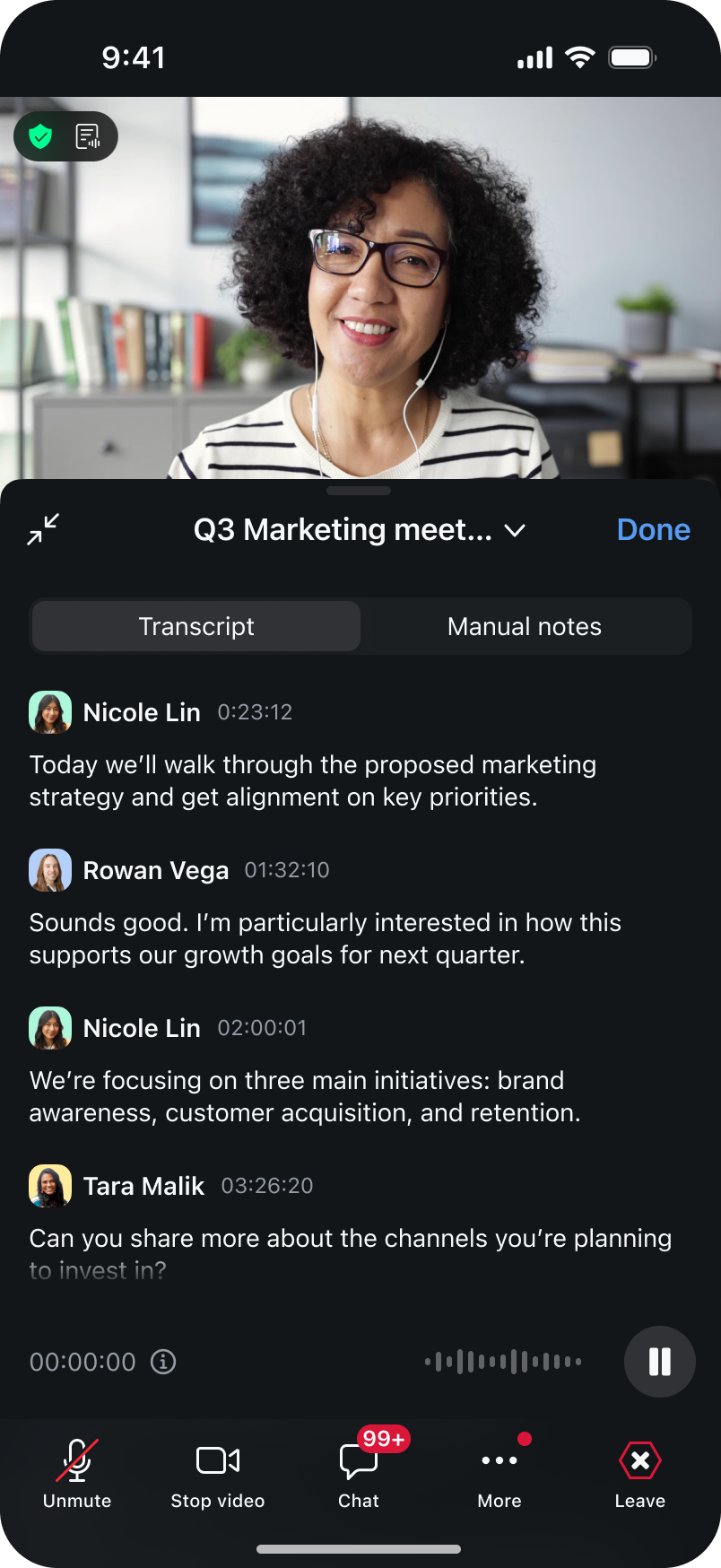
My Notes on mobile extends the power of AI note taking beyond the desktop, so you can capture and act on conversations where you work.
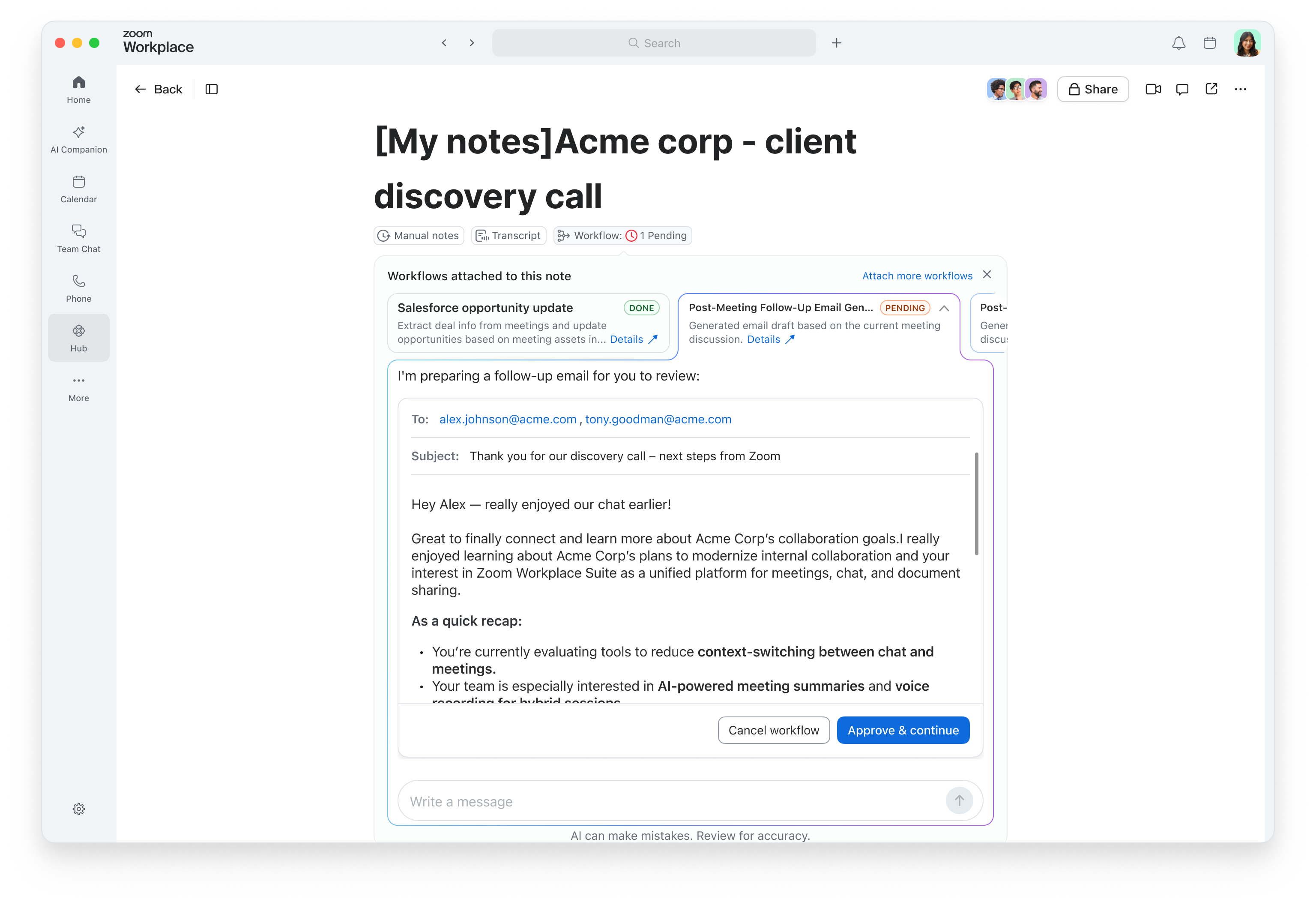
Why stop at a summary when your notes can do the follow-up for you? With built-in Workflows in My Notes, you can automatically trigger post-meeting tasks—like sending recap emails, updating your CRM**, or creating to-dos—directly from your meeting notes while the details are still fresh.
Meeting intelligence is only valuable if something happens after the meeting ends.
 4 min read
 11 min read
Explore key meeting statistics and insights to improve efficiency, engagement, and productivity in your meetings with the right tools and strategies.









