


会议和聊天

 8 阅读分钟数
还在为碎片化沟通而困扰吗?了解连接团队的高效协作纽带
当团队通过集中式互联空间(例如 Zoom Chat)来分享创意、执行决策并确保全员无缝协作时,团队的工作效率就能显著提升。
了解 AI 会议转写、内容汇总的实用价值,借助 Zoom My Notes 实现自动记笔记。
8 阅读分钟数
发布日期 2023年11月21日



Robin Bunevich 是 Zoom 的产品营销经理。她负责 Zoom AI 的产品营销和战略规划。在领导 Zoom 活动解决方案产品营销三年并推出 Zoom 增长最快的产品之一 Zoom Events 之后,她现在的工作重点是帮助组织将 AI 无缝地融入到其工作流程中。在加入 Zoom 之前,她曾在《纽约时报》负责现场活动的营销推广,并在 2020 年 3 月帮助该组织过渡到完全虚拟的活动项目中发挥了重要作用。在 Zoom,Robin 利用她超过 15 年的营销和广告经验,帮助提高 Zoom 的 AI 解决方案的知名度和采用率。
If you’ve ever been assigned to take notes in a meeting, you know the struggles. You’re trying to write down what every person said accurately, but if your attention shifts for just a moment, you might miss an important detail. It’s harder to participate in the discussion fully if you’re occupied with listening and typing. Then after your meeting, you need to clean up your notes, capture crucial next steps, and send your summary to the rest of the team. All these tasks eat away at your ability to be productive and can stop collaboration in its tracks. But help is at hand: an AI note taker is just the tool you need.
Many people are turning to AI meeting apps and tools to automate note taking and summarize meeting information. It’s like having an AI assistant by your side during meetings, taking notes, and keeping track of discussion items so you can focus on the conversation. Not to mention, having a meeting summary with key points to refer back to makes writing that follow-up email much easier.
See how you can benefit from an AI note taking tool — and why it just might become your new best friend in meetings.
生成式人工智能模型最著名的功能可能是根据提示生成信息,但它们也很擅长总结信息。它们使用自然语言处理 (NLP) 将较长的信息合成为包含文本要点的简短摘要。
AI 智能笔记助手可转写会议对话内容,并将转写文字作为文本输入,生成会议摘要。许多笔记应用还会根据通话上下文识别关键要点和行动项。
部分 AI 笔记应用需要完整会议录制文件才能生成会议摘要。如果您不希望录制会议,可选择无需录制的工具,例如 Zoom My Notes 可在不录制会议的前提下生成会议摘要。
Zoom Meetings 的会议摘要可生成可靠、精准的人工智能会议复盘内容。借助 My Notes,AI 笔记功能将迎来全面升级,让用户能够在第三方会议、Zoom 线上会议以及线下面对面会议中使用专属智能笔记助手。无论您是身处工位还是外出途中,My Notes 都支持多设备同步,不会遗漏任何细节。
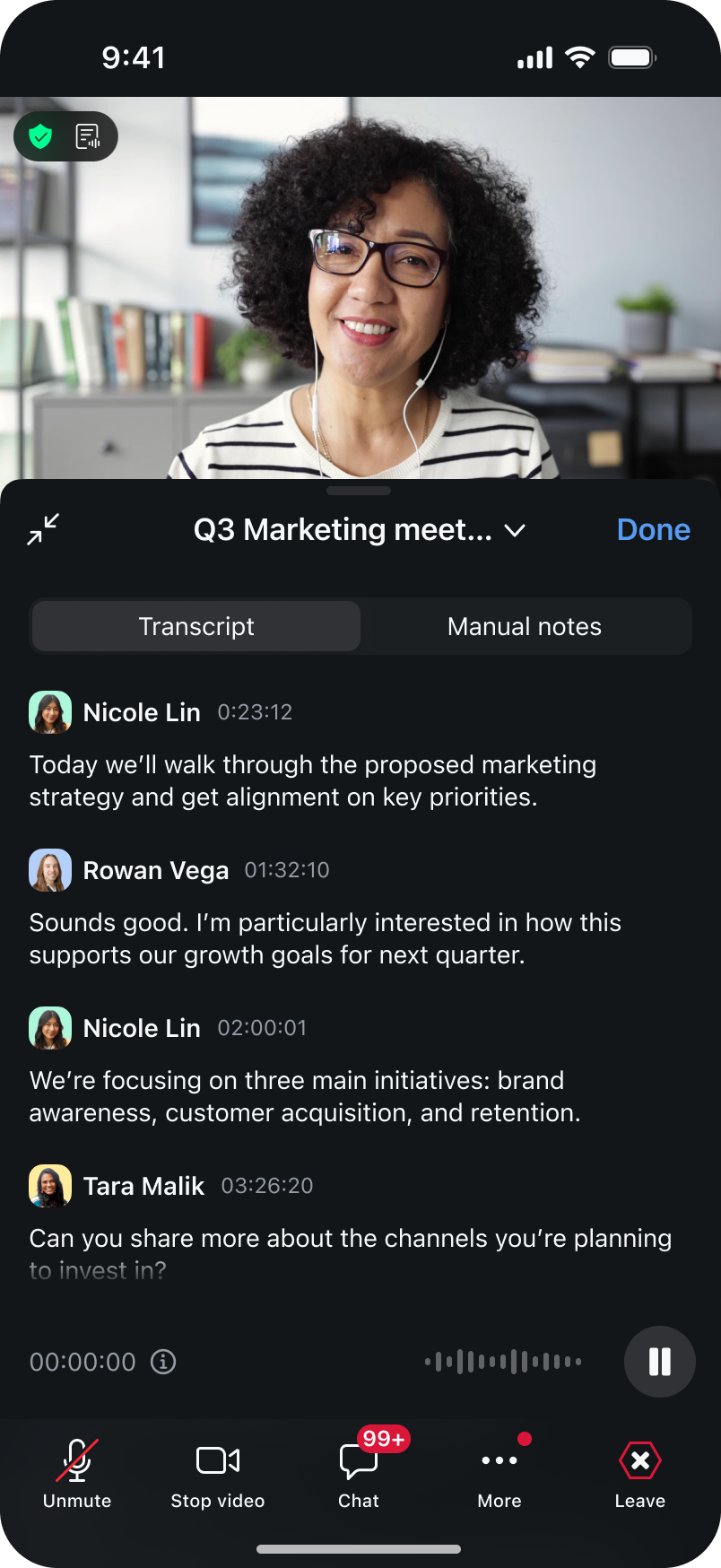
使用 My Notes,您可以在会议过程中自主记录笔记,Zoom AI 功能会搭配会议转写文字丰富笔记,完整还原会议全部背景信息。
如果您拥有符合条件的付费 Zoom Workplace 套餐,则可以直接使用 Zoom 内全部 AI 功能(如果您暂未订阅符合条件的套餐,可以立即升级)。部分功能需联系 Zoom 管理员开启。
您可参考以下方式,在会议前、会议中、会议后借助 AI 功能完成笔记记录:
移动端 My Notes 功能可将 AI 笔记功能扩展到桌面端以外,助您在工作场所记录对话内容并采取相应行动。
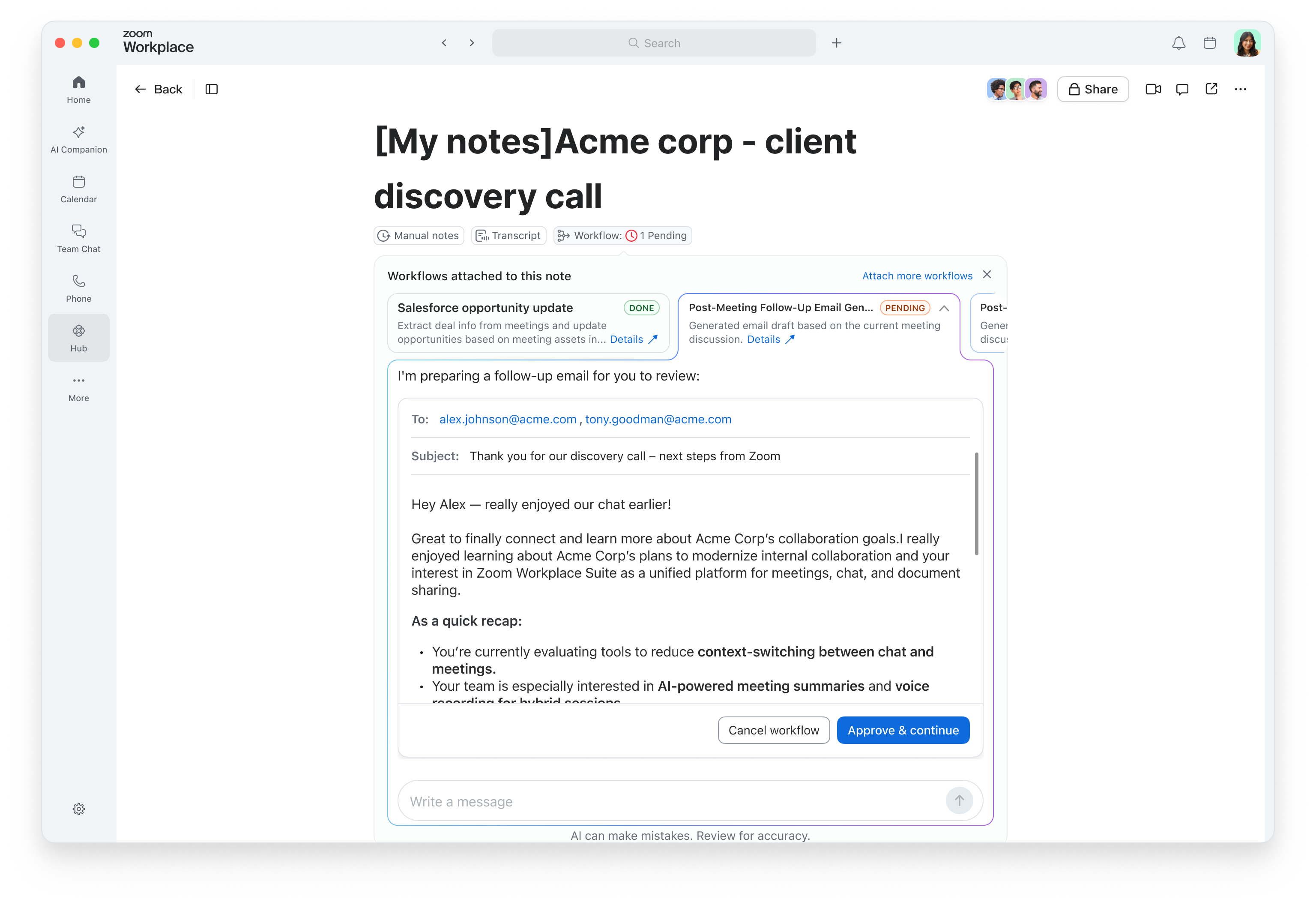
既然笔记可以代您完成后续跟进任务,何必停留在摘要层面?借助 My Notes 内置的工作流程,当您仍可清晰回想起会议细节时,就能直接从会议笔记中自动触发会后任务——例如发送回顾电子邮件、更新 CRM** 或创建待办事项。
8 阅读分钟数
当团队通过集中式互联空间(例如 Zoom Chat)来分享创意、执行决策并确保全员无缝协作时,团队的工作效率就能显著提升。
 8 阅读分钟数
了解有关 Zoom Chat 的更多信息,并查看它与 Slack 和 Microsoft Teams 等其他热门聊天应用相比如何。
 10 阅读分钟数
获取使用 Zoom Chat 的小技巧,以便随时随地进行沟通,轻松管理复杂项目,自动执行日常任务——上述操作均可通过一体化平台完成。









