Product AI Zoom Workplace

Your guide to getting started with Zoom Slides 2026

Zoom Slides turns your meetings, docs, and ideas into polished presentations — no design skills required. From transcript to slide deck, you move seamlessly from conversation to compelling story.

5 min read

Published on June 1, 2026
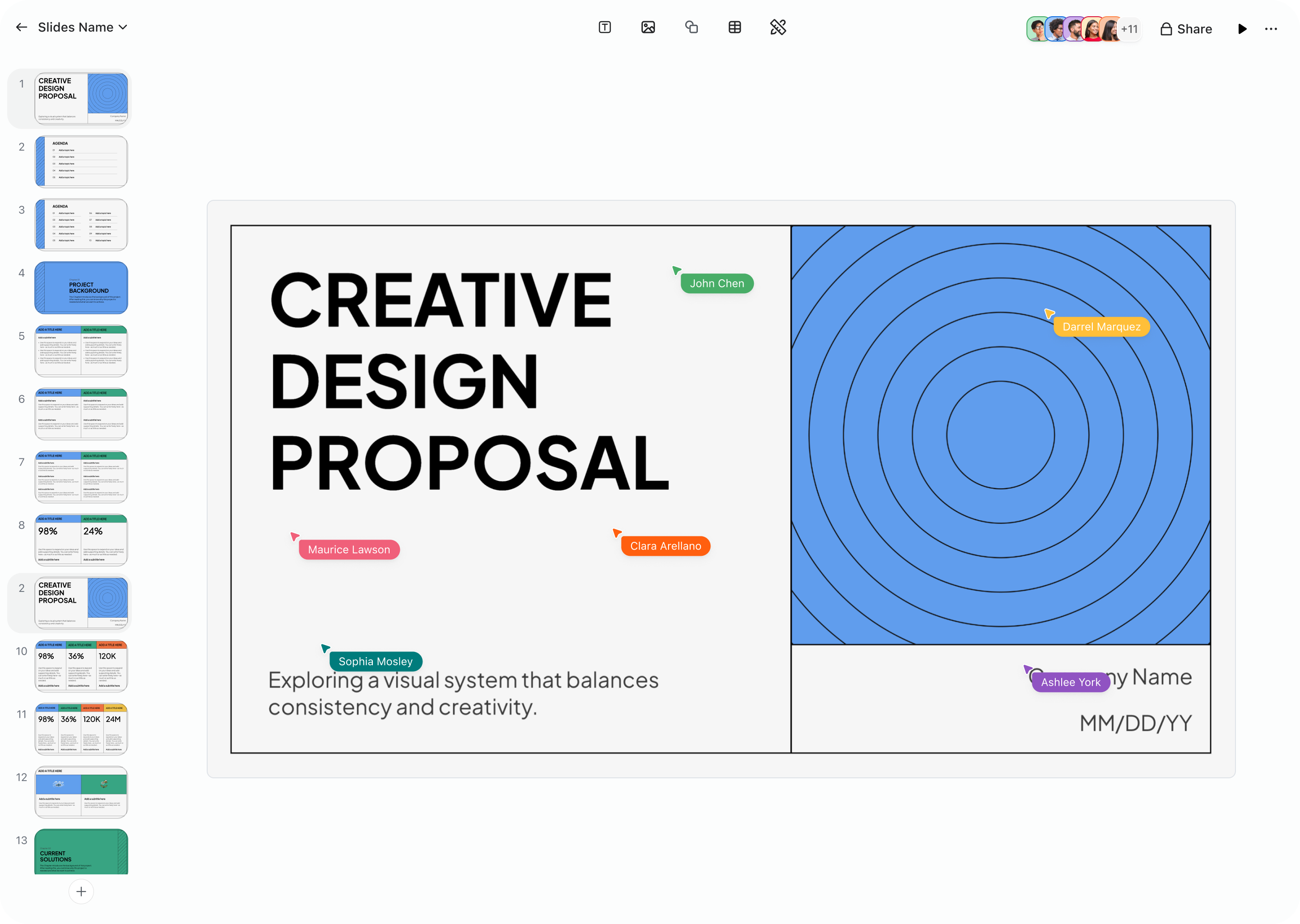
Image Placeholder

What is Zoom Slides, and what can you do with it?

Presentations are one of the most universal tools in business — and one of the most dreaded to build. Between hunting for the right template, wrestling with slide layouts, rewriting bullet points for the fifth time, and trying to make everything look consistent, creating a deck can eat up hours that would be better spent on the work the presentation is actually about.
 
Zoom Slides changes that dynamic entirely, as it's an AI-first presentation tool that lets you go from idea to polished deck in minutes. Instead of starting from a blank slide and manually arranging text boxes and images, you describe what you need — or simply point Zoom's AI at a meeting transcript, a Zoom Doc, or a set of notes — and it generates a visually compelling, on-brand presentation for you.
 
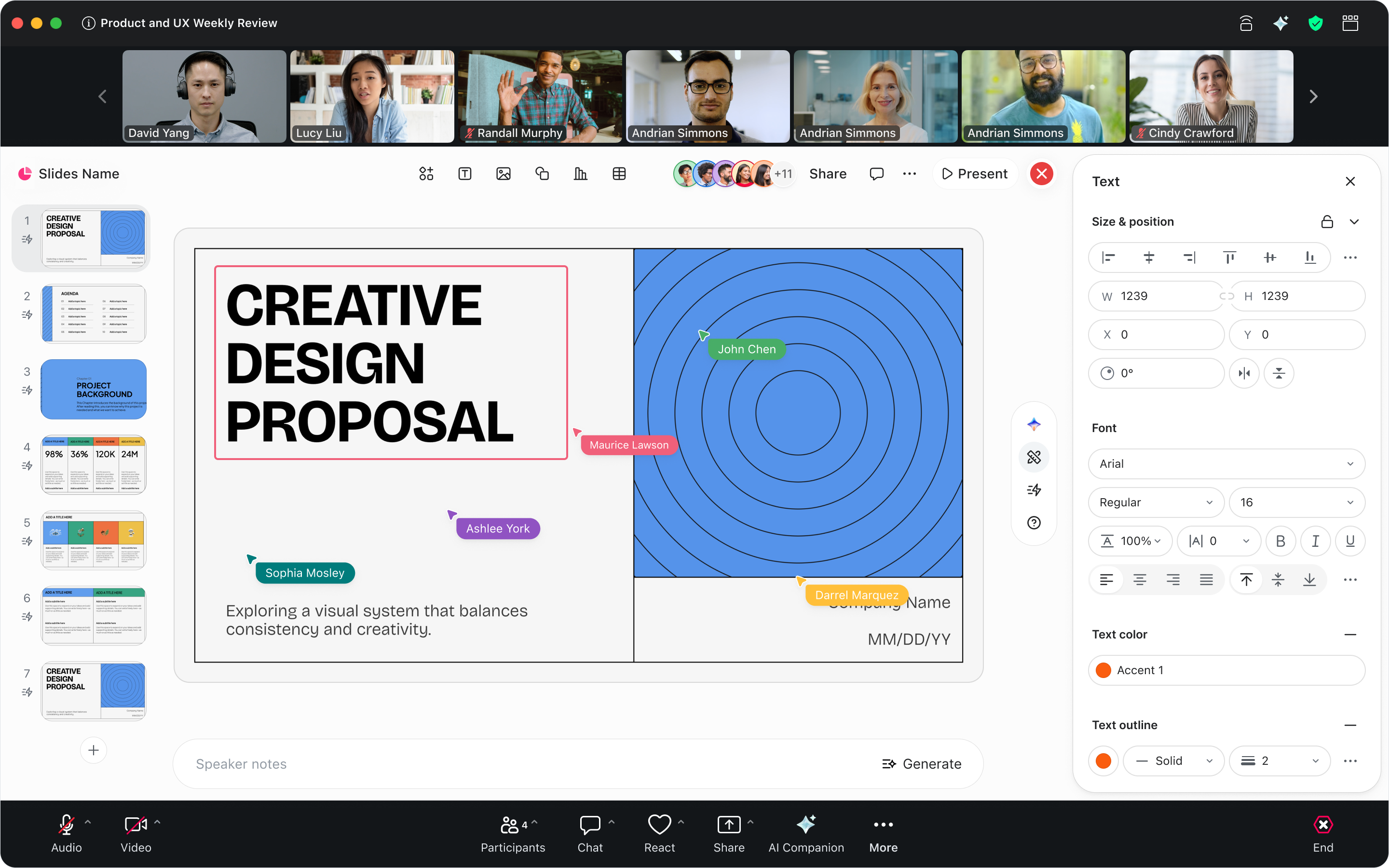
What makes Zoom Slides especially powerful is its deep connection to the rest of Zoom Workplace. The conversations you have in Zoom Meetings don't have to stay buried in a transcript or scribbled in someone's notes. They can flow directly into a structured slide deck where AI features in Zoom Workplace organize the key points, build a narrative arc, and apply professional layouts — all without you dragging a single element across a canvas.
 
Whether you're a sales rep turning a discovery call into a tailored proposal, a marketer building a campaign recap for stakeholders, or a consultant packaging client requirements into a deliverable, Zoom Slides gives you a faster, smarter path from raw information to a presentation you're proud to deliver. And because it lives inside Zoom Workplace alongside your meetings, chat, docs, sheets, and whiteboards, there's no context-switching — just one connected workflow from discussion to deck.

Turn your next meeting into a polished deck — in minutes.

How to create your first Zoom Slides presentation

Getting started with Zoom Slides is straightforward, and there are several ways to jump in depending on how you prefer to work. All your presentations are stored in Zoom Hub alongside your other Zoom assets — meeting summaries, recordings, docs, sheets, and whiteboards — so everything stays organized in one place.
 

Start from a prompt

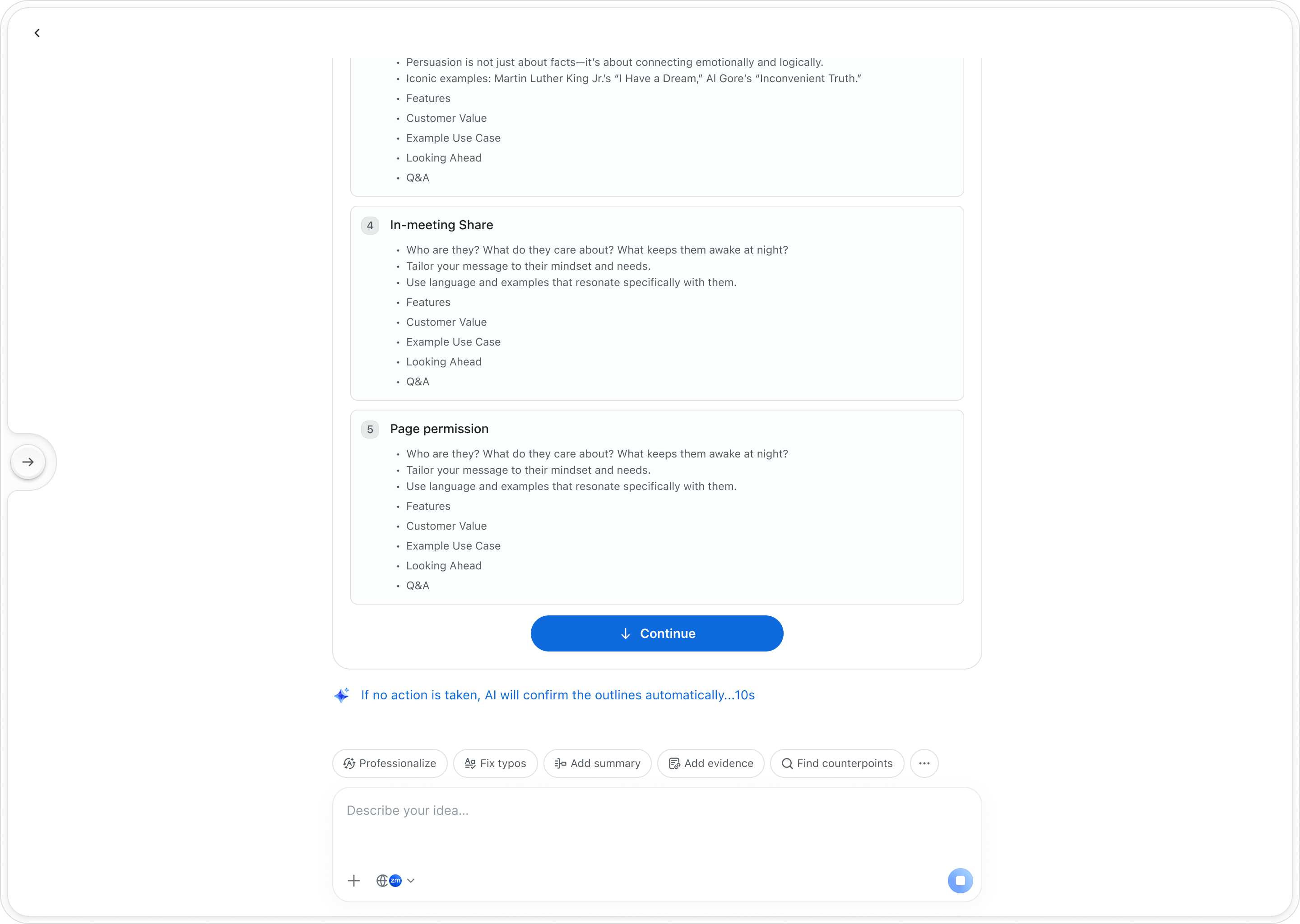
Open the Zoom Workplace desktop or mobile app and navigate to Hub. From there, select the option to create a new Zoom Slides presentation. You can describe the deck you need in plain language — something like "create a quarterly business review with sections for revenue, customer growth, and next-quarter priorities" — and Zoom AI will generate a complete set of slides with smart layouts, relevant headings, and structured content to get you started. It's the fastest way to go from a blank screen to a working draft.
 

Create a deck from a meeting

This is where Zoom Slides truly shines. After a Zoom Meeting, you can pull in meeting summaries, transcripts, and key discussion points directly into a new presentation. Zoom AI will parse the conversation, identify the most important themes and takeaways, and organize them into a logical slide sequence — complete with speaker notes. Imagine finishing a client call and having a polished recap deck waiting for you moments later, ready to refine and share.


Build from existing documents

Already have the content in a Zoom Doc, a set of notes, or another file? You can point Zoom AI at existing documents and let it extract the key information, then structure it into a presentation. This is especially useful when you've been collaborating on a project brief or strategy document and need to turn that written content into something visual for a broader audience. You can also import .pptx files directly into Zoom Slides to continue working on decks you've already started elsewhere.
 

Use AI to generate from Hub

From the Hub homepage, you can use the AI create slides entry point to kick off a new presentation. Select existing files in Hub — meeting summaries, docs, sheets — and ask Zoom AI to synthesize them into a deck. This is particularly powerful when you want to pull insights from multiple sources into a single cohesive presentation without manually copying and pasting between apps.

Key features: let AI handle the design work

Zoom Slides is packed with capabilities designed to take the friction out of building presentations. Here's a closer look at the features that set it apart from traditional slide tools.
 

AI slide generation

  • Create complete, on-brand presentations from prompts, meeting content, or documents. Zoom AI handles layout, structure, and visual design — saving you hours of manual work.

Meeting-to-deck pipeline

  • Turn meeting transcripts and summaries into structured slide decks automatically. The conversation doesn't end when the meeting does — it becomes a presentation ready to share.

AI writing refinement

  • Refine your slide content without leaving the editor. Zoom AI adjusts tone, improves clarity, tightens structure, and polishes your messaging so every slide reads with confidence.

AI-generated speaker notes

  • Never walk into a presentation unprepared. Zoom AI generates detailed speaker notes for each slide, giving you talking points and context so you can present with confidence.

AI image generation & editing

  • Need a visual but don't have one? Zoom AI can generate images to complement your content or edit existing images directly within your slides — no separate design tool required.

Branded templates

  • Maintain visual consistency across your organization with branded templates. Zoom AI applies your company's design language automatically, so decks look professional and on-brand.

Collaboration, export, and version history

Just like other Zoom Workplace tools, Zoom Slides supports real-time co-editing so your team can collaborate on a deck simultaneously — whether you're in a meeting or working asynchronously. Version history lets you track changes over time and revert to earlier versions if needed. When your presentation is ready, export it as a .pptx file with formatting fully preserved, making it easy to share with anyone — even colleagues who aren't on Zoom. You can also integrate Zoom Slides into your broader workflows using Zoom's developer capabilities, including OpenAPI, webhooks, and the Model Context Protocol (MCP), connecting your presentations with the other tools your team relies on.


Present with confidence

Zoom Slides isn't just a creation tool — it's built for delivery, too. Go from collaborator to presenter seamlessly within Zoom Workplace. With Voice PPT, you can narrate your way through a presentation and let AI help you refine the delivery. Your slides, your speaker notes, and your audience are all in one place, so there's no fumbling between apps when it's time to present.


Stop designing slides. Start delivering ideas.

How teams are using Zoom Slides

Zoom Slides is designed to bridge the gap between meetings and presentations across every department. Here's how different teams can put it to work.
 

Sales

Turn conversations with prospects into winning proposals without the manual grind. Zoom Slides generates pitch decks from meeting transcripts that reflect what clients actually said they need — their priorities, their pain points, their language. Instead of spending an evening rebuilding a generic template, your team can refine the AI-generated deck, add a few personal touches, and present with confidence, all without leaving the platform. The result: proposals that feel tailored because they genuinely are.
 

Marketing

Build compelling stakeholder presentations directly from strategy meetings, without manual note-taking or hours of slide formatting. AI features in Zoom Workplace capture key insights from your brainstorms and planning sessions, generate branded decks, and streamline the workflow from ideation to final presentation. When leadership asks for a campaign recap or a quarterly review, you can go from meeting notes to a polished deck in minutes — freeing your team to focus on creative strategy instead of slide design.
 

Professional services

Let AI capture client requirements directly from meetings, then generate tailored, fully designed presentations that reflect each client's needs and priorities. From initial consultation through deck creation to final delivery, Zoom Slides supports the entire workflow — reducing the time consultants spend on formatting and increasing the time they spend on delivering value. When you're juggling multiple engagements, having AI handle the presentation heavy lifting means faster turnaround and more consistent quality.
 

Customer success

Quarterly business reviews, onboarding decks, and account health summaries no longer need to be built from scratch every time. Zoom Slides can pull from meeting histories and account data to generate presentations that tell the story of each customer relationship. Your team spends less time assembling slides and more time preparing for the conversations that actually strengthen customer partnerships.

Ready to get started?

Zoom Slides is included with eligible Zoom Workplace paid accounts as part of the Zoom AI Productivity Suite. For full access to all AI features in Zoom Slides, get ZoomMate — the best way to use AI in Zoom Workplace.
 
ZoomMate brings together the entire Zoom AI Productivity Suite alongside everything else you need to turn conversations into finished work. Both ZoomMate and the Zoom AI Productivity Suite are now available for purchase.
 
Please note that availability may vary by customer type, region, and industry vertical at launch, with broader rollout expected throughout the year.
 

From conversation to compelling presentation — without the design grind.

Try ZoomMate and let AI turn your meetings and ideas into polished, on-brand slide decks you're proud to deliver.

Our customers love us

Okta
Nasdaq
Rakuten
Logitech
Western Union
Autodesk
Dropbox
Okta
Nasdaq
Rakuten
Logitech
Western Union
Autodesk
Dropbox

Zoom - One Platform to Connect