The 10 Best VoIP Providers for Business in 2026: Pricing, Features & Reviews

12 min read

Published on January 6, 2025

Photo depicting an agent talking on a headset, using a VoIP system to connect with a customer

Voice over internet protocol (VoIP) allows businesses to make and receive calls over the internet rather than traditional phone lines. Modern business VoIP and cloud phone systems can combine calling, voicemail, call routing, messaging, integrations, and AI-powered capabilities in a single platform.

In this guide, we compare leading business VoIP providers based on pricing, reliability, call management, AI capabilities, integrations, scalability, and other key features to help you evaluate which business phone system best fits your needs.

✅  Why you can trust this guide

This comparison was researched and written by the Zoom editorial team. Although Zoom Phone is one of the ten providers listed, we applied the same evaluation criteria — pricing, fees, published capabilities, uptime commitments, and third-party review scores — consistently across every entry. Pricing and feature details were verified against each provider's public website and documentation. Where a provider does not publicly list pricing, that is noted explicitly.

The 10 best VoIP providers

  • Zoom Phone for AI-powered unified communications
  • Ooma for simple SMB phone systems
  • Vonage for app-first business calling
  • RingCentral for streamlined UC for SMB/midmarket
  • Nextiva for growing customer-facing teams
  • Dialpad for built-in AI for small teams
  • 8x8 for global calling
  • Intermedia Unite for international calling + full UC
  • Grasshopper for small businesses
  • Google Voice for Google Workspace-centric teams

VoIP Providers Compared at a Glance

Replacement chart: phone-relevant capabilities and updated pricing/fee treatment

Note: Fees vary by jurisdiction and account configuration; verify plan packaging/prices immediately before publication.

Provider Best for Standout VoIP capabilities Starting price & fee considerations
Zoom Phone AI-powered unified communications Unlimited U.S./Canada calling; AI call summaries, transcription & tasks; Zoom Workplace integration; 99.999% uptime SLA $16/user/mo, annual; no separate Zoom E911 or regulatory recovery fee; USF/taxes additional
Ooma Simple SMB phone systems Unlimited U.S./Canada/Mexico/Puerto Rico calling; virtual receptionist; mobile app; 911 support $19.95/user/mo; applicable E911, regulatory and other taxes/fees vary by location
Vonage App-first business calling Unlimited domestic calling; SMS/MMS; desktop and mobile apps; voicemail $19.99/line/mo standard; + $0.99 E911; + $3.50 RCIP where applicable; USF/taxes additional
RingCentral Streamlined UC for SMB/midmarket Unlimited U.S./Canada calling; AI transcription & summaries; phone, messaging and meetings; scalable add-ons $20/user/mo, annual; + E911 fee; + Compliance/Admin Cost Recovery fee; USF/taxes additional
Nextiva Growing customer-facing teams Business calling, routing, SMS, video and chat; higher tiers add reporting, inbound contact center and AI $15/user/mo, annual; + $3.95 Regulatory Recovery Fee; + $1.50 E911; taxes additional
Dialpad Built-in AI for small teams Unlimited U.S./Canada calling; real-time transcription; AI call summaries; messaging and meetings $15/user/mo, annual; E911, regulatory/compliance fees and applicable taxes additional
8x8 Global calling 99.999% uptime SLA; international calling; built-in transcription/AI; integrated UC and contact center platform Custom pricing; E911 Service Fee, Regulatory Recovery Fee, USF and applicable taxes additional
Intermedia Unite International calling + full UC Unlimited calling to 34 countries; AI Call Recap; voicemail transcription; call recording; chat, video and SMS $27.99/user/mo; Emergency Services, regulatory/admin surcharges, USF and taxes additional
Grasshopper Solopreneurs & very small businesses Unlimited calling; virtual business phone; voicemail transcription; texting; mobile and desktop apps $14/mo True Solo, annual; Regulatory Recovery Fee and applicable taxes additional
Google Voice Google Workspace-centric teams Google Workspace integration; unlimited U.S. calling/texting; voicemail transcription; higher tiers add routing and AI $10/user/mo Starter; E911/988, regulatory fees and applicable taxes vary by location

What makes a good VoIP provider?

There's a lot to consider when choosing a VoIP provider. Look beyond basic calling features to service reliability, administration, integrations, and the capabilities included at each price point.

  • Call quality: Look for clear, consistent audio across desktop, mobile, and desk phones.
  • Reliability: Evaluate network redundancy and whether the provider offers a published uptime SLA, including how availability is measured.
  • Core phone features: Business VoIP should support inbound and outbound calling, voicemail, call forwarding and transfer, conferencing, auto attendants, and basic call routing.
  • Emergency calling: Confirm E911 support, location management, and any associated emergency-service fees.
  • AI and transcription: Consider call and voicemail transcription, AI-generated summaries, action items, and other AI-powered calling capabilities.
  • Scalability: Determine whether users, numbers, locations, and more advanced calling capabilities can be added as requirements grow.
  • Customer support: Compare support availability, channels, onboarding assistance, and response options.
  • Security: Review encryption, identity and access controls, compliance capabilities, and administrative policies.
  • Integrations: Check support for CRM, productivity, and other business applications used by your organization.
  • Pricing: Compare the actual cost, including annual-billing requirements, add-ons, E911 charges, regulatory recovery fees, taxes, and other mandatory fees.
  • Ease of use: Consider both the end-user experience and how easily administrators can provision users, numbers, devices, and call flows.

1. Zoom Phone for an AI-powered cloud phone system

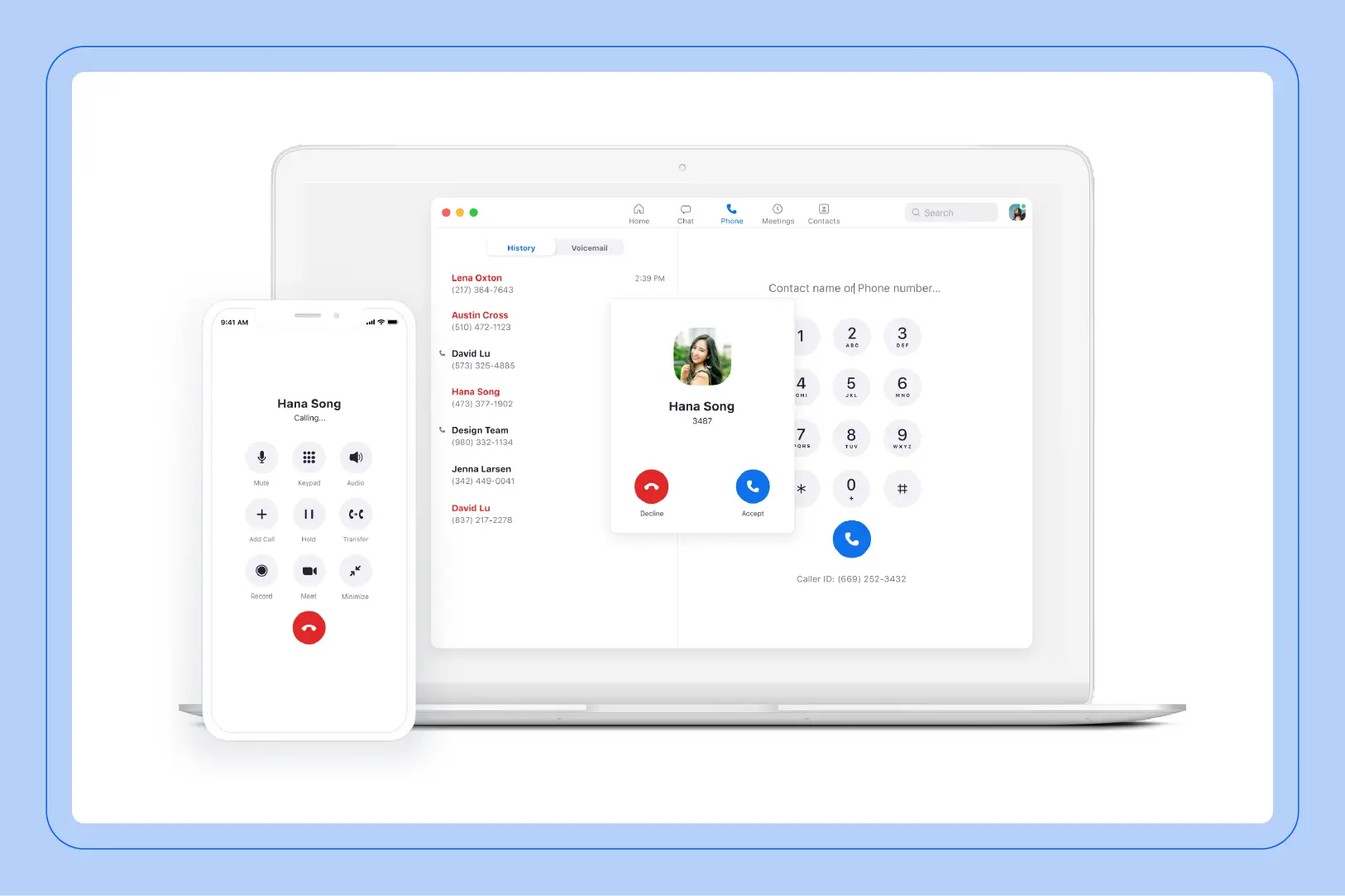
Screenshots of the Zoom Phone user interface


Best for

AI-first unified communications

G2 rating

Pros

  • Comprehensive feature set

  • AI-powered functionalities

  • Scalability

  • Global reach

  • Strong security measures

  • Mobile app

  • Customization options

  • No hidden fees

Cons

  • International calling is metered; unlimited calling to additional countries requires an add-on.

Key features

  • Unlimited U.S. & Canada calling

  • 99.999% uptime SLA and E911 support

  • Auto attendants, call queues, and shared lines

  • AI-powered call summaries, transcription, and next steps

  • AI-powered voicemail prioritization and task extraction

  • SMS/MMS, call recording, and integrations

Starting price

  • U.S. & CA Unlimited: $16/user/month, billed annually

E911 fee: No separate recovery fee. Regulatory recovery fee: None. Federal USF and applicable taxes still apply. Zoom explicitly says it does not separately charge regulatory/cost recovery or 911 recovery fees.

Zoom Phone is a cloud VoIP phone system with an easy-to-use interface that is consistent across desktop, mobile, and web, and allows you to make and receive high-quality phone calls. It's designed to overcome the traditional limitations of a landline phone and enable your team to connect and collaborate, whether they're on a mobile device, laptop, or desk phone.

Features like global call routing, auto attendants, call queues, call recording, and shared line groups are only a portion of Zoom Phone's capabilities, which cater to a variety of VoIP needs, from operations to advanced analytics and reporting.

Zoom Phone integrates with third-party business applications including those from Google, Slack, Salesforce, Microsoft, and others. Organizations that need contact center capabilities can extend Zoom Phone with Zoom Contact Center within the Zoom platform or integrate Zoom Phone with supported third-party contact center solutions such as Five9, Genesys Cloud, NiCE, Talkdesk, and Twilio.

Zoom Phone includes AI-powered capabilities such as note-taking, post-call summaries, call transcription, action items, voicemail prioritization, and voicemail task extraction. Users can also access real-time AI assistance during calls to catch up on conversations and surface key information.

Zoom Phone is integrated with Zoom Workplace, connecting business calling with meetings, chat, and other collaboration capabilities in one platform. The U.S. & CA Unlimited plan includes Zoom Workplace Basic, while Pro Plus and Business Plus plans add expanded meeting, collaboration, productivity, and administrative capabilities.

For organizations that need customer engagement beyond business phone, Zoom Contact Center extends the Zoom platform with omnichannel contact center capabilities.

2. Ooma for ease of use

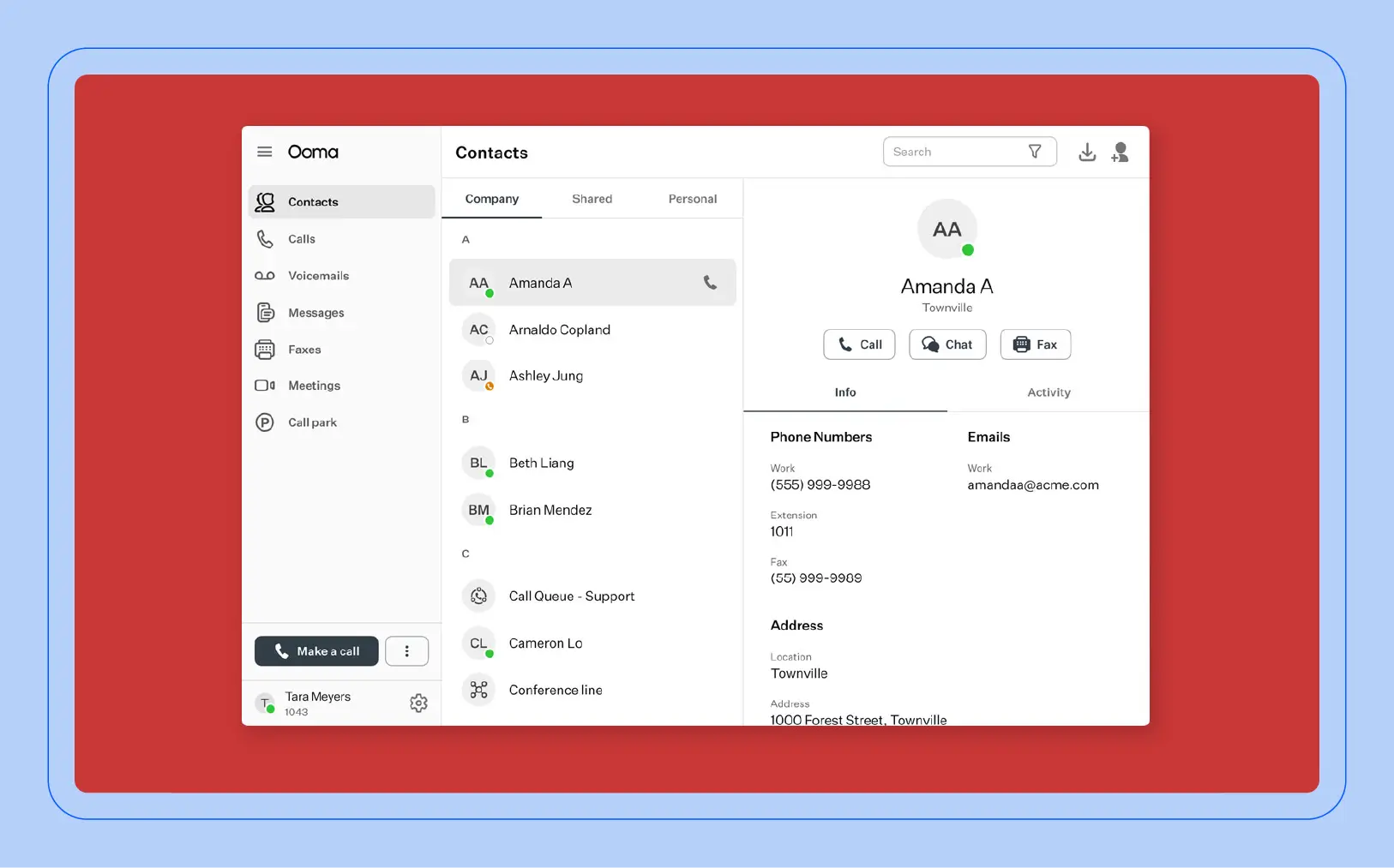
Screenshot of the Ooma user interface


Best for

Simple SMB phone systems

G2 rating

Pros

  • Intuitive platform

  • Mobile app

Cons

  • Call recording, desktop app, and transcription require higher-tier plans.

Key features

  • Unlimited calling in U.S., Canada, Mexico & Puerto Rico

  • Virtual receptionist

  • Mobile app

  • One free toll-free number

  • Digital fax

Starting price

  • Ooma Office Essentials: $19.95/user/month

E911: Included; applicable 911 taxes/fees vary by location. Regulatory compliance fee: Applies; varies by location.

Ooma is a VoIP service designed with simplicity in mind, making it a great choice for those who want to avoid the complexities of traditional phone systems and tap into a range of features that simplify your communication needs. 

From call forwarding and voicemail to virtual receptionist and call blocking, it provides the tools you need to manage your calls effectively. And with the Ooma mobile app, you can access these features anytime, from anywhere. 

With Ooma Office Essentials, you can get unlimited calling in the U.S., Canada, Mexico, and Puerto Rico. If you're looking for an easy-to-use business VoIP service with straightforward calling features, Ooma is a solid option.

3. Vonage for versatility

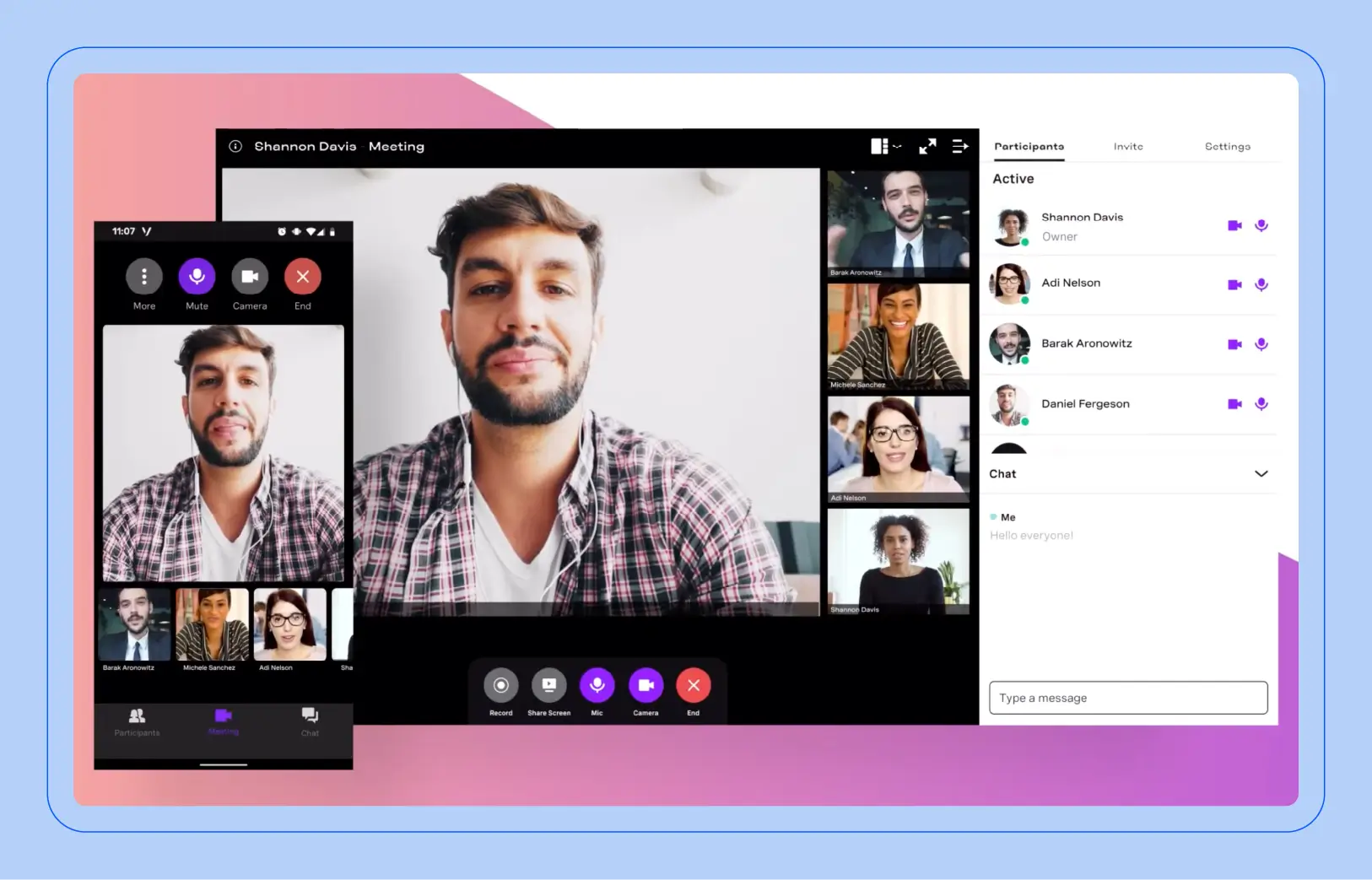
Screenshot of the Vonage user interface


Best for

App-first business calling

G2 rating

Pros

  • Robust feature set

  • Mobile app

  • High quality audio

Cons

  • Call recording and visual voicemail transcription require higher-tier plans.

Key features

  • Unlimited domestic calling

  • SMS/MMS

  • Voicemail

  • Virtual receptionist / auto attendant

  • Mobile and desktop apps

Starting price

  • Mobile: $19.99/month/line + $0.99 E911 fee + $3.50 RCIP fee + Federal Program Fee and applicable taxes

Vonage stands out in the competitive VoIP market due to its versatility. One of its key strengths is its compatibility with various devices and platforms. Whether you prefer using your smartphone, tablet, or computer, Vonage supports desktop, browser, and mobile apps.

In addition to its versatility in device compatibility, Vonage also excels in offering a suite of features. From call forwarding and voicemail to call reporting and analytics, with additional analytics available on higher-tier plans, Vonage equips users with the tools they need to optimize their communication strategies.

For businesses looking for a scalable VoIP solution, Vonage’s customizable options make it an attractive choice. Whether you need to increase or decrease the number of lines or add new features, Vonage can easily accommodate those changing requirements.

Vonage offers a broad set of business communications features and flexible plan options for organizations that want to expand capabilities as their needs change.

4. RingCentral for scalable phone communication

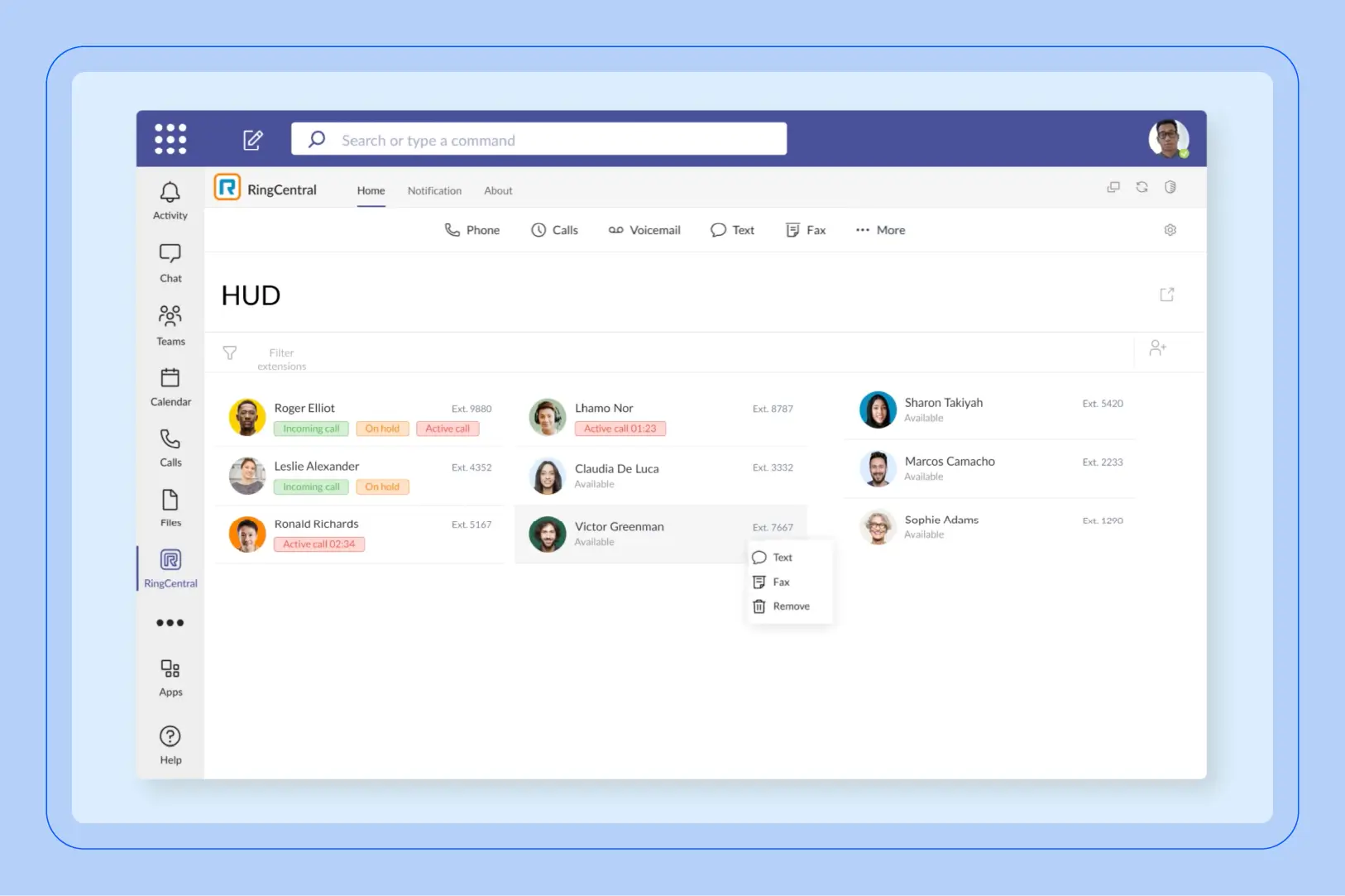
Screenshot of the RingCentral user interface


Best for

SMBs prioritizing ease of use

G2 rating

Pros

  • Highly scalable

  • Strong security measures

  • Mobile app

Cons

  • Advanced call queue and customer engagement capabilities require add-ons.

  • Additional fees for E911 service and Compliance & Administrative Cost Recovery

Key features

  • Unlimited U.S. & Canada calling

  • IVR / auto attendant and call queues

  • 99.999% availability SLA

  • AI call notes and transcription

  • SMS, fax, mobile & desktop apps

Starting price

  • RingEX Core: $20/user/month, billed annually + E911 Service Fee: $1/line/month; Compliance & Administrative Cost Recovery Fee: $4/line/month for 1–99 lines

RingCentral offers a cloud communications platform that may be particularly attractive to small and midsize businesses looking for a straightforward way to manage calling, messaging, and meetings. Its streamlined interface can make common administration tasks relatively easy to navigate.

RingCentral can integrate various communication channels, including voice, video, and messaging. This unified approach eliminates the need for multiple systems and simplifies communication workflows for large teams.

RingCentral’s VoIP solution comes batched with its own unified communications features, such as team messaging, file sharing, and video conferencing which facilitate efficient collaboration and knowledge sharing. These tools empower teams to work together more effectively, regardless of their physical location.

RingCentral provides a broad set of business communications capabilities, although some advanced calling, queue, analytics, and workflow features require higher-tier plans or add-ons. Organizations with more complex communications requirements should compare those capabilities and packaging carefully.

5. Nextiva for customer service

Screenshot of the Nextiva user interface


Best for

Customer service

G2 rating

Pros

  • Mobile app

  • Comprehensive set of features

  • Customization options

  • Excellent customer service

Cons

  • Advanced reporting, inbound call center, and AI capabilities require higher-tier plans or add-ons.

Key features

  • Inbound & outbound voice

  • Business SMS

  • Call routing / auto attendant

  • Mobile app

  • Video meetings

  • Team chat

Starting price

  • Core: $15/user/month, billed annually ($15.00 + $3.95 Regulatory Recovery Fee + $1.50 E911 fee = $20.45/month before taxes). Note: Nextiva's fee page explicitly says the $3.95 RRF and $1.50 E911 fee are company-imposed fees, not government taxes.

Nextiva stands apart from other providers for its focus on delivering reliable service. Beyond its core features, Nextiva’s VoIP solution comes bundled with communication solutions like team messaging. It offers a range of tools designed to enhance customer interactions, such as call analytics, sentiment analysis, and CRM integration. These features empower businesses to gain valuable insights into customer behavior and improve their service.

Nextiva’s commitment to customer service extends beyond its product features. The company provides excellent customer support according to user reviews, shining in its ability to assist customers with questions or issues. This personalized support provides a smooth and hassle-free experience.

6. Dialpad for SMB scalability

Screenshot of the Dialpad user interface


Best for

Scalability

G2 rating

Pros

  • Voicemail transcription

  • Smart call routing

  • Mobile app

Cons

  • Limited customization

Key features

  • Call transcription

  • Sentiment analysis

Starting price

  • Standard: $15/user/month

Dialpad Connect combines business calling, messaging, video meetings, and built-in AI in a cloud communications platform. Its Standard plan includes unlimited calling in the U.S. and Canada, SMS/MMS, voicemail transcription, real-time call transcription, and AI-generated call summaries.

Businesses can add users and licenses as they grow, while higher-tier plans add capabilities such as additional numbers, integrations, and enterprise administration features. Dialpad also supports mobile and desktop apps, allowing users to make and receive business calls across devices.

7. 8x8 for value

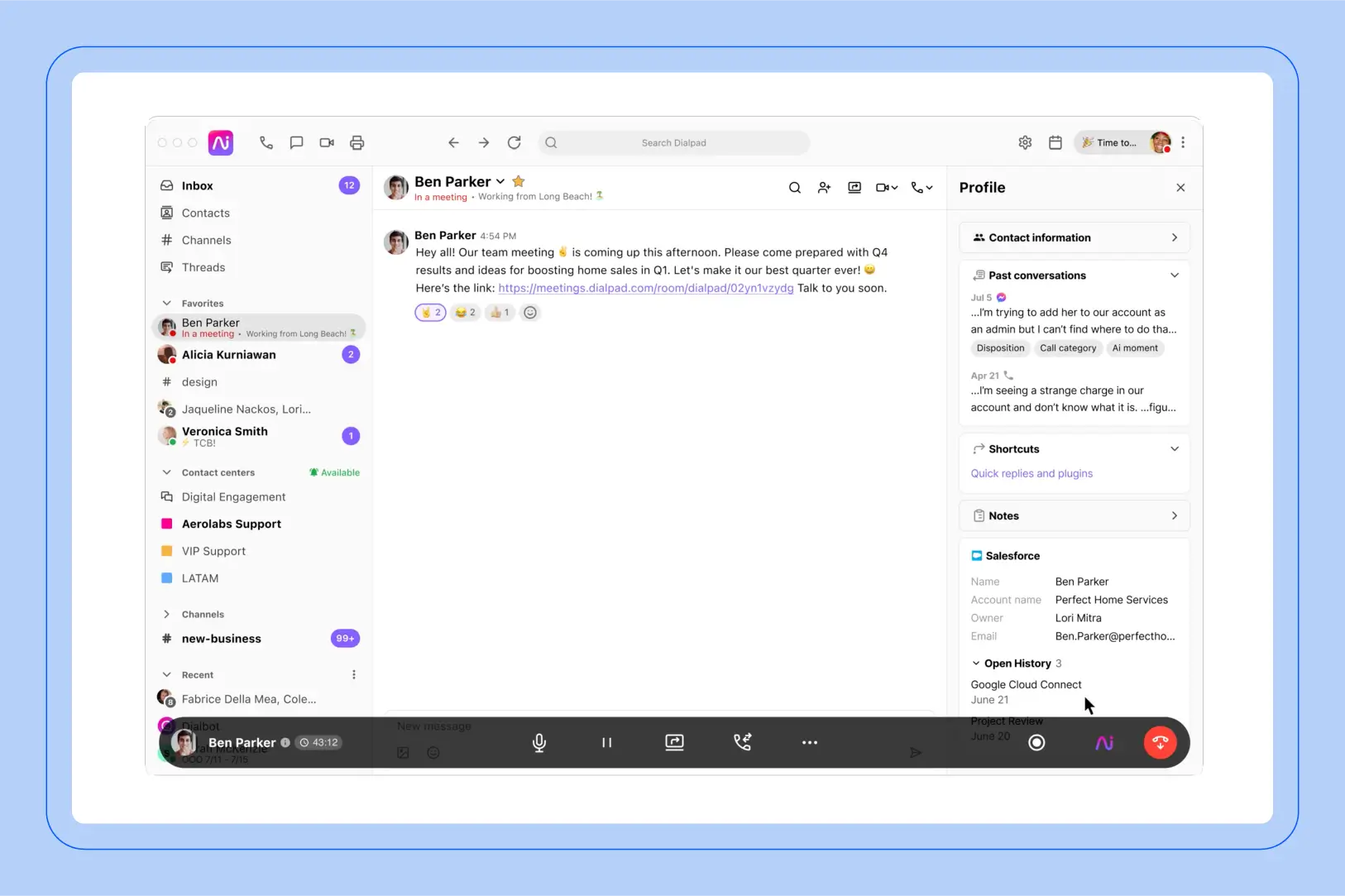
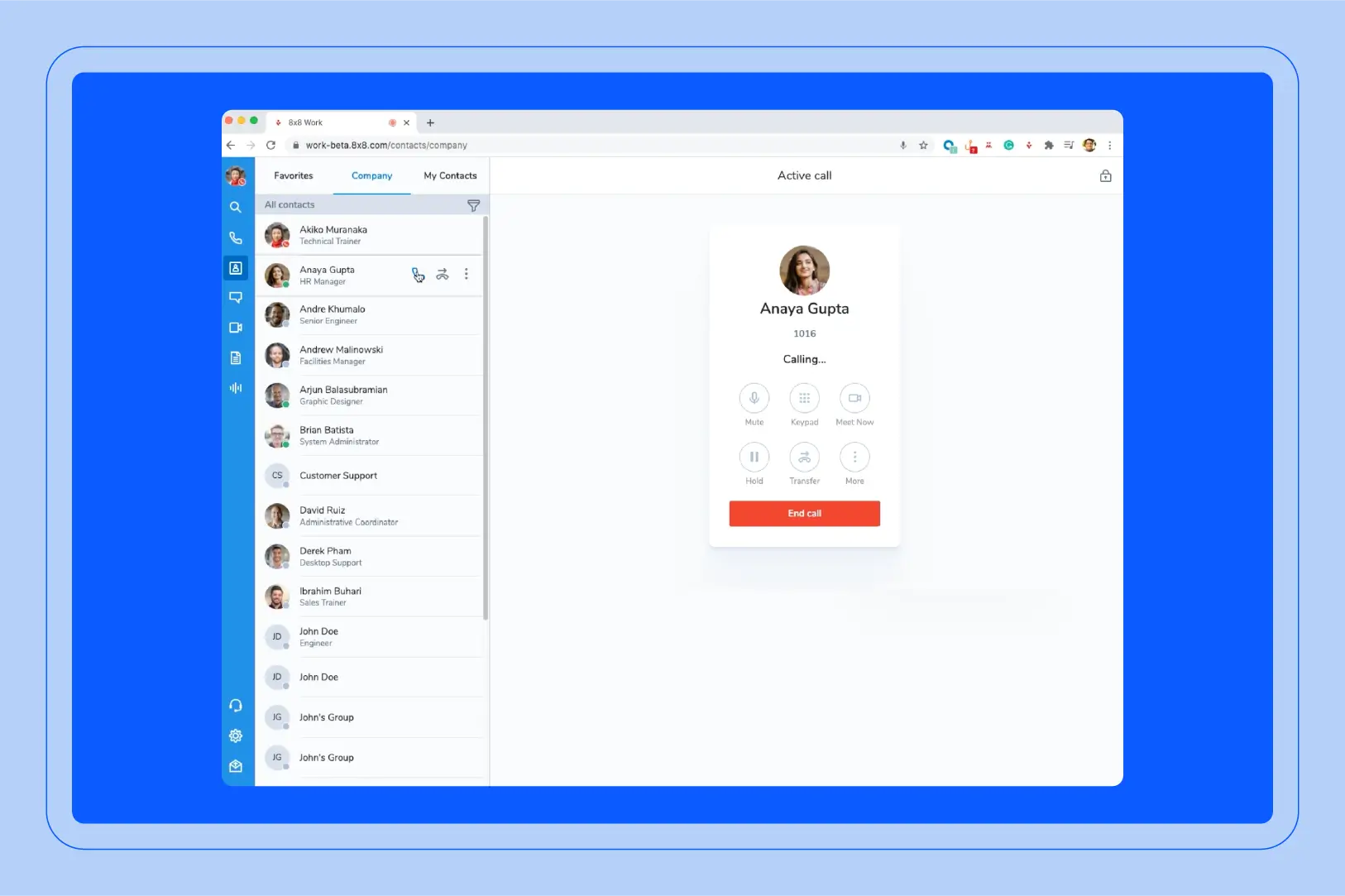
Screenshot of the 8x8 user interface


Best for

Affordability

G2 rating

Pros

  • 99.999% uptime SLA

  • Unlimited calling to up to 48 countries

  • Built-in AI transcription and summaries

Cons

  • Pricing is quote-based and not publicly listed.

Key features

  • Auto attendant and call routing

  • SMS/MMS and fax

  • Voicemail transcription

  • Call recording

  • Mobile, desktop, and web apps

  • CRM integrations

Starting price

  • Custom pricing

8x8 also charges separate E911 and Regulatory Recovery Fees; current public pages do not publish a simple flat dollar amount — additional; varies.

8x8 combines business calling with meetings, team messaging, SMS/MMS, voicemail, and integrations in a unified communications platform. Its phone service includes advanced call routing, voicemail-to-text, call analytics, and built-in AI capabilities such as transcription and post-call insights.

8x8 also emphasizes global reach and reliability, with unlimited calling to up to 48 countries on supported plans and a financially backed 99.999% uptime SLA across its UCaaS and CCaaS platform. Pricing is quote-based rather than publicly listed.

8. Intermedia Unite for third-party integrations

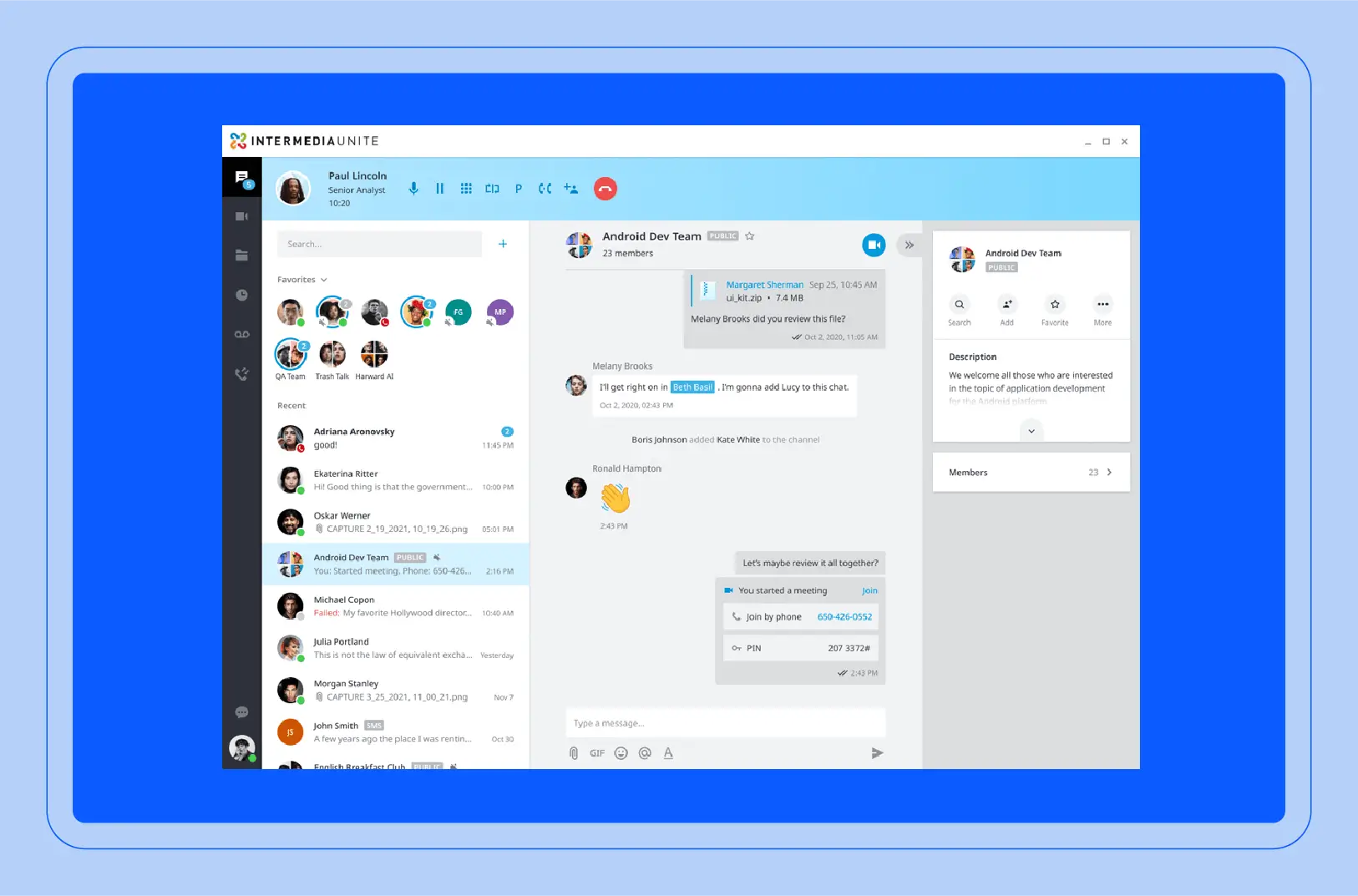
Screenshot of the Intermedia Unite user interface


Best for

Third-party integrations

G2 rating

Pros

  • Unlimited domestic + international calling to 34 countries

  • 99.999% uptime SLA

  • Built-in AI Call Recap / AI Assistant

  • Mobile + desktop apps

Cons

  • Some advanced contact center and AI capabilities require additional licensing.

Key features

  • Auto attendant and hunt groups

  • Voicemail transcription

  • Call recording

  • SMS / chat / video

  • AI Call Recap

  • Mobile + desktop apps

Starting price

  • Unite Pro: $27.99/user/month

E911 / Emergency Services surcharge: Additional; amount varies by jurisdiction/account. Regulatory Compliance / Cost Recovery fees: Additional; amount varies. USF + state/local taxes: Additional.

Intermedia Unite combines business phone, messaging, video, SMS, and integrations in a unified communications platform. It supports integrations with CRM and business applications, while features such as call recording, voicemail transcription, analytics, and reporting help organizations manage and review communications activity.

Unite Pro also includes AI-powered capabilities such as AI Call Recap and AI Assistant, along with mobile and desktop apps for users who need to work across devices.

9. Grasshopper for small businesses

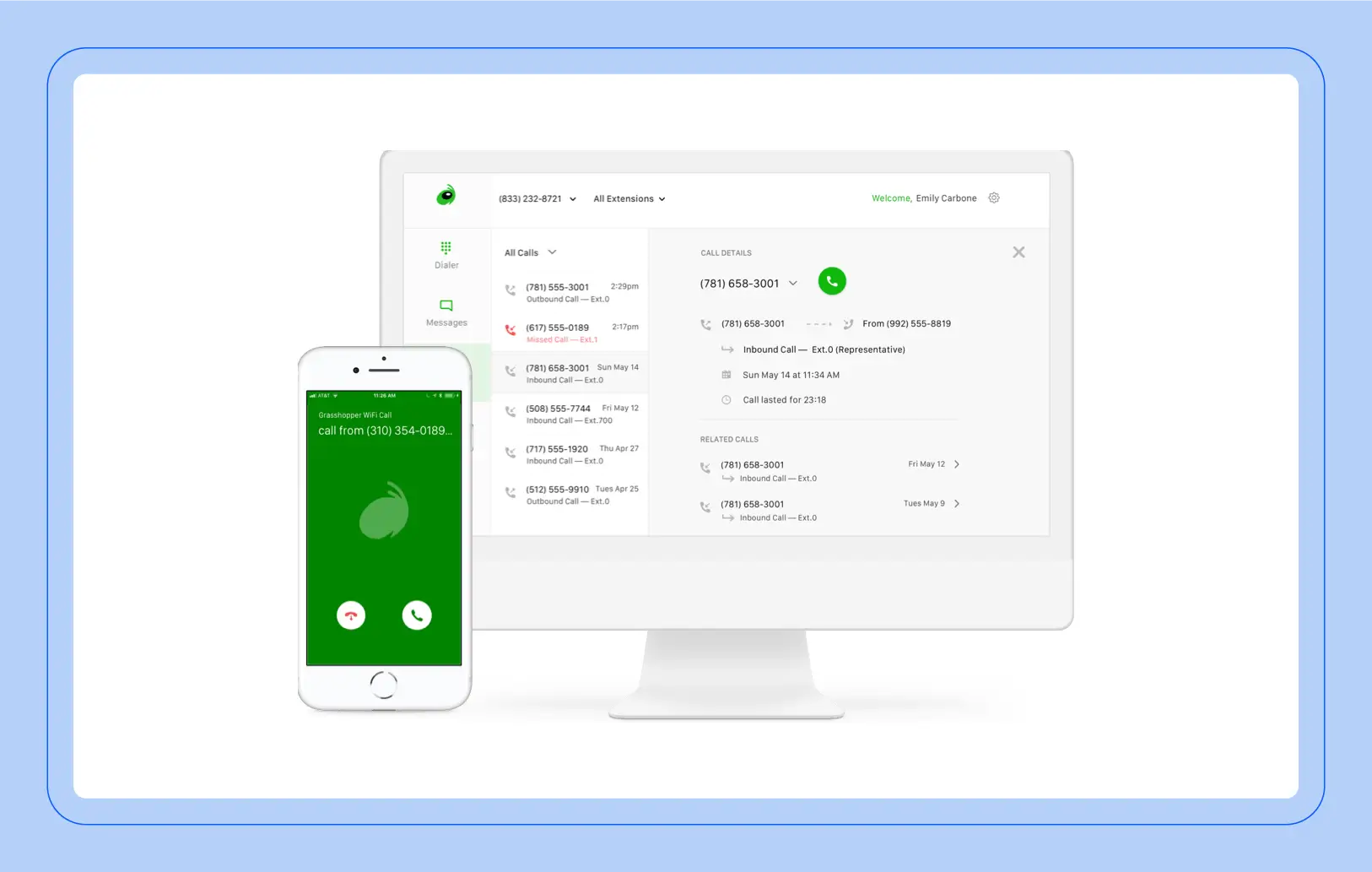
Screenshot of the Grasshopper user interface


Best for

Small businesses

G2 rating

Pros

  • Cost-effective

  • Easy to use

  • Unlimited calling & texting

Cons

  • Limited advanced call routing and contact-center features.

Key features

  • Unlimited calling

  • Voicemail transcription

  • Call recording

  • Business texting

  • Call forwarding/extensions

  • Mobile & desktop apps

Starting price

  • True Solo: $14/month, billed annually

E911: No separate flat E911 fee publicly listed. Regulatory Recovery Fee: Applies; amount varies. Applicable taxes/USF: Additional. Business texting: +$1.50/month messaging fee + $19.50 one-time registration fee.

Grasshopper is designed for solopreneurs and small businesses that want a simple virtual phone system without additional phone hardware. It provides a dedicated business number, mobile and desktop apps, call forwarding, custom greetings, extensions, business texting, and voicemail transcription.

Setup is guided and can be completed through the app, while features such as call recording, automated replies, and reporting provide additional tools for managing customer communications.

10. Google Voice for Google Workspace integration

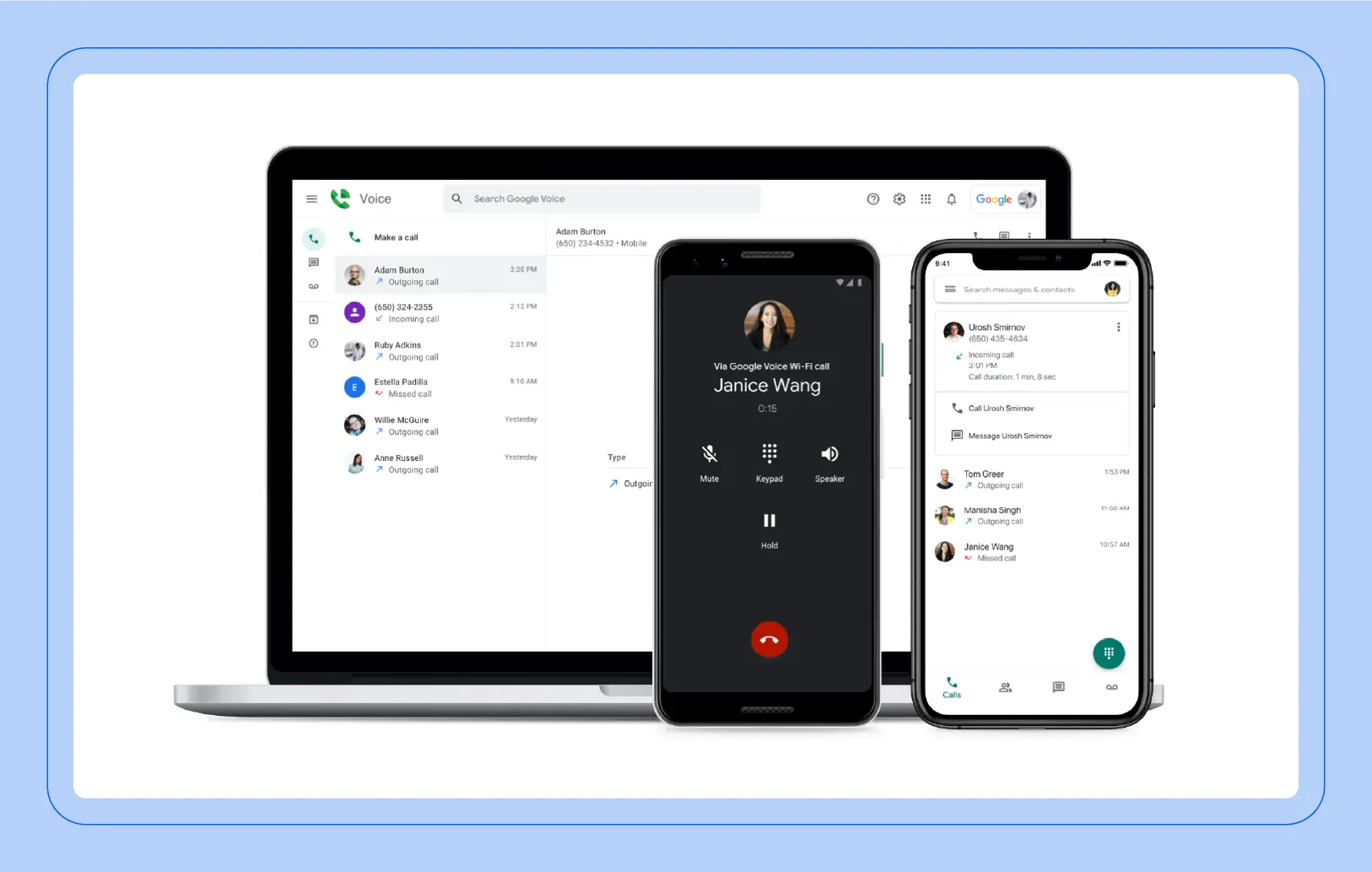
Screenshot of the Google Voice user interface


Best for

Google Workspace integration

G2 rating

Pros

  • Google Workspace integration

  • Unlimited U.S. calling and texting

  • Voicemail transcription

  • 24/7 support

Cons

  • Auto attendants, ring groups, and call queuing require Standard ($20/user/month).

  • Limited third-party integrations

Key features

  • Unlimited U.S. calling and texting

  • Voicemail transcription

  • Call forwarding

  • On-demand call recording

  • Mobile and web apps

  • 3-way calling / call transfer

Starting price

  • Starter: $10/user/month + E911/988 fees (additional; varies by location) + regulatory fees + applicable taxes

Google Voice provides business calling as an add-on to Google Workspace, with Starter beginning at $10/user/month. It integrates closely with Google services such as Gmail, Calendar, and Contacts, and includes unlimited U.S. calling and texting, call forwarding, voicemail transcription, on-demand call recording, mobile and web apps, and 24/7 support.

Higher-tier plans add more advanced business phone capabilities. Standard adds auto attendants, ring groups, call queuing, and eDiscovery, while Premier adds automatic call recording, transcription, AI notes, and advanced reporting through BigQuery. A no-charge version of Google Voice still exists, but it is intended for personal use rather than multi-user business deployments.

Frequently asked questions about business VoIP

How much do business VoIP plans typically cost per user per month?

Business VoIP plans generally range from $10 to $30 per user per month on an annual billing cycle. However, the listed price is rarely the full cost — most providers add mandatory fees for E911 service, regulatory recovery, and federal USF, which can add $2–$6 per line before taxes. When comparing plans, add up the base price plus all published fees to get the actual monthly cost per user.

What should businesses look for when switching to a VoIP phone service?

Start with the basics: call quality, reliability (look for a published uptime SLA), and E911 support. From there, evaluate the features your team actually needs day one — auto attendants, call routing, voicemail transcription, and mobile/desktop apps — versus capabilities you may grow into, like AI call summaries, analytics, or contact center integration. Also confirm that the provider integrates with your existing CRM, productivity tools, and business applications, and factor in the total cost including fees and taxes, not just the advertised per-user price.

Which VoIP platforms make it easiest to manage extensions and call routing?

Modern business VoIP providers typically include auto attendants, call queues, and extension management in their base or mid-tier plans. Zoom Phone, RingCentral, and Nextiva all offer web-based admin portals where you can configure call routing rules, set up extensions, and manage users without specialized IT support. If ease of administration is a priority, look for providers that let you make these changes in a self-service portal rather than requiring support tickets.

Which VoIP providers offer the best international calling rates for businesses?

For businesses with significant international calling volume, 8x8 and Intermedia Unite stand out — 8x8 includes unlimited calling to up to 48 countries on supported plans, while Intermedia Unite includes calling to 34 countries. Other providers, including Zoom Phone, meter international calls and offer optional add-ons or calling packages for specific countries. If international calling is a core requirement, compare which countries are included in each provider's unlimited bundle versus which are billed per minute.

Where can businesses find VoIP services that include video calling and messaging?

Modern business VoIP providers now bundle voice, video meetings, and team messaging into a single platform — often called unified communications (UC). Zoom Phone (via Zoom Workplace), RingCentral, Dialpad, Nextiva, 8x8, and Intermedia Unite all include video conferencing and messaging alongside business calling. The key differences are in how tightly these capabilities are integrated, what's included at each pricing tier, and whether AI features like call transcription and meeting summaries are available across all communication channels or limited to specific ones.


How Zoom Phone helps unify your communications

Zoom Phone is more than a standalone VoIP service. As part of Zoom Workplace, it connects business calling with meetings, team chat, SMS, and built-in AI in a single platform. Zoom AI fro Zoom Phone can generate call summaries, transcriptions, and action items, while Zoom Workplace extends the experience with broader collaboration and productivity capabilities.

For organizations looking to move beyond basic calling, Zoom Phone can also connect with Zoom Contact Center, CRM and business applications, and AI-powered workflows that help turn conversations into follow-up and action.

Our customers love us

Okta
Nasdaq
Rakuten
Logitech
Western Union
Autodesk
Dropbox

Zoom - One Platform to Connect