



Your guide to getting started with ZoomMate
Everything you need to start using ZoomMate: notes, search, workflows, and AI tools — all inside Zoom Workplace.
Real-time audio translation for Zoom Meetings makes multilingual collaboration as simple as clicking a button.
Published on July 22, 2026



Global teams are the norm. But when half the room speaks Mandarin, and the other half speaks Spanish, meetings get complicated fast. Translated captions help, but reading subtitles while trying to stay engaged in a live conversation? That's multitasking nobody signed up for.
Voice Translator for Zoom Meetings takes a different approach. Instead of asking participants to read along, it delivers spoken translations directly into their ears — in real time. You speak your language. They hear theirs. Everyone can participate in the conversation.
Voice Translator uses AI to process meeting audio through three steps: automatic speech recognition, machine translation, and text-to-speech — all happening in near real time. The result is a translated audio stream that plays alongside (or in place of) the original speaker's voice.
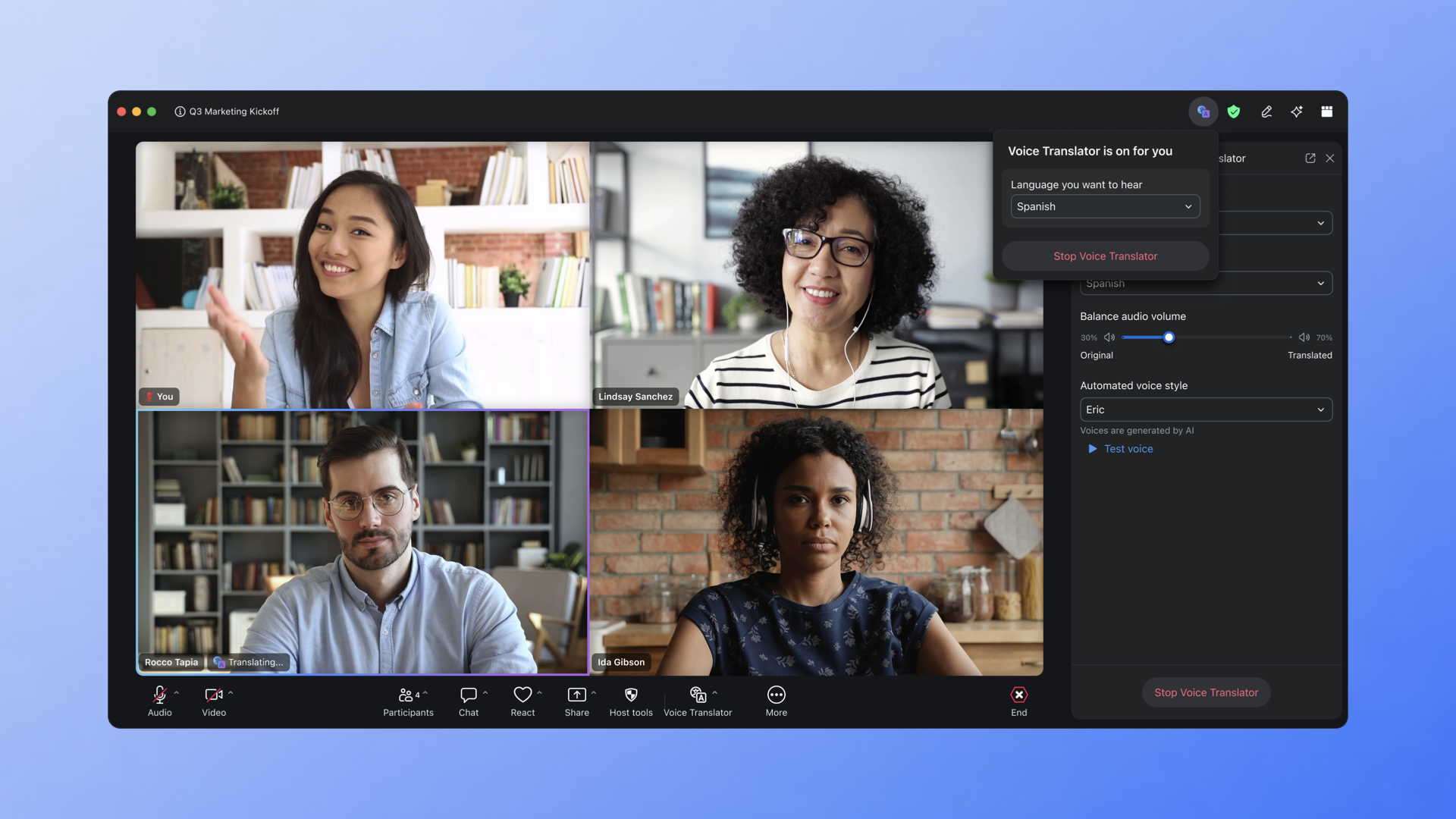
From inside a Zoom Meeting, you turn it on with a single click from the meeting toolbar, pick your speaking language and the language you want to hear, and you're live. There's no complex setup, no pre-meeting configuration, and no need to coordinate with other participants. Each person controls their own translation settings independently.
Voice translation currently supports English, Chinese, Spanish, French, and Japanese. Additional languages, including Portuguese, Arabic, German, and Italian, are planned for later in 2026.
We're also working on capabilities that will make the experience even more natural and flexible:
The core design principle here is simple: keep people in the conversation. Translated captions require you to split your attention between reading and listening. Voice translation lets you do what you'd do in any meeting — listen, react, and respond naturally.
You can fine-tune the experience with a volume balance slider that controls how much of the original speaker's voice you hear versus the translated audio. And you can choose between voice styles for the translated output, so it sounds natural to you.
A small voice translator icon appears next to the active speaker's name to let you know translation is working — visible only to you, not the rest of the meeting.
Live voice translation is useful anywhere language differences slow things down:
Voice translation processes audio in real time to deliver the feature. No meeting audio is stored, no voice prints are created, and no persistent user profiles are built from translation data. The feature processes what it needs for the meeting and discards it.
Voice Translator is available for Pro, Business, and Enterprise accounts through the Zoom desktop app (Windows and macOS, version 7.0.0 or higher). It's included with ZoomMate or available as a standalone Live Translation Add-on.
The most advanced ZoomMate capabilities — agentic search, deep research, workflow automation, and AI-generated deliverables — are available as metered services that use AI credits. Voice Translator uses this same credit-based model, so usage scales with your needs.
Note: Voice translation may not be available in all regions or for all industry verticals.
Ready to try it? Visit the Voice Translator support page for setup instructions and requirements.








