Every week, the average small business misses 6 to 8 phone calls during business hours. Eighty percent of those callers never leave a voicemail — and most never call back. They simply move on to the next name on the list. For professionals whose hands are literally full — bodywork practitioners, dentists, veterinarians, personal trainers — the math is brutal: every unanswered ring could be a client you will never know you lost.
At Zoomtopia 2026, Zoom's AI receptionist took center stage during the SMB Connect track to show how small businesses can stop the bleeding — without hiring a front desk, chaining themselves to their phone, or settling for a generic hold message.
Here's how one solo practitioner turned two years of phone failures into a 24/7 front door that sounds like his practice — and what it could look like for yours.
Watch the full session
See the live AI receptionist demo and Fred's full story in the SMB Connect replay.
The problem: your best skill is the reason you miss calls
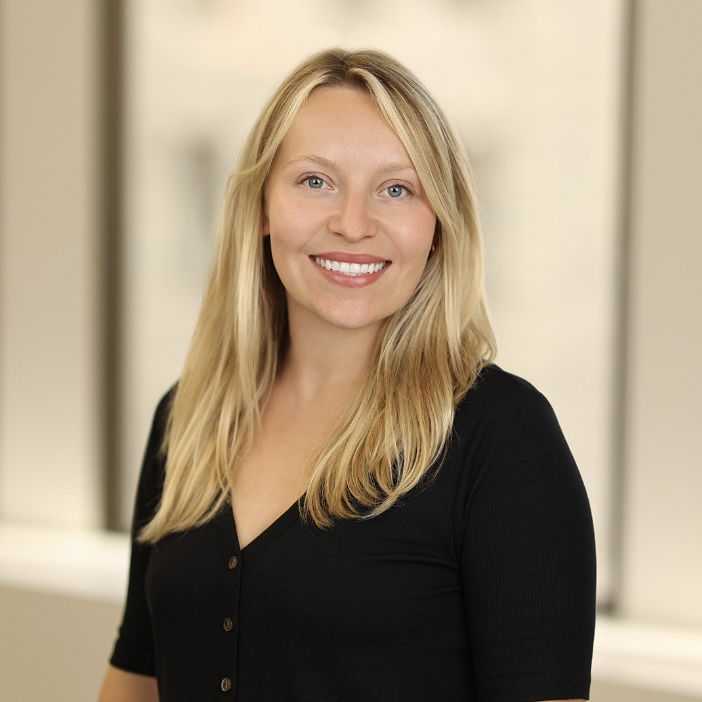
Fred Nehring is a Certified Advanced Rolfer, personal trainer, and the founder of RolfPros in the Denver Tech Center. His clients come to him after injuries, with chronic pain, or after being told to just live with it. Over 14 years he has worked with world-class athletes, Olympic competitors, and NBA players.
But here's the catch: clinical Rolfing demands Fred's full attention. There's no front desk. When he's with a client, he's with a client. And that's exactly when the phone rings.
"People today do business at the speed of light," Fred said during his Zoomtopia session. "When they call, they want an answer and a solution yesterday. But I'm doing the work — when I'm with a client, I can't pick up. So the call went to voicemail. And most people don't leave one. They just hang up and call whoever answers first."
If you run a professional services business — a therapy practice, a consulting firm, a coaching operation — you likely have felt this tension. The very thing that makes you great at your job is the same thing that keeps you from answering the phone.
Two years of trying to fix it — and failing
Fred didn't ignore the problem. He spent nearly two years trying to solve it, and the journey was painful.
Attempt one: He consolidated voice, text, and reminders onto his personal cell number. The provider promised a small business could do it all. They couldn't. Nobody mentioned the catch until his number was mid-transfer. For 25 days, RolfPros had no working phone. Callers got a dial tone. "It got so bad, a couple of clients called the sheriff for a welfare check — to make sure I was still alive," Fred recalled.
Attempt two: A scheduler, an answering service, a bundle of workflows stitched together. "Somehow, that was worse," Fred said. He deleted everything and started over.
If you have ever tried to duct-tape a phone solution together from three different tools, you probably know this story. The tools work individually. They just don't work together — and you become the integration layer.
Why Fred chose AI over hiring
Before going the AI route, Fred seriously considered a traditional receptionist. "For a lot of businesses, that's the right answer — a great receptionist is worth their weight in gold," he acknowledged. But two realities stopped him:
- After-hours coverage isn't financially realistic for a solo clinic. The person lying awake at 11 p.m. with back pain, the weekend call — those happen when no front desk is staffed.
- Training can take months. A new hire doesn't know what clinical Rolfing is on day one. Fred would spend months teaching someone to answer questions he could set up an AI to help handle right away.
Then a client mentioned that his company was rolling out Zoom. Fred already respected the brand — "During the pandemic, they kept the whole world connected, for free." He found Zoom Scheduler, and within two days his calendar was working again. After two years of fighting his own tools, that got his attention.
"So the idea clicked: instead of hiring a person to answer my phone, what if I built it? Something available 24/7, that actually knew my practice, and never took a day off."
How "Lisa" RolfPros AI receptionist was born
Once his calendar was stable on Zoom, Fred got on a call with Steph, his Zoom rep. "She didn't lead with features — she asked me questions about my practice I hadn't even thought to ask myself. After two years of companies I couldn't get on the phone, a real person who actually cared — that's the part I still can't get over."
Building the AI receptionist was surprisingly practical. Fred wrote down every question a new caller typically asks — What is Rolfing? How is it different from PT or chiropractic? What does a first visit cost? Do you take insurance? Fourteen years of calls meant he knew those cold.
"Instead of inventing what AI should say, we built Lisa's answers from what I'd actually say, in my own words. Same plain language, same tone. She sounds like the practice, not like a script."
And Fred drew a hard line: "She handles access. Anything clinical comes to me. She never pretends to be the practitioner. She just makes sure you can always reach one."
Hear it for yourself
Call Zoom's AI receptionist demo line and experience the conversation firsthand.
The live call: watch Zoom Virtual Agent Receptionist work in real time
During the session, our host and product marketing manager, Arvind Rangarajan demonstrated the AI receptionist with a real call into RolfPros. Lisa picked up on the first ring.
Here's what the audience heard: Lisa greeted the caller by name — "I'm Lisa, your RolfPros assistant. I'm available 24/7 to answer your questions" — and offered a menu of ways she could help: booking openings, explaining clinical Rolfing and the conditions they treat, walking through what a first session looks like, covering fees and insurance discounts, or connecting directly with Fred. Arvind said he was calling about a back issue. Lisa asked whether he was a new or existing patient. He said new. She pulled up the next available openings — offering specific dates and times down to the time zone — collected his name letter by letter, confirmed his email, and booked the appointment. The entire interaction was a natural, back-and-forth conversation.
Fred didn't touch his phone. He didn't know about the call until it was over. When Arvind hung up, he had a confirmed appointment in Fred's calendar via Zoom Scheduler.
"Someone can call at 11 o'clock at night and hang up with a confirmed appointment," Fred said. "That's the piece I fought two years to get."
The results speak for themselves
During the session, Fred shared real metrics from the previous week:
- 100% resolution rate — every caller who spoke with Lisa was handled without needing to be passed to a person
- ~14 exchanges per conversation — these are real, substantive conversations, not one-line deflections
- #1 reason people call: scheduling and getting started as a new patient — exactly the front door Fred built his AI receptionist to open
"I'm upfront that Lisa is an AI receptionist, but what surprises people is how natural the conversation feels," Fred said. "Folks tell me they didn't feel like they were fighting a robot to get help. It just felt like calling a practice that had its act together."
The after-hours impact surprised him most: "People book at times I never could have answered the phone, because that's when their pain is the loudest."
And the bottom line: "When they walk in the door, they're working with me. Lisa doesn't change the care. She just closes the gap between 'I need help' and 'I've got an appointment.' Same practice, same hands — you can always reach us now."
Setup takes minutes, not months
During the session, Arvind also walked through the full AI Receptionist setup wizard — the same onboarding experience you would see on day one. Here's what it looks like:
- Teach it your business. Input your website URL, upload files, or describe your business. The AI reads your site and starts building its knowledge base.
- Pick a voice. Choose from a curated list of natural-sounding voices and select the language that fits your clientele.
- Configure skills. Each skill makes the AI more capable:
- Call routing — set rules for transferring callers based on topics (e.g., "if they ask about gift cards, route to customer service")
- Scheduling — connect your Zoom Scheduler link so the AI books directly into your Google or Outlook calendar
- Transfer by name — let callers reach specific people in your organization (with the option to exclude certain contacts)
- SMS follow-up (new) — a newly added skill that lets the AI send links, addresses, or detailed information via text when a verbal answer isn't enough
- Connect to Zoom Phone. Attach the AI to your Zoom Phone number — or create a new receptionist line.
- Name it and launch. Give the AI a name, write a greeting, and hit "Create Agent." It can begin answering calls once configured.
Fred did exactly this — no IT support, no vendor onboarding. The AI was answering calls the same day.
What this means for your business
Fred's story is specific to a solo bodywork practice, but the pattern is universal. If you're a consultant who can't answer while you're in a strategy session, a coach who's mid-session with a client, or an advisor who's heads-down in a financial review — the same dynamics apply:
- Your expertise requires focus. Focus means you can't answer the phone.
- Callers don't wait. They can move on and call the next provider who picks up.
- After-hours is when decisions happen. The person researching solutions at 10 p.m. can be the most motivated buyer.
Zoom Virtual Agent Receptionist is designed to answer FAQs, route calls, and book appointments through Zoom Scheduler. You stay in control of the clinical, creative, or strategic work. The AI handles access.
As Fred put it: "Lisa has made my life easier. I'm grateful for the accuracy that Zoom provides me. It helps me run my business 24 hours a day, seven days a week. I would highly recommend it to any small business owner."
More from SMB Connect at Zoomtopia 2026
This session was the second of three in the SMB Connect track — each focused on a different way Zoom handles the admin so you can do the work:
- Session 1: The Follow-Up Writes Itself — See how a nonprofit owner uses Zoom AI to capture conversations and generate follow-ups automatically. Read the blog →
- Session 3: Connected tools — from meeting to payment — See how meeting notes flow into proposals, deliverables, and invoices without switching tools. Read the blog →
Still missing calls you can't afford to lose?
Try AI Receptionist and see what happens when your business is available to pick up around the clock.






 7 min read











