



Your guide to getting started with ZoomMate
Everything you need to start using ZoomMate: notes, search, workflows, and AI tools — all inside Zoom Workplace.
As James T. Kirk, heroic captain of the USS Enterprise, once said, “A meeting is an event where minutes are taken and hours wasted.” Too often, meetings drift off-topic, lack clear goals, and end with a sense of time lost rather than value gained. But it doesn’t have to be this way.
 12 min read
Published on June 3, 2025




An agenda can transform a meeting from an aimless time drain into a focused, outcome-driven event, especially important for small businesses where time and resources are at a premium. Meeting agendas set clear expectations, guide the conversation, and help keep everyone focused on the goals at hand.
In this post, we'll share practical meeting agenda examples and agenda templates to help you revolutionize your meetings, from weekly check-ins to larger project kickoffs. We'll also dive into best practices for creating and using meeting agendas to make your online meetings more focused, productive, and valuable for all attendees.
According to recent meeting statistics, the average employee spends 392 hours per year in meetings. With so much time being invested, it's critical to make sure that time is being used efficiently and effectively. Agendas create a structure that makes it easier to keep the discussion productive throughout the whole meeting lifecycle. Here are some of the ways a meeting agenda can help:
The level of detail and specific items in your agenda will vary depending on the type of meeting, but in general, you'll want to use meeting agenda templates that include the following:
Following this basic meeting agenda format will result in an organized, easy-to-follow meeting agenda for you and your attendees. Be sure to distribute the agenda before the meeting to allow for preparation and keep everyone focused on the priorities at hand.
Coming up with a solid meeting agenda isn't rocket science. Still, having a free meeting agenda template to build from can make your job much easier. In this section, we're sharing eight meeting agenda examples along with free templates to help make your meetings more productive.
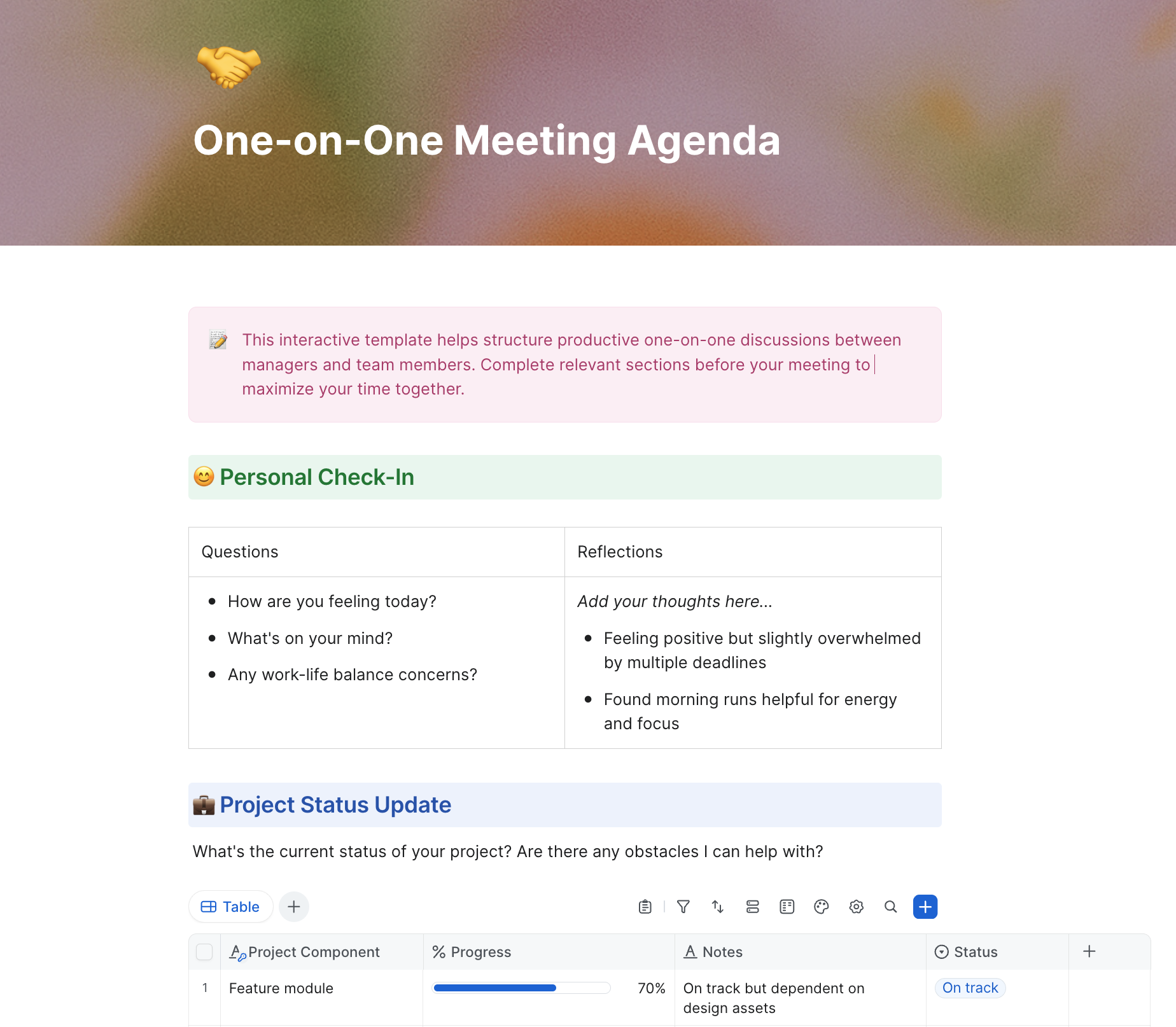
A one-on-one meeting is a scheduled conversation between two individuals. It provides a dedicated space to discuss projects, give and receive feedback, build relationships, and address concerns. One-on-ones can occur in various contexts, including manager-employee relationships, client interactions, mentoring, or peer-to-peer connections.
Here are some tips for planning a one-on-one meeting:
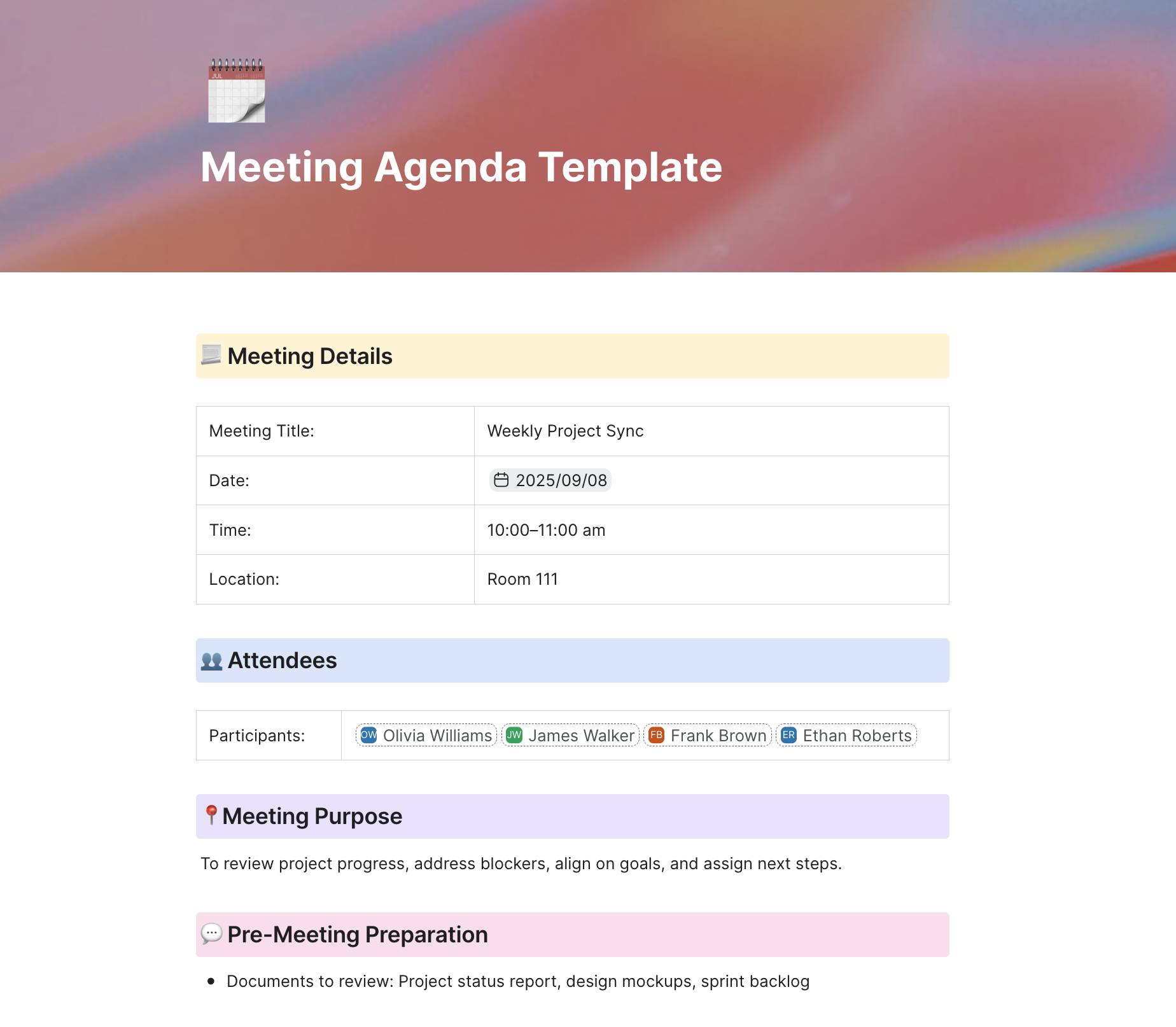
A team meeting is a regularly scheduled gathering of members within a specific team or department. It focuses on updates, problem-solving, goal alignment, decision-making, and fostering collaboration across the team. In remote and hybrid settings, team meetings also present a valuable opportunity for connection and team building.
Here are some tips for planning a team meeting:
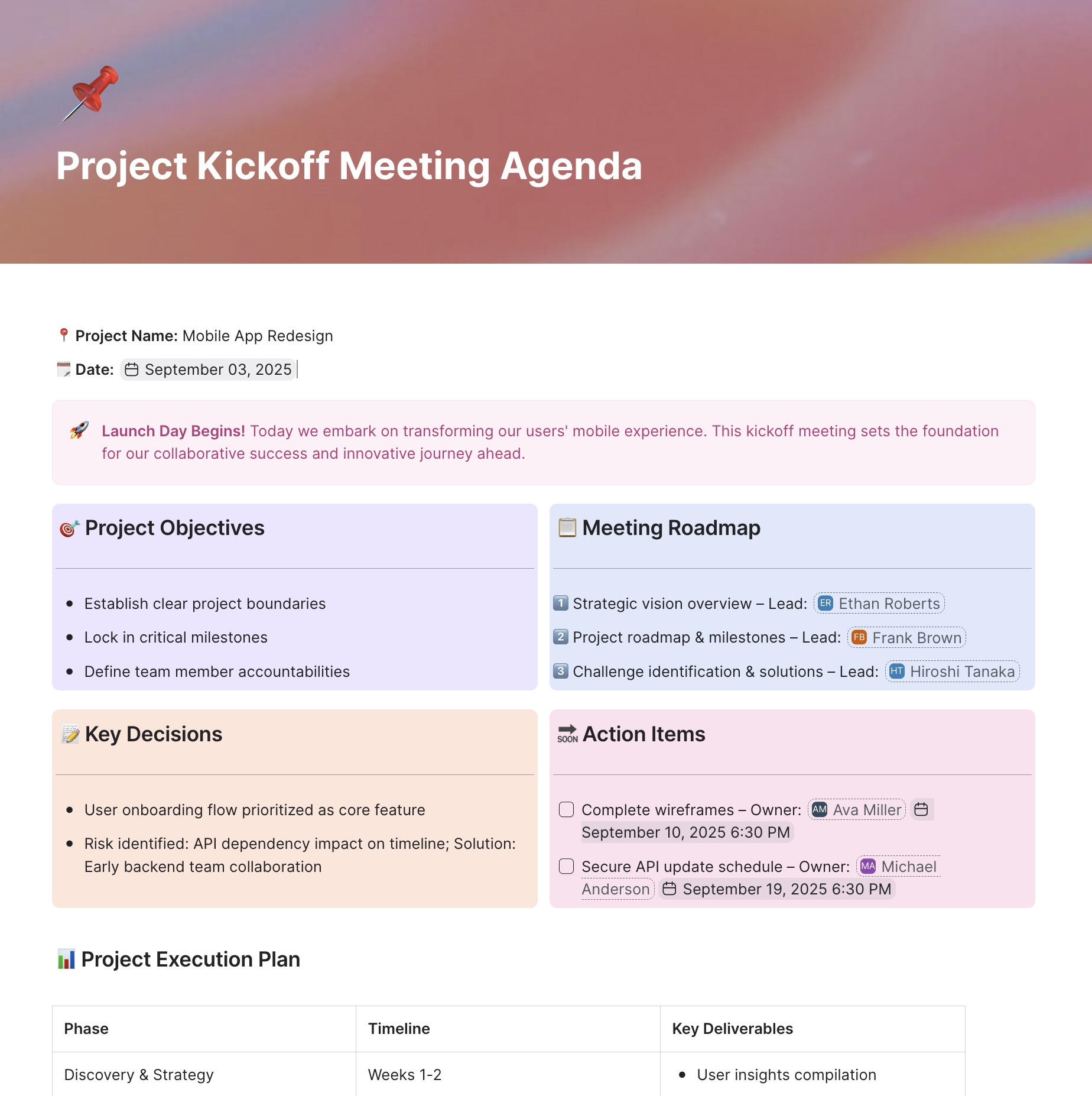
A project kickoff meeting formally launches a new project, aligning the project team, stakeholders, and any clients involved. It sets a shared vision for the project and clarifies goals, roles, expectations, and timelines. A good kickoff agenda sets the right collaborative tone for the work ahead.
Here are some tips for planning a project kickoff meeting:
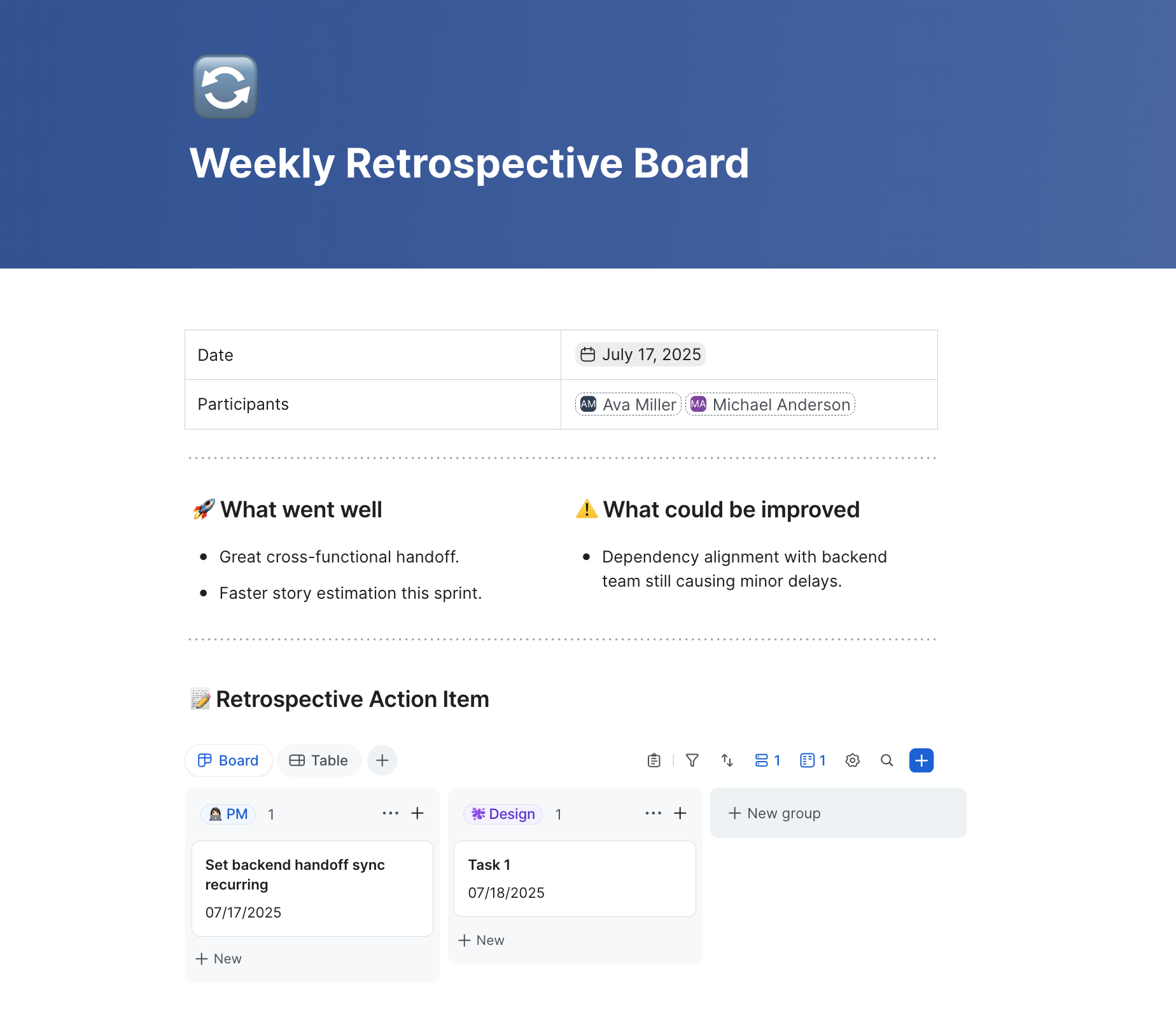
Here are some tips for planning a retrospective meeting:
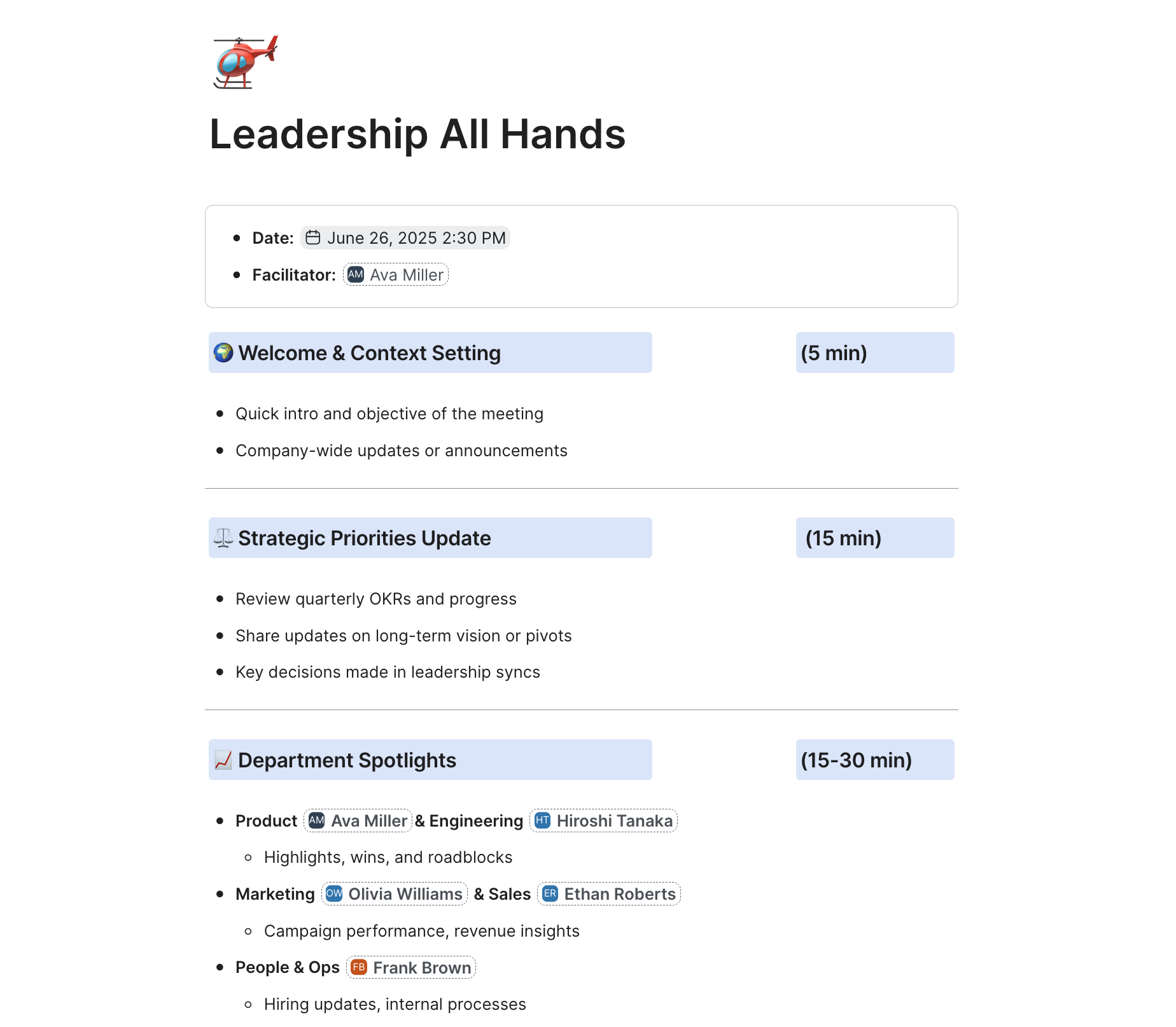
A leadership meeting brings together senior managers, executives, and other key decision-makers to discuss strategic issues impacting an organization’s overall direction. These meetings focus on big-picture goals, high-level decision-making, resource allocation, and cross-departmental alignment.
Here are some tips for planning a leadership meeting:
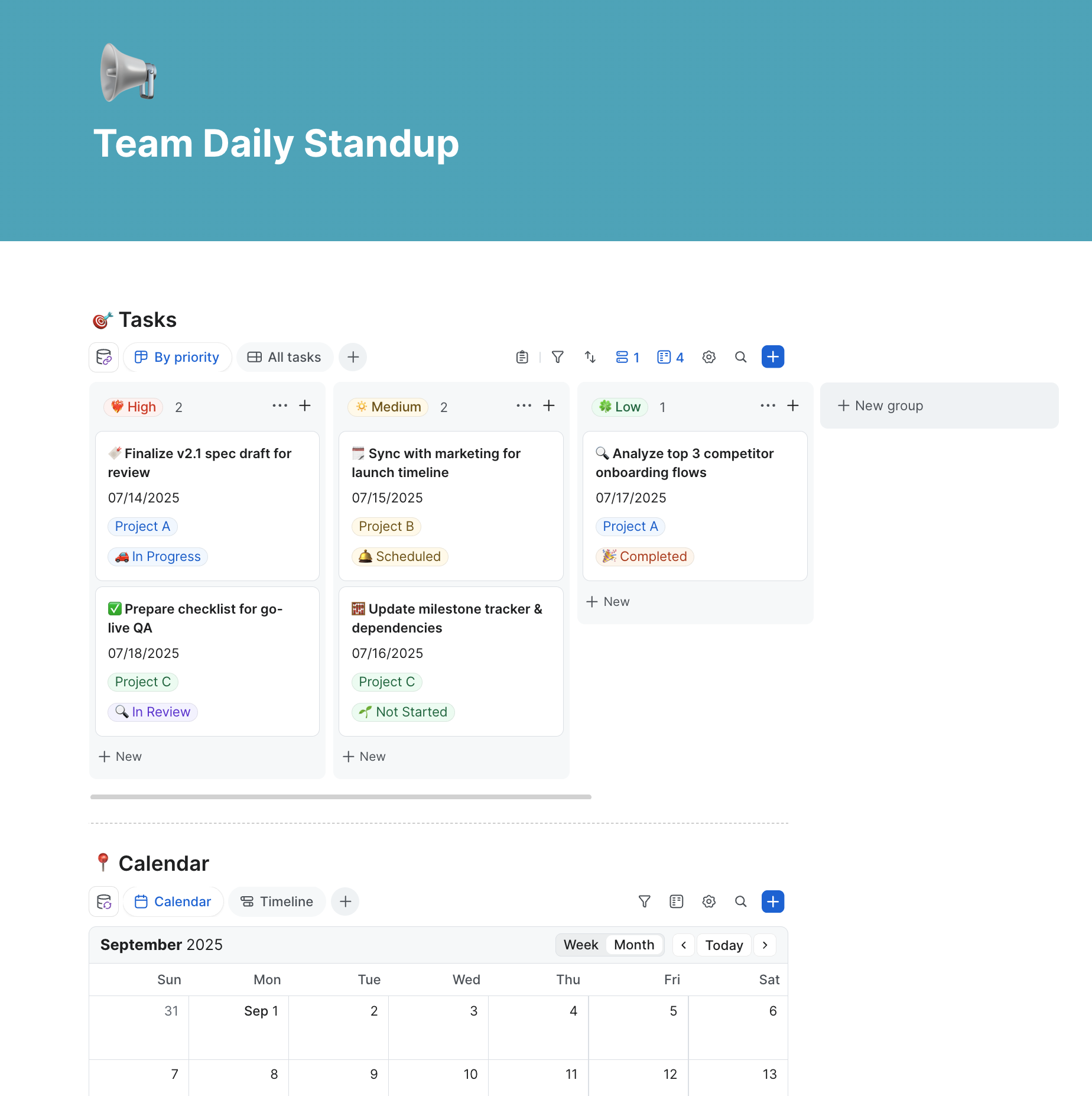
A daily scrum meeting, also known as a stand-up meeting, is a brief daily team gathering to synchronize efforts, share progress, and plan for the day ahead. The meeting is typically timeboxed to 15 minutes and held at the same time and place each day. The core structure of the daily scrum involves all team members answering three questions:
Here are some tips for planning a daily scrum meeting:
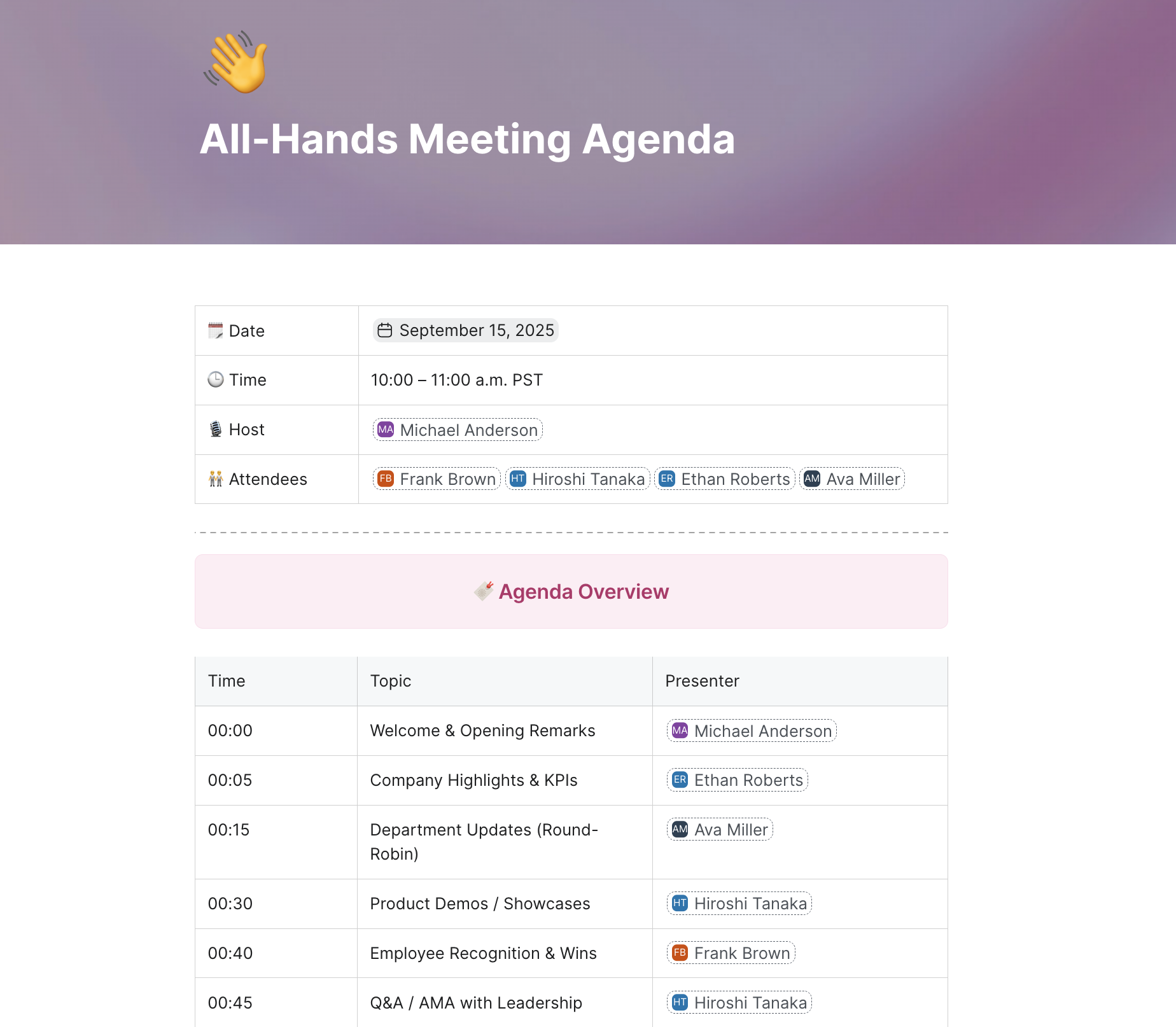
An all-hands meeting, also known as a town hall meeting, is a gathering of an entire organization or company to share important updates, celebrate successes, and promote transparency and alignment. These online meetings are typically held regularly, such as monthly or quarterly.
Here are some tips for planning an all-hands meeting:
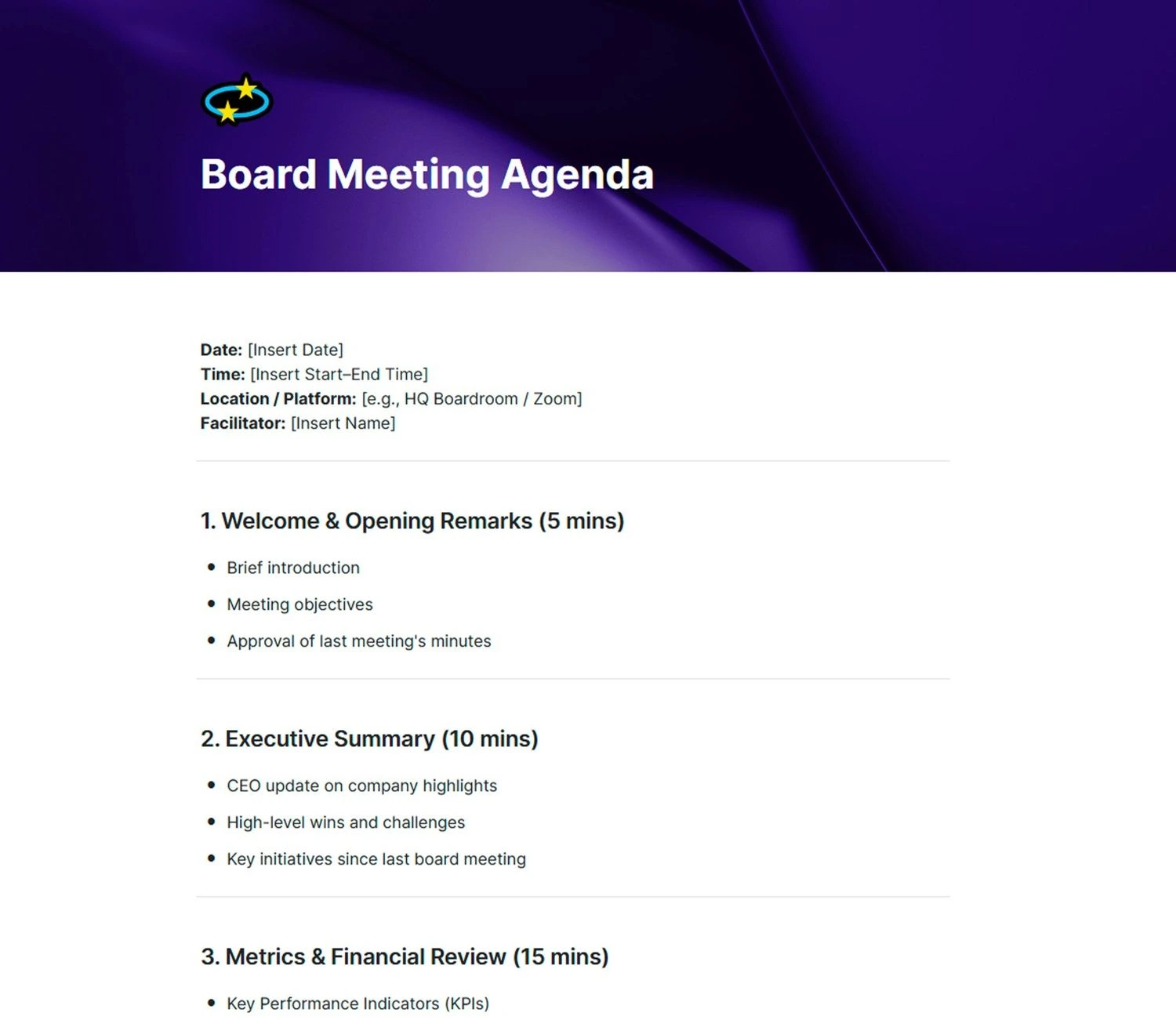
A board meeting is a gathering of an organization's board of directors. It may also include executives and third parties as needed. During a board of directors meeting, participants discuss the organization's high-level strategic direction, finances, and governance. They also discuss business performance and any critical upcoming projects or initiatives.
Here are some tips for planning a board meeting agenda:
To keep your meeting on track, you'll need a solid agenda. Whether you're using a meeting agenda maker or building one from scratch, follow these five steps:
When building an agenda, consider why you are holding the meeting in the first place. Start by identifying why the meeting is necessary, what outcomes you expect, and how it aligns with broader goals or projects. Clearly articulating the objective helps set the tone for the meeting, guides discussions toward achieving desired results, and enables participants to prepare effectively.
When defining your meeting's objective, consider questions like:
Focusing on a well-defined objective can increase productivity, engagement, and accountability during the meeting. Make sure this information is communicated clearly in your agenda so attendees know what to expect and can come prepared.
Once you've set the objective, decide who should attend the meeting. Think about the topics you plan to discuss and who will be directly impacted or need to provide input. Don't make the mistake of inviting more people than necessary, as this can make the meeting inefficient and difficult to facilitate.
As you put together the invite list, consider:
Once you have a draft list, review it with others who have a broad view of the topics and objectives. They may identify some key players you overlooked or suggest removing some members to keep the group focused and productive.
Ask team members for suggestions on topics they'd like to see covered in the upcoming meeting. This can make them feel valued and help you cover all the important discussion points.
Including team members in shaping the agenda, even in a small way, leads to more engaging and productive meetings. People will walk in knowing their voices have already been heard and feel invested in contributing to the conversation. Meetings become collaborative rather than top-down. Most importantly, you'll gain valuable insights into what really matters to your team.
When you're using a meeting agenda maker, arrange the topics in order of importance. The issues that need immediate attention should be listed first. If certain topics are time-sensitive, put those first so you're sure to address them. Also, keep in mind that critical team members may have time constraints and might need to leave the meeting early. Prioritize discussions that specifically require their input or decision-making early in the agenda.
As the meeting organizer, you likely have a sense of which issues will generate the most discussion or debate. Place those higher on the agenda so they get the attention they deserve.
Estimate realistic time allocations for each agenda item. Factor in activities such as topic introduction, discussions, decision-making, agreement on action items, and potential technology issues. Avoid underestimating the time required, as it can lead to rushed decisions and inefficiencies.
Pro tip: Plan for 20% more time than you anticipate needing for each topic. Including buffer time in your meeting agenda helps accommodate thorough discussions, encourages participation, and prevents feeling rushed during the meeting.
Before the meeting even starts, decide who will introduce and guide the discussion for each agenda item. Let each person know they will be leading their assigned topic and confirm they are prepared.
Each facilitator should:
Evenly distribute additional duties, such as taking notes and timekeeping. Check that responsibilities are balanced and match each individual's area of expertise. Your team will appreciate the clarity and ability to contribute in meaningful ways.
An organized meeting agenda is the foundation of productive meetings, but leveraging the right meeting software can take your sessions to the next level. Zoom Workplace offers a versatile platform for virtual meetings, chat, and beyond.
You can set the stage by creating an agenda with Zoom Canvas, then use features like screen sharing, recording, collaborative whiteboarding, and breakout rooms to keep your meetings dynamic and engaging. My Notes can generate a summary of key topics, decisions, and action items, reducing the need for manual note-taking so you can stay focused on the discussion.
By combining a clear meeting template with the power of Zoom Workplace, you can transform your meetings from time-consuming necessities into efficient and collaborative springboards for success.
A meeting agenda should include the goal of the meeting, when and where it's occurring, who is present, what will be discussed, and any action items. You can also note relevant pre-work and any additional notes. Starting with a meeting agenda template is a helpful way to avoid reinventing the wheel every time.
The 4 Ps of a meeting agenda are purpose, product, people, and process. These outline the reason for the meeting, the expected deliverables, who's involved, and the logistics of how the meeting will be conducted.
Typically, the person who called the meeting should create the agenda. In some situations, like team meetings, there may be rotating creators. It's also possible that the meeting owner creates an agenda but welcomes all attendees to add other topics.








