タスクを減らし、インパクトを上げるZoomのツール

Zoomなら会議、電話、チャットそして顧客サービスをすべて一箇所で行えるため、
ツールの管理に費やす時間が減り、ビジネスの成長に取り組む時間が増えます。

面倒な作業は減らし価値を生む仕事に集中

世界中の成長企業から信頼されています

Good American
MRED
Lake Flato
Cinamaker
19 Labs
Caleb & Brown
Couch Cork

Why small businesses love Zoom

Save time every week

Save time every week

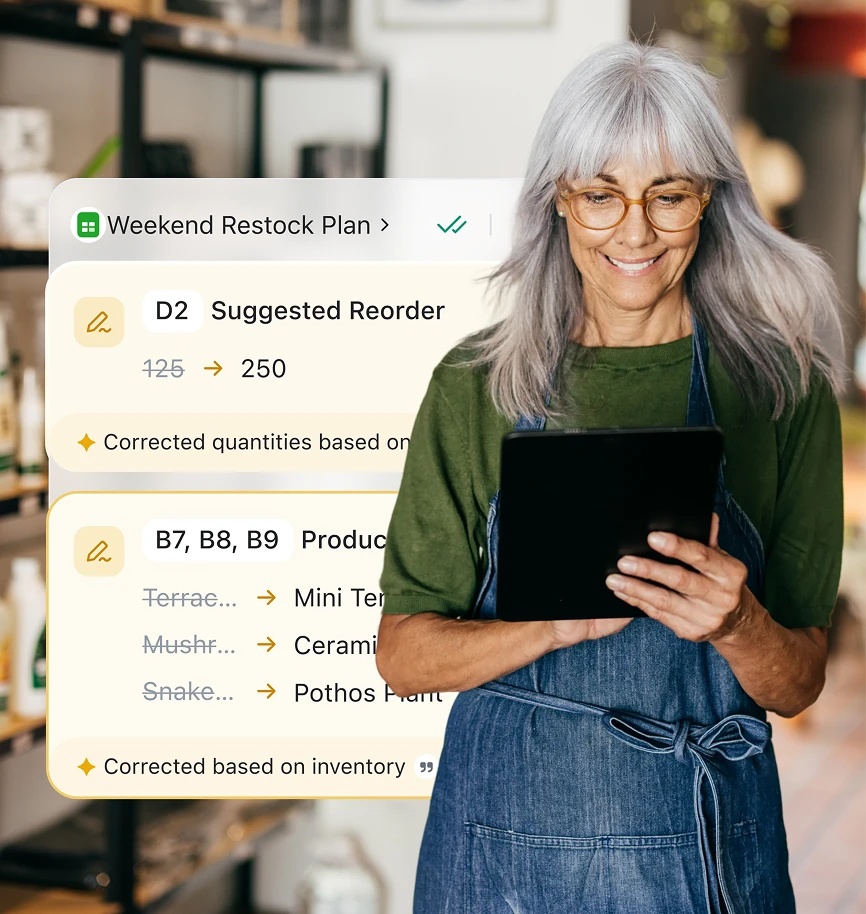
AI can assist with notes, follow-ups, and admin work automatically.

Stay connected with customers

Stay connected with customers

Answer calls, messages, and inquiries — even after hours.

Control costs

Control costs

Consolidate tools into one platform with built-in AI.

Demos
Demos

See how smarter work gets done

Get more done in less time

Get more done in less time

Before, during, and after every meeting

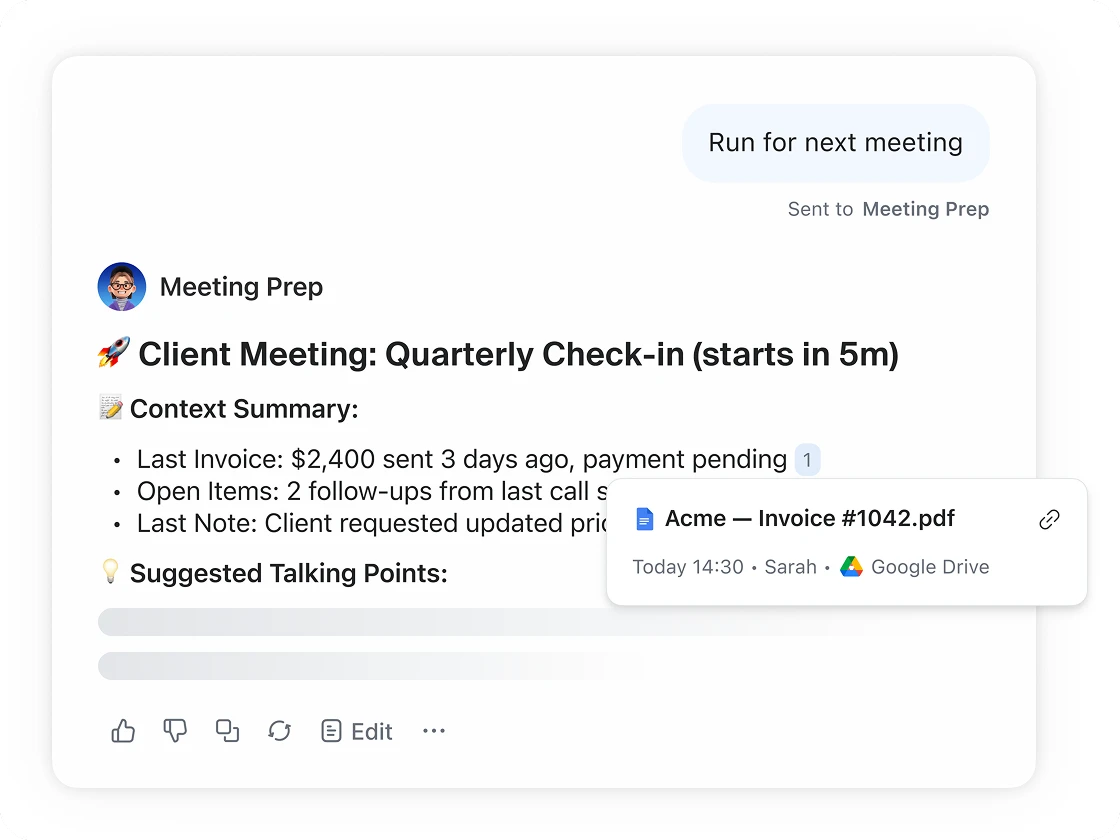
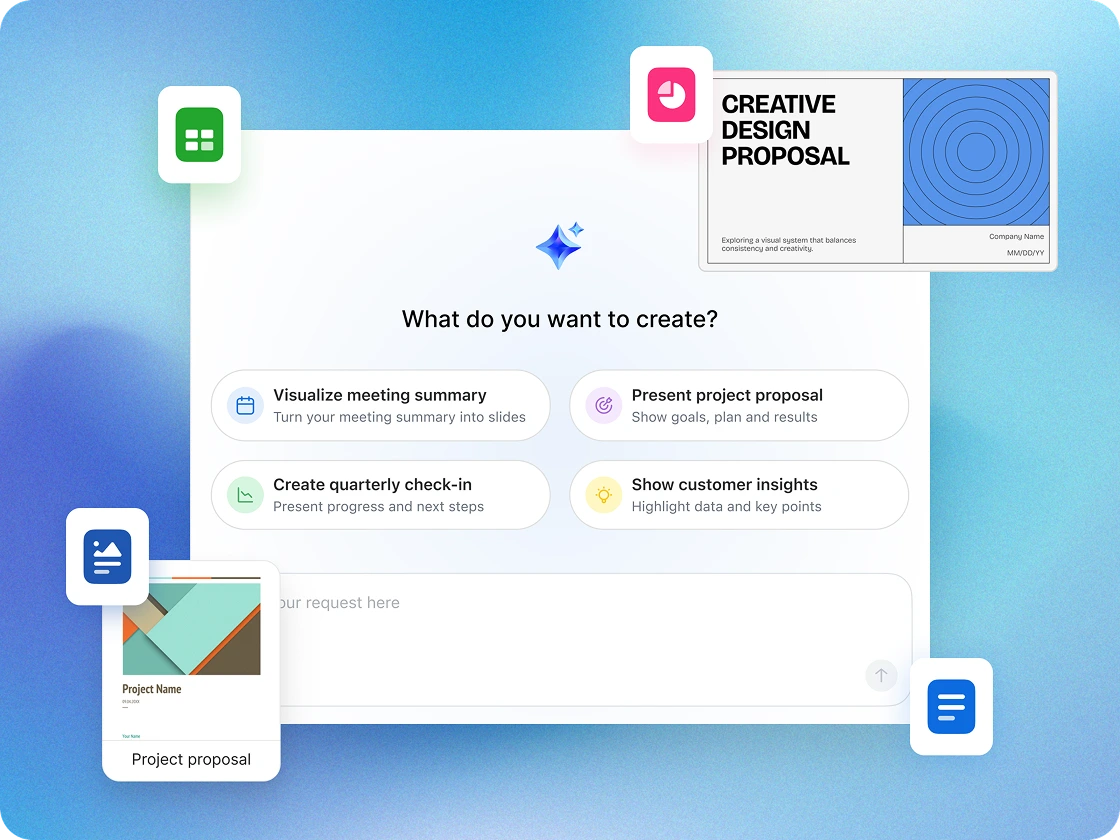
  • Let clients book meetings instantly with Scheduler, generate ideas in Whiteboard, and have priorities automatically outlined by a Zoom AI Agent.
  • Use My Notes to capture decisions during meetings, while AI automatically transcribes and then expands on and organizes your key takeaways.**
  • Automate follow-ups with AI workflows, summarize chats instantly, and create content with the  AI Productivity Suite*** in minutes — not hours.

Win more customers

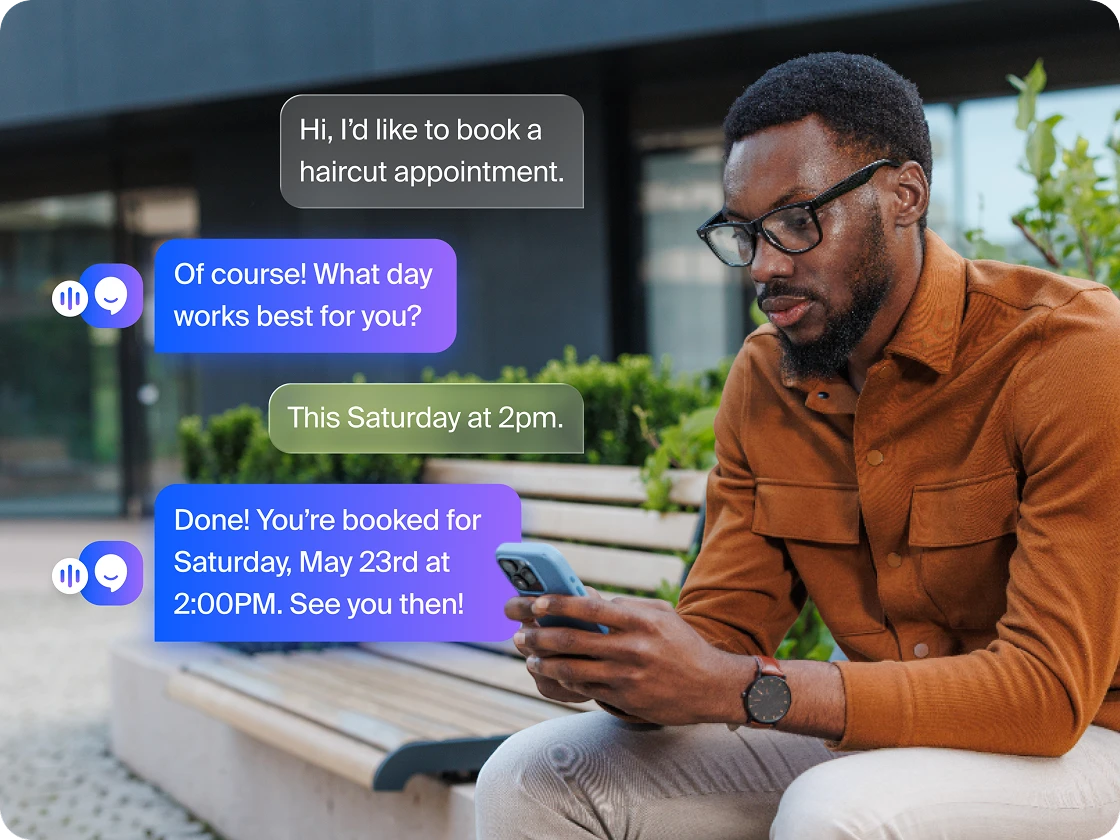
  • Answer calls 24/7, book appointments, and route inquiries with Zoom Virtual Agent Receptionist.
  • Stay on top of opportunities. Zoom Phone and Customer Engagement Pack enables reliable, professional business calling with contextual call, text, and queue management.
  • Bridge communications and operations by syncing Zoom meetings, recordings, and AI summaries directly to your Bonsai CRM.
Win more customers
Manage costs without compromise

Manage costs
without compromise

  • Built‑in AI that does the work. Auto‑generate notes, project timelines, and presentations.
  • One platform, less sprawl. Meetings, chat, and docs — all in one place, connected.
  • Save time and manage costs. Fewer tools, fewer admin hours, more productivity.

Works with the tools you already use

Bonsai
Google
Hubspot
Asana
Intuit Quickbooks
Stripe
Jira
Intuit Mailchimp
Zoho

Spend less, smile more

Work happy when you cut the clutter and reduce costs. Our AI-first, all-in-one platform doesn't just help businesses like you accomplish more--it wraps the tools you need into a easy experience that users love.

Step 1: What software do you use today?

ビデオ

GoTo

AI

CoPilot 365

AI

Otter.ai

AI

xChatGPT AI-enabled UCaaS

Zoom Chat

Slack

Zoom Chat

Teams

Zoom Chat

Discord

Zoom Phone

Webex (Phone)

Zoom Phone

RingCentral

外部スケジュール作成

Calendly

ワークスペース ソリューション

Envoy

ホワイトボード

Miro

ホワイトボード

Mural

非同期ビデオ

Loom

共同ドキュメント

Notion

共同ドキュメント

Evernote

アンケート / 投票

SurveyMonkey

Tasks

Monday

Step 2: How many people are in your organization?

50
1 5000+
people
Zoom ロゴ

簡素化して節約

詳しく見る Workspace Business Plan お使いのソフトウェアに代わる選択肢として

アプリ

これだけ多くのアプリをZoom Workplaceに置き換えることができます

/ 月(ユーザー当たり)

これは、選択したソフトウェアの非エンタープライズ価格と比較して、お客様と同等規模の会社がユーザーごとに毎月節約できる金額です

/ 月(総節約額)

これは、次の企業における推定総節約額です

プランを表示 営業担当へのお問い合わせ

*Estimated cost savings is based on cancelling the selected third-party plans for US and Canada customers. Pricing is based on publicly available USD list pricing as of March 2025 for new customers. Organizational results are based on the inputs you have provided. Note that these results are an estimation and not guaranteed savings by Zoom and should only be used for informational purposes..

Security and compliance

Protect sensitive data

Encrypted in transit & at rest

Feature-rich platform with encryption technology to support user privacy and security.

Trusted AI

Zoom does not use customer audio, video, chat, files, or transcripts to train its AI models.

Granular AI controls

Admins can enable or disable AI features at the account, group, or user level.

Data residency and retention options

Choose storage regions and retention settings aligned to your organization's compliance needs.

Certifications and audits

Zoom’s platform maintains compliance certifications like ISO, SOC 2, and HIPAA-ready controls to help you meet regulatory standards

お客様事例
お客様事例

あらゆる規模のチームから信頼されています

詳細情報 詳細情報 Referral Staffing Solutions

Referral Staffing Solutions、Zoomプラットフォームを使用して通話量が25%アップ

「私はITと経理を兼務しています。支払う請求書が1通にまとまり、複数処理しなくて済むため、時間を大幅に節約できるようになりました。」


-  オーナー、Shobi Zietlow氏

Referral Staffing Solutions
Visla
KD Jones
Referral Staffing Solutions、Zoomプラットフォームを使用して通話量が25%アップ
詳細情報 詳細情報

「私はITと経理を兼務しています。支払う請求書が1通にまとまり、複数処理しなくて済むため、時間を大幅に節約できるようになりました。」


-  オーナー、Shobi Zietlow氏

Resources for small businesses

How you can collaborate smarter in 2026

How you can collaborate smarter in 2026

Redefining hard work in the AI era

Redefining hard work in the AI era

Why an AI assistant is your new best friend

Why an AI assistant is your new best friend

AI for small business

AI for small business: Turning curiosity into capability

How AI is helping businesses unlock their full potential

How AI is helping businesses unlock their full potential

The State of Solopreneurship in 2026

The State of Solopreneurship in 2026

Try Zoom's small business collaboration software now

よくあるご質問
よくあるご質問

よくあるご質問にお答えします。

Small business owners rely on collaboration software to keep communication, organization, and productivity in one place. These platforms combine essential tools — like chat, video conferencing, and file sharing — with integrated scheduling, document creation, and task management to keep teams aligned and efficient as they grow.

With solutions like Zoom Workplace, small businesses can host meetings, message in real time, share files securely, and manage projects without having to hop between multiple apps. Plus, built‑in AI features like Zoom AI Agents and the AI Productivity Suite can automate notes, follow‑ups, and workflows (with ZoomMate SKU*), while tools like Scheduler, Whiteboard, and Canvas make it easy to plan, brainstorm, and collaborate. Together, these tools create a single workspace that helps small teams work smarter, serve customers faster, and scale with confidence.

While used by companies of all sizes, these specific tools are tailored for:

  • Startups needing to move fast with limited resources.
  • Boutique agencies managing multiple client projects.
  • Hybrid or remote teams that can’t rely on in-person, "water cooler" chats to stay aligned.
  • Freelancers who need to collaborate professionally with external partners.
  • Healthcare and wellness practices such as chiropractors, therapists, dietitians, and fitness studios that require secure, reliable communication.

Email was built for messaging, not for project management. Collaboration software reduces "app fatigue" by organizing conversations into specific channels or topics. This helps ensure that a crucial file or decision doesn't get buried under a mountain of unrelated newsletters or client inquiries.

Many effective platforms include a mix of:

  • Instant Messaging: For quick, informal syncs.
  • File Sharing: Centralized storage with version control.
  • Task Management: Checklists or boards to track who is doing what.
  • Video Integration: For face-to-face meetings when text isn't enough.

The lines are blurry, but generally:

Collaboration software focuses on the how — the communication and real-time interaction.

Project management software focuses on the what and when — deadlines, resource allocation, and long-term roadmaps.

Many modern tools now combine both into a single interface.

 Many reputable providers offer enterprise-grade security features, including end-to-end encryption and multi-factor authentication (MFA). If you handle sensitive client data, look for tools that offer customizable permissions, too, so you can control who sees what.

Zoom helps safeguard small business communications with enterprise‑grade security features, helping to protect sensitive data across meetings, chat, and files. The platform is designed with security and privacy in mind, enabling teams to collaborate with confidence.

Many platforms allow for "Guest Access," which is perfect for collaborating with contractors, vendors, or clients without giving them access to your internal company-wide discussions.

You can also adjust sharing permissions for specific Zoom tools — like Sheets, Whiteboards, and Clips — so external collaborators can view, comment on, or edit files as needed, helping support secure and seamless teamwork across organizations.

Many modern collaboration platforms are designed to work with others. You can typically integrate your existing calendar, cloud storage (like Google Drive or Dropbox), and even your CRM so data flows smoothly between them. Zoom Workplace for SMBs can integrate with Google, HubSpot, Asana, QuickBooks, Stripe, Jira, MailChimp, Zoho, Bonsai, and more.

If you find yourself asking "Where is that file?" more than once a day, or if your weekly meetings are spent just trying to figure out the status of a project, it may be time to consider a dedicated solution. Zoom Workplace can help reduce costs through improved efficiency and tool consolidation.

Many providers offer a free-tier model. You can start with a free version that covers basic needs and then move to a paid tier (usually priced per user, per month) as your team grows or as you require more advanced cloud storage features. Zoom Workplace offers a free Basic plan to get started.

*Zoom AI Companionは対象となる有料のZoom Workplaceプランでご利用いただけます。地域や業界によってはご利用いただけない場合があります。詳細情報