



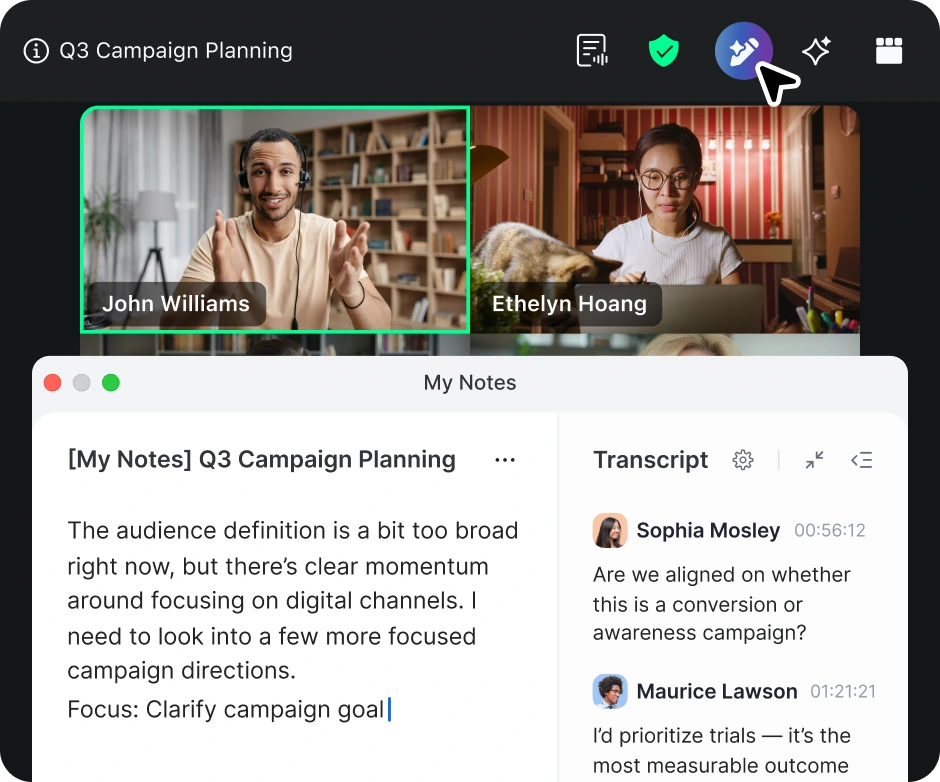
🚀 NEW My Notes, your AI note taker
Automatically captures, summarizes, and extracts action items from any virtual or in-person meeting. Learn more
Automatically captures, summarizes, and extracts action items from any virtual or in-person meeting. Learn more
Effective: May 1, 2024
These Zoom Reseller Customer Premier Support Terms of Service (“Premier Support Terms”) set forth the additional terms and conditions that apply to Customer’s purchase of Premier Support Services under an Order Form executed with a Reseller. These Premier Support Terms supplement the terms and conditions contained in the Service Agreement. Capitalized terms used but not defined herein shall have the meanings ascribed to them in the Service Agreement, as defined below.
Premier Support Services Description
Zoom’s Premier Support Services provide 24×7 help center access; self-service and chatbot to help answer questions or resolve issues quickly; paid licensed Hosts have access to frontline Tier 1 agent support via chat and ticket creation; and paid licensed Administrators have access to direct Tier 2 agent support via chat, ticket, and phone as detailed in the Premier Scope of Services below.
Scope of Services
The Premier Support Services includes Customer access to the following:
With Zoom’s Premier Support Services Program, Zoom agrees to use commercially reasonable efforts to meet the SLOs set forth below.
When Customer initiates a Support Ticket with Zoom’s technical support team, the Support Ticket will be classified according to the following Priority levels:
|
Priority
|
Definition | Resources |
| Priority 1 (Urgent) |
The Service is Down, operation of the Service is severely degraded, or there is a critical impact to the Service due to a fault with the network or other software issue. No workarounds. Examples include failures of Zoom’s transmission services or software functions. | Zoom will provide necessary resources around the clock to resolve this situation. |
| Priority 2 (High) |
Significant aspects of the Service are negatively affected by inadequate performance of the network or other software issues. Partial or no workarounds. | Zoom will provide resources during Zoom’s Normal Business Hours to resolve the situation and additional resources outside of Zoom’s Normal Business Hours as reasonably necessary. |
| Priority 3 (Medium) |
General issues related to a feature or a set of features. Operational performance of the Service is not impaired. | Zoom will provide reasonable resources during Zoom’s Normal Business Hours to assist in resolving the issue or providing a workaround. |
| Priority 4 (Low) |
Customer requires information or assistance with the Services’ capabilities, installation or configuration and there is little to no effect on its business operations. Included are requests for information and assistance with respect to general release features and other similar requests. | Such requests will be handled within Zoom's Normal Business Hours. |
|
Priority |
First Response Time | Restore Time |
| P1 | 1 hour | 4 hours |
| P2 | 4 hours | 8 hours |
| P3 | 24 hours/NBD | n/a |
| P4 | 24 hours/NBD | n/a |
*The priority response and restoration/workaround times above in Table 2 only apply to Support Tickets created by paid licensed Administrators.
Service Interruption Management.
Zoom is responsible for managing Service Interruptions that are within Zoom’s control, that are discovered either by Customer, Customer’s End Users or by Zoom. Customer will notify Zoom of a Service Interruption by opening a Support Ticket and obtaining a Support Ticket number through any method permitted by these Premier Support Terms. Once Zoom becomes aware of a Service Interruption, Zoom will use commercially reasonable efforts to resolve the Service Interruption within the restoration time indicated for its priority level and to provide status reports, as reasonably requested by Customer, regarding Service Interruption restoration. Customer will assign an individual to be a point of contact for Zoom for all communication during the Service Interruption. Customer will support all reasonable requests from Zoom for information that may be required for investigation and restoration of the Service Interruption.
Response Times.
Response Time for a Support Ticket shall be the time (a) commencing when Customer receives a Support Ticket number from Zoom and (b) ending when Customer receives notification or communication from Zoom or a Zoom service representative.
Restoration Time.
Restoration Time for a Support Ticket shall be the time (a) commencing when Customer receives a Support Ticket number from Zoom and (b) ending when the issue or problem affecting the Service described in a specific Support Ticket has been successfully returned to a functional state or operation, including any (full or partial) workarounds provided, and Customer receives notification that the Support Ticket has been updated to solution provided, customer-pending, or a closed state.
Restore Time Exceptions.
Zoom may request an extension to the timeframe for any issue in Table 1 in this Zoom Premier Support Services SLO by submitting a Restoration plan for Customer’s review and approval, which will not be unreasonably withheld. Zoom’s Restoration plan must be submitted within the original Restoration Time applicable to the issue and include a date and time by which Zoom will complete Restoration of the issue. As agreed with Customer, Zoom’s Restoration Time will be extended to the date and time set forth in Zoom’s Restoration plan. Zoom has no obligation to restore the Services when the issue/problem or Service Interruption affecting the Services is outside of Zoom’s control.
Premier Plus (“Premier +”) Support Services Description
Zoom’s Premier+ Support provides all the support in the Premier Support Services Program in Appendix A in addition to proactive engagement with an assigned technical account manager (“TAM”), automated escalation process, and the Premier+ Support Service Level Objectives set forth below.
Scope of Services
The Premier+ Support Services include Customer access to the following:
With Zoom’s Premier+ Support Services Program, Zoom agrees to use commercially reasonable efforts to meet the SLOs set forth below.
When Customer initiates a Support Ticket with Zoom’s technical support team, the Support Ticket will be classified according to the following Priority levels:
|
Priority
|
Definition | Resources |
| Priority 1 (Urgent) |
The Service is Down, operation of the Service is severely degraded, or there is a critical impact to the Service due to a fault with the network or other software issue. No workarounds. Examples include failures of Zoom’s transmission services or software functions. | Zoom will provide necessary resources around the clock to resolve this situation. |
| Priority 2 (High) |
Significant aspects of the Service are negatively affected by inadequate performance of the network or other software issues. Partial or no workarounds. |
Zoom will provide resources during Zoom’s Normal Business Hours to resolve the situation and additional resources outside of Zoom’s Normal Business Hours as reasonably necessary. |
| Priority 3 (Medium) |
General issues related to a feature or a set of features. Operational performance of the Service is not impaired. | Zoom will provide reasonable resources during Zoom’s Normal Business Hours to assist in resolving the issue or providing a workaround. |
| Priority 4 (Low) |
Customer requires information or assistance with the Services’ capabilities, installation or configuration and there is little to no effect on its business operations. Included are requests for information and assistance with respect to general release features and other similar requests. | Such requests will be handled within Zoom's Normal Business Hours. |
|
Priority
|
First Response Time | Restore Time |
| P1 | 1 hour | 4 hours |
| P2 | 4 hours | 8 hours |
| P3 | 24 hours/NBD | n/a |
| P4 | 24 hours/NBD | n/a |
*The priority response and restoration/workaround times above in Table 2 only apply to Support Tickets created by paid licensed Administrators.
Service Interruption Management.
Zoom is responsible for managing Service Interruptions that are within Zoom’s control, that are discovered either by Customer, Customer’s End Users or by Zoom. Customer will notify Zoom of a Service Interruption by opening a Support Ticket and obtaining a Support Ticket number through any method permitted by these Premier Support Terms. Once Zoom becomes aware of a Service Interruption, Zoom will use commercially reasonable efforts to resolve the Service Interruption within the restoration time indicated for its priority level and to provide status reports, as reasonably requested by Customer, regarding Service Interruption restoration. Customer will assign an individual to be a point of contact for Zoom for all communication during the Service Interruption. Customer will support all reasonable requests from Zoom for information that may be required for investigation and restoration of the Service Interruption.
Response Times.
Response Time for a Support Ticket shall be the time (a) commencing when Customer receives a Support Ticket number from Zoom and (b) ending when Customer receives notification or communication from Zoom or a Zoom service representative.
Restoration Time.
Restoration Time for a Support Ticket shall be the time (a) commencing when Customer receives a Support Ticket number from Zoom and (b) ending when the issue or problem affecting the Service described in a specific Support Ticket has been successfully returned to a functional state or operation, including any (full or partial) workarounds provided, and Customer receives notification that the Support Ticket has been updated to solution provided, customer-pending, or a closed state.
Restore Time Exceptions.
Zoom may request an extension to the timeframe for any issue in Table 1 in this Zoom Premier+ Support Services SLO by submitting a Restoration plan for Customer’s review and approval, which will not be unreasonably withheld. Zoom’s Restoration plan must be submitted within the original Restoration Time applicable to the issue and include a date and time by which Zoom will complete Restoration of the issue. As agreed with Customer, Zoom’s Restoration Time will be extended to the date and time set forth in Zoom’s Restoration plan. Zoom has no obligation to restore the Services when the issue/problem or Service Interruption affecting the Services is outside of Zoom’s control.
Premier Support for Healthcare Services Description
Zoom’s Premier Support for Healthcare provides all the support in the Premier Support Services Program in Appendix A in addition to access to a resource within the Pooled TAM for existing Support Tickets, and the Premier Support for Healthcare Service Level Objectives set forth below.
Scope of Services
The Premier Support for Healthcare Services includes Customer access to the following:
With Zoom’s Premier Support for Healthcare Services Program, Zoom agrees to use commercially reasonable efforts to meet the SLOs set forth below.
When Customer initiates a Support Ticket with Zoom’s technical support team, the Support Ticket will be classified according to the following Priority levels:
|
Priority |
Definition |
Resources |
| Priority 1 (Urgent) |
The Service is Down, operation of the Service is severely degraded, or there is a critical impact to the Service due to a fault with the network or other software issue. No workarounds. Examples include failures of Zoom’s transmission services or software functions. | Zoom will provide necessary resources around the clock to resolve this situation. |
| Priority 2 (High) | Significant aspects of the Service are negatively affected by inadequate performance of the network or other software issues. Partial or no workarounds. | Zoom will provide resources during Zoom’s Normal Business Hours to resolve the situation and additional resources outside of Zoom’s Normal Business Hours as reasonably necessary. |
| Priority 3 (Medium) |
General issues related to a feature or a set of features. Operational performance of the Service is not impaired. | Zoom will provide reasonable resources during Zoom’s Normal Business Hours to assist in resolving the issue or providing a workaround. |
| Priority 4 (Low) |
Customer requires information or assistance with the Services’ capabilities, installation or configuration and there is little to no effect on its business operations. Included are requests for information and assistance with respect to general release features and other similar requests. | Such requests will be handled within Zoom's Normal Business Hours. |
| Priority | First Response Time | Restore Time |
| P1 | 1 hour | 4 hour |
| P2 | 4 hours | 8 hours |
| P3 | 24 hours/NBD | n/a |
| P4 | 24 hours/NBD | n/a |
*The priority response and restoration/workaround times above in Table 2 only apply to Support Tickets created by paid licensed Administrators.
Service Interruption Management.
Zoom is responsible for managing Service Interruptions that are within Zoom’s control, that are discovered either by Customer, Customer’s End Users or by Zoom. Customer will notify Zoom of a Service Interruption by opening a Support Ticket and obtaining a Support Ticket number through any method permitted by these Premier Support Terms. Once Zoom becomes aware of a Service Interruption, Zoom will use commercially reasonable efforts to resolve the Service Interruption within the restoration time indicated for its priority level and to provide status reports, as reasonably requested by Customer, regarding Service Interruption restoration. Customer will assign an individual to be a point of contact for Zoom for all communication during the Service Interruption. Customer will support all reasonable requests from Zoom for information that may be required for investigation and restoration of the Service Interruption.
Response Times.
Response Time for a Support Ticket shall be the time (a) commencing when Customer receives a Support Ticket number from Zoom and (b) ending when Customer receives notification or communication from Zoom or a Zoom service representative.
Restoration Time.
Restoration Time for a Support Ticket shall be the time (a) commencing when Customer receives a Support Ticket number from Zoom and (b) ending when the issue or problem affecting the Service described in a specific Support Ticket has been successfully returned to a functional state or operation, including any (full or partial) workarounds provided, and Customer receives notification that the Support Ticket has been updated to solution provided, customer-pending, or a closed state.
Restore Time Exceptions.
Zoom may request an extension to the timeframe for any issue in Table 1 in this Zoom Premier Support for Healthcare Services SLO by submitting a Restoration plan for Customer’s review and approval, which will not be unreasonably withheld. Zoom’s Restoration plan must be submitted within the original Restoration Time applicable to the issue and include a date and time by which Zoom will complete Restoration of the issue. As agreed with Customer, Zoom’s Restoration Time will be extended to the date and time set forth in Zoom’s Restoration plan. Zoom has no obligation to restore the Services when the issue/problem or Service Interruption affecting the Services is outside of Zoom’s control.