ZoomMate finds, summarizes, and acts on what matters…. right inside Zoom.
By audience
Small and midsize businessEnterprise
Information TechnologyCustomer ExperienceSales and RevenueFacilitiesMarketing and EventsZoomMate finds, summarizes, and acts on what matters…. right inside Zoom.
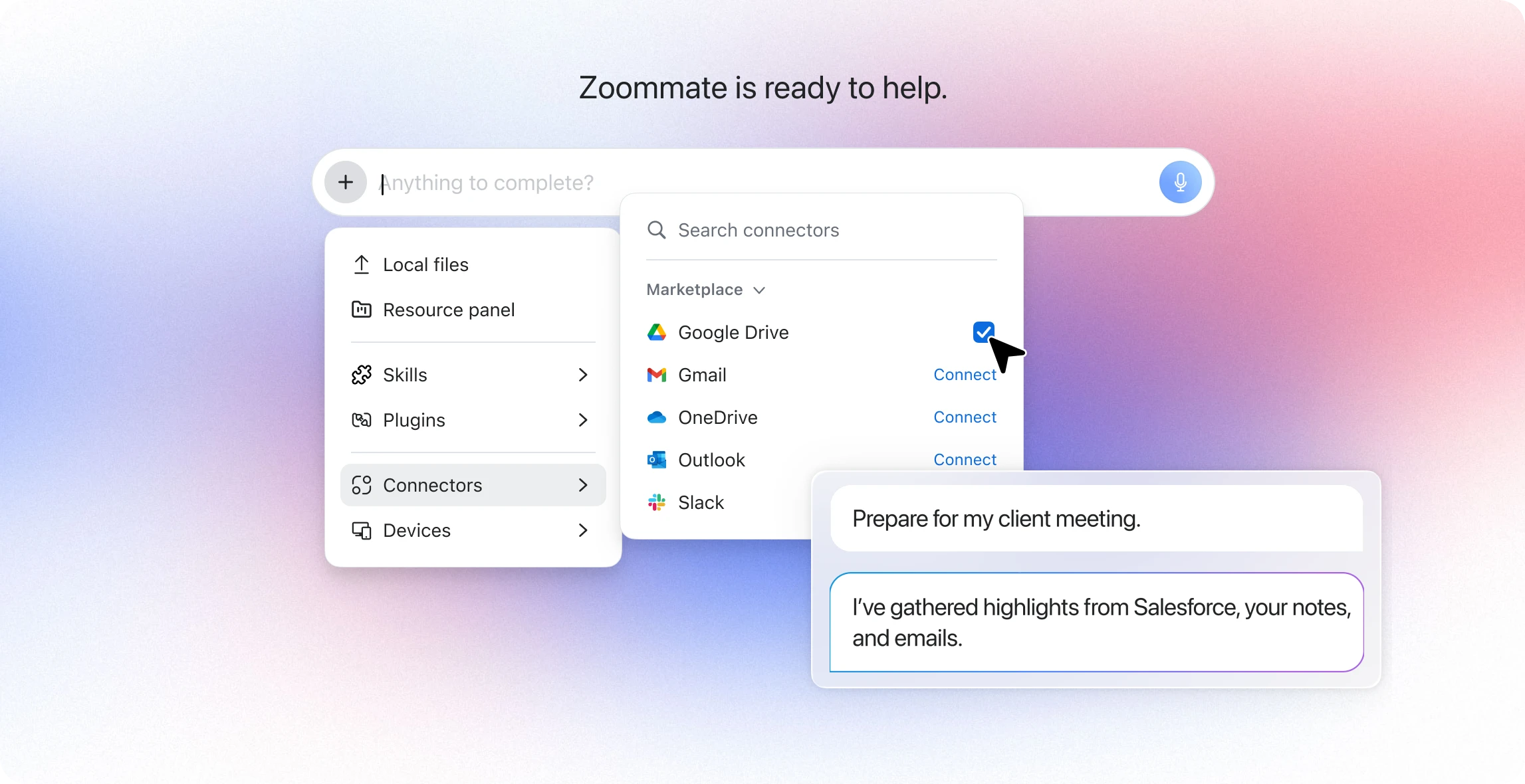

So you don't waste find searching for information again.

Because your work deserves to flow.

Less IT headaches, less friction, so your teams get to work, fast.
Zoom, web, limited Microsoft, and Google context included at no additional cost with a Zoom Workplace plan starting at $14.16 per user, per month, billed annually.
Additional third-party apps available with a ZoomMate plan starting at $20 per user, per month with included AI Credits used for search queries and indexing third-party data sources*
Glean pricing is not publicly available, Contracts may start at approximately $50+ per user/month with a minimum of 100 seats*
ZoomMate offers transparent monthly pricing that appears publicly on zoom.com/pricing or explore additional options through direct sales contact.
Self-serve admin setup available; professional services available but not required
Your team can start getting value in days instead of months, with no need for expensive consultants or lengthy deployment projects.
Agentic search that analyzes, synthesizes, and aggregates knowledge across your organization. Support for hybrid, multi-turn and federated retrieval.
Vector hybrid search with knowledge graph.
You get answers that don't just find documents — they understand your question, synthesize information from multiple sources, and deliver actionable insights.
Faster initial crawl with near real-time API retrieval from structured sources (Salesforce, ServiceNow, Workday) — answers in seconds.
Content refresh: crawling frequency varies per app, anywhere from 1 day to 28 days for some apps*
*https://docs.glean.com/get-started/learn/crawling-and-learning#timelines-for-completion
Your team can start searching and getting answers on day one instead of waiting days or weeks, with up-to-date information from critical business systems.
Native access to meeting transcripts, recordings, summaries, and participants interactions as first-party search context.
Conversation data requires a third-party meeting and chat platform
Decisions made in transcribed meetings become instantly searchable, so nothing gets lost and your team can find what was discussed without digging through recordings.
Multi-source synthesis across internal docs, meetings, connected apps, and the web — delivers structured reports.
Deep Research across company tools and web with multi-step reasoning
Complex research that used to take hours gets done in minutes, with comprehensive reports that pull together everything your team needs to know.
Enforces existing enterprise access controls — users only see what they're authorized to access (RBAC).
Enforces existing enterprise access controls — users only see what they're authorized to access (RBAC).
Your sensitive information stays protected — employees only see results they're supposed to see, maintaining your security posture.
Personalizes based on meeting history, decisions, and commitments — powered by Zoom's native meeting graph and memory.
Personalizes by role, team, location, and behavioral signals via knowledge graph pulled from across applications.
Results are tailored to what matters most to each person based on their actual work context, not just their job title.
Meetings, chat, phone, recordings, summaries, My Notes — all indexed natively. This is also combined with enterprise data from connected apps.
Requires separate integrations for meeting/chat data
The context from where work actually happens is automatically available, giving you richer, more complete answers without additional setup.
10+ most widely used enterprise connectors: Google Drive, OneDrive, SharePoint, Salesforce, ServiceNow, Workday, Confluence, Box, Zendesk, Seismic, Jira
More connectors expected soon.
100+ app connectors across enterprise SaaS ecosystem
Both platforms connect to popular business applications to help users find important information
MCP Server available
MCP Server available
Both platforms support extending capabilities through the MCP, giving you flexibility for custom integrations.
Agentic workflows triggered from events, schedules, or actions — from simple tasks to complex multi-step pipelines.
Requires a separate interface to initiate workflows; no native conversation triggers or deliverable generation.
Routine work happens automatically based on what's discussed or decided, eliminating manual follow-up and reducing busywork.
Trigger workflows, update CRM records, create Jira tickets, send follow-up emails, before, during and after meetings — all without leaving Zoom.
Salesforce Opportunity updates available via natural language in Glean Assistant, but must be done in Glean's web portal.
Your team stays focused and productive by taking action on information immediately, without switching between multiple apps and losing context.
Generate docs, spreadsheets, slide decks, and data tables directly from conversations and data in Zoom's native application.
Draft emails, create docs and spreadsheets, and send messages across Google Workspace and Microsoft 365; no native productivity suite.
Turn discussions into finished work products instantly — no copying, pasting, or reformatting across different tools.
Actions happen inside meetings, chat, and the Zoom client — no app switching. Slack, Google, and Teams integrations available.
Separate portal/interface; Slack, Teams, and Zoom integrations available
Everything happens in your natural workflow, so your team doesn't have to remember to check another app or portal.
Native AI summaries, action items, and follow-ups generated from live meeting context — unique to Zoom (video, speaker attribution, meeting chat data and context). Backed by transcripts and added granular controls. Third-party meeting transcripts and context captured with My Notes.
Meeting capture, transcription, and summaries
Meeting intelligence is built-in and automatic, capturing decisions and action items without requiring participants to take notes or remember details.
Built into Zoom Workplace — meetings, chat, phone, and productivity suite in one platform.
Standalone platform requiring separate deployment and user adoption
One platform for all work means fewer tools to manage, lower IT impact, and a simpler experience for your team.
No new tool to learn — search and actions embedded where users already work
Separate interface; requires user training and adoption of new portal
Adoption is fast because there's no new tools to learn — AI capabilities appear right where your team already works every day.
Native AI Productivity Suite with Canvas, Slides, Sheets, and Paper with ZoomMate to turn conversations into finished deliverables with the ability to collaborate with peers in real-time.
Basic docs, spreadsheets and slide generation and editing (admin- enabled deck template required).
Create and collaborate on work products without leaving your workspace, accelerating the path from discussion to deliverable.
Understands your full workday — meetings, chats, docs, and relationships across the platform.
Indexes documents and content but lacks real-time collaboration signals
Source: https://docs.glean.com/connectors/crawling-frequency
AI understands how your team works together in real-time, not just what's in documents, leading to more relevant and timely insights.
Feature and price comparisons based on publicly available information as of June 2026. Glean pricing reflects market-reported estimates; Glean does not publish pricing tiers.
*Zoom AI credits are required to access and use certain metered AI-powered capabilities in ZoomMate. Each metered AI capability consumes AI credits based on the action performed, and the amount of AI credits that apply to a particular action will vary.
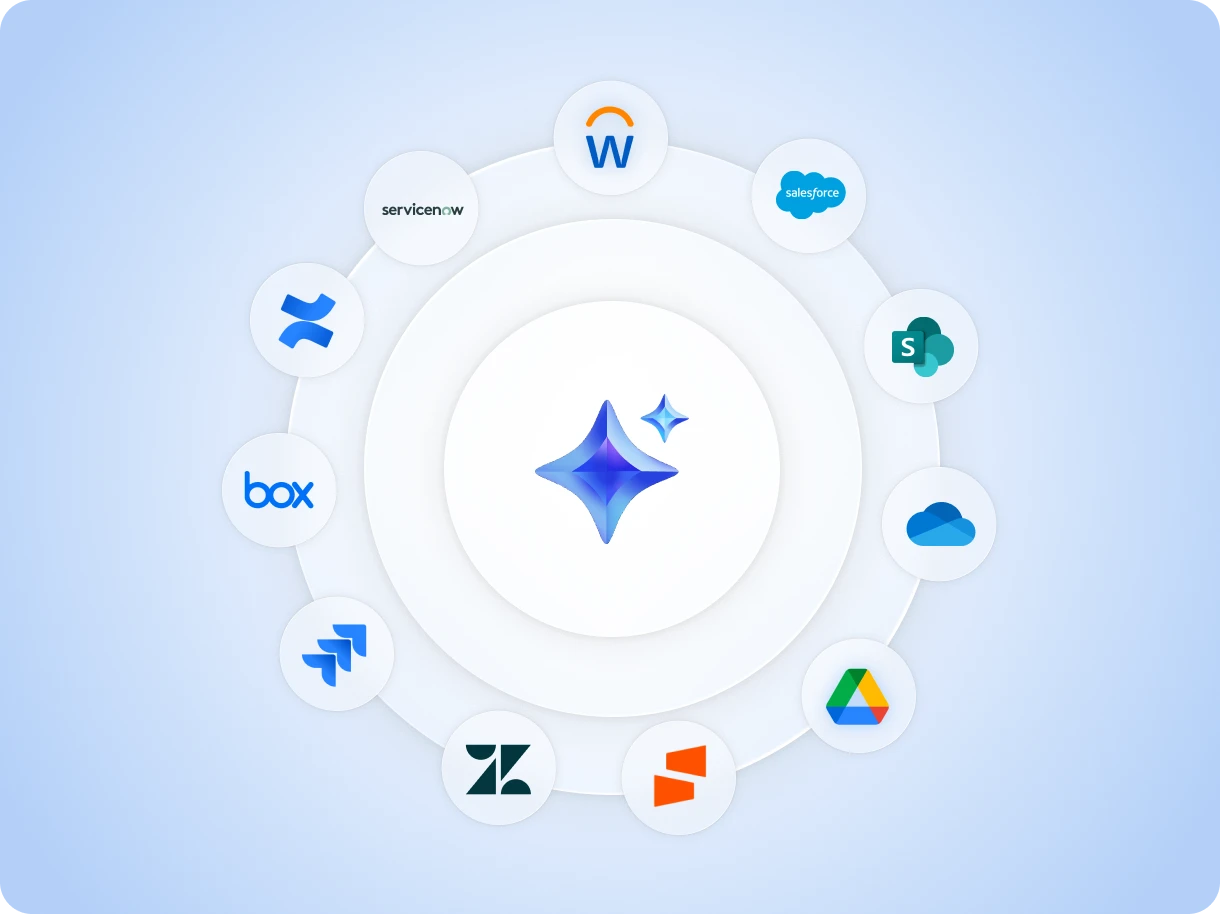

Get fast, contextual answers from the sources your teams use most with over 10 connected critical business applications.
Talk with one of our experts to come up with a plan that’s right for you.