Your meeting just ended. Wouldn’t you prefer to have a doc, deck, and next steps — all with full context — waiting for you?
Select a language
Your meeting just ended. Wouldn’t you prefer to have a doc, deck, and next steps — all with full context — waiting for you?
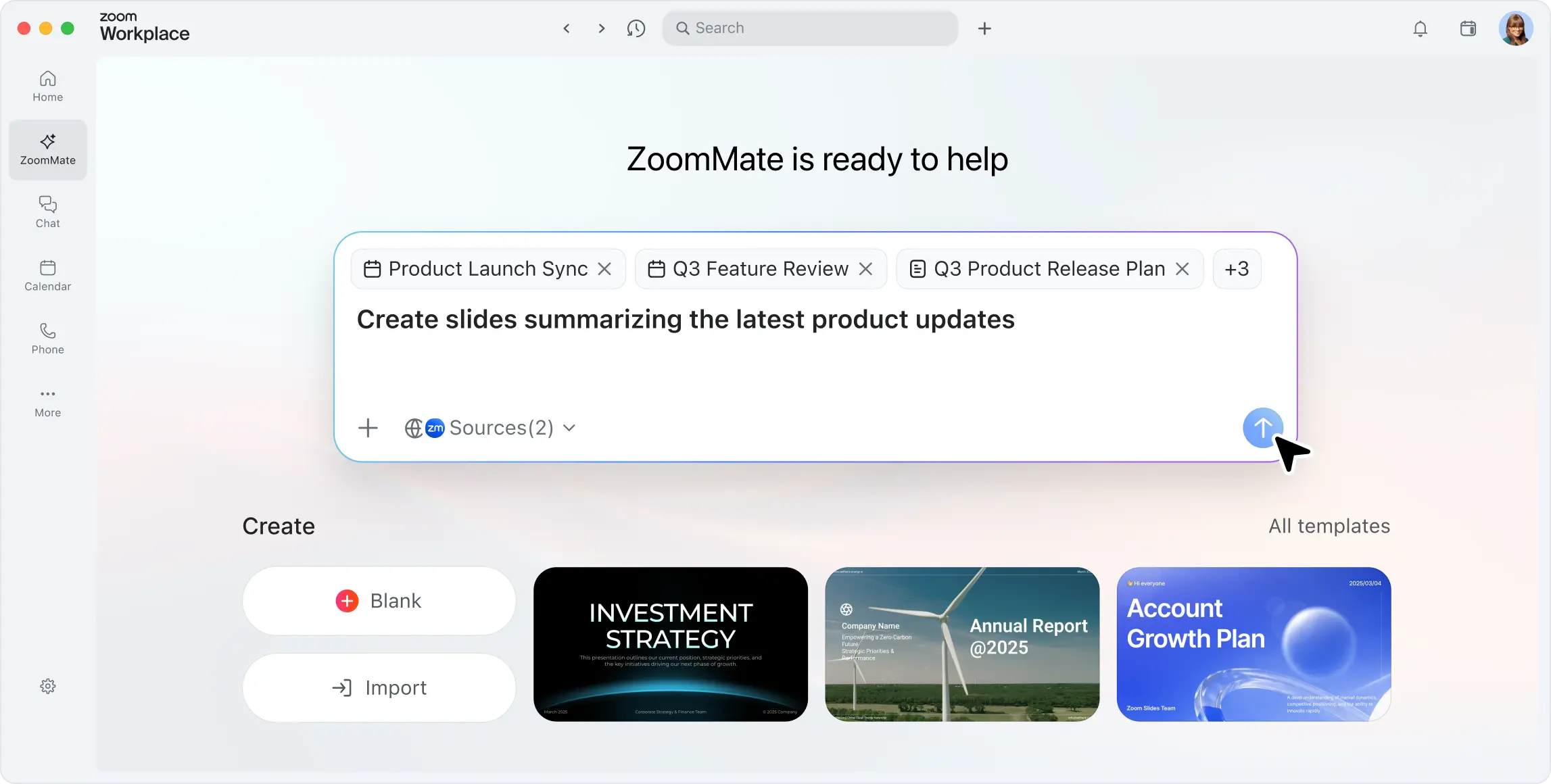

Create slides, docs, and sheets from meetings, chat, calls, and more.

Every deliverable is grounded on business conversations and data.

Automation and task tracking help make sure things don't fall through the cracks and reduce busywork.
Limited free plan
Team - $30/user/month
Enterprise - Contact Sales
Genspark individual plans (Pro and Plus)
plans starting at $19.99/user/month for
single users.
Limited free plan
AI Productivity Suite - $10/user/month with
included AI Credits used for slides,
spreadsheets, and doc creation.
ZoomMate $20/user/month with included
AI Credits used for asset creation, task
execution, workflows, agentic search, and
agents.
One price covers the full productivity stack and allows you to create assets based on your conversations.
AI Slides requires manual prompt construction to generate decks and is not connected to meeting outcomes.
Zoom Slides can generate presentations from conversations, prompts, and connected enterprise data.*
Teams and users go from conversation to polished deck without re-entering context or building prompts from scratch.
AI Sheets generates formulas from manual prompts.
Zoom Sheets can generate spreadsheets and analysis from conversations, prompts, and connected enterprise data.*
Data analysis stays connected to the conversations and data sources that provided the information.
AI Docs requires manual prompts or uploaded files to generate standalone outputs. Documents don't stay connected to the conversations where the work originated.
Zoom Paper can generate reports, proposals, and business communications from conversations, prompts, and connected enterprise data.*
Teams and users go from meeting to document without re-entering context or building prompts from scratch.
Genspark lacks a collaborative workspace creation app. AI Docs is the closest equivalent, but it lacks ability to natively share a document and collaborate within a Zoom meeting with other participants.
Zoom Canvas can generate collaborative workspaces, docs, and data tables for knowledge sharing, project tracking, and more, using conversations, connected enterprise data, and prompts.*
Teams have a living workspace that can be updated from the conversations where decisions actually happen, not in a separate silo they have to remember to update.
Genspark context requires explicit user input or upload or meeting bot. Without a persistent communication layer, outputs can miss critical business context.
Limited additional capabilities provided through Slack and Microsoft Teams integrations.
ZoomMate can pull from meetings, chat, phone, recordings, summaries, and My Notes. Data is captured natively and feeds directly into Slides, Sheets, Paper, and Canvas to turn conversation context into deliverables automatically.
Conversations and notes can flow directly into your next deliverable, providing full workplace context.
Genspark supports bot-based attendance. Without bots, no join support across Zoom, Microsoft Teams, or Google Meet.
My Notes works across Zoom, Microsoft Teams, and Google Meet. Its data feeds directly into Slides, Sheets, Paper, and Canvas, where ZoomMate can turn conversations into deliverables automatically.
Organizations leveraging multiple meeting platforms get full AI coverage and context without bot noise.
Genspark supports 150+ tool connections via Super Agent.
ZoomMate supports 10+ widely used enterprise connectors: Google Drive, OneDrive, SharePoint, Salesforce, ServiceNow, Workday, Confluence, Box, Zendesk, Seismic, Jira.
More connectors expected soon.
Creation of assets can be completed with broader context using both enterprise data sources and conversational context.
Genspark's MCP support is limited to org-wide on/off controls — no per-app approval or on-device credential isolation.
ZoomMate's MCP support includes per-app IT approval and standardized connectors to extend AI into your existing tools.
Organizations extend AI into their tool stack knowing every connection is individually approved by IT.
Genspark content outputs are generated from standalone prompts rather than conversational context. There's no way to trace a document back to the conversation it originated from.
The content ZoomMate generates with Zoom AI Productivity Suite is connected to the conversation or data source that originated it.
Outputs trace back to its source conversation or data, so you can audit decisions, maintain accountability, and iterate with full context.
Genspark only searches connected third-party apps, with no conversation context to enrich results. Admin controls are all-or-nothing — no per-team granularity.
You get answers grounded in both your enterprise data and the conversations where decisions actually happened.
Meeting intelligence is built-in and automatic, capturing decisions and action items without requiring participants to take notes or remember details.
Genspark features limited workflow triggers — no completion-based or broader event-driven triggers, and no triggering from connected systems.
Trigger ZoomMate workflows with certain events, scheduled times, task completion, and more.
Actions kick off where work happens to automate busywork and drive projects to completion, no manual handoffs.
Genspark extracts from bot-based transcripts. Task outputs must be moved to a separate Task Manager manually for task-tracking.
ZoomMate automatically extracts action items and tasks from meeting transcripts, then tracks natively in Zoom with assignment and follow-ups.**
Action items don't fall through the cracks, they're assigned, tracked, and completed in the same platform where the meeting happened.
Feature and price comparisons based on publicly available information as of July 2026.
*Zoom AI credits are required to access and use certain metered AI-powered capabilities in ZoomMate & AI Productivity Suite. Each metered AI capability consumes AI credits based on the action performed, and the amount of AI credits that apply to a particular action will vary.
**An additional paid Zoom Workplace plan is required to unlock unlimited usage of AI meeting and phone features such as note-taking and summaries for full conversation context.