



Your guide to getting started with ZoomMate
Everything you need to start using ZoomMate: notes, search, workflows, and AI tools — all inside Zoom Workplace.
Because "I'll deal with it when I get back" is not a plan.
Published on August 17, 2026




Okay, real talk: you've got PTO coming up and you're already stress-spiraling about the inbox you're going to come home to. According to a recent Morning Consult survey conducted on behalf of Zoom, nearly half of workers (48%) feel anxious in the days leading up to time off, and 65% work extra hours beforehand just trying to get ahead.* It's a whole thing.
ZoomMate has eight ready-made OOO workflows that handle this for you — some to set up before you leave, some to run when you get back.
And the best part? They're pre-built into ZoomMate, so all you have to do is set it up and enjoy your vacation.
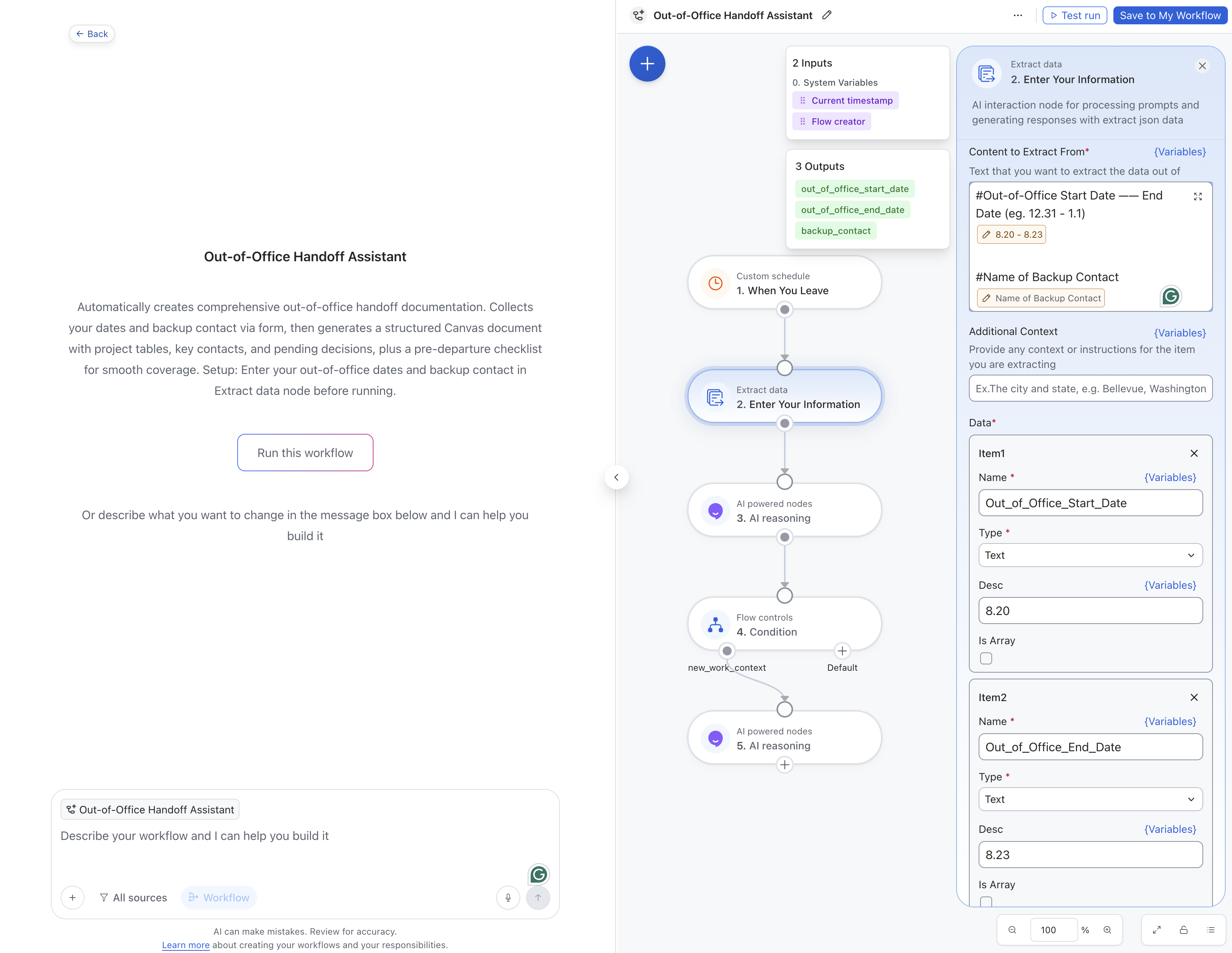
This one's your pre-vacation best friend. Set it up a day or two before you leave and it does the heavy lifting of making sure your team actually knows what's going on while you're out.
Here's how:
What you get on the other end is a structured Zoom Canvas document — project tables, contacts, pending decisions, and a pre-departure checklist — so your backup isn't texting you on day two of your trip asking where the client brief lives.
65% of workers say they experience collaboration challenges when a teammate is out, and 75% say work stalls by at least a day when someone who owns the work is gone.* This is the fix.
This one's the set-it-and-forget-it of the bunch. Configure it before you leave, and on the morning you're back, it's already done the homework. It searches your meetings, docs, and Zoom Chat threads from while you were out, surfaces what was decided, what got assigned, and what shifted — then compiles a prioritized Day 1 Plan and DMs it to you before you've even made coffee.
Here's how:
You'll come back to a plan, not a pile.
Forgot to set up the handoff before you left? No judgment. This one's for you.
What comes back: a prioritized digest of messages that landed in Zoom Chat while you were out. Urgent items float to the top, suggested replies are already drafted, and the noise is filtered out. Instead of spending your entire first morning back reading threads from last Tuesday, you can actually start working.
36% of workers spend day one back piecing together decisions made while they were out, and 31% are hunting for meeting notes.* You don't have to be either of those people.
There are five more workflows in the collection, and honestly, they're worth a look:
When people trust that AI will catch them up, they actually take their time off — 76% say they'd use more PTO if AI reliably got them back up to speed, and 78% say they'd be more likely to fully disconnect while they're away.*
Set it up. Log off. The inbox will still be there, but at least it'll be sorted.
* OOO Index: Morning Consult survey of 1,000 U.S. full-time knowledge workers, conducted June 2026 on behalf of Zoom.








