Building the classroom of the future
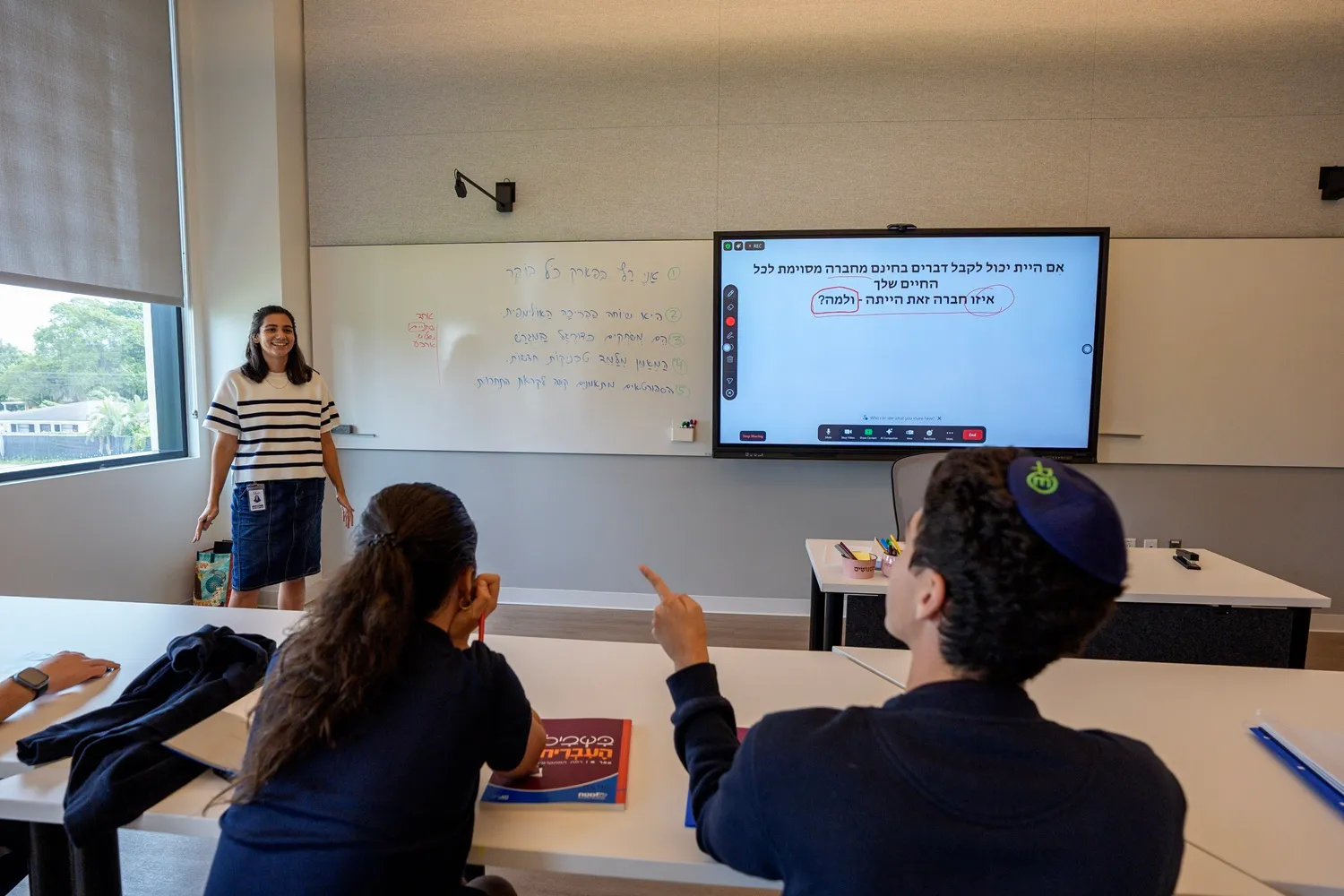
This collaboration between JLA and Zoom turned high-level vision into a physical reality. The core of JLA’s transformation lies in the setup. The team equipped each classroom with:
- Four cameras
- Ceiling-mounted microphones and speakers
- An 86-inch interactive smartboard
- Zoom Rooms
- Integration into the school’s learning management system (Canvas) via Zoom’s LTI Pro
Students logging in remotely appear directly on classroom displays, and teachers can admit them to the class with a single touch.
“One button starts everything,” said Rafael Prikladnicki, JLA’s student information system administrator. “There’s no complexity for faculty, and that simplicity was critical to adoption.”
After class begins, recording and transcription start automatically. Every session also feeds into Zoom Video Management, allowing transcripts, recordings, and Zoom AI Companion lecture summaries to be published directly to Canvas, where they’re available to students and teachers on demand.
A new model of participation
Because these technical workflows are automated, the classroom experience remains uninterrupted for those outside the campus walls. For many schools, the phrase “hybrid learning” evokes the frustration that accompanied pandemic-era online courses. At JLA, hybrid learning was always synonymous with ease and inclusivity.
Students who may be traveling for athletics, recovering from illness, or juggling complex family situations can now fully—and regularly—participate in school. The platform supports students during extended absences, including athletics travel or other personal circumstances that make in-person attendance difficult.
Apart from situational flexibility, the technology is a vital tool for English as a Second or Other Language (ESOL) students, who can utilize transcription and translation support for 20–50 different languages to engage with complex subjects in their native tongue.
From hybrid to hyperlearning
While these tools address immediate physical and linguistic barriers, JLA is also looking toward the long-term evolution of the classroom. By leveraging Zoom AI Companion, the school has adopted a concept Gil refers to as hyperlearning, in which students learn, unlearn, and relearn continuously. AI-generated lecture summaries help students engage with material before, during, and after class, helping to create more opportunities for learning. Because the school stores 365 days of lesson recordings, students have a searchable library of the entire academic year to reference whenever they need to reinforce a concept.
“It’s a game-changer for learning,” Rafael said. “They can go back, rewatch, relearn, and engage with content at their own pace.”
Students prepare for finals and midterms by reviewing class recordings and using Zoom AI Companion to focus on key topics. Teachers also use video summaries and lecture transcripts to reinforce lessons, and use Zoom AI Companion for tasks like drafting or refining emails, streamlining messaging, and adding clarity to student and parent communications. At the same time, faculty and staff rely on Google Calendar integrations to keep everyone organized as schedules shift.
“Zoom just gets better over time,” Joaquin said. “We’ve been using it across our entire workspace, and every new feature adds value.”
Unified technology, simplified management
The hyperlearning model provides a sophisticated experience for students without requiring a massive backend operation. Instead, a lean, three-person IT team manages the entire campus infrastructure. Most modern independent schools use dozens of tools, platforms, and systems, but with Zoom Workplace, JLA can streamline its technology environment. The student information system, Canvas, and Zoom are the trifecta of JLA’s educational experience. Zoom Workplace makes it easy to manage phones, room systems, meetings, recordings, and more from a single unified platform, freeing up time for strategic growth.
Zoom Phone even ultimately replaced legacy phone systems that required dedicated skills to manage properly and took about 20 minutes per task. Now, tasks like assigning extensions, connecting calls to Zoom Meetings, and setting holiday IVR messages require only a few simple steps, which the team completes in a minute or two. And since Zoom Phone connects directly to Zoom Meetings, faculty can convert calls to video sessions and use Zoom AI Companion summaries without switching between tools.
“It pays for itself,” Joaquin said. “Not just in cost, but in the time saved and the impact on how students and teachers interact.”
Partnership, not just a platform
JLA’s experience with the platform and its relationship with the Zoom team have increased the school’s confidence in seizing new opportunities. The school was an early adopter of the four-camera approach and consistently collaborates with Zoom engineers on classroom capabilities. JLA also continues to provide feedback via the Zoom education community.