
Meet Zoom AI Companion, your new AI assistant!
Boost productivity and team collaboration with Zoom AI Companion, available at no additional cost with eligible paid Zoom plans.
 16 min read
Updated on March 02, 2026
Published on March 02, 2026




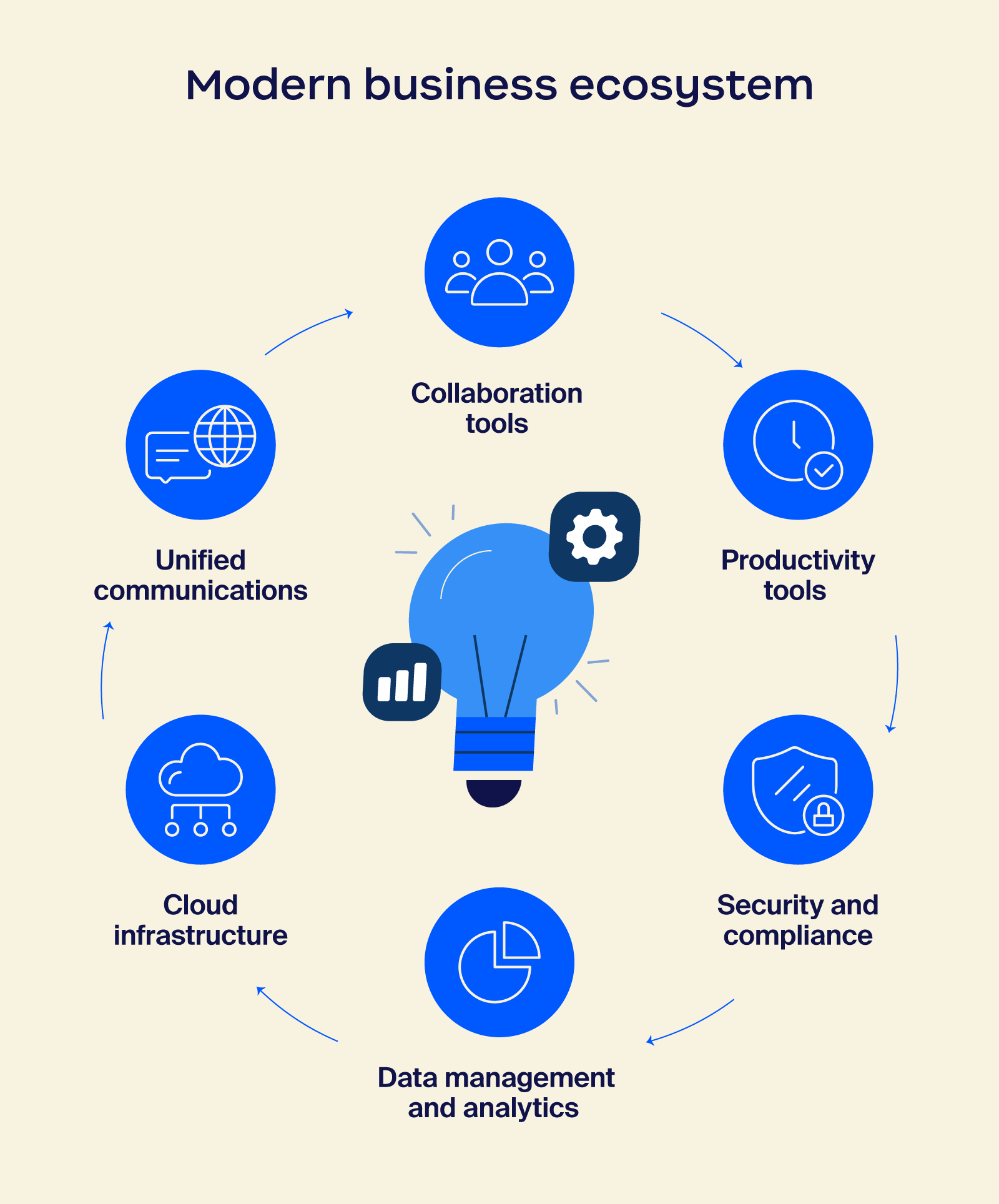
While effective communication has always been important for organizations, that’s especially true as the workforce continues to become more distributed, flexible, and global. With employees scattered across different locations and time zones, traditional communication methods are falling short. This is where unified communications (UC) comes into play.
Unified communications is a technology that integrates multiple communication channels into a single platform. Essentially, it brings together tools like voice communication solutions, video conferencing, chat, and email into one cohesive system.
Read on to discover what unified communication means, what it can do to improve your business, and how to implement it.
Unified communications combines multiple communication channels in a single platform, making phone calls, video conferencing, chat, and email accessible in one place.
To put it simply, UC is like having a Swiss Army knife for your communication needs. Instead of carrying around separate tools for different tasks, you have one versatile tool that can handle everything. This integrated approach can reduce the financial costs and efficiency issues of juggling several apps at a time.
For example, if you’re collaborating on a project with colleagues in different locations, you can easily switch between video conferencing, chat, and file sharing within the same platform. Or, if a team member contacts you via email, you can move to a phone call or video chat to problem-solve.
Unified communications as a service (UCaaS) takes this concept a step further by delivering these communication tools through the cloud, so businesses don’t need to worry about maintaining complex on-premises infrastructure. This approach can provide flexibility, scalability, and cost-saving opportunities, making it easier for companies to adjust their communication capabilities as their needs evolve.
This makes it easy for companies to adjust their communication capabilities as their needs evolve.
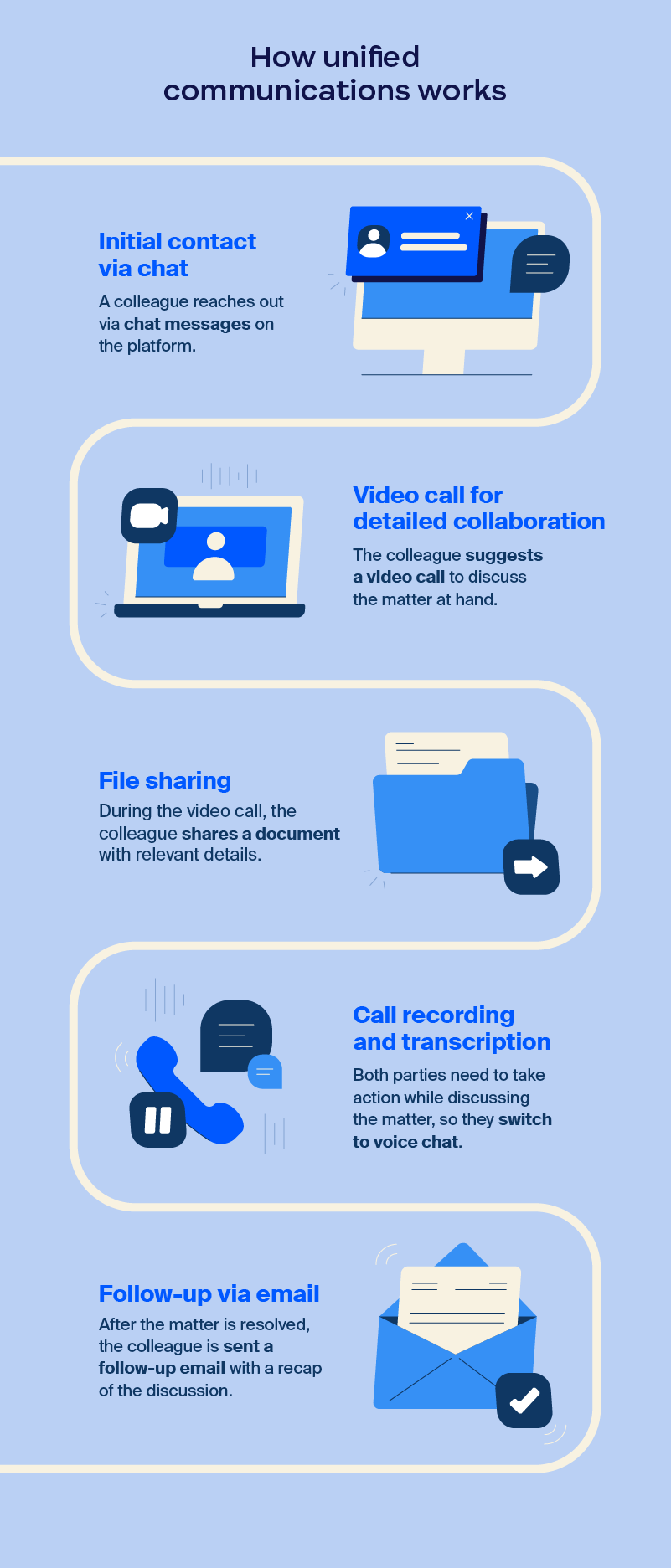
With the evolution of the modern workplace and its communication models, organizations need solutions that allow them to communicate in ways that fit them best, both internally and externally. This means employees need access to multiple communication channels, which is where unified communications comes in. Let’s take a look at how it works:
As you can see, unified communications lets you easily access and share information with colleagues or customers without having to switch between systems. It breaks down business communication silos, enhances productivity, and fosters a more connected work environment.
Implementing a unified communications system can help scattered teams become more organized. Here, we’ll outline a step-by-step approach to successfully integrating UC into your organization.
The first step in implementing unified communications is to thoroughly assess your business’s specific needs and goals. By understanding your organization’s communication challenges and objectives, you can select the right UC solution to address them effectively.
Consider the following questions to help you determine your goals:
The right unified communications solution should help streamline business operations and collaboration, so it’s important to find the best fit. When doing so, consider factors such as the provider’s reputation, experience, and customer support.
Evaluate the features and functionalities offered by different unified communications platforms to make sure they align with your needs. You’ll want to explore:
Opt for a provider whose platform is open and can seamlessly connect with crucial business applications. Consider which tools and systems your organization uses the most, then make sure they can integrate with any unified communications software you’re evaluating.
Think about common tools such as:
UC implementation hinges on employee adoption. Providing comprehensive training and fostering a supportive environment are essential for maximizing the benefits of the new system. Here’s how:
By establishing and tracking key performance indicators (KPIs) and gathering user feedback, you can optimize unified communications usage and drive continuous improvement.
Here are some helpful metrics to track:
Regularly collect data on these metrics to assess the return on investment (ROI) of your UC implementation. Solicit feedback from employees to identify areas for improvement and enhance user experience.
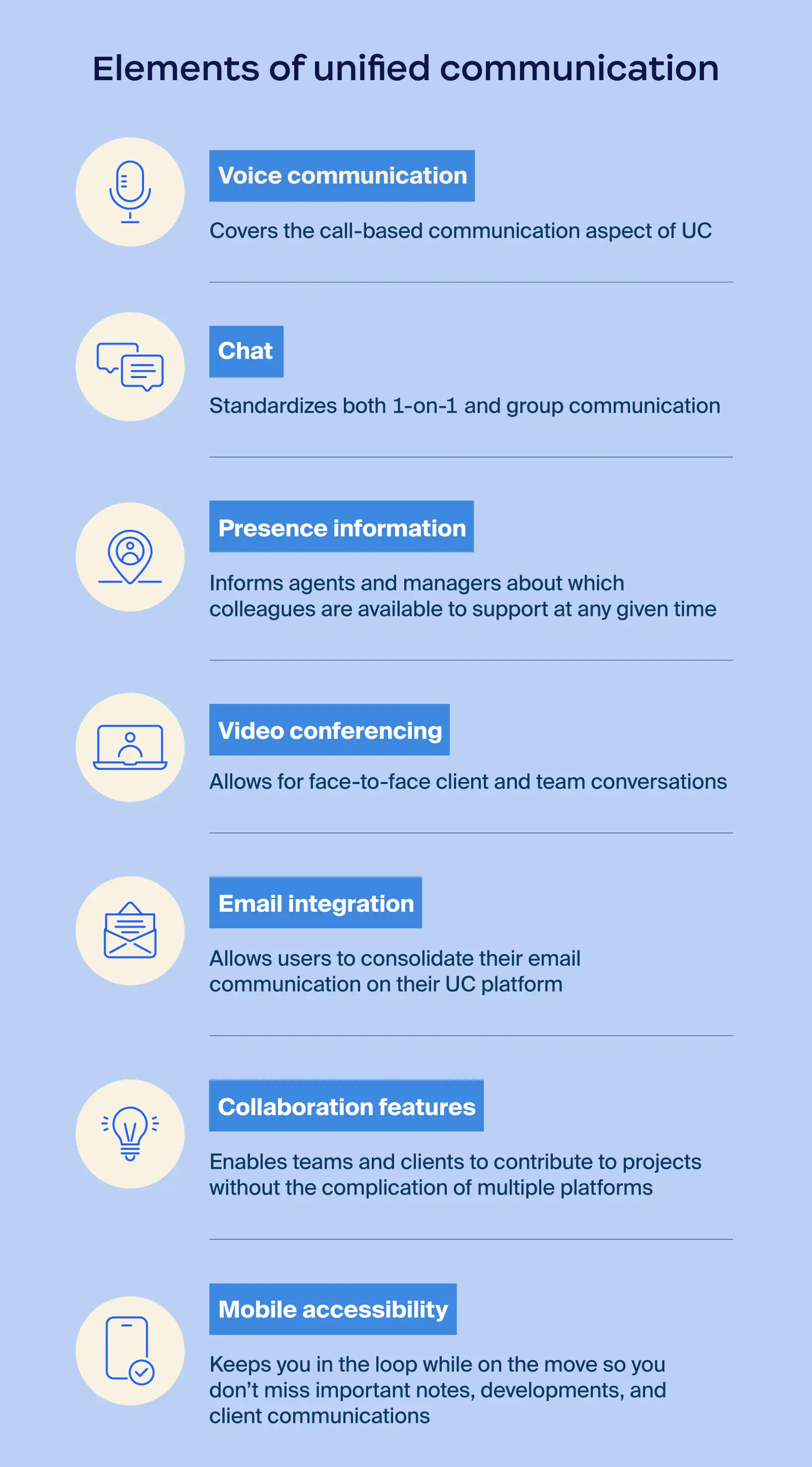
Unified communications systems include a variety of tools and services designed to enhance communication and collaboration. Let’s explore the key components that make up a UC solution:
Selecting the right unified communications and collaboration technologies can be overwhelming, as there are plenty of tools available to choose from. We’ve gathered a list of some of the top options on the market today.
Zoom: Zoom Workplace is widely recognized as one of the top unified communications options. As an AI-first platform, Zoom Workplace has evolved from video conferencing into a full unified communications solution, with phone, chat, and collaboration tools like Whiteboard, Docs, and email. It’s known for an intuitive interface, quality video, and high performance. Plus, it’s scalable enough for businesses of all sizes, from startups to enterprises.
Microsoft Teams: Teams integrates with the Microsoft 365 suite, making it a good fit for companies already using Microsoft apps. Its chat, calling, video, and file collaboration capabilities, plus integration with Outlook and OneDrive, can help drive team productivity.
RingEX: RingEX is a cloud-based communications platform that offers voice, messaging, and video, making it a good choice for businesses seeking reliable telephony solutions.
Cisco Webex: Cisco Webex blends calls, meetings, messages — and even event hosting — in a single platform. The AI-powered meeting features and integration with Cisco hardware, plus the prioritization of security features, make it a good fit for large, complex IT organizations.
Google Workspace: Google Meet and Chat integrate with the rest of Google Workspace, so they’re great for teams already using Gmail, Google Drive, and Google Calendar. With Google Meet, you get video conferencing with options for live captioning, and Chat provides quick messaging and file sharing.
8x8 X Series: 8x8 X Series offers voice, video, chat, and call center functionality. It’s good for global teams and organizations looking to unify employee and customer communication. It also includes advanced analytics and can integrate with software like CRMs or productivity tools.
Dialpad: Dialpad uses AI-powered intelligence to improve call quality, transcribe calls in real time, and generate insights after meetings. You’ll get VoIP services, video, and messaging, and it’s optimized for hybrid or distributed teams, helping businesses increase productivity and reduce call center shrinkage.
GoTo Connect: GoTo Connect combines the video conferencing power of GoTo Meeting with VoIP services and team chat. Its focus on ease of use and cost effectiveness makes it a great fit for small or mid-sized organizations.
Avaya Cloud Office: Avaya Cloud Office combines voice, messaging, meetings, and fax in a single platform. Powered by RingCentral, it’s useful for companies that might want to transition from on-premises systems to the cloud.
Choosing the optimal unified communications platform for your business requires careful consideration. Here are key factors to look for:
Unified communications services and systems are designed to enhance efficiency, breaking down communication barriers by providing a single platform for various channels. Below are a few ways UC can make a real impact across your teams and operations.
Unified communications are becoming more innovative and more proactive, powered by agentic AI and AI companions. These tools can summarize missed discussions, suggest next steps, manage follow-ups, and even coordinate tasks across teams autonomously, letting employees focus on higher-value work.
Voice AI makes interactions seamless, so joining meetings, requesting updates, or escalating issues can all be done naturally through conversation. UC platforms are also converging with contact center as a service (CCaaS), enabling experts to jump into customer calls instantly with AI support guiding the way.
The result is a communication experience that’s more predictive, intuitive, and deeply integrated into the flow of work — the kind of AI-first collaboration Zoom is building for 2026 and beyond.
Zoom AI Companion can turn meetings, chats, and documents into actionable insights, helping teams make faster decisions, summarize conversations, and streamline workflows. With features like meeting summaries, agentic retrieval, and content generation, Zoom AI Companion is designed to help boost productivity and collaboration across every role.
Explore how Zoom AI Companion can help your team work smarter, deliver better results, and stay connected.
An example of unified communication is Zoom Workplace, which combines video conferencing, chat, voice calls, file sharing, and more to make communication simple across channels.
Communication is the exchange of information, while collaboration involves individuals or teams working together toward a shared goal or objective. But they go hand in hand — successful collaboration requires strong communication.
Like any cloud-based system, UC systems can pose risks like data breaches, unauthorized access, or phishing. However, selecting a system that offers strong security protocols like encryption, multi-factor authentication, and regular updates can help mitigate these issues.
UC is the category of tools that bring business calling, messaging, video meetings, and collaboration into one system. These tools can be deployed on-prem, where your IT team manages the servers, upgrades, and security.
UCaaS is when those same UC tools are delivered through the cloud. For example, Zoom Workplace is a UCaaS platform that includes Zoom Meetings, Zoom Phone, Zoom Team Chat, and collaboration tools in one cloud-based service. There’s no on-prem hardware to manage, updates often happen automatically, and teams can scale usage up or down as needed.
Modern unified communications platforms use encryption, access controls, and regular security updates to help protect information and virtual communication. Cloud-based UCaaS platforms like Zoom offer enterprise-grade security features that help protect your data and align with your compliance needs.








