




Meet Zoom AI Companion, your new AI assistant!
Boost productivity and team collaboration with Zoom AI Companion, available at no additional cost with eligible paid Zoom plans.
 18 min read
Published on January 6, 2026



As flexible and remote work become the norm, Zoom interviews have become the standard first step in most hiring processes, making virtual interview skills essential for career success. Knowing how to carry yourself in this digital format can help you land your dream job — a must for everyone from recent graduates to seasoned professionals on the hunt for a new job.
This guide covers how to prepare for a Zoom interview, from technical setup to following up afterward. You’ll learn strategies for before, during, and after your virtual meeting to help you stand out from other candidates.
Thoroughly researching the company demonstrates your genuine interest and helps you tailor your responses effectively. Here are some simple ways to research the company:
Pay special attention to the company’s mission, values, recent achievements, and industry challenges. This knowledge can help you speak more confidently about the company.
If you know your interviewers’ names, research their professional backgrounds on LinkedIn and company bios. Understanding their roles, experience, and interests helps you connect on a personal level and ask more informed questions during your conversation.
Asking smart questions shows you’re engaged and thinking critically about the role. It’s also your chance to assess whether the job is the right fit. Use these tips to guide your question prep:
It’s also helpful to know what questions you may want to avoid:
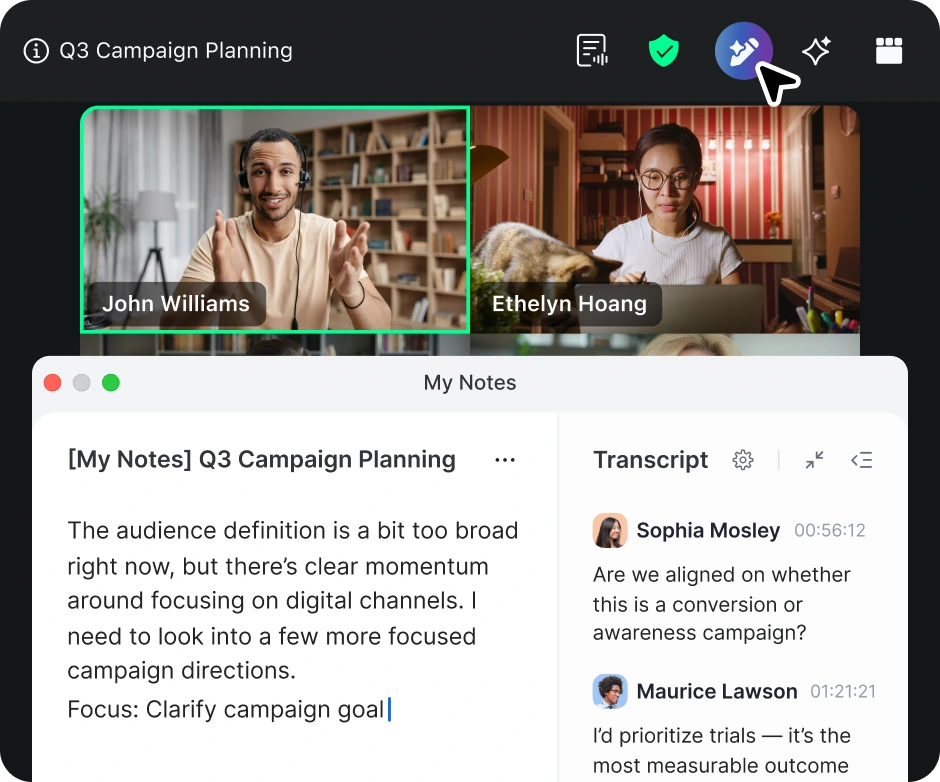
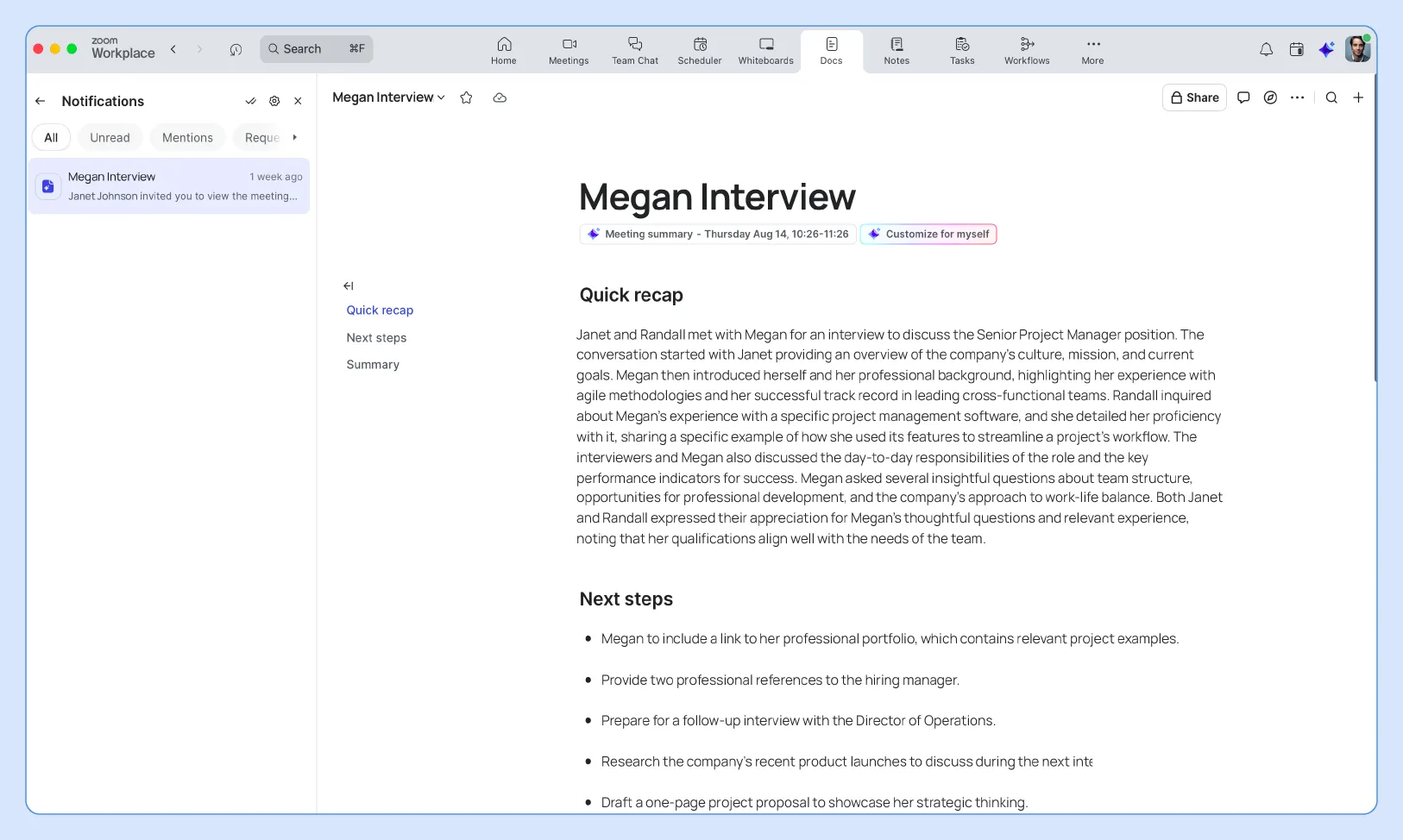
You can also use Zoom Canvas to organize your questions and talking points before the interview. Zoom Canvas is designed to help you keep notes accessible during your call, without switching between applications, and to help you stay organized and professional throughout the conversation.
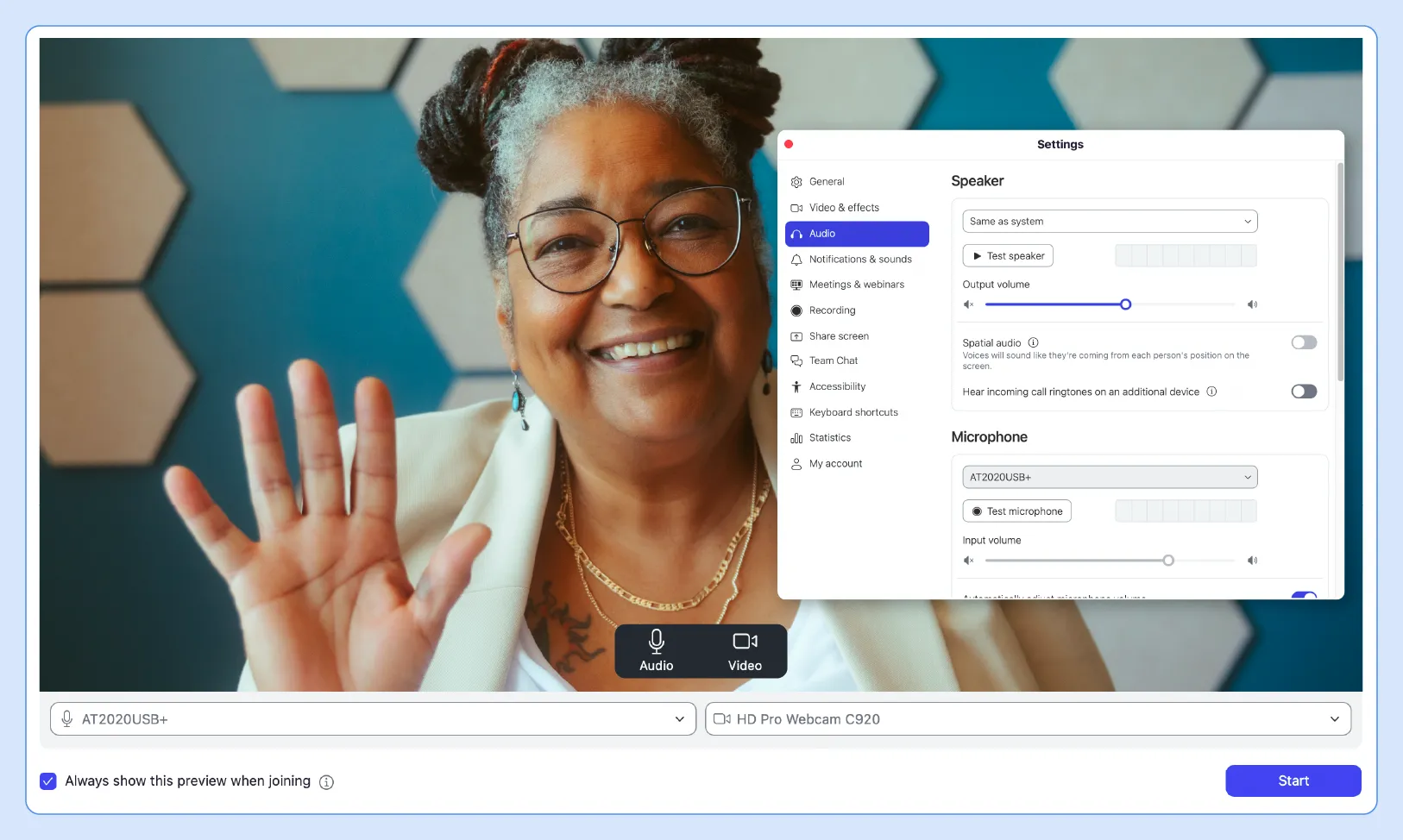
Technical issues can derail even the most prepared candidate, making pre-testing essential for success. Check your camera angle to ensure it’s at eye level and captures your head and shoulders clearly. Test your microphone quality and adjust the input levels to minimize background noise and audio distortion.
As a final assurance, schedule a test call with a friend or use Zoom’s built-in test meeting feature at least 24 hours before your interview. This gives you time to troubleshoot any issues, update software, or find alternative solutions if problems arise.
Once your camera is positioned correctly and tested, take a look at what’s behind you. Your background plays a key role in shaping first impressions and helping interviewers stay focused on what you’re saying.
Tips for choosing a strong background:
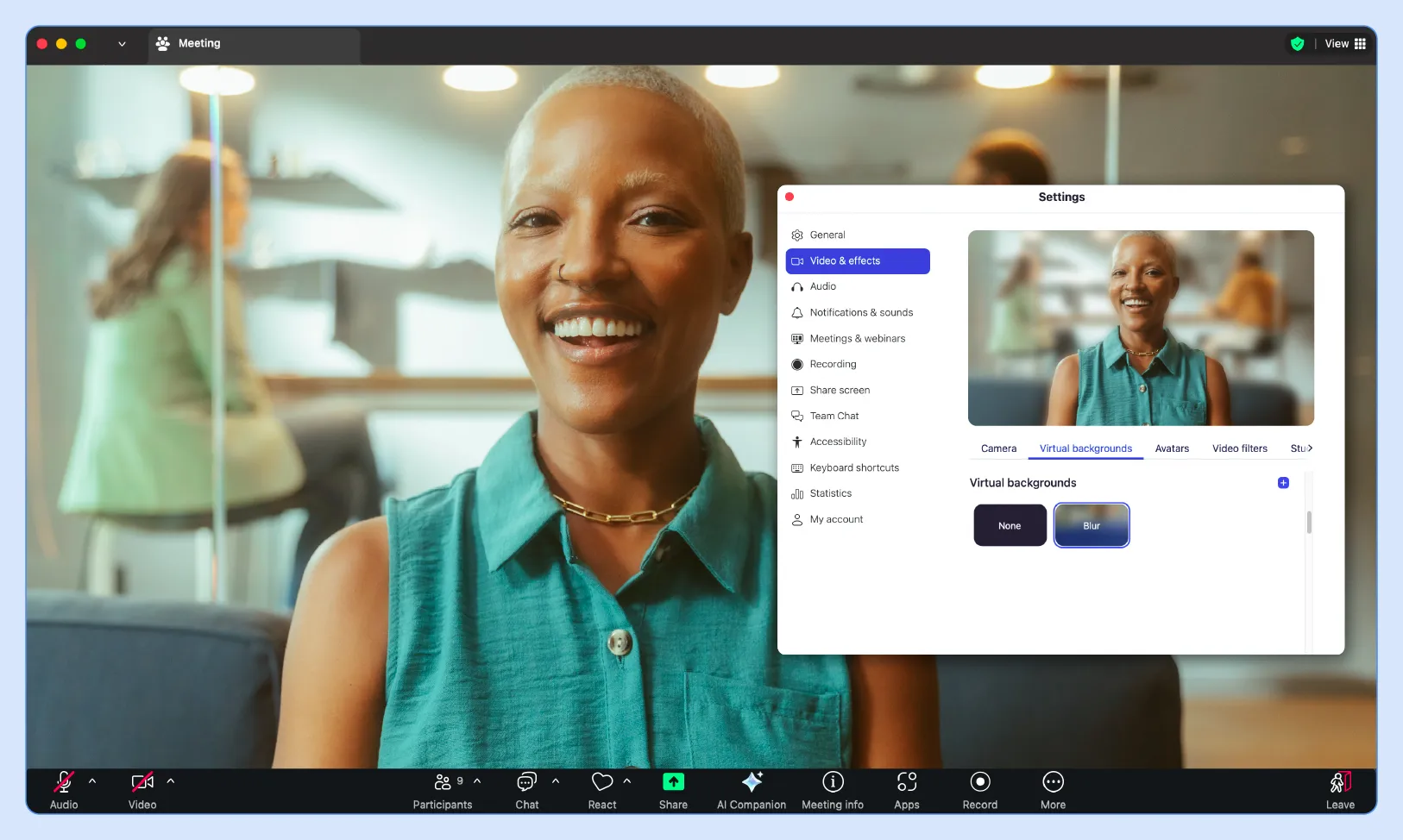
You may be wondering, “Should I blur my background for a virtual interview?” While blur effects can work, a clean, uncluttered real background often appears more professional and authentic than digital alternatives. A polished background reinforces your professionalism and keeps the spotlight on your message.
Zoom now offers AI-generated virtual backgrounds, allowing those on eligible paid plans to create custom, professional-looking backdrops using simple text prompts. This is a great option if you can’t find a background you like.
Proper lighting helps you appear professional and engaged throughout the interview process. Use the following tips to guide you:
Zoom also comes with built-in tools for lighting and appearance, which can be accessed in your video settings:
A well-lit setup helps keep the focus on you and shows you’ve taken the time to prepare.
Professional attire demonstrates respect for the opportunity and helps you feel confident during the interview. Dress as you would for an in-person interview, choosing solid colors that look good on camera and avoiding busy patterns or distracting jewelry.
Consider the company culture when selecting your outfit, but it’s always best to err on the side of caution, opting for slightly overdressed attire rather than looking too casual. Even if you plan to stay seated, dressing professionally from head to toe can boost your confidence and help you be fully prepared in case you need to stand up or adjust your setup during the call.
Verbal practice is another great way to build confidence and helps you refine your responses before the interview. Record yourself answering common questions like:
Zoom Clips offers an easy way to practice by recording short video segments of your responses. Review these clips to assess your body language, speaking pace, and clarity, then refine your answers until they feel natural and compelling.
Minimizing digital distractions allows your computer to run smoothly and maintains your professional focus. Close social media, email, and messaging apps and any programs that might generate notifications or slow down your system during the interview.
Disable desktop notifications and put your phone on silent mode to avoid interruptions. Having fewer programs running also preserves bandwidth for a stable video connection without jitter and prevents your computer from overheating during longer interview sessions.
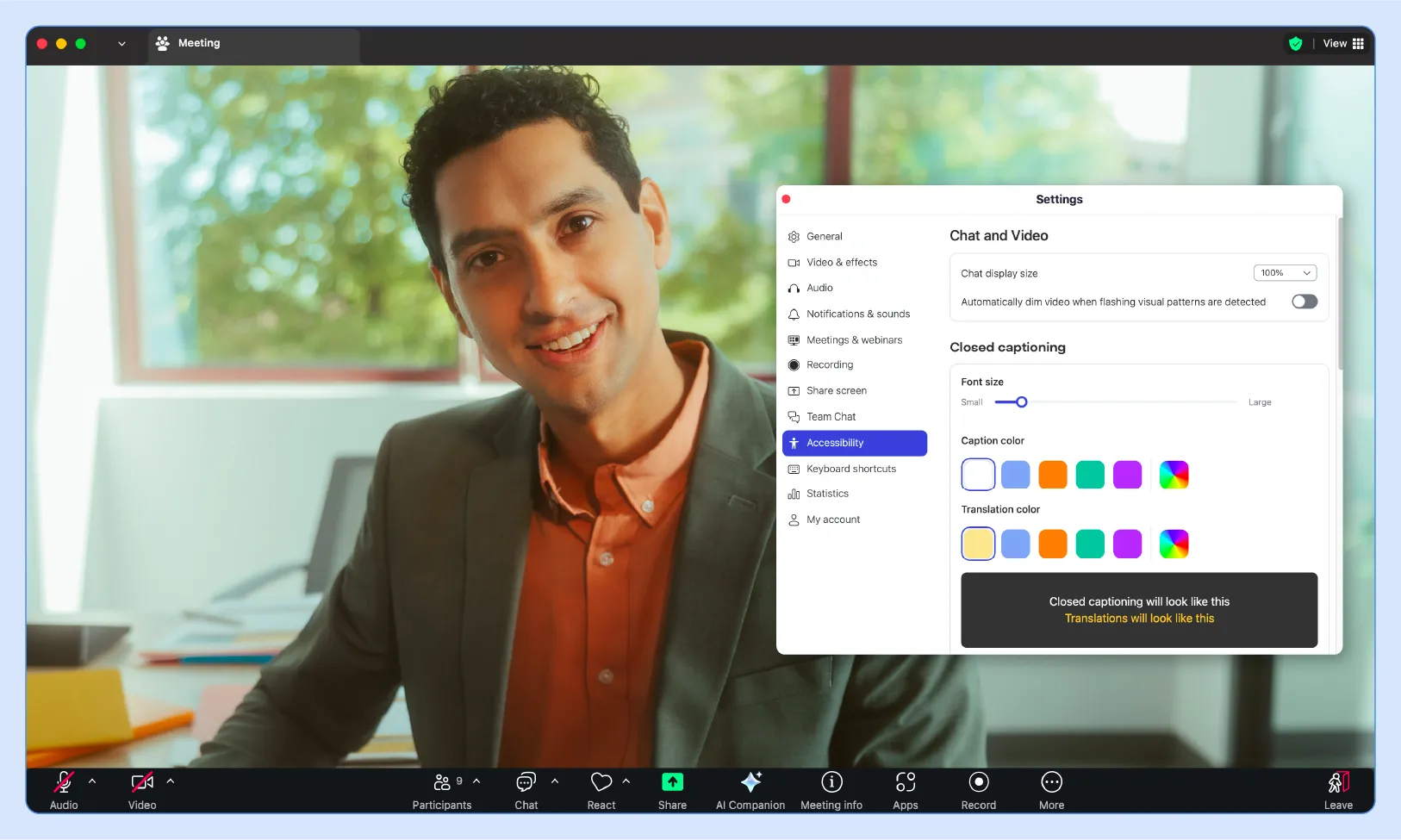
Accessibility features are designed to help you fully participate in the interview regardless of any hearing, visual, or mobility needs. Take advantage of Zoom’s accessibility features, like:
Test these features beforehand and inform the interviewer if you’ll be using any accessibility tools during the call. Most employers appreciate this transparency and can make additional accommodations to provide a fair and comfortable interview experience.
Quick access to your materials helps you reference specific achievements and stay organized during the conversation. Print copies of your resume, the job description, company research, and prepared questions to avoid relying solely on digital files that might be harder to navigate quickly.
If you prefer to avoid physical paper, Zoom Canvas is an excellent digital alternative for assembling all your interview notes in one accessible location. You can create organized sections for company research, questions to ask, key talking points, and your accomplishments without cluttering your desk space.
Many people wonder, “How early should I join a Zoom interview?” Arriving five minutes early shows you’re punctual and gives you time to address any last-minute technical issues. This buffer also allows you to settle in, check your appearance, and make sure everything is working properly before the interviewer joins.
Logging in too early can be awkward if the meeting room opens immediately, while arriving late creates a negative first impression. Five minutes is the perfect balance, showing respect for the interviewer’s time while giving you confidence that your technology is functioning correctly.
Maintaining eye contact through the camera creates a connection and demonstrates confidence throughout the interview. Practice looking directly at your camera lens rather than the screen, which can feel unnatural but appears as eye contact to your interviewer.
Place a small arrow or reminder near your camera to help you remember this technique. You can occasionally glance at the screen to see your interviewer’s reactions, but return your focus to the camera when speaking to maintain that personal connection.
Clear communication becomes even more critical in virtual settings where audio quality can vary. Speak slightly slower than normal conversation pace, enunciate your words clearly, and pause between thoughts to ensure your message comes across effectively.
Zoom interview etiquette includes being mindful of potential audio delays that can cause interruptions or overlap with other speakers' speech. Wait a moment after the interviewer finishes speaking before responding, and don’t be afraid to ask for clarification if you miss something due to technical issues.
Active listening shows that you’re engaged, respectful, and focused on giving thoughtful responses. These tips can help you stay present and make a strong impression:
Being an attentive listener helps you build rapport and deliver more relevant, thoughtful answers.
Your body language communicates enthusiasm and professionalism, even through a screen. Sit with good posture, leaning slightly forward to show you’re engaged in the conversation. You may also want to use natural hand gestures when speaking to emphasize your points and maintain energy throughout the conversation.
Smile genuinely when appropriate, nod to show understanding, and maintain an open posture with your shoulders relaxed. Avoid fidgeting, looking around the room, or any movements that might appear disinterested or distracted to your interviewer.
Technical problems are common in virtual interviews, and how you handle them reveals your problem-solving abilities and grace under pressure. If issues arise, remain calm, apologize briefly, and work quickly to resolve the problem without dwelling on it.
Have backup plans ready, such as a phone number to call or an email address, in case the video fails. A mobile hotspot is also helpful if your internet becomes unstable. Demonstrate flexibility and professionalism by adapting quickly and keeping the conversation moving despite any technical setbacks.
A thoughtful thank-you email sent within 24 hours reinforces your interest and professionalism, keeping you top of mind. Refer to specific topics discussed during the interview to show genuine engagement.
For example, suppose you talked about the company’s upcoming product launch. In that case, you might say, “I enjoyed learning more about your upcoming product and am excited about the opportunity to contribute to its success.”
Keep your message concise but personal, thanking each interviewer by name if you met with multiple people. This follow-up provides another opportunity to clarify any points or add information you may have forgotten during the interview.
Your post-interview communication clearly conveys your continued interest in the position and company. Mention which specific aspects of the role or company culture excite you, drawing on insights gained during your conversation with the interviewing team.
This enthusiasm helps differentiate you from other candidates who may send generic thank-you notes. Show how the interview reinforced your interest and how you envision contributing to their team’s success based on what you learned.
LinkedIn connections help maintain professional relationships and keep you visible throughout the decision-making process. Send personalized connection requests within a few days of your interview, referencing your conversation and expressing interest in staying connected.
This networking approach demonstrates initiative and can provide valuable insights into company culture through the interviewer’s posts and connections. Even if you don’t get this particular role, these professional relationships may lead to future opportunities.
If you haven’t heard back within the specified timeframe, a polite follow-up email shows continued interest without being pushy. Wait one to two days after the stated timeline before reaching out with a brief, professional inquiry about your application status.
Keep this follow-up concise and positive, reiterating your enthusiasm for the opportunity while respecting their time constraints. Sometimes hiring decisions take longer than expected, and a gentle reminder can work in your favor.
Mastering how to ace an interview on Zoom opens doors to career opportunities while developing valuable digital communication skills. The same techniques that help you succeed professionally also enhance personal video calls with family, friends, and colleagues in our increasingly connected world.
Zoom Meetings is a reliable platform you can use for both professional growth and personal connections. Sign up for free today and discover how easy it is to connect meaningfully with people anywhere, whether it’s for your next career opportunity or catching up with loved ones.
A Zoom interview is a video conference job interview conducted through the Zoom platform, allowing employers and candidates to connect virtually from different locations. This format has become increasingly popular due to its convenience, cost-effectiveness, and ability to screen candidates efficiently while maintaining personal interaction through face-to-face communication.
A Zoom interview follows a similar structure to an in-person interview but takes place via video conference. You’ll join a virtual meeting room, engage in conversation with one or more interviewers, answer questions about your background and qualifications, and have opportunities to ask questions about the role and company while demonstrating your communication skills through digital interaction.
Stand out by trying the following:
Always start with a warm greeting and express your appreciation for the opportunity to meet. Offer a brief professional summary that highlights your relevant experience and enthusiasm for the role, keeping your introduction concise and engaging. Maintain eye contact with the camera to create a connection with your interviewer.
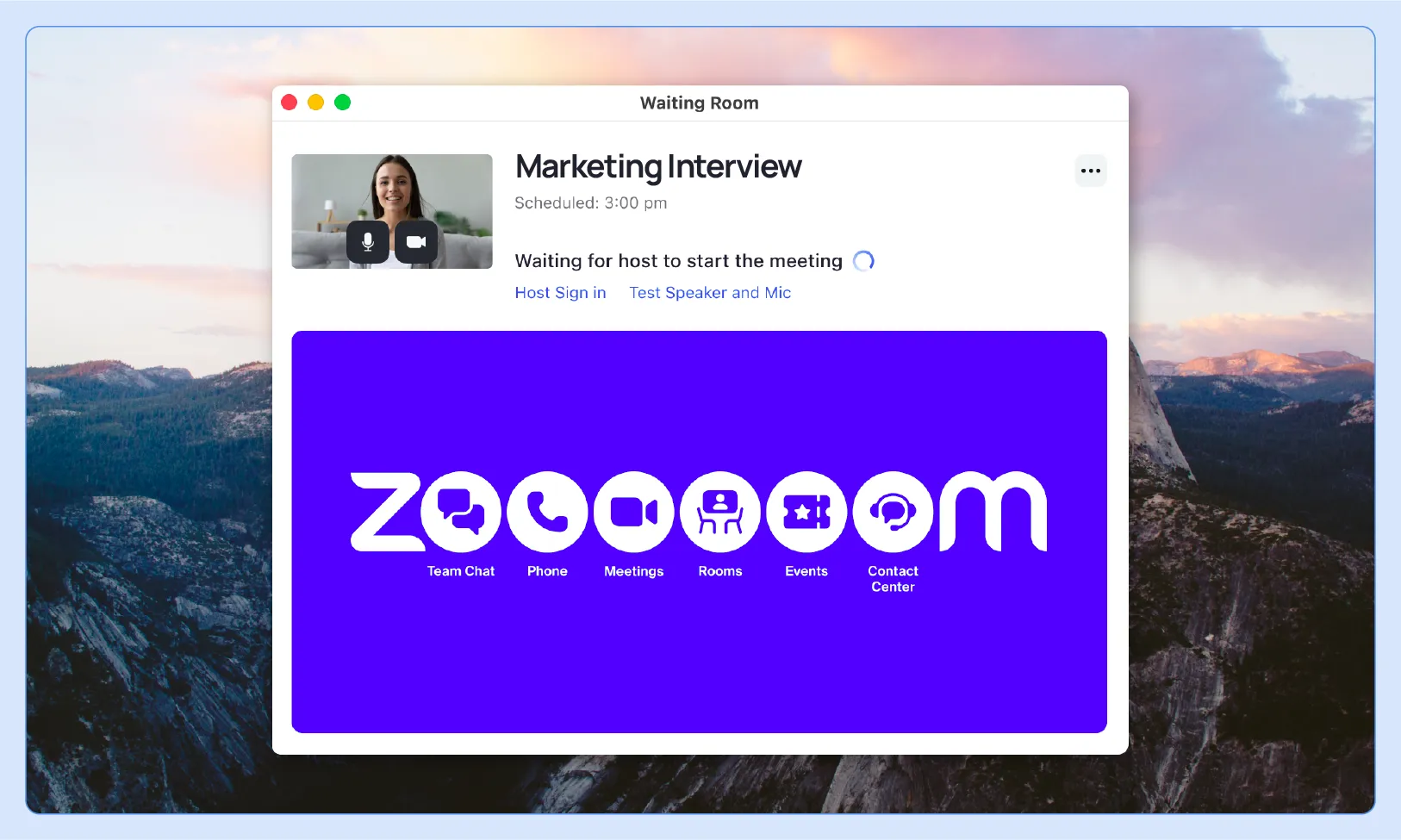
You’ll receive a meeting link or ID from your interviewer, typically sent via email with the interview invitation. Click the link or enter the meeting ID in the Zoom application, test your audio and video settings when prompted, and wait in the virtual lobby until the interviewer admits you to the meeting room.
Access Zoom’s test meeting at zoom.us/test or click “Test Speaker and Microphone” when joining any meeting. You can also check your devices in Zoom settings under the audio and video tabs, where you’ll see real-time feedback of your camera view and microphone input levels to make sure everything works properly.








