Collaboration

13 best Slack alternatives to boost team communication

15 min read

Updated on November 15, 2025

Published on November 15, 2025

The best Slack alternatives to boost team communication

Keeping a team (particularly a remote or hybrid one) in sync is no easy feat. You need a place for conversations, quick decisions, and collaboration, and the search for the perfect tool has become a priority for many. While Slack is a popular tool for this purpose, many businesses need platforms that offer additional features, more flexible price points, or a better overall fit for their team’s work style.

If you wish you had a single app for chat, video, and phone, or an AI assistant to summarize long meetings, you’re not alone. To help you find the perfect fit, we researched dozens of workplace communication apps to see how they stack up. We’ll help you find the right business communication option for your team.

Why you might want a Slack alternative

Slack changed the way many teams communicate, but its one-size-fits-all approach doesn’t work for everyone. As teams grow and workflows evolve, you may seek an alternative to Slack for the following reasons:

  • To control costs: Find a more cost-effective solution by choosing a platform that bundles chat with video meetings, phone, and other tools, reducing multiple subscription costs.
  • To reduce distractions: Cut down on noise with AI-first tools that can summarize long conversations, helping you catch up in seconds without constant notifications.
  • To improve your workflows: Work within a single application that allows you to turn a chat conversation into a video call or a collaborative whiteboard session with one click.

To get specific features: Access advanced capabilities beyond basic chat, including built-in task management, collaborative document editing, and AI assistance.

Slack alternatives at a glance

Service Best for Pricing* Notable features**
Zoom Team Chat AI-first team chat and connected work
  • Included in the free Zoom Workplace Basic plan
  • Pro subscriptions available from $13.33/user/month, billed annually
  • Zoom AI Companion for summarizing threads and composing messages
  • Full integration with Zoom Meetings, Phone, and Zoom Whiteboard
  • Team-based channels and advanced search capabilities
  • Connects with Zoom Docs, a collaborative document workspace
  • Includes integrated file storage
  • Offers public and private channels with threaded conversations
  • Advanced security offerings available as paid add-ons 
  • Extensive Zoom App Marketplace with thousands of integrations
  • Create tasks directly from chat messages
Microsoft Teams Microsoft 365 integration
  • Business subscriptions available from $4/user/month
  • Deep integration with Microsoft 365 for co-authoring documents 
  • Channel-based conversations with integrated file storage
  • Video meetings with features like Together mode and custom backgrounds
  • Integrated Copilot capabilities (at additional cost)
Rocket.Chat Self-hosted customization
  • Starter plan is free
  • Pro subscriptions available from $8/user/month
  • Open-source platform with self-hosting capabilities
  • High-security features, including end-to-end encryption
  • Marketplace for custom apps and integrations
Pumble An affordable alternative 
  • Base plan is free
  • Pro subscriptions available from $2.49/user/month
  • Unlimited message history on the free plan
  • One-on-one voice and video calls
  • User and workspace administration tools
Mattermost Secure development teams
  • Pro subscriptions available from $10/user/month
  • Self-hosted for full data control and security
  • Playbooks for workflow and process automation
  • Deep integration with developer tools like GitLab, GitHub, and Jira
Google Chat Google Workspace users
  • Starter subscriptions available from $7/user/month
  • Deep integration with Gmail, Google Drive, and Calendar
  • Dedicated Spaces for project collaboration
  • Powerful search that includes content in Workspace
Twist Asynchronous conversations
  • Base plan is free
  • Unlimited subscriptions available from $6/user/month
  • Strictly thread-based conversations to keep discussions organized
  • An inbox that collects notifications for you to review on your schedule
  • Separation of channels for broad topics and threads
Discord Team voice chats
  • Base plan is free
  • Nitro Basic subscriptions available from $2.99/user/month
  • Always-on voice channels for spontaneous conversation
  • Granular user roles and permission settings
  • Text chat, video calls, and high-quality screen sharing
Flock Integrated productivity
  • Starter plan is free
  • Pro subscriptions available from $4.50/user/month
  • Built-in to-do lists, polls, and reminders
  • Channel-based messaging and one-on-one chats
  • Native voice and video conferencing
Chanty Task assistance
  • Base plan is free
  • Business subscriptions available from $3/user/month
  • Ability to turn any message into a task
  • Built-in Kanban board for visual task tracking
  • Centralized hub for conversations, tasks, and files
Ryver Organized topic threads
  • Starter subscriptions available from $34.50/month for up to 12 users
  • Combines team chat with topic-based posts
  • Built-in Kanban board for visual task management
  • Unlimited guests and file sharing on all plans
Element Secure, decentralized chat
  • Enterprise subscriptions available for a custom quote
  • Decentralized communication
  • End-to-end encryption for messages and calls when enabled
  • Ability to bridge to other chat platforms
Zoho Cliq Zoho ecosystem users
  • Base plan is free
  • Standard subscriptions available from $16.20/month for up to 25 users
  • Deep integration with the Zoho suite of apps
  • Ability to turn messages into tasks or create forked conversations
  • Built-in bots and a command line interface for automation

*Pricing is current as of September 2025. Please contact specific companies for their up-to-date pricing and feature information.

**Some features are only available with certain licenses or add-ons.

1. Zoom Team Chat for AI-first team chat and connected work

Best for

AI-first team chat and connected work

G2 rating

Pros

  • Part of a unified platform, reducing tool sprawl

  • Includes powerful AI features at no additional cost with eligible paid plans

  • Free plan includes two years of cloud storage retention

  • Zoom Workplace offers built-in to-do lists, polls, and reminders

  • Advanced security offerings available as paid add-ons

Cons

  • Fewer niche app integrations than some competitors

Key features

  • Zoom AI Companion for summarizing threads and composing messages

  • Full integration with Zoom Meetings, Phone, and Whiteboard

  • Team-based channels and advanced search capabilities

  • Connects with Zoom Docs, a collaborative document workspace

  • Includes integrated file storage

  • Offers public and private channels with threaded conversations

  • Advanced security offerings available as paid add-ons

  • Extensive Zoom App Marketplace with thousands of integrations

  • Create tasks directly from chat messages

Starting price

  • Included in the free Zoom Workplace Basic plan

  • Pro subscriptions available from $13.33/user/month

Zoom Team Chat is part of Zoom Workplace, a team collaboration platform that brings all your communications together. It offers chat for teams to collaborate in real time or asynchronously through channels, group chats, and one-on-one conversations. And with Zoom AI Companion built in with eligible paid plans, you can instantly summarize long chat threads to catch up, get help drafting professional messages, summarize Zoom meetings, and propose new tasks.

While Slack offers huddles for quick, informal calls, it relies on third-party apps for an actual phone system and full-featured video meetings. A conversation in Zoom Team Chat can become a video meeting or a collaborative whiteboard session with just a few clicks. The Zoom approach automates workflows, reducing the need for multiple subscriptions, and creates a consistent, familiar experience for your entire team.

Pro Tip: Boost your productivity by integrating Zoom Workplace with your existing business software. With Zoom App Marketplace, explore over 3,000 apps that support seamless collaboration across Google Drive, Microsoft 365, Figma, Coda, and more.

Other Zoom Workplace features include:

  • AI-first productivity: Get instant summaries of chat threads or meetings with Zoom AI Companion, plus help composing messages to save time and enhance team communication.
  • Continuous chat: Keep the conversation going before, during, and after meetings with chat channels that centralize all communication, including in-meeting chat history, so ideas are saved.
  • Integrated workspace: Create and manage tasks or co-author documents with Zoom Docs alongside your team conversations, keeping everything in one place and reducing subscription costs.
  • Streamlined collaboration: Instantly start a video meeting, phone call, or collaborative whiteboard session directly from any chat conversation.

Centralize your productivity with Zoom Workplace: Meetings, Team Chat, Whiteboard, Docs, and Tasks, all in one spot.

2. Microsoft Teams for Microsoft 365 integration

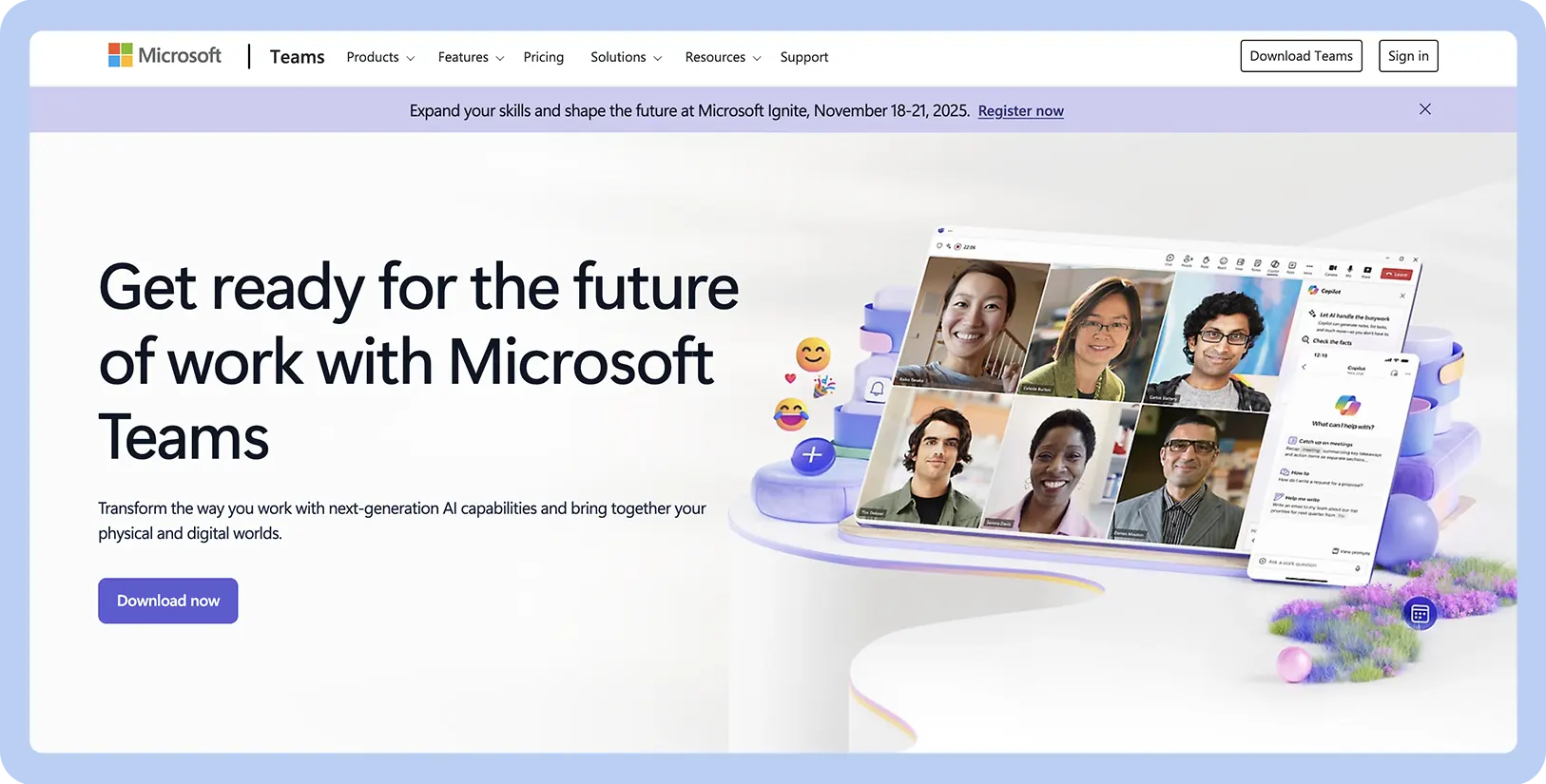
Screenshot of Microsoft Teams website

Best for

Microsoft 365 integration

G2 rating

Pros

  • Included with most Microsoft 365 business plans

  • Document collaboration for Word, Excel, and PowerPoint users

  • Strong enterprise-level security and compliance features

Cons

  • Interface can be complex and less intuitive for new users

  • Can be resource-intensive on some computers

  • Guest access can be confusing to configure and manage

Key features

  • Deep integration with Microsoft 365 for co-authoring documents

  • Channel-based conversations with integrated file storage

  • Video meetings with features like Together mode and custom backgrounds

Starting price

  • Business subscriptions available from $4/user/month
Microsoft Teams is the communication hub for Microsoft 365, offering integration with apps like Word, Excel, and OneDrive. Its main benefit is allowing users to create and co-author documents directly within a chat or channel, making it a good tool for teams that rely on Microsoft’s productivity suite. The platform combines chat, AI, video meetings, and file storage into a single interface designed to improve project-based work.

For teams deeply embedded in the Microsoft 365 ecosystem, a key advantage of Teams is its native document collaboration. While Slack can connect to Microsoft 365 apps, the workflow isn’t as fluid as editing, sharing, and managing files within the application built for it. However, the interface can feel complex and less intuitive than other options, and it can sometimes be challenging to navigate for quick, simple conversations.

3. Rocket.Chat for self-hosted customization

Screenshot of Rocket.Chat website

Best for

Self-hosted customization

G2 rating

Pros

  • Full control over data and privacy

  • Highly customizable for specific needs

  • Meets major compliance standards like HIPAA and GDPR

Cons

  • Requires technical expertise to set up and manage

  • User interface is less polished

  • Can be more expensive when factoring in server and maintenance costs

Key features

  • Open-source platform with self-hosting capabilities

  • High-security features, including end-to-end encryption

  • Marketplace for custom apps and integrations

Starting price

  • Starter plan is free

  • Pro subscriptions available from $8/user/month
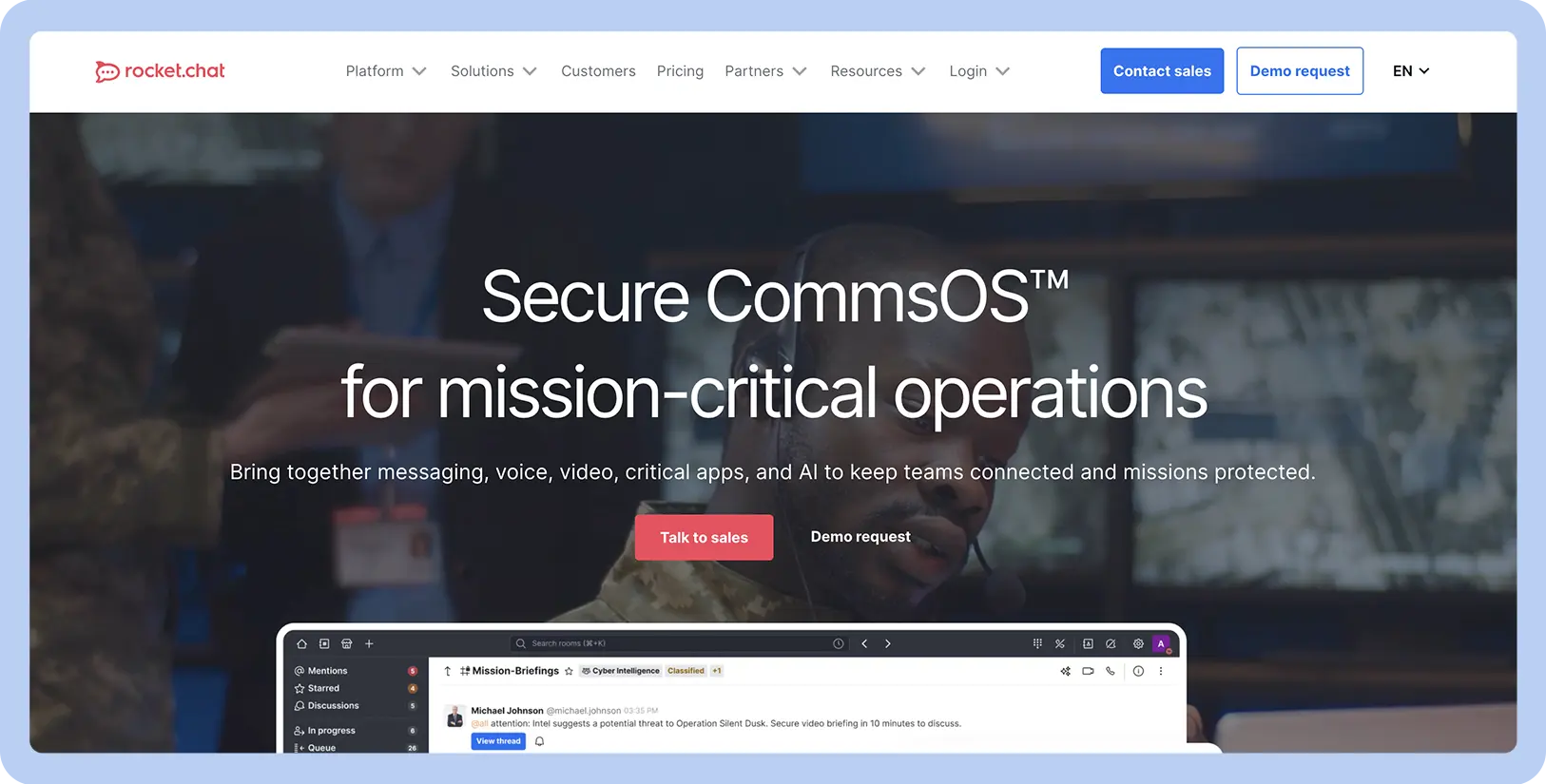
Rocket.Chat is an open-source platform that gives technologically minded organizations control through self-hosting. This makes it a great choice for industries with strict data privacy and compliance needs, like government, healthcare, and finance. It stands apart from Slack by offering more comprehensive security, such as readily available end-to-end encryption. Because it’s open-source, development teams can customize the platform to fit their workflows.

Compared to Slack, Rocket.Chat’s main advantage is the flexibility and security control that come from its self-hosting model. The ability to host the platform on your own servers gives you total control over your data. However, setting up and managing a self-hosted server requires significant technical expertise and dedicated IT resources, making it a less practical choice for teams without a technical staff.

4. Pumble for an affordable alternative

Screenshot of Pumble website

Best for

An affordable alternative

G2 rating

Pros

  • Generous free plan

  • Low-cost paid plans for budget-conscious teams

  • User-friendly interface

Cons

  • Limited number of third-party app integrations

  • Video conferencing is basic and lacks group meeting features

  • Fewer advanced features for enterprise-level workflows

Key features

  • Unlimited message history on the free plan

  • One-on-one voice and video calls

  • User and workspace administration tools

Starting price

  • Base plan is free

  • Pro subscriptions available from $2.49/user/month
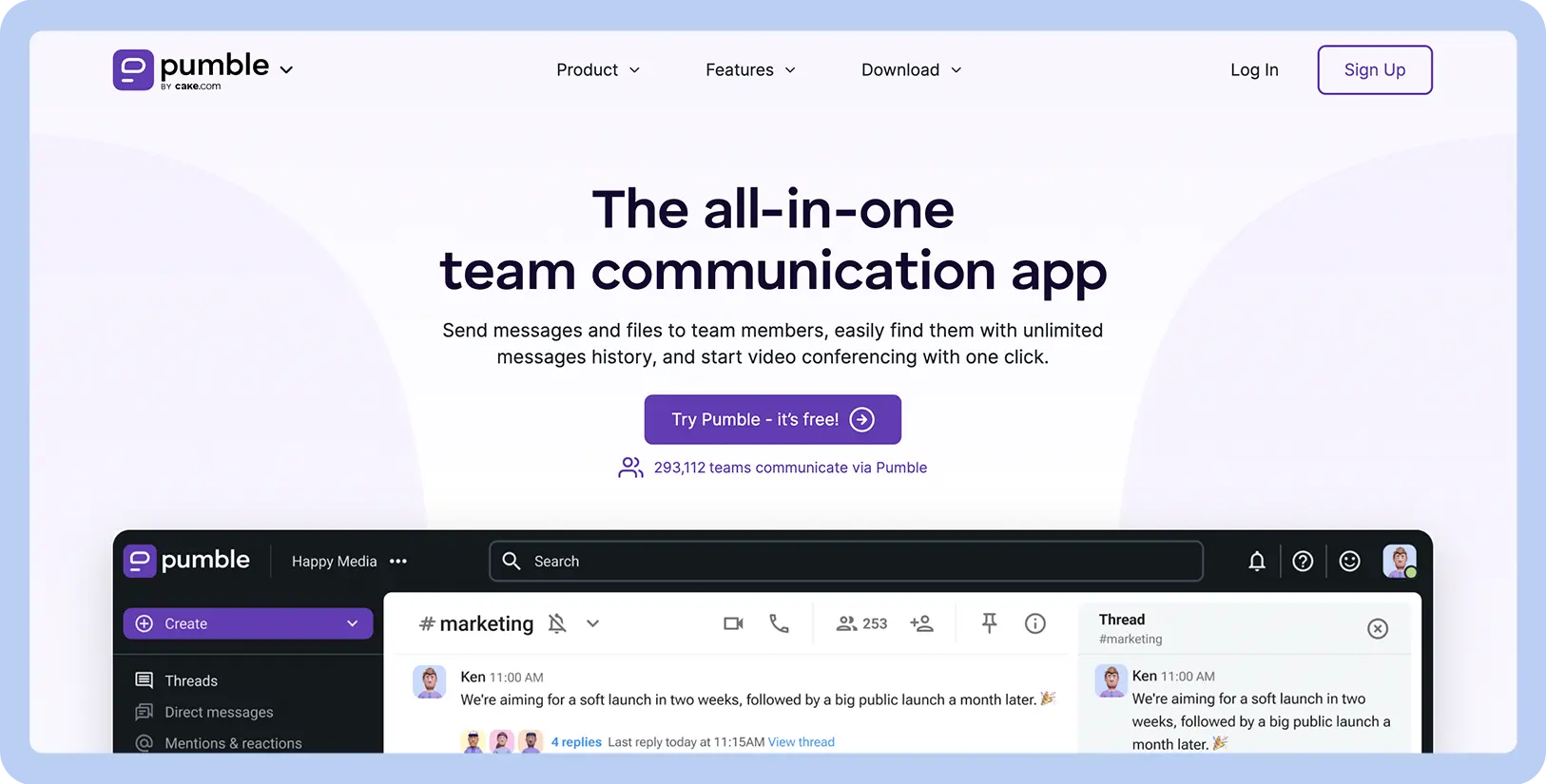
Pumble is a team communication app designed to be a simple, affordable alternative to Slack. It offers a user experience similar to Slack with public and private channels, direct messages, and threaded conversations. Its biggest draw is the free plan, which offers unlimited message history for an unlimited number of users. This is a key advantage over Slack’s free tier, which limits access to message history.

Teams can also access core chat functionalities and one-on-one video calls at no cost. This focus on affordability does come with trade-offs, though. Pumble has a much smaller library of third-party app integrations and lacks the advanced workflow and security features required by larger enterprise organizations.

5. Mattermost for secure development teams

Screenshot of Mattermost website

Best for

Secure development teams

G2 rating

Pros

  • Designed specifically for technical and engineering teams

  • High-level security and privacy features

  • No message history limits on any plan

Cons

  • Requires significant technical knowledge to deploy and maintain

  • Less user-friendly for non-technical team members

  • Limited integrations for business need

Key features

  • Self-hosted for full data control and security

  • Playbooks for workflow and process automation

  • Deep integration with developer tools like GitLab, GitHub, and Jira

Starting price

  • Pro subscriptions available from $10/user/month
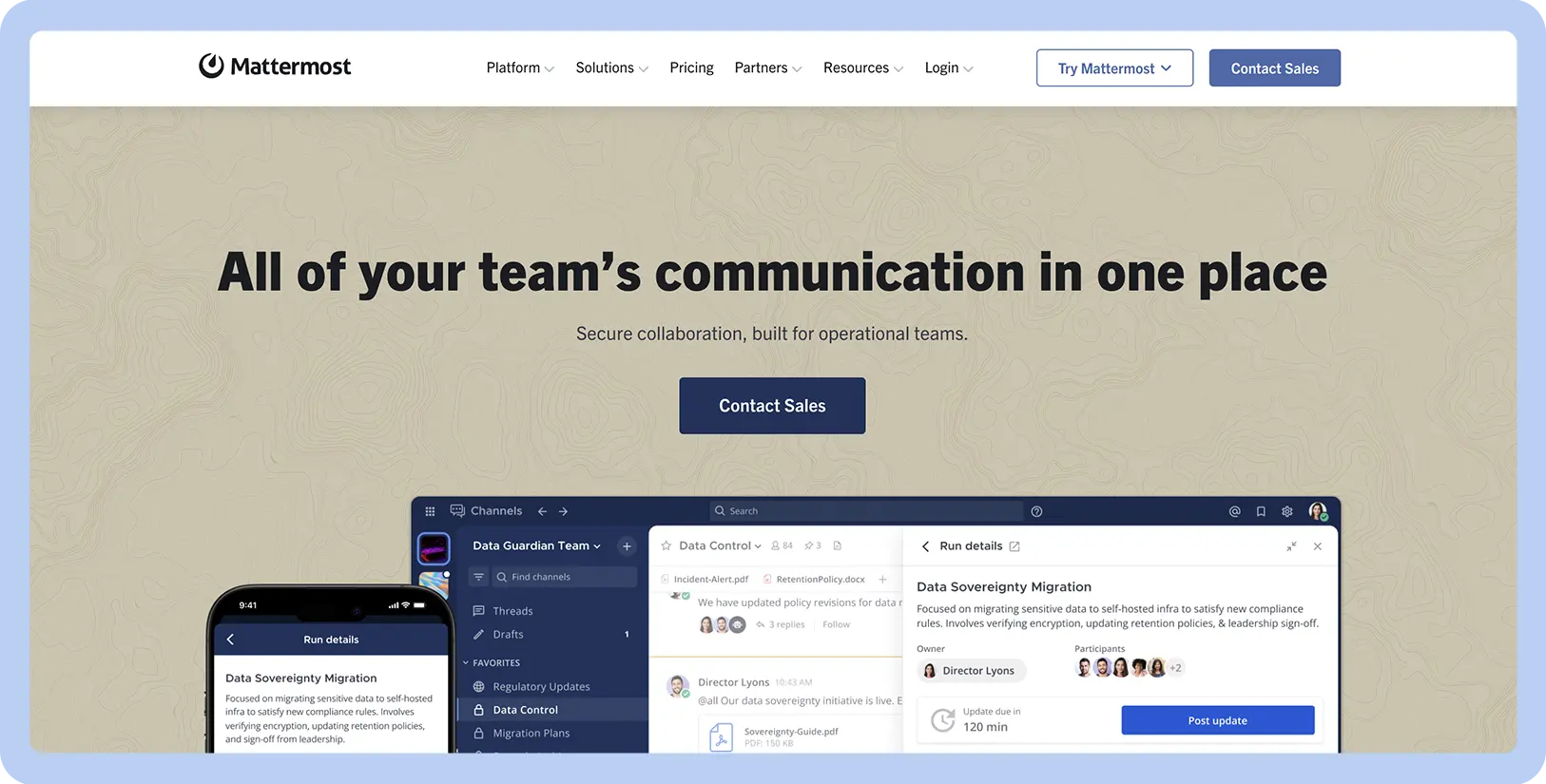
Mattermost is a collaboration platform built for technical teams that require a high level of security and control. It offers developer-centric tools, including deep integrations with GitHub and GitLab, a command-line interface, and features for sharing code. Its automation tool, called Playbooks, helps teams manage complex, repeatable processes. Unlike Slack, all its plans include searchable message history, so no conversation is ever lost.

For engineering teams, the ability to self-host on a private cloud or on-premises provides a high level of security and data control. However, Mattermost’s specialized focus is its primary drawback. The interface is less intuitive for non-technical users, and it lacks the range of integrations for business departments like marketing, sales, and HR.

6. Google Chat for Google Workspace users

Screenshot of Google Chat website

Best for

Google Workspace users

G2 rating

Pros

  • Included with Google Workspace plans

  • Convenient for teams already using Google’s tools

  • Familiar interface for existing Google users

Cons

  • Not a viable standalone option for non-Google users

  • Fewer features and third-party integrations than competitors

  • Can feel less like a dedicated app when used within Gmail

Key features

  • Deep integration with Gmail, Google Drive, and Calendar

  • Dedicated Spaces for project collaboration

  • Powerful search that includes content in Workspace

Starting price

  • Starter subscriptions available from $7/user/month

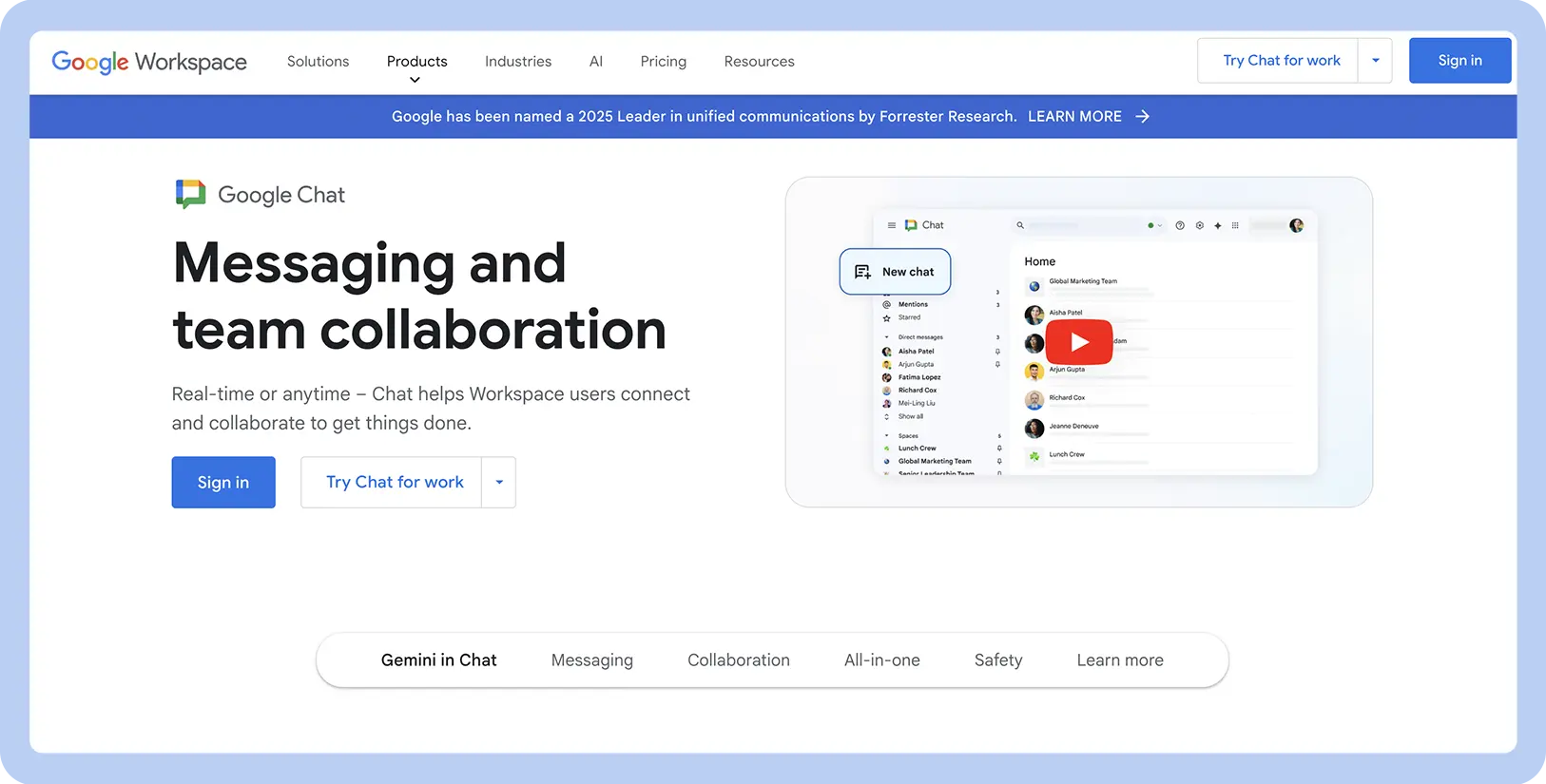
Google Chat is integrated into Google Workspace. It’s made for teams that rely on Google’s tools, connecting with Gmail, Drive, Calendar, and Meet. The platform uses Spaces as dedicated, topic-based areas where teams can share files from Drive, manage tasks, and hold conversations. For teams using Google Workspace, this creates a more unified workflow for collaborating on documents and projects than Slack’s app-based integrations offer.

The ability to start a video call with Meet or collaborate on a Google Doc directly from a conversation improves workflows for users who live inside the Google ecosystem. Chat may not be the best option for teams that don’t use Google Workspace. It also offers fewer third-party integrations and less customization than other platforms.

7. Twist for asynchronous conversations

Screenshot of Twist website

Best for

Asynchronous conversations

G2 rating

Pros

  • Promotes focused work by reducing distractions

  • Keeps conversations organized and easy to search

  • Less pressure to be constantly available and responsive

Cons

  • Not ideal for urgent, real-time communication

  • The structure can be a difficult adjustment for some users

  • Fewer third-party integrations than competitors

Key features

  • Strictly thread-based conversations to keep discussions organized

  • An inbox that collects notifications for you to review on your schedule

  • Separation of channels for broad topics and threads

Starting price

  • Base plan is free

  • Unlimited subscriptions available from $6/user/month

Twist is a collaboration tool that organizes conversations into threads, creating a structured, asynchronous space for your team to talk. Unlike traditional chat apps, every conversation in Twist needs a subject line and exists within its dedicated thread. And unlike Slack, this structure prevents important discussions from getting buried in a fast-moving, real-time chat stream.

Twist can help teams move away from an always-on work culture and protect time for focused work. But for teams that need to have fast-paced, real-time conversations about urgent issues or quick decisions, Twist’s structured and slower nature can be a significant drawback.

8. Discord for team voice chats

Screenshot of Discord website

Best for

Team voice chats

G2 rating

Pros

  • Informal, collaborative voice communication

  • Powerful free version

  • Highly customizable roles for managing groups

Cons

  • The interface and branding are less  professional for some businesses

  • Lacks integrations with key business productivity tools

  • Server organization can become chaotic without active management

Key features

  • Always-on voice channels for spontaneous conversation

  • Granular user roles and permission settings

  • Text chat, video calls, and high-quality screen sharing

Starting price

  • Base plan is free

  • Nitro Basic subscriptions available from $2.99/user/month

Discord started in the gaming world but is now known for its high-quality, always-on voice channels, offering a different approach to team communication channels. This feature allows team members to drop in and out of voice conversations freely, creating a casual and collaborative audio space without the formality of scheduling. Alongside its voice features, Discord also offers text channels, video calls, and screen sharing. Some users report that its voice and video quality is clearer and more reliable than what’s offered natively within Slack.

The quality and ease of use of its voice channels are excellent for creative teams that value spontaneous, informal conversation. However, Discord’s gaming-oriented design and branding can feel out of place in many corporate environments. Plus, its lack of native integrations with standard business software, such as project management tools or calendars, makes it less suited for business workflows.

Centralize your productivity with Zoom Workplace: Meetings, Team Chat, Whiteboard, Docs, and Tasks, all in one spot.

9. Flock for integrated productivity

Screenshot of Flock website

Best for

Integrated productivity

G2 rating

Pros

  • Combines chat and simple task management

  • User-friendly interface

  • Affordable pricing plans for small and medium-sized teams

Cons

  • Native productivity tools are not very powerful

  • Fewer third-party integrations than competitors

  • Video call quality can be less reliable for large groups

Key features

  • Built-in to-do lists, polls, and reminders

  • Channel-based messaging and one-on-one chats

  • Native voice and video conferencing

Starting price

  • Starter plan is free

  • Pro subscriptions available from $4.50/user/month
Flock is a team platform that bundles simple productivity tools directly into the chat interface. Alongside standard features like public and private channels, it offers built-in tools such as shared to-do lists, polls, notes, and reminders, allowing teams to manage tasks and organize information within a conversation. This creates a more integrated experience for managing simple projects than Slack, which often requires external app integrations for the same functionality.

Flock is a good choice for teams with straightforward project needs, but its simplicity can also be a drawback. Teams that require more advanced task management or sophisticated features may find Flock’s built-in tools too basic and have to integrate other software into their processes.

10. Chanty for task assistance

Screenshot of Chanty website

Best for

Task assistance

G2 rating

Pros

  • Excellent for managing simple, chat-based tasks

  • Affordable paid plan and a free tier for small teams

  • Clean, user-friendly interface

Cons

  • Task management features are too basic for complex projects

  • Fewer third-party integrations than competitors

  • Lacks advanced security features for enterprises

Key features

  • Ability to turn any message into a task

  • Built-in Kanban board for visual task tracking

  • Centralized hub for conversations, tasks, and files

Starting price

  • Base plan is free

  • Business subscriptions available from $3/user/month

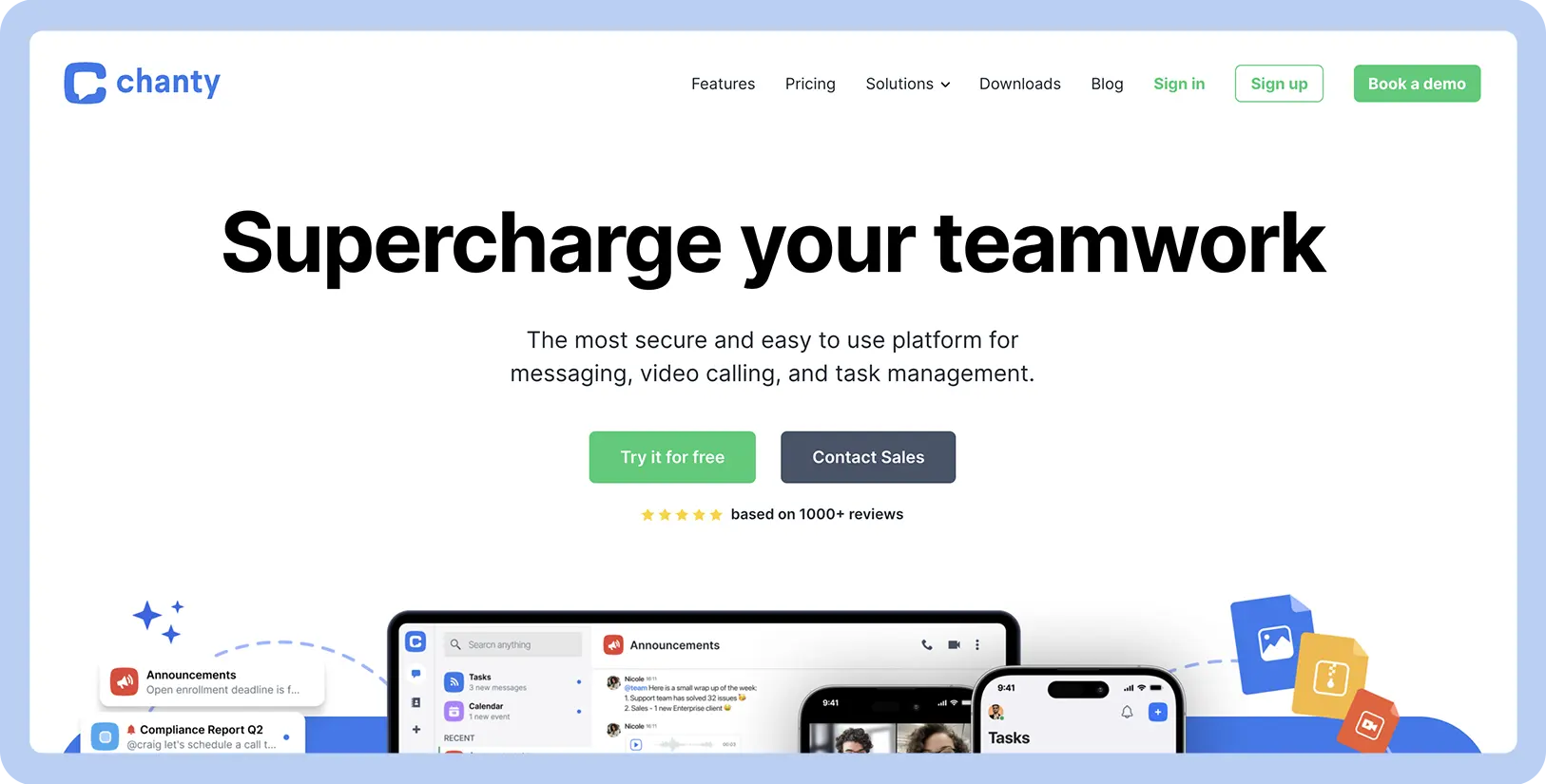
Chanty is a collaboration tool that focuses on turning conversations directly into actions. Its primary feature is a simple built-in task manager that allows team members to convert a message into a task, assign it to a team member, and set a due date. Teams can track tasks on a visual Kanban board; this built-in system is more direct for creating and tracking tasks than relying on Slack’s app integrations.

Chanty offers a simple approach to task management, making it easy for teams to stay organized and assign work directly from a discussion. However, the built-in task manager might not be suitable for complex projects, and it lacks the advanced features for teams that need to prioritize tasks with precision.

11. Ryver for organized topic threads

Screenshot of Ryver website

Best for

Organized topic threads

G2 rating

Pros

  • Flat-rate pricing is budget-friendly for larger teams

  • Integrated task management reduces the need for extra tools

  • Threaded posts help keep important conversations organized

Cons

  • Dated user interface

  • Fewer third-party integrations than competitors

  • Mobile app experience can be less than ideal

Key features

  • Combines team chat with topic-based posts

  • Built-in Kanban board for visual task management

  • Unlimited guests and file sharing on all plans

Starting price

  • Starter subscriptions available from $34.50/month for up to 12 users
Ryver combines chat with the structure of threaded posts and task management. It offers chat channels for quick conversations and includes Posts for long-form discussions. Ryver also features a built-in Kanban board, which allows teams to turn any message into a task and track it visually through different project stages.

Ryver’s all-in-one approach allows for a cohesive workflow, and its flat-rate pricing can be cost-effective for growing teams. Compared to Slack, it also offers unlimited guest access on all its plans. However, the interface feels less modern than many competitors, and some users find the mobile app less polished and reliable for on-the-go work.

12. Element for secure, decentralized chat

Screenshot of Element website

Best for

Secure, decentralized chat

G2 rating

Pros

  • Excellent security and privacy by design

  • No vendor lock-in due to open-source nature

  • Offers self-hosting options for data control

Cons

  • Can be complex and confusing for non-technical users

  • User interface is less polished

  • Performance can depend on the chosen server

Key features

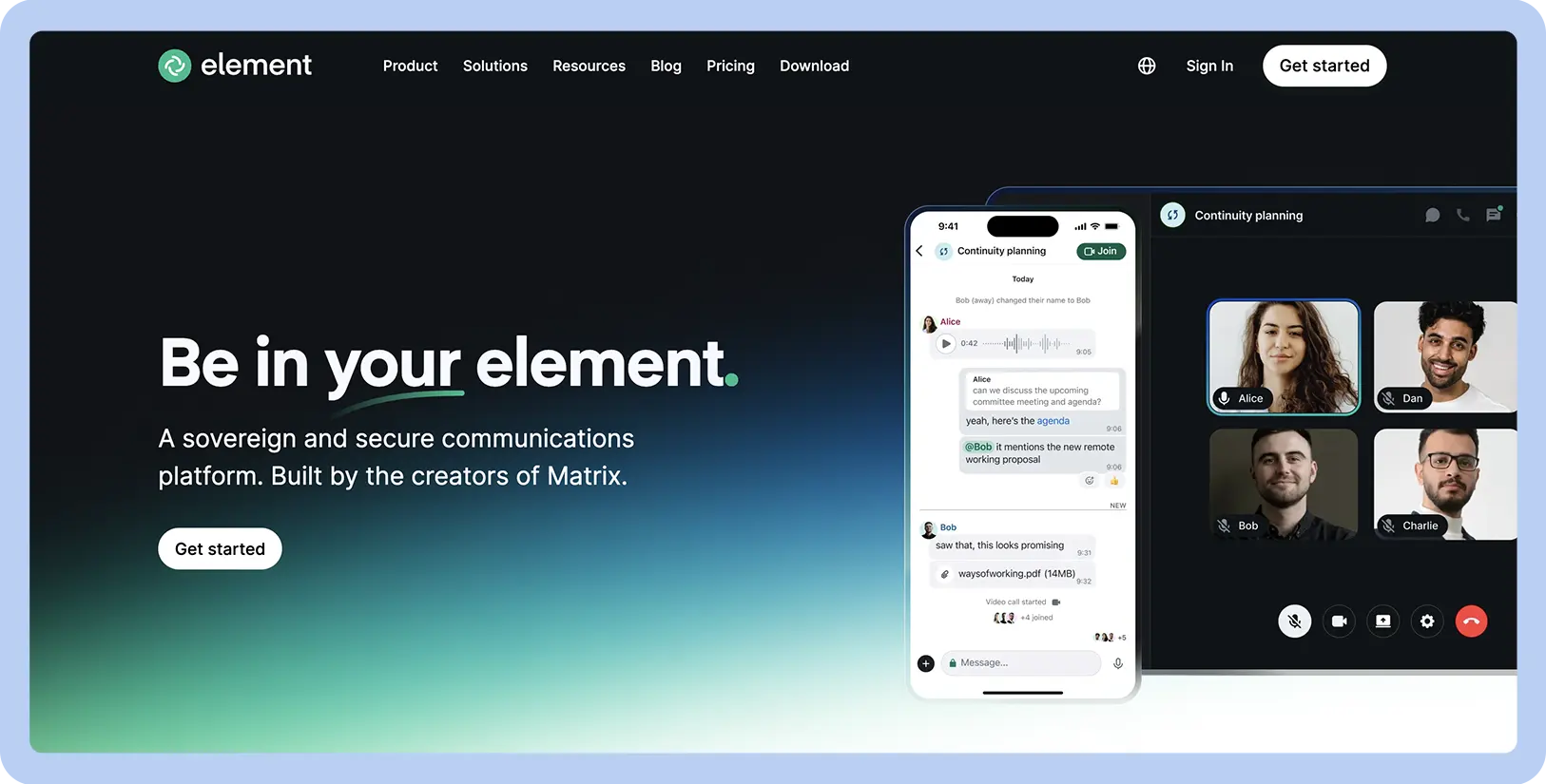
  • Decentralized communication

  • End-to-end encryption for messages and calls when enabled

  • Ability to bridge to other chat platforms

Starting price

  • Enterprise subscriptions available with a custom quote
Element is a collaboration app built on Matrix, an open, decentralized communication protocol. Unlike traditional chat apps that store data on central servers, Element gives users control over where their information is stored. It features end-to-end encryption, protecting messages, video calls, and file transfers when enabled. The default encryption for Element allows for a higher level of security than base Slack, which limits more advanced security to its most expensive plan.

Element’s decentralized architecture means there is no single point of failure or control, offering a resilient and confidential way to communicate. However, this advanced security model introduces complexity that can be challenging for non-technical users. Concepts like managing encryption keys and choosing a server can create a steep learning curve, and the user experience can feel less polished than alternatives.

13. Zoho Cliq for Zoho ecosystem users

Screenshot of Zoho Cliq website

Best for

Zoho ecosystem users

G2 rating

Pros

  • Provides a unified hub for users of Zoho products

  • Affordable standalone pricing plans

  • Features for managing conversations

Cons

  • Limited value for teams outside the Zoho ecosystem

  • Fewer integrations with popular third-party apps

  • Interface can feel cluttered

Key features

  • Deep integration with the Zoho suite of apps

  • Ability to turn messages into tasks or create forked conversations

  • Built-in bots and a command-line interface for automation

Starting price

  • Base plan is free

  • Standard subscriptions available from $16.20/month for up to 25 users

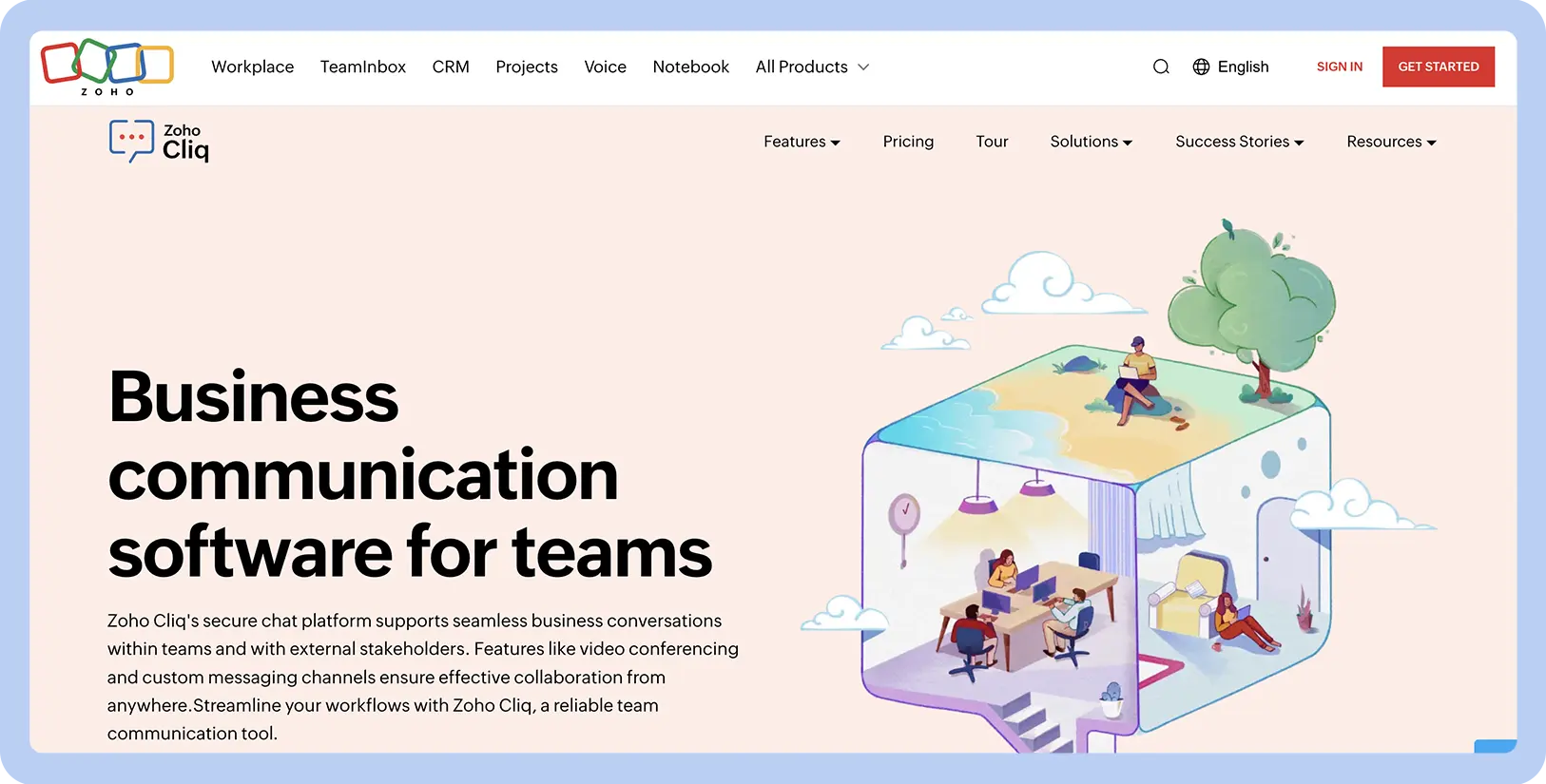
Zoho Cliq is the team messaging app designed to fit the Zoho software suite. Its strength is its integration with other Zoho products, including Zoho CRM, Projects, and Books. This allows teams to receive notifications, share reports, and manage business workflows from a central interface. Cliq offers unique features like the ability to fork a message from a channel into a separate, private chat. This tool helps keep channels on-topic, which is an advantage over Slack, where side chats can easily create extra noise for your team.

For committed Zoho users, the workflow between chat and other business-critical Zoho apps is more powerful than what can be achieved with a third-party integration. However, this dependence is also its main weakness; for teams that don’t use Zoho products, Cliq has limited appeal and offers fewer integrations than competitors.

Improve collaboration with Zoom Workplace

Choosing the right communication tool is about more than just sending messages. As teams look for alternatives to Slack, they often search for more cost-effective chat apps for businesses that connect with their other essential tools. The right platform should reduce complexity, improve productivity, and foster better collaboration, no matter where your team is located.

Instead of juggling multiple applications, bring your team together with Zoom Workplace. It’s an AI-first platform that combines Zoom Team Chat with Phone, Meetings, Docs, and more, creating a unified hub for all your work. 

Discover how Zoom Team Chat compares against Slack, and how its built-in tools can transform the way your team works today.

What should I consider when choosing a Slack alternative?

Look for alternatives with a platform that simplifies collaboration by bringing all your communication into one place. Zoom Workplace can offer this solution, combining Zoom Team Chat, Meetings, Phone, Whiteboard, and a generative AI assistant into a single application. The all-in-one solution helps businesses reduce costs and improve how they work together, reflecting current small business trends.

What should freelancers consider in Slack alternatives for guest access?

Consider alternatives that offer a flexible and secure way to collaborate with people outside your company, including freelancers, consultants, and customers. With Zoom Workplace, you can invite external freelancers to specific chat channels or schedule meetings without them needing a license, making it ideal for a hybrid work environment. Zoom Workplace helps make it simple and cost-effective to manage projects with freelancers on the same platform your team uses every day.

What unified platforms combine chat, tasks, and file sharing effectively?

Zoom Workplace offers a platform that centralizes your work to reduce app switching and keep everyone in sync. It combines Zoom Team Chat with Meetings, Phone, and Scheduler, helping your team create clear meeting agendas and stay in sync. Zoom Workplace also includes Docs and Tasks to keep your everyday notes and detailed files all in one spot.


Our customers love us

Okta
Nasdaq
Rakuten
Logitech
Western Union
Autodesk
Dropbox
Okta
Nasdaq
Rakuten
Logitech
Western Union
Autodesk
Dropbox

Zoom - One Platform to Connect