Zoom Workplace

Turn "let's follow up" into finished work
Zoom is evolving from a platform where work happens to one that completes it—connecting context across conversations and finishing tasks automatically.
 9 min read
Updated on March 13, 2026
Published on March 13, 2026




Have you ever left a meeting and thought, “Wait, what exactly did we agree on?”
Meeting minutes help turn that confusion into clarity, accountability, and action — without forcing everyone to rely on memory alone. In fact, we found that 60% of leaders attend three or more meetings in a day, which makes it especially easy for things to get confusing or lost in the shuffle.
In this guide, we’ll walk you through what meeting minutes are, why they matter, and how to write them effectively. We’ve also included filled-in examples, blank templates, and practical tips to make your minutes clear and actionable.
Meeting minutes are the official written record of a meeting. They capture key details, such as who attended, the topics discussed, the decisions made, and any action items assigned.
Essentially, they provide a clear and accurate summary of the discussion so that everyone — whether they were present or not — can understand what happened and what comes next.
Meeting minutes turn discussions into a clear record, helping teams stay aligned and avoid misunderstandings. They make it easy to reference decisions and action items after a meeting, keeping everyone on the same page. Here’s how:
Progress tracking: Teams can track completed action items and follow project developments over time
Good meeting minutes capture everything you need to keep your team on the same page so that nothing slips through the cracks. Here’s what to include in a standard set:
Open items: Things that need more discussion or follow-up next time
Having a clear template can make writing meeting minutes much easier and more consistent.
Below, we’ve put together three different meeting notes templates with examples to show how you can capture key information, track decisions, and assign action items efficiently. Use these templates as a starting point and adapt them to fit your team’s workflow.
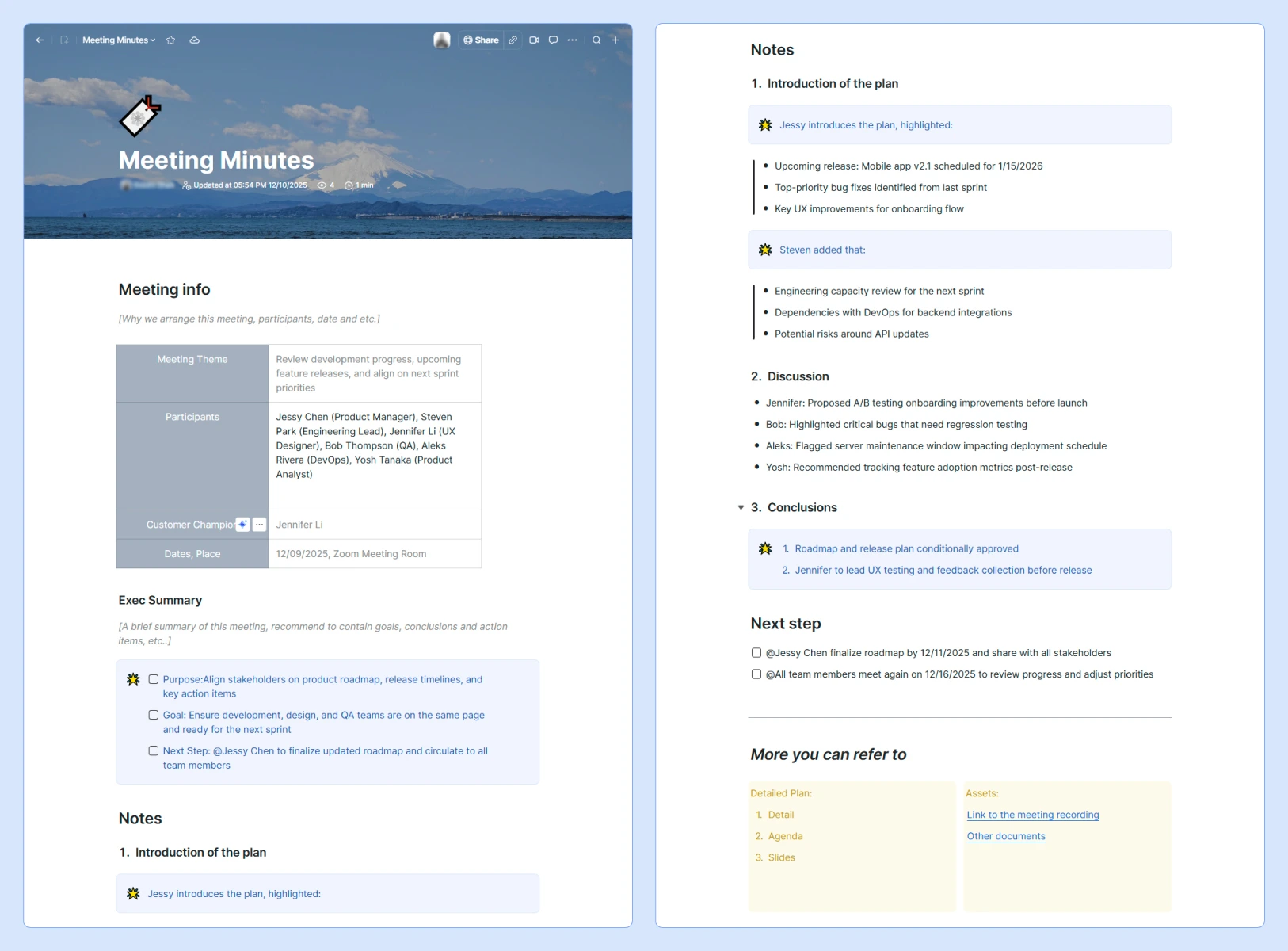

Zoom’s meeting minutes template is built to capture everything your team needs from start to finish, helping to keep meetings organized and actionable. Here’s what it does well:
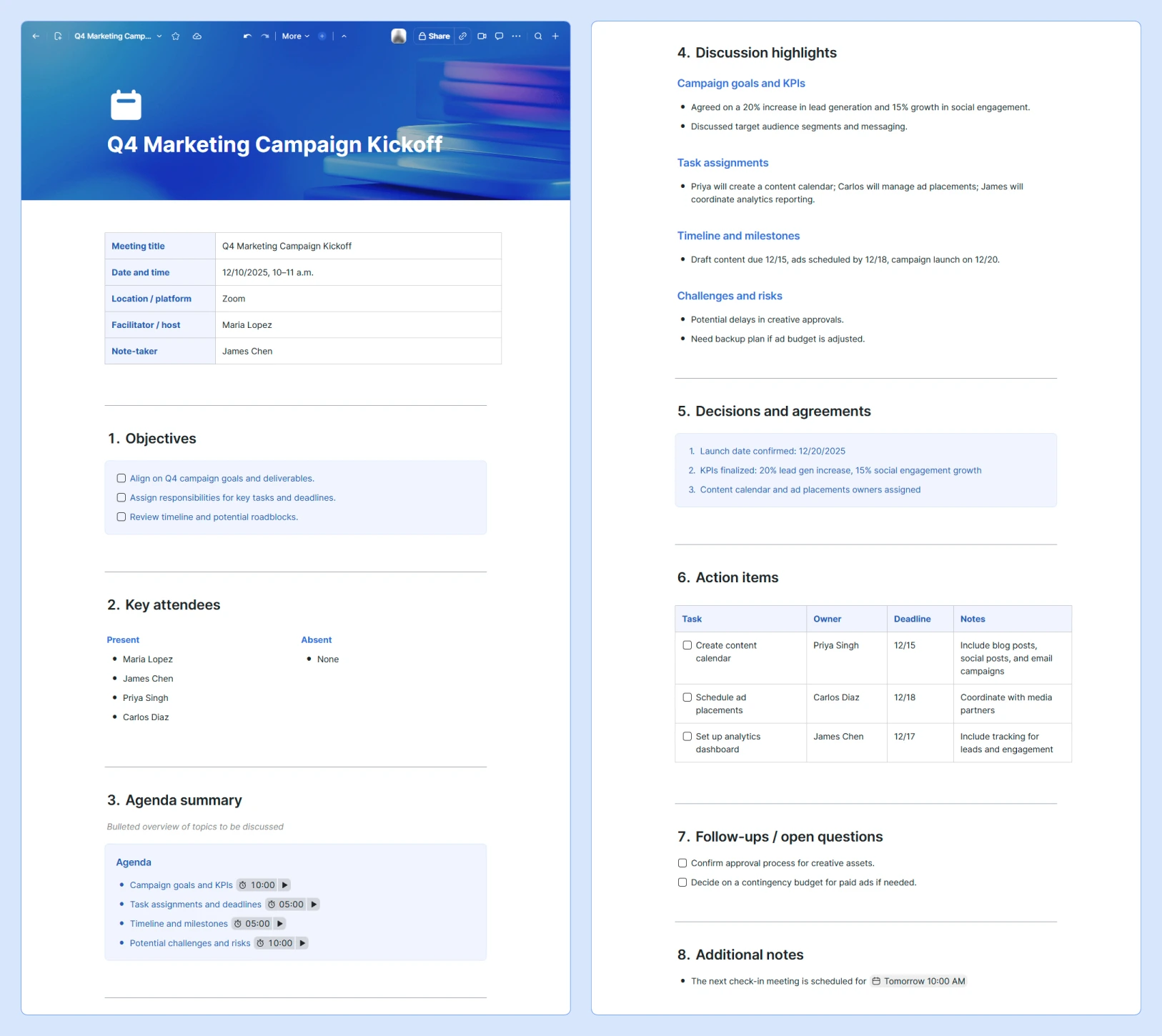
This comprehensive meeting minutes template is designed to capture everything you need before you start working on a project without feeling overwhelmed. Here’s why it works:
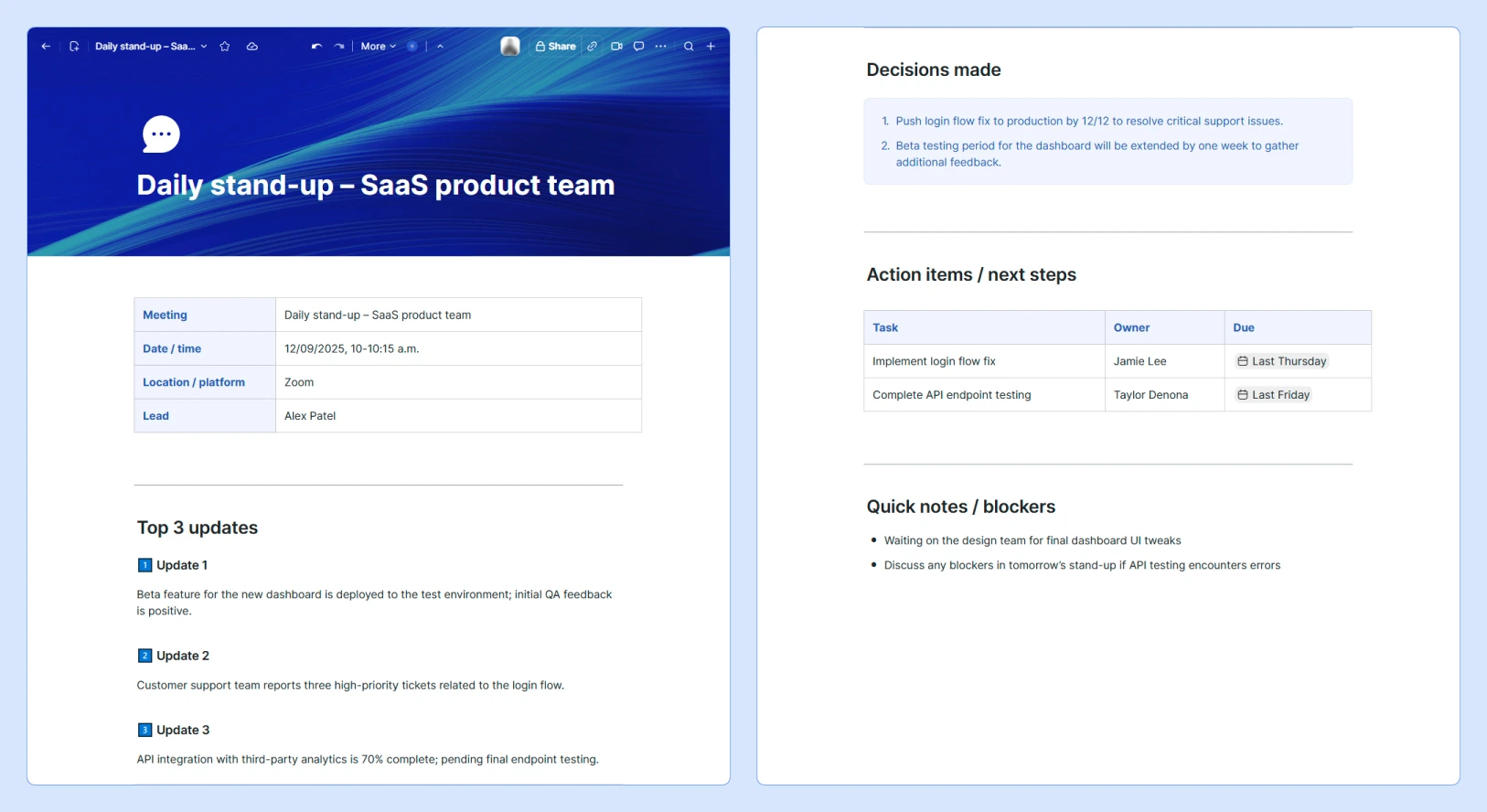
This quick check-in template is designed for short, focused meetings. It helps teams capture only the most essential information and keeps notes easy to reference. Key components and benefits include:
Writing clear and actionable meeting minutes doesn’t have to be complicated. These tips can help you learn how to write meeting minutes efficiently and make your notes useful for everyone on the team.
Review the agenda and any relevant documents before the meeting starts. Knowing the topics and expected outcomes helps you focus on what’s important and sets you up to capture decisions and action items accurately.
A structured template keeps your notes organized and speeds up the writing process. Using a consistent format, like Zoom’s meeting minutes templates, can make it easier for anyone to follow along and reference the notes later.
Automated tools can capture key details, summaries, and action items as the meeting happens. Zoom’s AI note-taker, for example, can help you generate meeting minutes faster while maintaining accuracy and capturing key details.
Focus on the most important points: decisions, action items, and major discussion topics. Avoid including side conversations or word-for-word quotes so that your minutes remain concise and easy to reference.
Be clear about what was decided, who is responsible, and any deadlines. Specificity helps everyone follow through and prevents confusion later.
If something is unclear during the meeting, ask questions immediately. Confirm key points as they happen so your notes accurately reflect what was discussed.
Distribute your minutes as soon as you’re done reviewing and refining them. Quick sharing keeps everyone on the same page and makes it easier to act on decisions while the discussion is still fresh.
Store all meeting minutes in a single, accessible location, such as our meeting minutes catalog or index document. This central repository can make it easy for team members to search past meetings, track progress, and reference decisions.
Our catalog also offers features like tagging, filtering, and quick navigation to help you find specific minutes or action items without digging through multiple files.
With the right structure, meeting minutes can turn any discussion into a clear record of decisions, action items, and next steps. Using templates and examples like the ones above can make it easier to stay organized and keep your team aligned.
Zoom AI Companion can help you create accurate, comprehensive meeting minutes faster by automatically capturing discussions, decisions, and tasks. You can also tap into other Zoom Workplace tools — like collaborative whiteboards, screen sharing, and shared Docs — to help keep everyone aligned and make your meetings feel more interactive and action-driven.
Discover how AI Companion can simplify your workflow and give your team more time to focus on what matters most.
Zoom is evolving from a platform where work happens to one that completes it—connecting context across conversations and finishing tasks automatically.
AI that acts, not just answers

Making every click, meeting, and chat feel easier









