Product

The 12 best Google Docs alternatives [2026]

15 min read

Updated on January 05, 2026

Published on January 05, 2026

person-using-computer

Google Docs is a popular document creation solution, known for real-time collaboration, advanced formatting options, and intuitive document sharing capabilities.

Despite its popularity, Google Docs may not be the best option for everyone. Some teams feel held back by its lack of advanced collaboration features, project management tools, and applications for certain specialized workflows.

In this guide, we’ll cover 11 of the best Google Docs alternatives on the market, breaking down their use cases and features so that you can find the best solution for your business needs.

Why you might want an alternative to Google Docs

Google Docs is popular for its ease of use and accessibility; however, user reviews and other third-party feedback point toward performance problems and capability limitations that make it worthwhile to consider an alternative. These include:

  • Lack of a standalone plan: Google Docs is available only as a part of the Google Workspace plan, with no standalone plan available.
  • Lack of in-meeting collaboration functionality: Google Docs cannot be shared directly within meetings for real-time collaboration. Instead, users need to click away from their meeting to open up a separate browser tab or window.
  • Limited editing and formatting options: Multiple reviewers note that Google Docs lags behind other platforms in terms of formatting and editing. For example, formatting can break when copying and pasting text from other platforms.
  • Paywalled AI assistance: AI features in Google Docs are only available in a paid plan, requiring users to pay a monthly fee to access a range of AI capabilities that can be found in other platforms for free or at less expensive rates.
  • Performance issues: Reviewers find that Google Docs tends to lag or run slowly when working in long documents or with multiple collaborators editing at once.
  • Rudimentary collaboration features: While Google Docs does enable synchronized editing, commenting, and other basic collaboration features, it lacks useful advanced options like the ability to embed native whiteboards or asynchronous videos.
  • Specialized workflows: Google Docs is primarily a word processor. Users may find other platforms better suited for specialized workflows like sales processes, knowledge management, or process doc creation.
  • Web-only access: Google Docs can only be accessed from the web or through a mobile app. It doesn’t have a native desktop application, which can make it less convenient to work in. Users may also lose functionality when working offline.

If Google Docs isn’t meeting your business needs, refer to the guide below to find a solution that will.

The best Google Docs alternatives at a glance

Service Best for Pricing¹ Notable features**
Zoom Docs All-in-one, AI-first collaboration
  • Included in the free Zoom Workplace Basic plan²
  • Zoom Docs: $7.49/user/mo
  • Workplace Pro: $13.33/user/mo
  • Advanced AI capabilities³
  • Real-time collaboration
  • Intuitive customization
  • AI capabilities like summarization and document generation from meeting transcripts
  • Pre-built customizable templates
  • Data table integration
  • Enterprise-grade security features
  • Third-party integrations
Microsoft Word Microsoft 365 users
  • Included in Microsoft 365 plans
  • Standalone app: $179.99
  • Granular formatting
  • Customizable templates
  • Microsoft Copilot (with eligible subscription)
Zoho Writer Built-in WordPress integration
  • Included in Zoho Workdrive subscriptions
  • Starter: $2.50/user/mo (billed annually)
  • Team: $4.50/user/mo (billed annually)
  • Business: $9/user/mo (billed annually)
  • Robust editing features
  • AI content generation and editing
  • Offline access
  • Citation generation
Dropbox Paper Ease of use
  • Free with any Dropbox account
  • Real-time collaboration
  • Media embedding functionality
  • Pre-built templates
Slite Knowledge management
  • Standard: $8/user/mo (billed annually)
  • Knowledge Suite: $20/user/mo (billed annually)
  • Enterprise: Custom
  • AI search assistance
  • Real-time collaboration
  • Third-party integrations for knowledge base management
ClickUp Docs Project management
  • Free
  • Unlimited: $7/user/mo (billed annually)
  • Business: $12/user/mo (billed annually)
  • Enterprise: Custom
  • Project management integration
  • Document organization and search features
  • Rich formatting capabilities 
  • Pre-built templates
Coda Merging documents with structured data
  • Free
  • Pro: $10/mo per Doc Maker (Editors are free)
  • Team: $30/mo per Doc Maker (Editors are free)
  • Enterprise: Custom (Editors are free)
  • Interactive tables and databases
  • Third-party integrations for document creation
  • Highly customizable data visualization
  • Formula language and automation
OnlyOffice A self-hosted unified workspace
  • Startup: Free (Limited-time offer)
  • Business: $20/admin/mo
  • Enterprise: Custom
  • Multi-format support
  • Advanced formatting capabilities
  • Offline access
  • Strong security and access control features
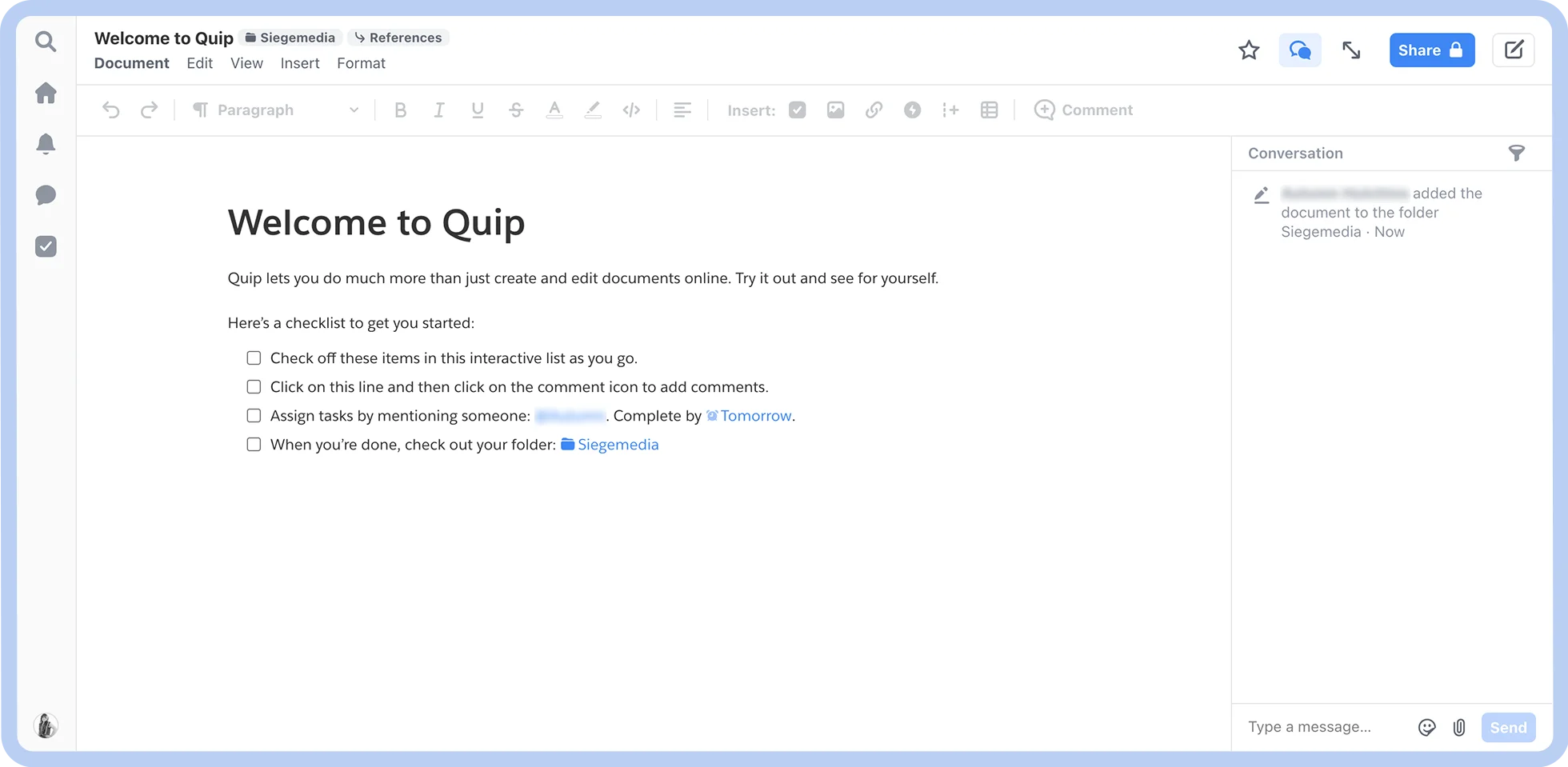
Quip Salesforce ecosystem users
  • Quip Starter: $10/user/mo (billed annually)
  • Quip Plus: $25/user/mo (billed annually)
  • Quip Advanced: $100/user/mo (billed annually)
  • Mobile accessibility
  • Real-time collaboration features with integrated chat
  • Spreadsheet functionality
  • Salesforce integration
Confluence Enterprise-level documentation needs
  • Free (for up to 10 users)
  • Standard: $5.16/user/mo (billed monthly)
  • Premium: $9.73/user/mo (billed monthly)
  • Enterprise: Custom
  • Jira integration
  • Pre-built customizable templates
  • Enterprise-grade security
  • Various collaboration features
CryptPad Data privacy and security
  • Free
  • CryptPad.fr: €5 to €100/mo
  • Your Own Instance: from €1.5K/year
  • Strong privacy and security features
  • Cloud storage
  • Open source
  • Real-time collaboration
Notion Docs Flexible documentation needs
  • Free
  • Plus: $10/user/mo (billed annually)
  • Business: $20/user/mo (billed annually)
  • Enterprise: Custom
  • Intuitive formatting
  • Pre-built customizable templates
  • Third-party integrations


  1. Pricing is current as of October 2025. Please contact specific companies for their up-to-date pricing and feature information.
  2. Users on Zoom Workplace Basic plans can create unlimited personal docs and up to 10 collaborative docs.
  3. Zoom AI Companion is available with eligible paid Zoom Workplace plans. May not be available for all regions or industry verticals.

1. Zoom Docs for all-in-one, AI-first collaboration

Zoom-docs-screenshot

Best for

AI-first collaboration

G2 rating

Pros

  • Seamless integration with Zoom Workplace

  • All-in-one collaboration features

  • AI-assisted writing

  • High customizability and functionality

  • Meeting and chat summarization

Cons

  • Works best within the Zoom ecosystem

  • AI capabilities not included with the free Basic plan

Key features

  • AI capabilities like meeting/chat summarization, document generation, and editing

  • Real-time collaboration

  • Pre-built, customizable templates

  • Intuitive data tables

  • Strong formatting and editing capabilities

  • Enterprise-grade security features

  • Offline and mobile access

Starting price

  • Included with Zoom Workplace paid plans

  • Standalone plan: $7.49/user/mo (billed annually)

  • Free with Zoom Workplace Basic plan (perfect for content creation)

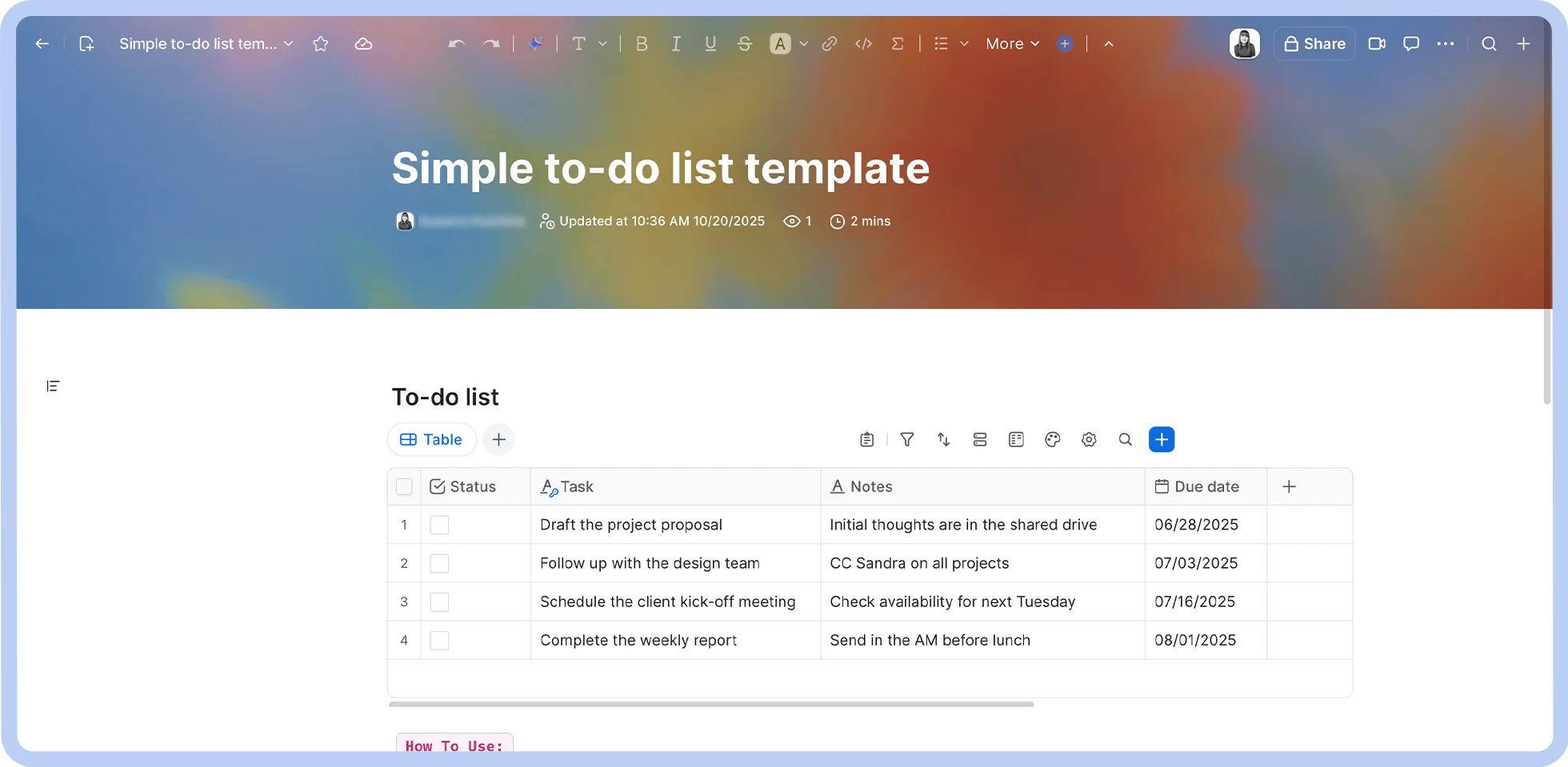
Zoom Docs is an AI-first collaborative documentation platform designed for modern teams. With Zoom Docs, teams can work together in real-time to create documents, wikis, and more. 

This is because it’s tightly woven into Zoom Workplace, which lets teams jump between document creation, project management, and correspondence tools without missing a beat, saving time and enabling deep collaborative work. 

Here are some key features that make Zoom stand out as one of the strongest Google Docs alternatives:
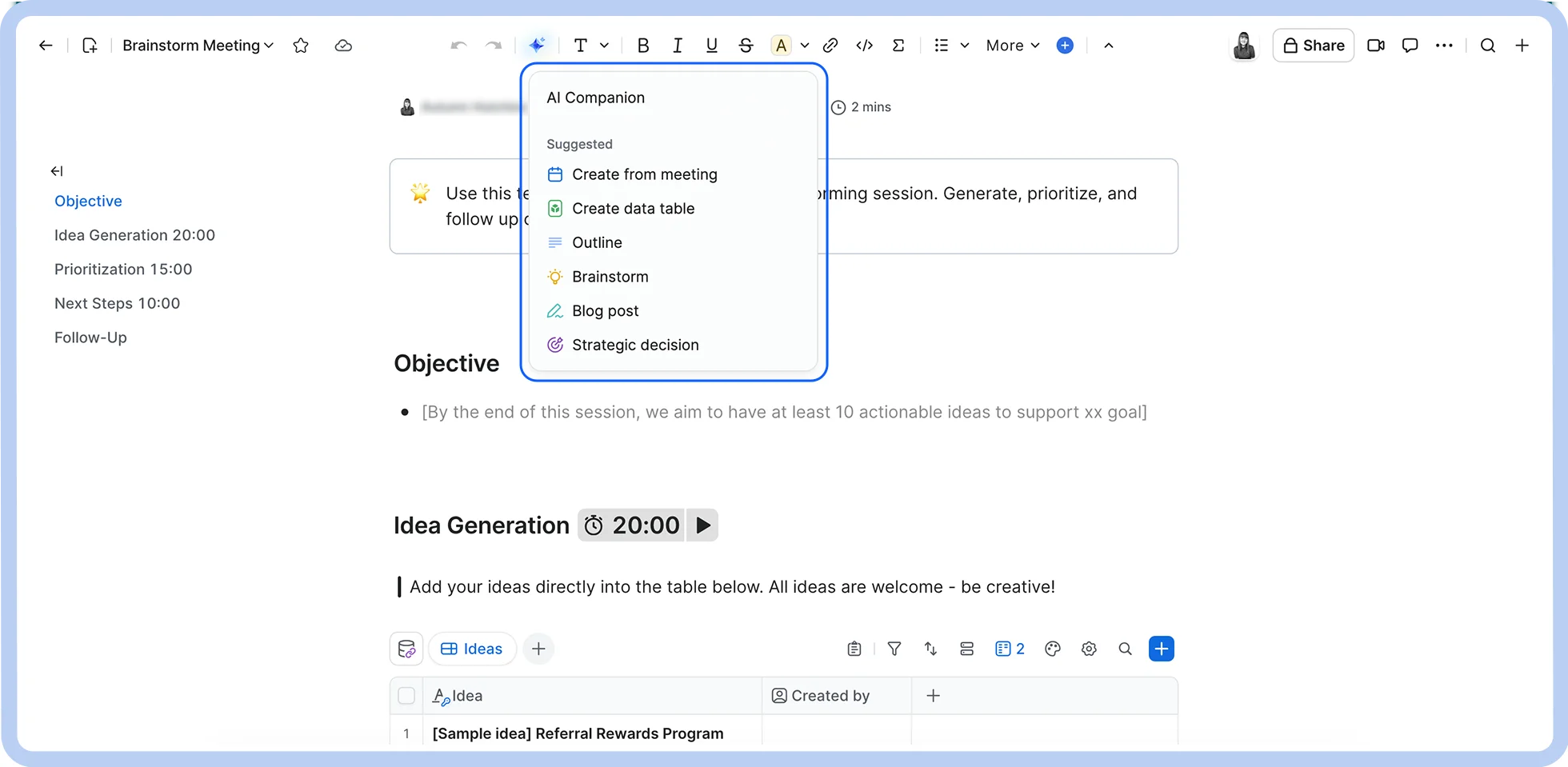
  • Zoom AI Companion: AI Companion is built into Zoom Docs (available with eligible paid Zoom Workplace plans), giving you access to AI features that can help you create better docs. For example, AI Companion can generate, synthesize, and edit information, saving you valuable time in the creative process.

A screenshot showing how AI Companion is tightly woven into Zoom Docs.

  • Automated workflows: AI Companion can automatically generate Zoom Docs that help boost your team’s efficiency. For instance, it can summarize Zoom Meetings and Team Chat threads and place the relevant information in a doc. No more meetings about meetings.
  • Collaboration features: Zoom Docs can supercharge collaboration with seamless document sharing and co-editing. You can also share documents with individual contributors with Team Chat or embed a Whiteboard in your doc for collaborative ideation.
  • Content publishing: With Zoom Docs, you can quickly create and publish high-quality, web-worthy content with generative AI and intuitive formatting — no coding required.
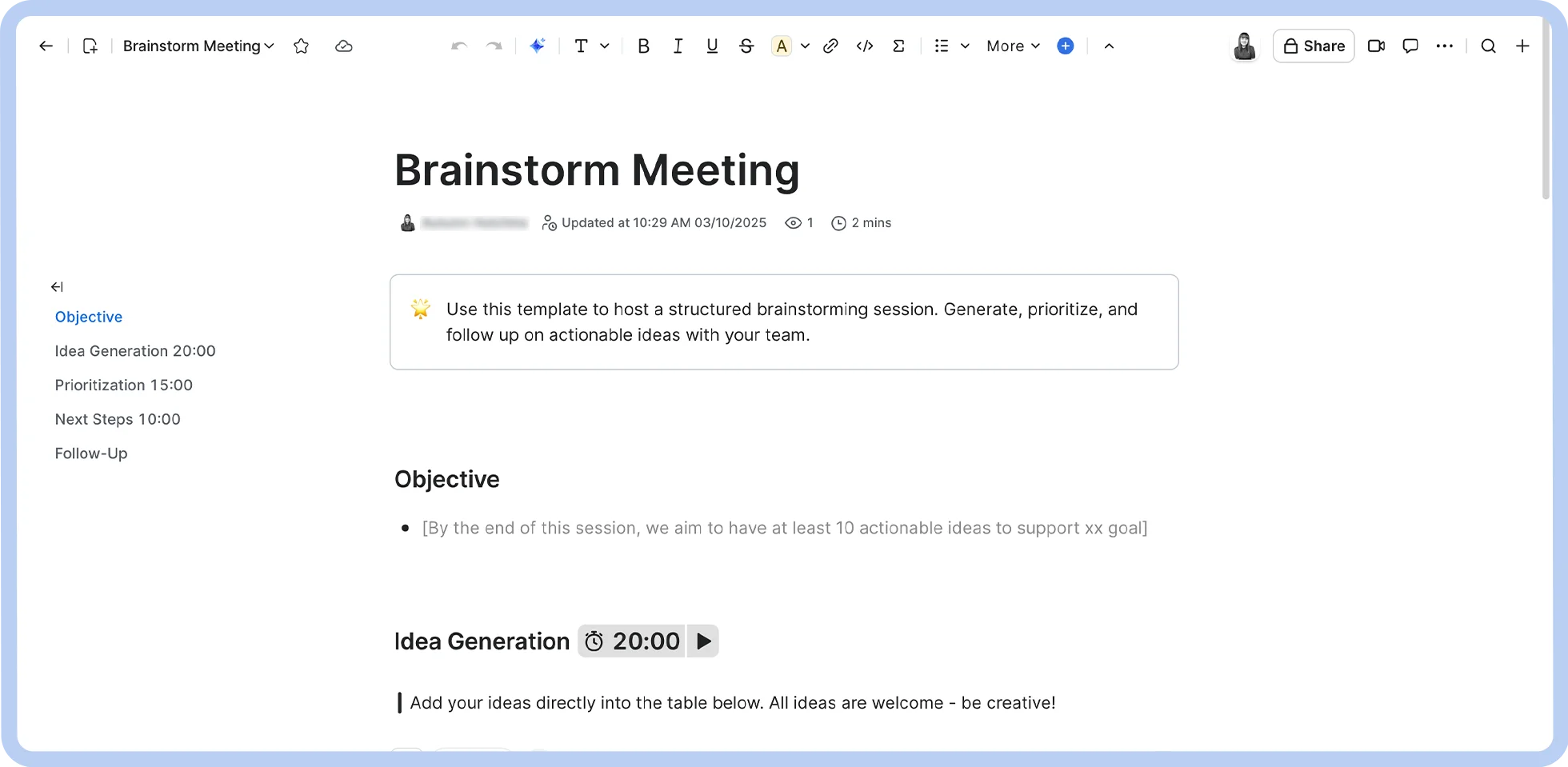
  • Customizable templates: You can pick from an extensive library of document templates to get a head start on document creation. From there, you can customize your documents with a block-based formatting system that allows you to easily drag and drop tables, multimedia files, and more.

A screenshot of a Zoom Docs template.

  • Enterprise-grade security: Support document security with encryption protocols and permission settings to control document access.
  • Formatting and embedding: With Zoom Docs, you can easily apply complex formatting or embed multimedia files, tables, code, and more into your docs.
  • In-meeting collaboration capabilities: You can create, share, and update Zoom Docs in real-time directly within Zoom Meetings without having to open up a separate browser tab or window.
  • Project management functionality: Zoom Docs comes equipped with data tables that you can use to track projects and automatically enter contextual data from meetings and chat threads with AI Companion.
  • Wiki functionality: Zoom Docs lets you organize documents into wikis, which can serve as a central hub for teams to find important, up-to-date information.

Whether you’re creating content, building reports, or organizing a knowledge base, Zoom Docs provides the tools you need that can improve team collaboration and save time. Since adopting Zoom Docs, our own Internal Audit Team has reported up to 80% time savings with the meeting summarization feature alone.

Pro Tip: You can translate documents in up to 16 different languages using AI Companion without ever having to leave the Zoom Docs app. No more tedious copy-pasting to other apps or formatting breaks — just write in your language and let AI Companion do the heavy lifting.


2. Microsoft Word for Microsoft 365 users

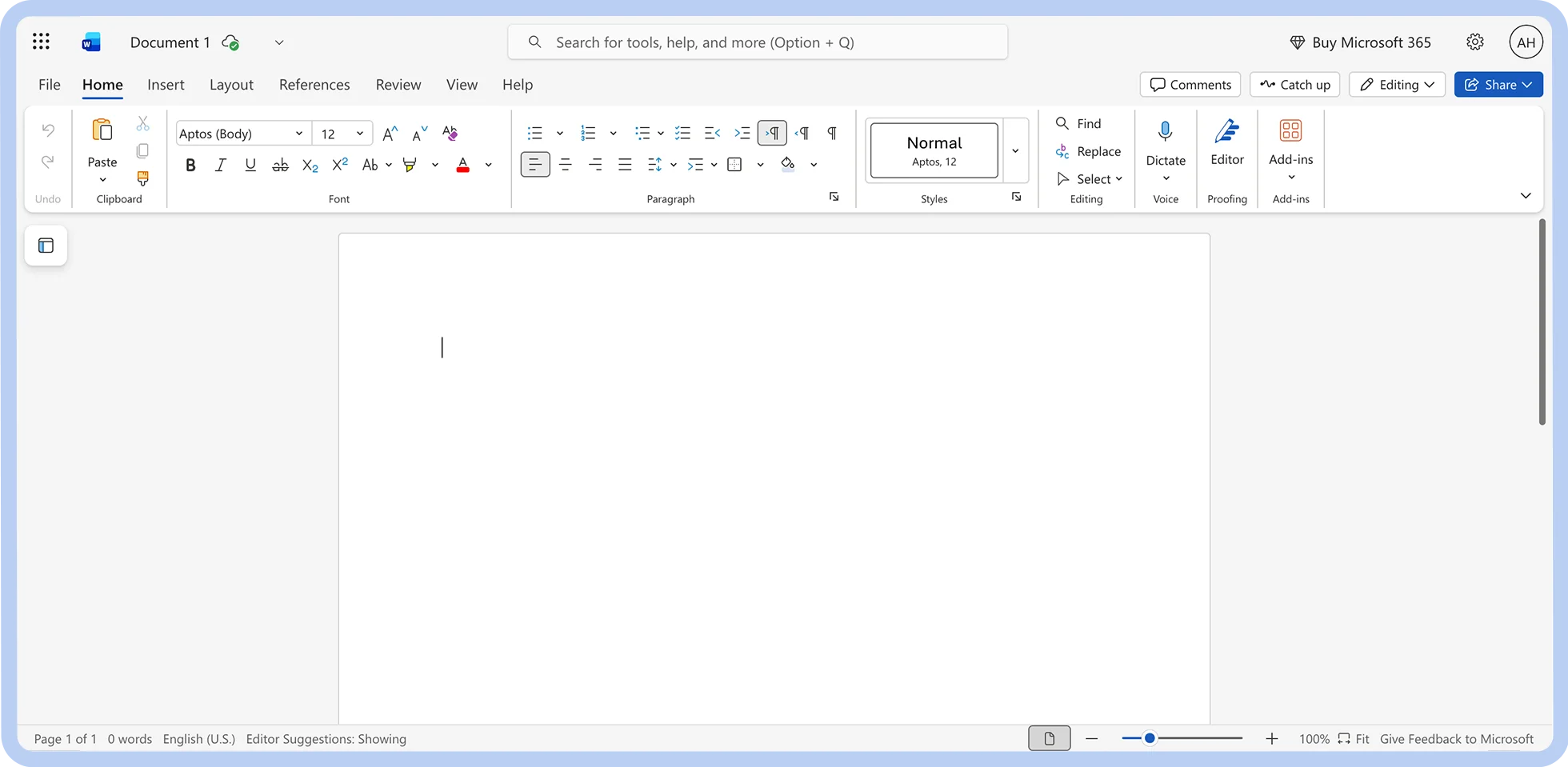
A screenshot of Microsoft Word

Best for

Microsoft 365 users

G2 rating

Pros

  • Integration with Microsoft 365 applications

  • Advanced formatting and stylization

  • Proofing tools

Cons

  • Limited outside the Microsoft ecosystem

  • Cost-intensive

Key features

  • Granular formatting

  • Customizable templates

  • Microsoft Copilot (with eligible subscription)

Starting price

  • Included in Microsoft 365 plans

  • Standalone app: $179.99

Widely regarded as the industry standard for document creation, Microsoft Word is well-suited for Windows users and teams with a Microsoft 365 subscription. Its massive template library and integration with Microsoft 365 apps (including Excel, PowerPoint, and Outlook) let you produce nearly any kind of business document.

With built-in citation management and spell-checking, Word is a solid choice for producing long-form, research-intensive documents. Its structured data integration capabilities also make it great for things like reports, budgets, and business plans. It could even be used to create marketing materials with its robust visual customization options.

While Microsoft Word is the jack of all trades when it comes to creating documents, users who aren't fully invested in the Microsoft ecosystem may find it limiting. Teams looking for native collaboration tools, project management, and AI assistance at a reduced price may find what they’re looking for in tools like Zoom Docs or Confluence.

3. Zoho Writer for built-in WordPress integration

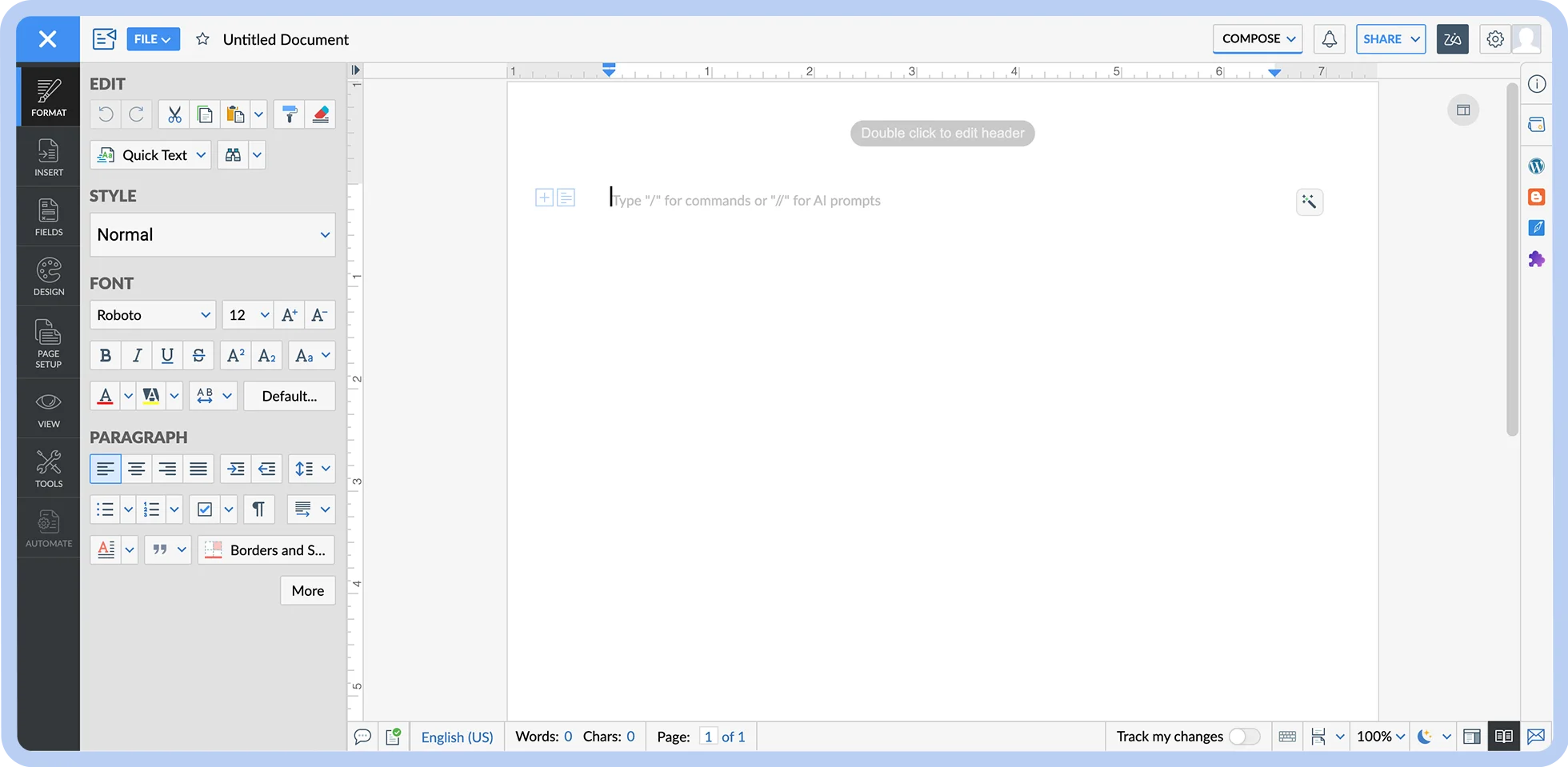
A screenshot of Zoho Writer.

Best for

Built-in WordPress integration

G2 rating

Pros

  • Integration with Zoho ecosystem

  • Great collaboration tools

  • Direct publishing and sharing features

Cons

  • Occasional performance drops

  • Faulty proofing tools

Key features

  • Robust editing features

  • AI assistance

  • Offline access

  • Citation generation

Starting price

  • Included in Zoho Workdrive subscriptions

  • Starter: $2.50/user/mo (billed annually)

  • Team: $4.50/user/mo (billed annually)

  • Business: $9/user/mo (billed annually)
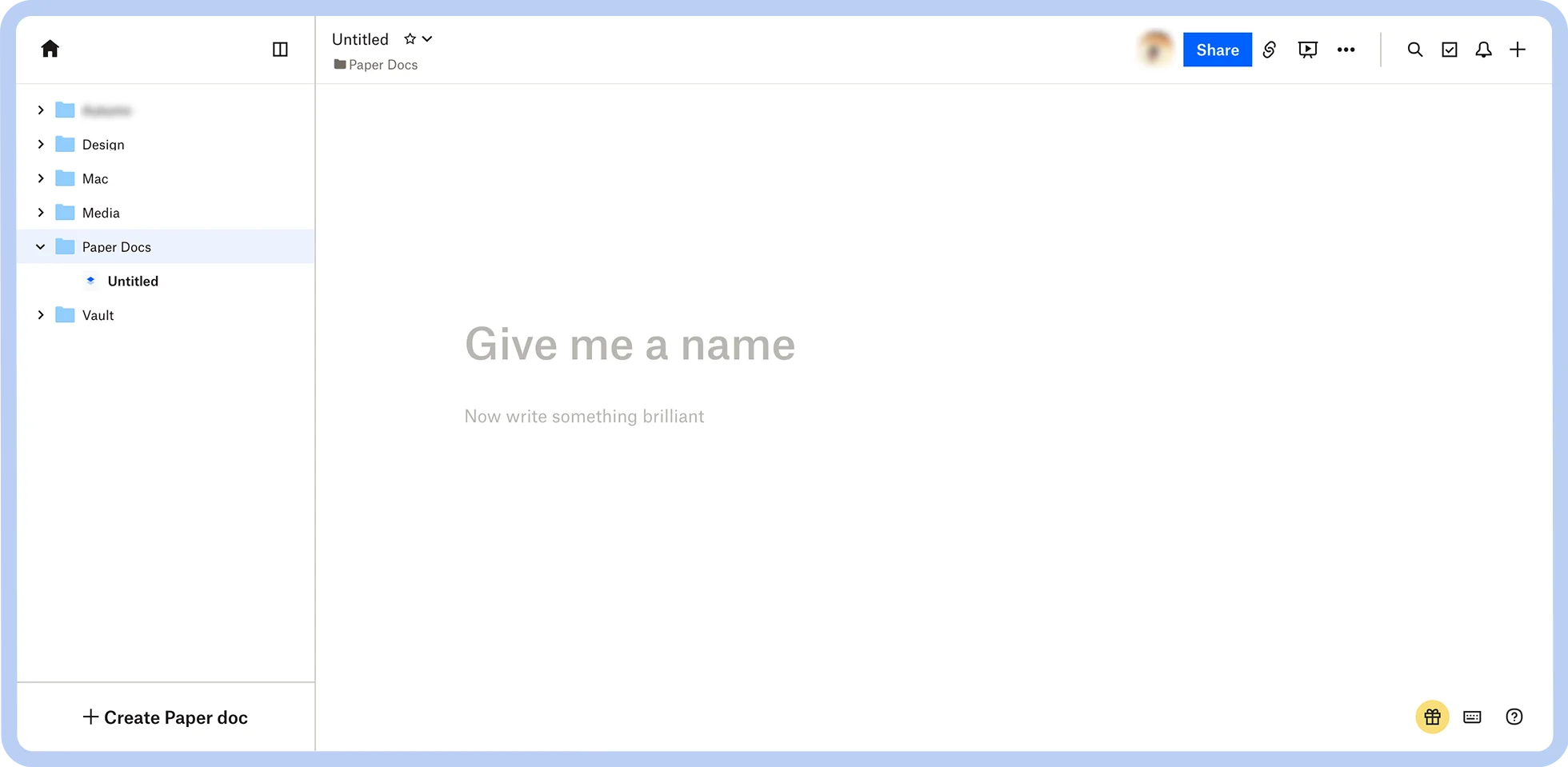
Zoho Writer is a word processor designed for team collaboration and workflow automation. With real-time co-writing and editing capabilities, full-feature offline access, and automated approval workflows, Zoho Writer is a strong Google Docs alternative for remote teams.

This platform is ideal for writing-intensive workflows, featuring a built-in plagiarism checker, automated content generation and editing features, and direct integrations with content management systems like WordPress. 

Zoho Writer's templates and data integration capabilities also make it useful for creating a wide variety of business documentation, from contracts and proposals to reports and invoices. It natively integrates with other Zoho products, making it worth considering for teams already invested in the Zoho ecosystem.

4. Dropbox Paper for ease of use

A screenshot of Dropbox Paper.

Best for

Ease of use

G2 rating

Pros

  • User friendly

  • Rich media embedding

  • Free

Cons

  • Limited offline access

  • Limited formatting options

Key features

  • Real-time collaboration

  • Media embedding functionality

  • Pre-built templates

Starting price

  • Free with any Dropbox account

Dropbox Paper is a cloud-based document sharing workspace with real-time editing and simple yet visually pleasing formatting. A free alternative to Google Docs, Paper stands out for its rich media embedding capabilities, letting you implement video, audio, maps, and more into your documents.

Ease of use is prioritized on Dropbox Paper. The user interface is simple and intuitive, and document creation is rooted in pre-built templates that save you the pain of building intricate layouts and complex formatting from scratch.

Dropbox Paper also allows you to manually assign tasks, which helps teams stay organized and aligned on feedback and deadlines. However, this function lacks the advanced automation features you'd find in other solutions.

For teams already using Dropbox for cloud storage, switching to Dropbox Paper may be convenient. Paper also lets you password-protect your files, which could be a plus for those looking for some extra layers of security.

5. Slite for knowledge management

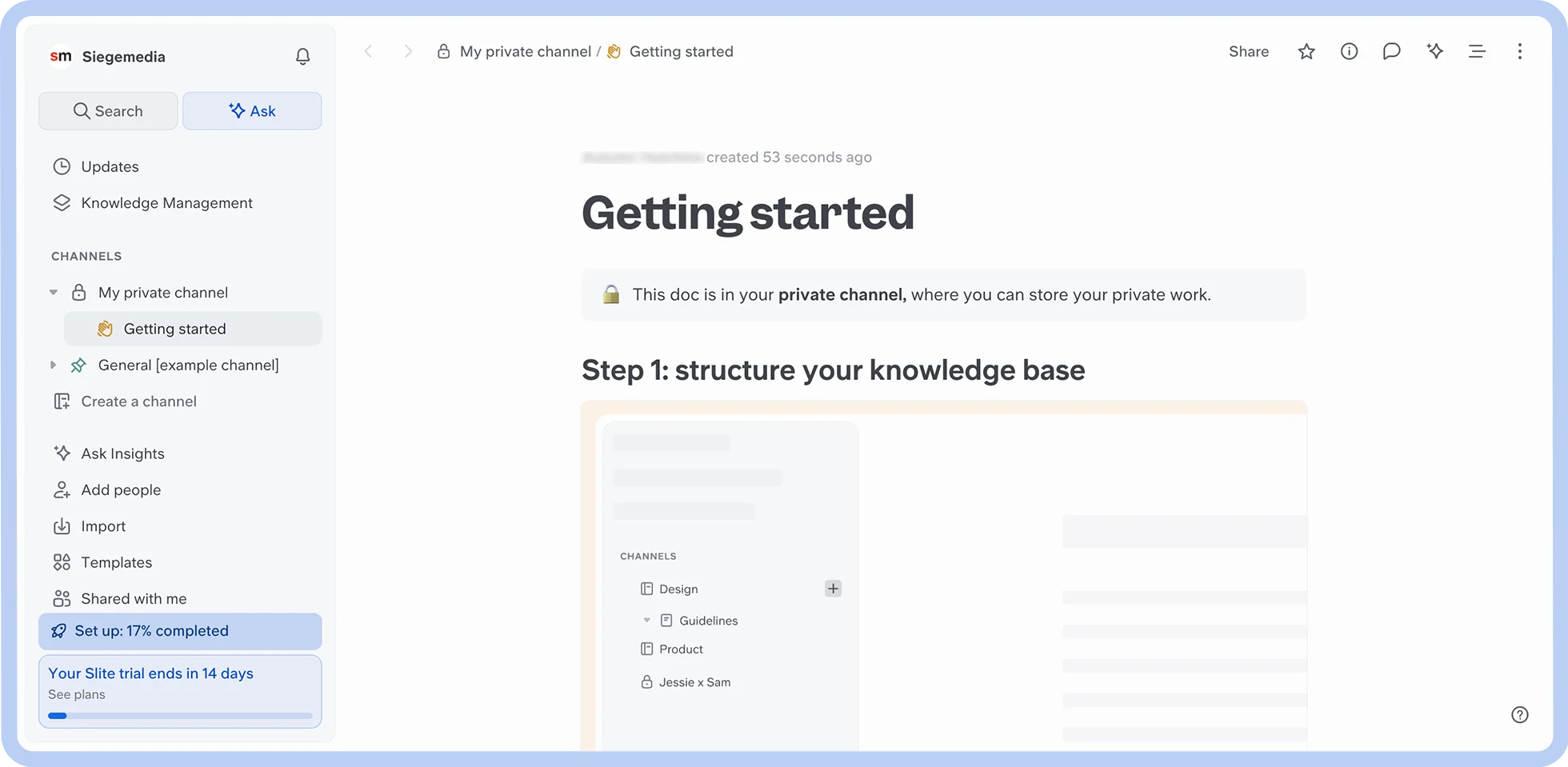
A screenshot of Slite.

Best for

Knowledge management

G2 rating

Pros

  • Intuitive interface

  • Strong document organization

  • Powerful search tool

Cons

  • Limited formatting

  • Some feature gaps

Key features

  • AI search assistance

  • Real-time collaboration

  • Third-party integrations for knowledge base management

Starting price

  • Standard: $8/user/mo (billed annually)

  • Knowledge Suite: $20/user/mo (billed annually)

  • Enterprise: Custom

Slite is a collaborative platform that helps teams build intuitive, centralized knowledge bases, prioritizing trust and ease of use at scale.

The platform's document creation tool is grounded in speed, simplicity, and automation, letting you easily incorporate tables, images, sketches, and more. Slite also connects with a variety of third-party tools that you can access to add extra content and information to your documents.

Once you've organized your documents into a knowledge base, you can then use Ask, the platform's AI-powered search feature, to instantly find a timely, trustworthy answer to your question instead of sifting through hundreds of documents or asking a colleague.

Slite's simplicity, organization features, and integrations make it a great choice for teams looking to create and maintain knowledge bases. However, users with more advanced formatting and data implementation requirements may find solutions like Coda or Confluence more permissive.

6. ClickUp Docs for project management

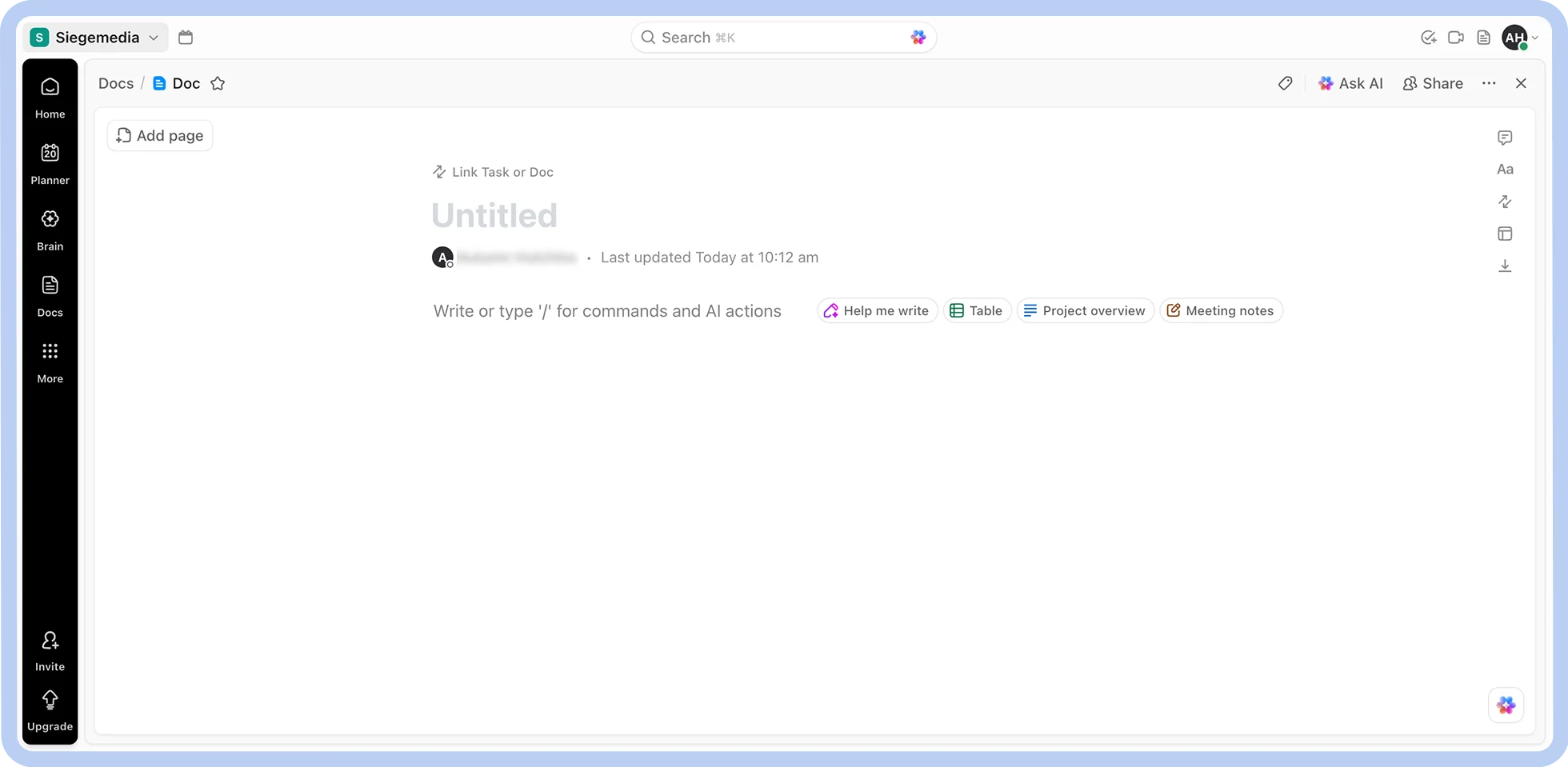
A screenshot of ClickUp Docs.

Best for

Project management

G2 rating

Pros

  • ClickUp integration

  • Strong formatting options

  • Secure sharing

Cons

  • Limited use outside of ClickUp

  • Occasional performance issues

Key features

  • Project management integration

  • Document organization and search features

  • Rich formatting capabilities

  • Pre-built templates

Starting price

  • Free

  • Unlimited: $7/user/mo (billed annually)

  • Business: $12/user/mo (billed annually)

  • Enterprise: Custom

ClickUp Docs is a cloud-based document collaboration platform built to integrate with the wider ClickUp ecosystem. It lets you create and organize docs from templates full of rich formatting and embedded features suitable for all kinds of departments and teams.

Its standout feature is its integration with ClickUp, which allows you to create trackable, actionable tasks. DocsHub makes ClickUp Docs easy to search, allowing you to quickly locate critical information, even within large wiki libraries.

ClickUp Docs may be a strong solution for teams that want to complement their project management workflows. With that said, it is best used within the ClickUp ecosystem, and you may find that other platforms allow for a wider range of use cases.

7. Coda Docs for merging documents with structured data

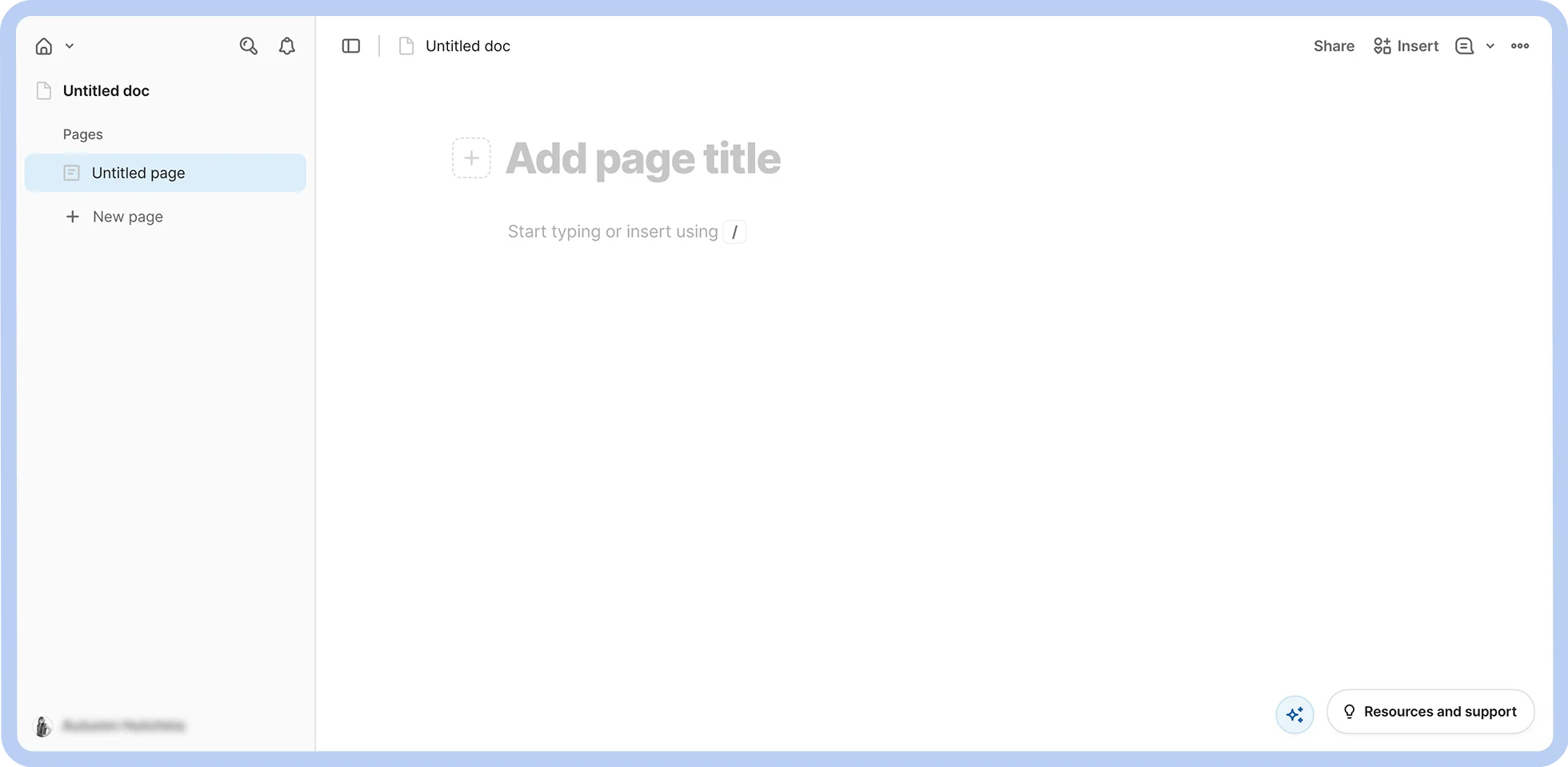
A screenshot of Coda Docs.

Best for

Merging documents with structured data

G2 rating

Pros

  • Strong customizability

  • Real-time collaboration

  • Data table integration

Cons

  • Steep learning curve

  • Performance instability

Key features

  • Interactive tables and databases

  • Third-party integrations for document creation

  • Highly customizable data visualization

  • Formula language and automation

Starting price

  • Free

  • Pro: $10/mo per Doc Maker (Editors are free)

  • Team: $30/mo per Doc Maker (Editors are free)

  • Enterprise: Custom (Editors are free)

Coda is a collaboration platform that enables you to infuse templatized documents with various types of structured data. Great for technical teams in data-intensive fields, Coda lets you build documents (starting from customizable templates) with interactive tables and various other data visualizations.

Notably, Coda can integrate documents with hundreds of different third-party apps through Coda Packs. Coda Packs enable you to automatically transfer, format, enrich, and update data from external sources directly in Coda documents. This makes for more efficient, automated workflows and enables deep data centralization.

Coda's data formatting tools and third-party integrations make it one of the most compelling alternatives to Google Docs for users with data-intensive documentation needs. With that said, you may find solutions like Zoho Writer or Microsoft Word better for more text-heavy, less data-centric applications.

8. OnlyOffice for a self-hosted unified workspace

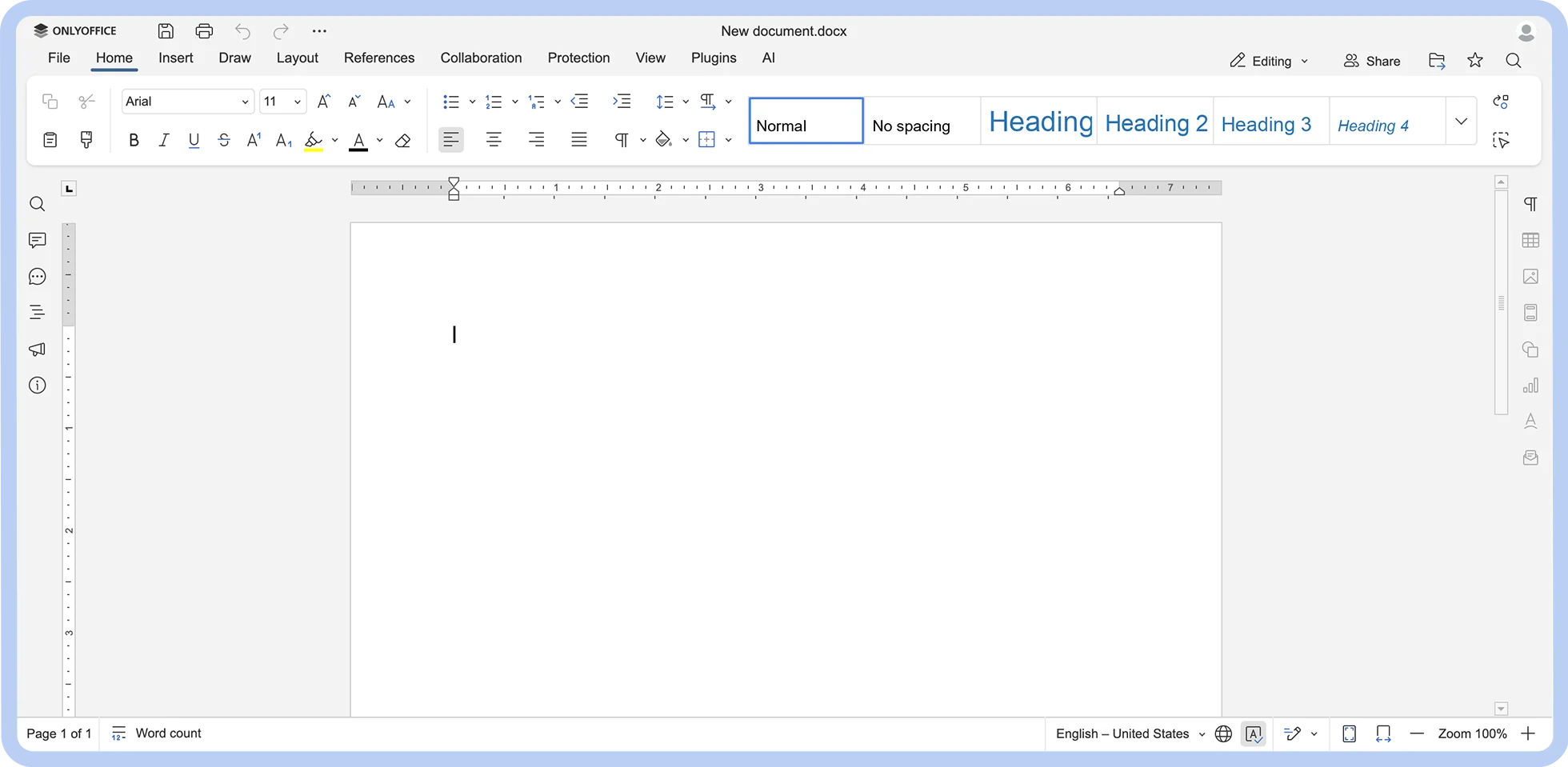
A screenshot of OnlyOffice.

Best for

A self-hosted unified workspace

G2 rating

Pros

  • Open source

  • Intuitive interface

  • Great collaboration features

Cons

  • Steep learning curve

  • Occasional performance issues and delays

Key features

  • Multi-format support

  • Advanced formatting capabilities

  • Offline access

  • Strong security and access control features

Starting price

  • Startup: Free (Limited-time offer)

  • Business: $20/admin/mo

  • Enterprise: Custom

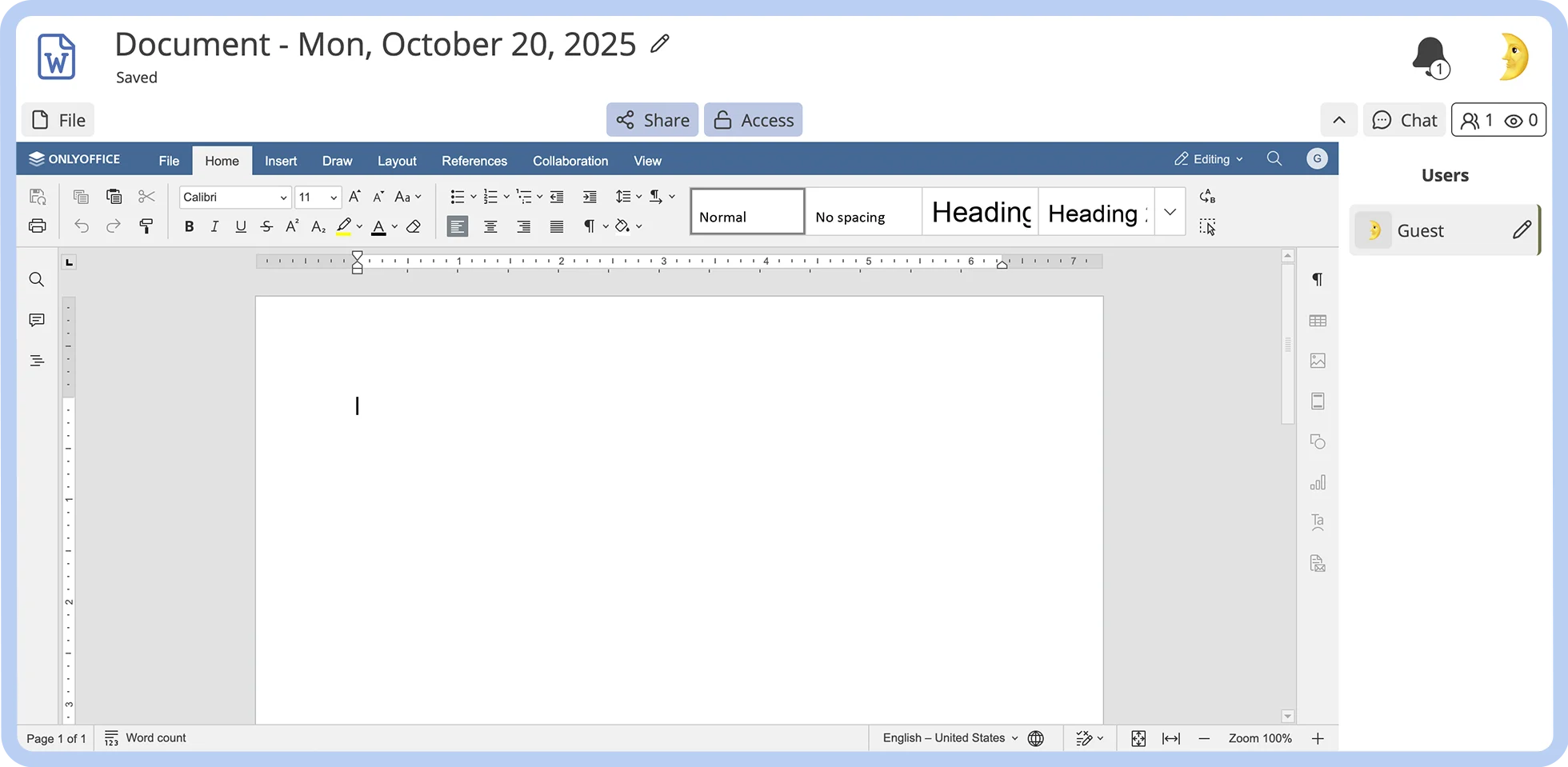
OnlyOffice is a security-first, open-source platform with a full suite of collaboration and document management tools. 

OnlyOffice Docs, their document creation suite, is explicitly marketed as a Google Docs alternative. It provides compatibility with a range of file formats (including Microsoft Office files), superior performance with large files, and advanced formatting options that rival Microsoft Word.

The platform’s collaboration suite, OnlyOffice DocSpace, offers real-time co-editing and chat, virtual data rooms for secure storage of sensitive information, and AI assistance. Users can implement a variety of third-party plugins to extend their capabilities, including translation tools, grammar checkers, video embedders, and more.

Designed for self-hosting and infused with enterprise-grade security features, OnlyOffice is a compelling option for teams seeking complete asset control and enhanced data protection.

9. Quip for Salesforce users

A screenshot of Quip.

Best for

Salesforce ecosystem users

G2 rating

Pros

  • Direct integration with Salesforce

  • Offline access

  • Data format versatility

Cons

  • Limited customization

  • No free tier

Key features

  • Mobile accessibility

  • Real-time collaboration features with integrated chat

  • Spreadsheet functionality

  • Salesforce integration

Starting price

  • Quip Starter: $10/user/mo (billed annually)

  • Quip Plus: $25/user/mo (billed annually)

  • Quip Advanced: $100/user/mo (billed annually)
Quip is a cloud-based collaboration platform built to support sales teams. With Quip, you can work together with your teammates in real time to create, edit, track, and comment on documents and embeddable spreadsheets from pre-built templates with a focus on sales processes. 

The platform is deeply integrated with Salesforce, allowing you to automatically sync data from Salesforce records into your Quip documents, easily embed Quip components into Salesforce pages, and more.

With a mobile app and full offline access, remote teams have the flexibility to create what they want, when they want, on their preferred device. 

Quip is ideal for sales teams who are often on the move and who need a convenient, mobile-friendly, integrated solution to create rich documents that support their workflows. However, some users may find its customization features limited for the price they're paying. Users may also find more robust collaboration features on platforms like Zoom Docs.

10. Confluence for enterprise-level documentation needs

A screenshot of Confluence.

Best for

Enterprise-level documentation

G2 rating

Pros

  • Seamless integration with Atlassian ecosystem

  • In-depth formatting options

  • Knowledge base management features

Cons

  • Hidden costs

  • Moderate learning curve

Key features

  • Jira integration

  • Pre-built customizable templates

  • Enterprise-grade security

  • Various collaboration features

Starting price

  • Free (for up to 10 users)

  • Standard: $5.16/user/mo (billed monthly)

  • Premium: $9.73/user/mo (billed monthly)

  • Enterprise: Custom

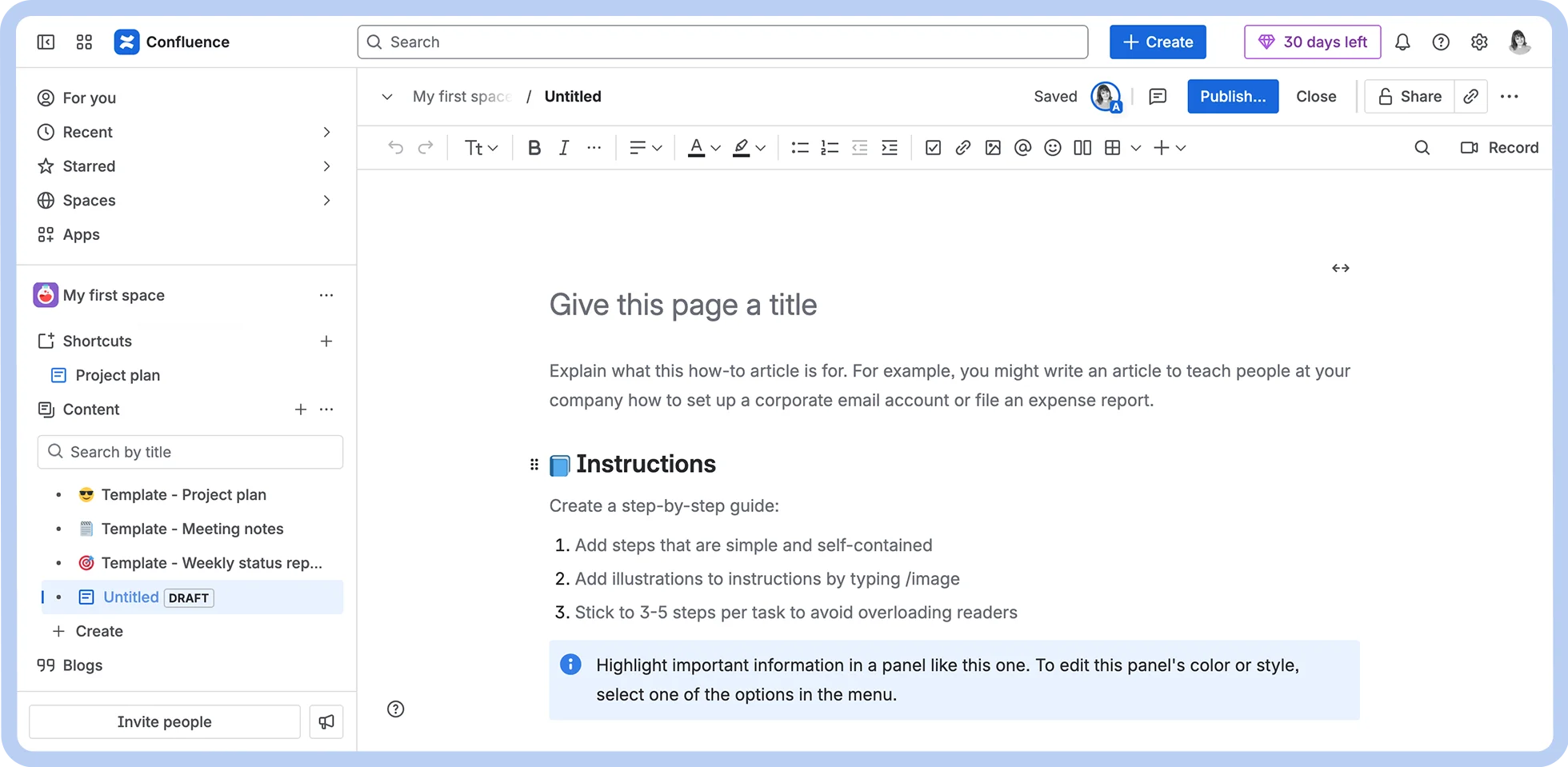
Confluence is a collaboration platform developed by Atlassian to help companies break down information silos and improve business communication. It's useful for enterprises with many departments that require extensive documentation to function effectively.

Confluence allows teams to remotely create, manage, and organize documents relevant to a wide variety of workflows. This could include anything from product requirement docs and HR policies to financial reports and marketing plans.

Unlike Google Docs, Confluence has native integrations with popular Atlassian tools like Jira and Trello. It also features enterprise-grade security features and a database creation tool that helps companies centralize and update critical information.

However, users should keep in mind that Confluence’s features come with a moderate learning curve. Confluence also relies on plug-ins to extend functionality, and users may find that the cost of these plug-ins adds up over time.

11. CryptPad for data privacy and security

A screenshot of CryptPad.

Best for

Data privacy and security

G2 rating

N/A

Pros

  • Open source

  • End-to-end encryption

  • No PII required to access features

Cons

  • Steep learning curve

  • Slow load times

Key features

  • Strong privacy and security features

  • Cloud storage

  • Open source

  • Real-time collaboration

Starting price

  • Free

  • CryptPad.fr: €5 to €100 /month

  • Your Own Instance: from €1.5K /year

  • Enterprise: Variable

CryptPad is an open-source, privacy-focused office suite. It stands out among other Google Docs competitors for its end-to-end encryption and self-hosting capability. It lets teams collaborate in real-time to create formatted documents, spreadsheets, slide decks, survey forms, and more.

Its open-source nature means that teams and companies can host it on their own machines with total control over their assets. Enterprise plans provide between 100 GB and 1 TB of storage.

CryptPad uses a zero-knowledge architecture, protecting user data before it reaches the server. It also features intuitive access controls, password protection, and automatic self-destruction, which is ideal for protecting sensitive documents. This core focus on privacy makes it a solid choice for risk-averse, security-first users.

12. Notion Docs for flexible documentation needs

A screenshot of Notion Docs.

Best for

Flexible documentation needs

G2 rating

Pros

  • Integration with Notion ecosystem

  • Wide variety of use cases

  • Knowledge base management features

  • Intuitive formatting options

Cons

  • Limited use outside of Notion

  • Limited offline support

  • Steep learning curve

Key features

  • Block-based formatting

  • Pre-built customizable templates

  • Third-party integrations

Starting price

  • Free

  • Plus: $10/user/mo (billed annually)

  • Business: $20/user/mo (billed annually

  • Enterprise: Custom

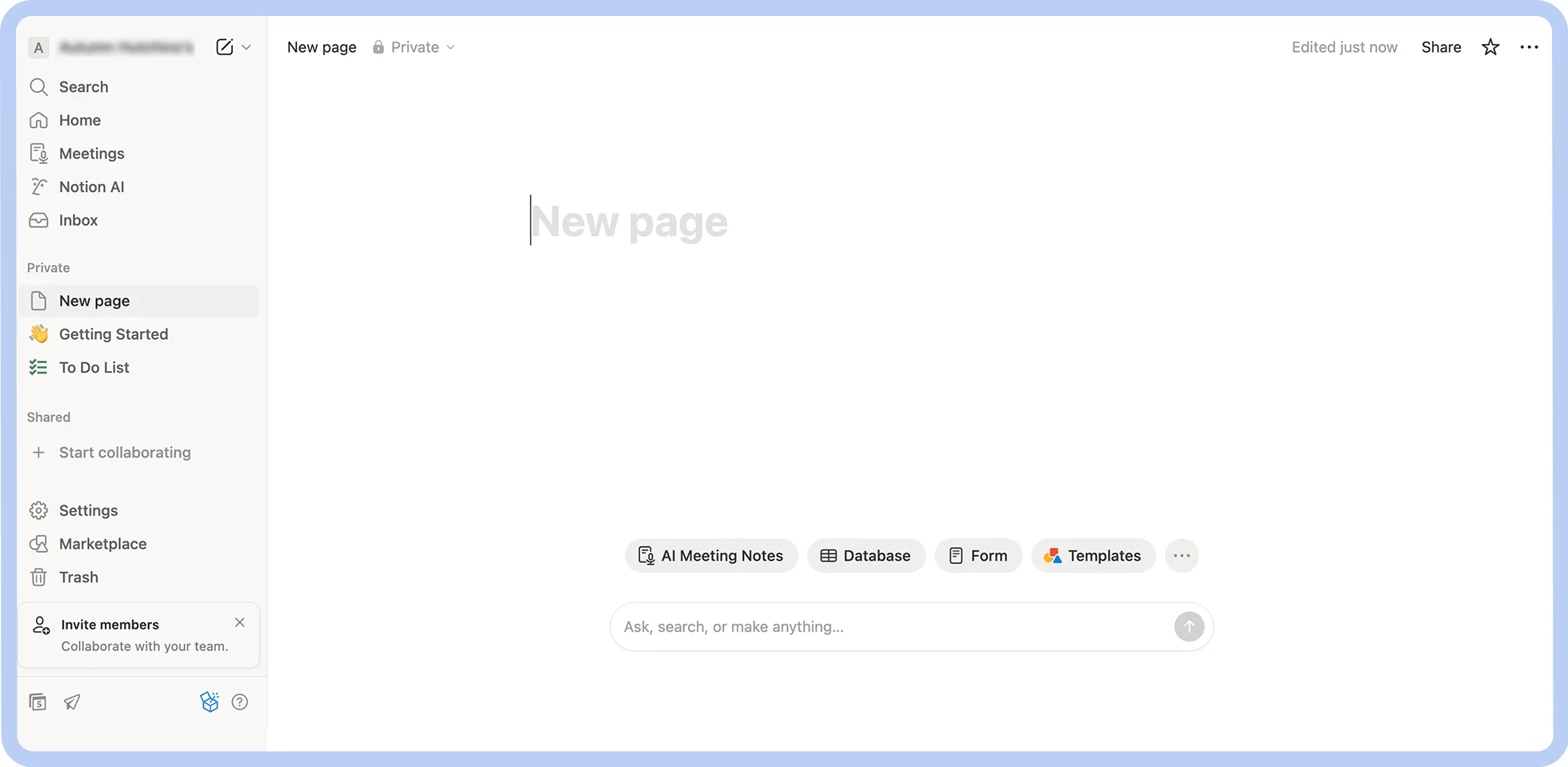
Notion Docs is a collaborative document creation tool that integrates directly within the Notion ecosystem. Notion combines project management, knowledge base management, note-taking, and more into one intuitive platform. 

Notion Docs lets teams create and co-edit rich documents with a block-based formatting system that lets you add charts, toggles, media, and more. 

Thousands of pre-built templates and a large library of third-party integrations make it easy for anyone to get value out of the system, whether you’re creating a product roadmap, a project update, or a process document. Notion Docs can also be organized into centralized, searchable wikis.

While Notion Docs can be suitable for a wide variety of documentation needs, accessing their full functionality requires an investment into the wider Notion ecosystem, and there is no standalone offering available like with Microsoft Word or Zoom Docs

Discover how Zoom Docs can power your team

If Google Docs isn’t getting the job done for you, other tools can provide you with the capabilities you need.

Zoom Docs is a standout alternative to Google Docs, especially for teams already invested in other Zoom services. An AI-first tool tightly woven into Zoom Workplace, Zoom Docs is designed to make document creation easy, improve your team’s collaboration, and let you harness the time-saving power of AI.

Ready to make the switch? Check out our Zoom Docs guide for a detailed walkthrough or contact a Zoom Expert today.


Our customers love us

Okta
Nasdaq
Rakuten
Logitech
Western Union
Autodesk
Dropbox
Okta
Nasdaq
Rakuten
Logitech
Western Union
Autodesk
Dropbox

Zoom - One Platform to Connect