California State Parks System Delivers Interactive Content, Access with Zoom
Discover how the California State Parks PORTS program uses Zoom to provide virtual field trips and unique learning opportunities to students and others.
4 min read
Published on August 7, 2019
In this blog
Share this post
Matt Torman
Marketing Content Manager
Matt leads content marketing for Zoom.
Access to state parks anywhere can be limited by various economic and socioeconomic barriers. After all, it costs money to get to a park from school, whether it's the bus transportation, staffing fees, or costs of the program itself, and it’s even more of a barrier for students in rural school districts that have to travel long distances. One California State Parks program — Parks Online Resources for Teachers and Students (PORTS) — has made it a priority to change that, providing free programs to students anywhere.
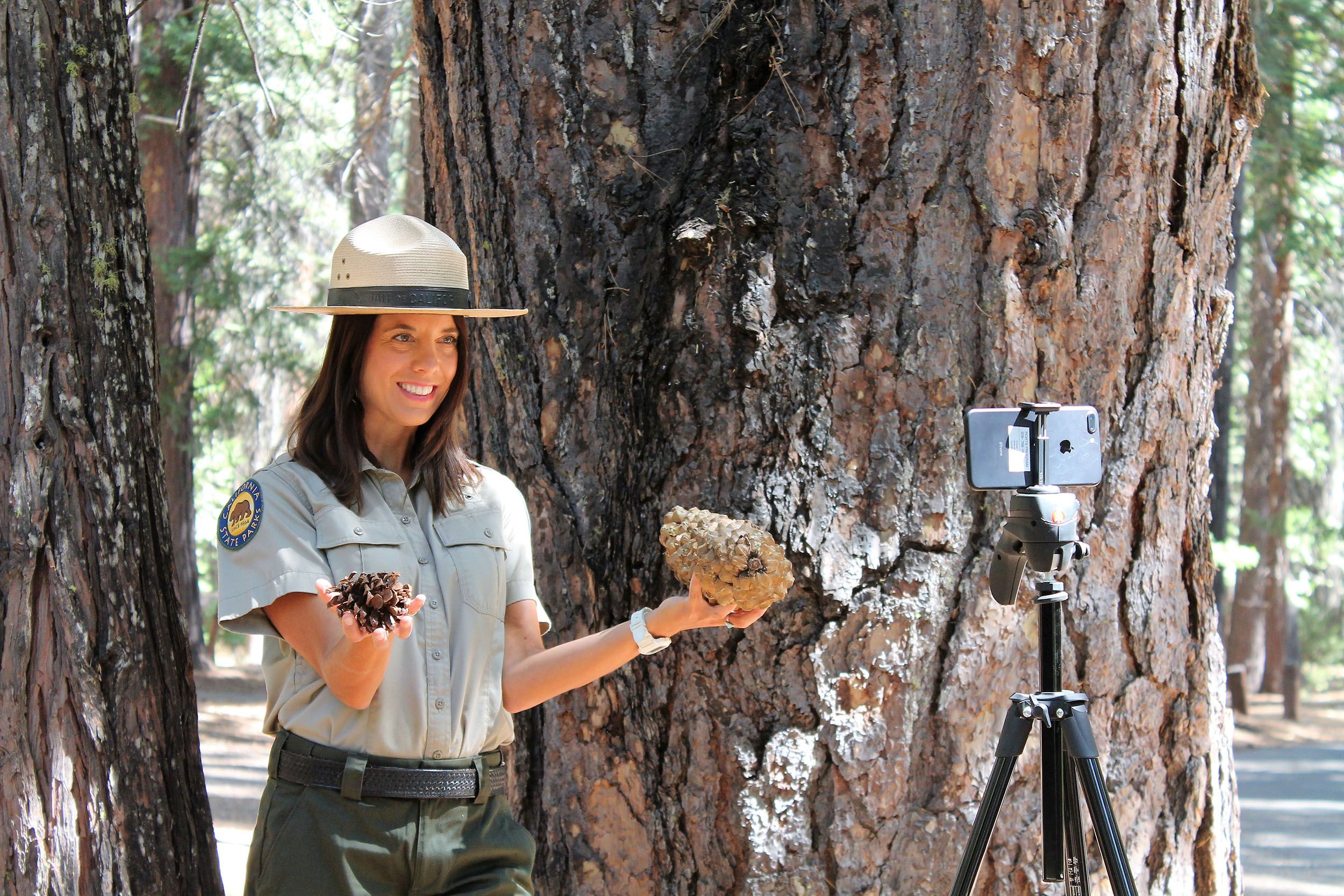
The PORTS program uses video conferencing to provide virtual field trips to California’s state parks for K-12 students. Leveraging Zoom’s video conferencing and webinar solutions, PORTS can provide live, interactive video and bring park resources — and the content experts charged with protecting them — into California classrooms and beyond.
“Of the more than 6 million kids enrolled in pre-K-12 public schools in California, only about 200,000 take field trips to state parks in a given year,” said Brad Krey, program manager for California State Parks. “So many students are not getting an opportunity to engage with California state parks.”
California State Parks has provided distance learning experiences for years, but it’s used a number of video solutions. The important thing for PORTS as it grew the program was to use video technology that’s easy for teachers to use and that can work with other tools.
“Because K-12 education is so vast, we have to be platform agnostic,” Krey said. “There are a lot of video providers in the K-12 space, and it’s not our job to tell people what to use. But Zoom is so flexible, reliable, and easy to use. In fact, thanks to our deepening relationship, we're proud to say that PORTS is powered by Zoom!"
Jennifer Langer, PORTS program coordinator said, “Teachers need to have high-quality solutions that are easy to use, and IT staff in school districts don’t want to have to navigate content filtering or firewall issues. The reception to Zoom has been very positive.”
Zoom’s unified communications platform helps simplify the ways students can learn through real-time and curated access, as well as interactive curriculum content. A few ways PORTS uses Zoom to educate and interact with students:
Visitor preparation: When a school has planned an in-person field trip, PORTS can provide a live or recorded Zoom video to help prepare students to actively learn upon arrival at the park.
Remote resource access: Team members engage a classroom in a live, interactive program from remote areas, including Angel Island Immigration Station in San Francisco Bay and from a kayak in the cove at Point Lobos State Natural Reserve.
Live event broadcasts: The organization featured five of its state parks, all along Marine Protected Areas, in a broadcast for World Oceans Day, including a “live dive.” The team used multiple cameras, one of which was an underwater remotely operated vehicle, and streamed it to Facebook Live using Zoom Webinars.
PORTS managers and interpreters also use a number of Zoom features to enhance their programs and collaboration with each other, including:
Annotation tools to highlight natural features and historic elements in real time
Screen sharing for building content right into a live presentation
Webinars to simultaneously connect multiple parks around the state to provide an array of narratives
Such technology helps PORTS deliver relevant and meaningful educational experiences to so many people, and Krey hopes his team’s efforts will inspire others to do the same.
“There’s no secret sauce to this for other groups trying to provide new means for access,” he said. “High-quality tools are out there. Organizations and agencies who provide education should consider this as a way to expand their outreach and diversify who they can engage with. Our goal is to offer these great programs and services completely free. We never want to put up a barrier for this kind of access to our state parks.”
Read the full case study of how the California State Parks PORTS program delivers unique access using Zoom.









 7 min read