We’re starting with a cleaner interface so you can focus more on collaboration and less on the tech behind it. And this is just the first of several updates to come.
In-meeting desktop experience
Here's what's getting better in your meetings:
- Primary toolbar redesign: We've cleaned up that toolbar so you only see the stuff you actually need. Want something else? Just open the "More" menu and right-click to pin a button or simply drag it to the spot you prefer.
- Unified settings menu: Ever had to hunt through menus for meeting settings? Not anymore. Everything's now in one right-hand panel, and you can get there directly from the toolbar buttons.
- Enhanced host tools: If you're running the meeting, your host controls are now organized in one spot on the right, just a click or two away.

In-meeting mobile experience
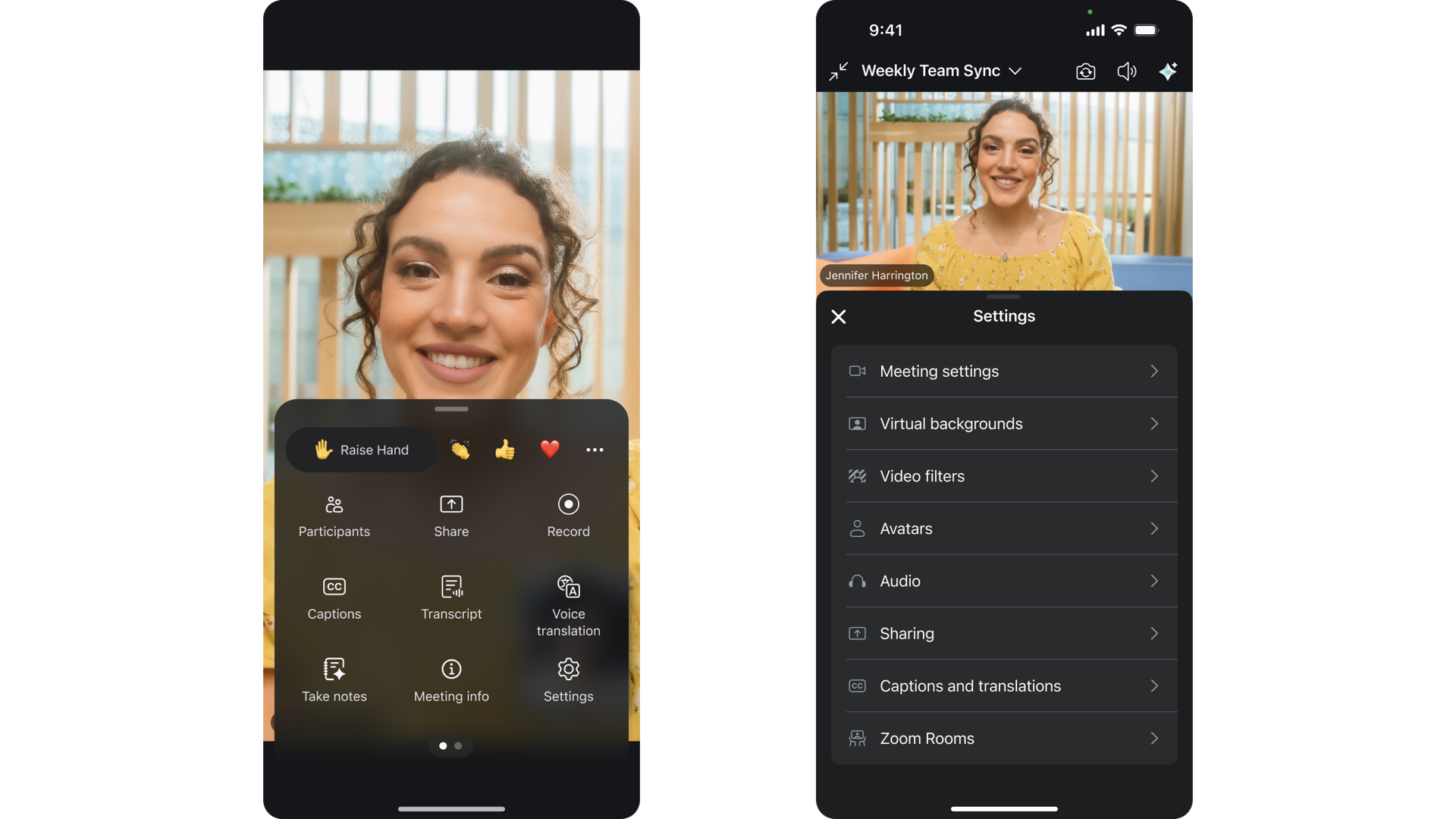
Your mobile meetings just got a lot smoother:
- Improved toolbar & "More" menu: Your most important actions stay right where you can see them, and we put the End/Leave button in the toolbar. Everything else lives in a neat grid in the More menu, with reactions right at the top because, let's be honest, sometimes you just need to send that thumbs up.
- Consolidated settings: No more digging through menus to find your virtual background or turn on captions. It's all in one place now: backgrounds, filters, avatars, captions, audio settings, and even Zoom Rooms settings. Everything you need to have your best meetings in one place.
- Unified share experience: Want to share your screen? A file? Your camera? Open a whiteboard? It's all in one menu now. Pick what you want to share and get back to your meeting.
Team Chat & sidebar navigation
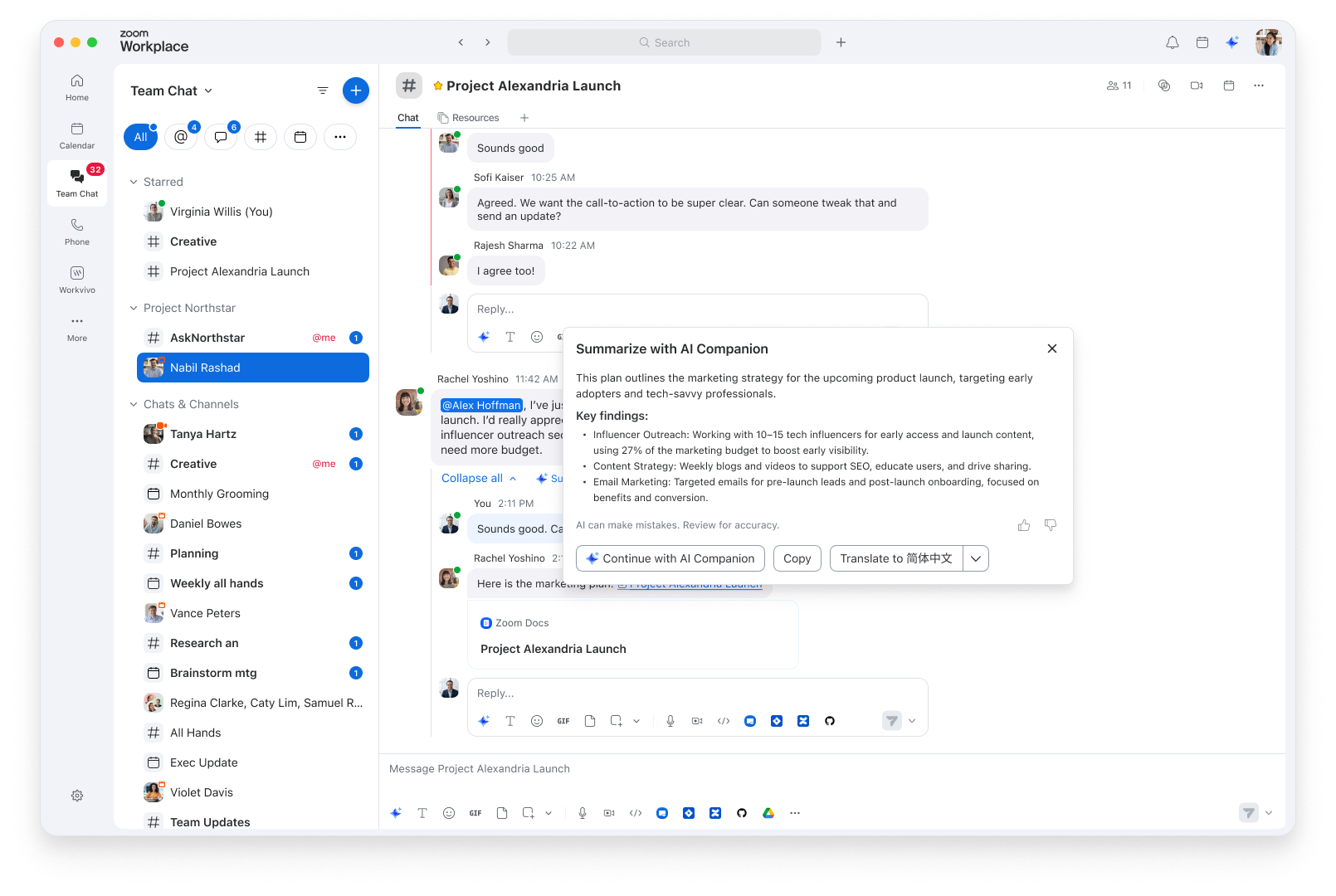
We've made chat and navigation much easier:
- Sidebar simplification: Less visual noise, better organization. The sidebar navigation also works the same way whether you're on your computer or phone, so you don't have to use disjointed flows.
- DMs tab renamed to "Chats": We just call them "Chats" now. Simple.
- Expanded chat tab layout: Selected tabs can now fill two rows, so you're not limited to just five. Keep more of your chat filters visible.
- Files tab removed: We retired the Files tab to clean things up so you can focus on what you use most. Files shared in chats/channels are still findable via global search and in the chats/channels themselves.
- Enhanced meetings tab: Meeting chat names will be bolded by default instead of showing message counts to be less distracting. There's also a "Meetings Today" filter to quickly find what's happening now.
- One-click access: Get quick access to additional tabs in the more menu. You can temporarily pin a tab from the more menu without having to drag and drop for faster navigation.
Zoom Workplace desktop app
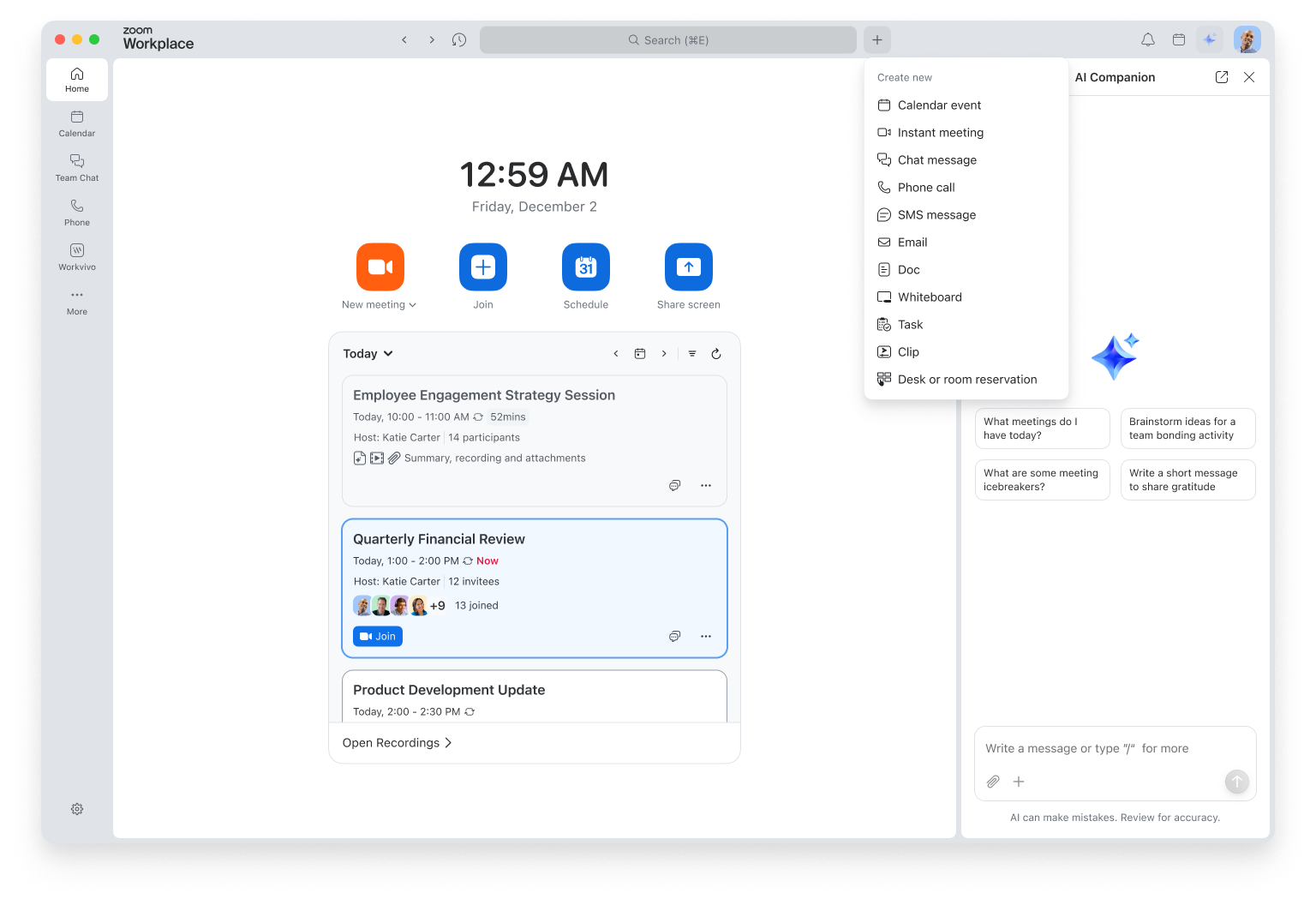
The Zoom Workplace desktop app is getting more organized:
- New left navigation bar: We moved the navigation to the left side and stopped auto-pinning product tabs you visit once. Now you decide what stays visible and what goes in the More section. Your workspace, your way.
- Redesigned app header: Cleaner header with a new + menu that puts all of your "start something new" actions in one spot: schedule a meeting, send a message, create a doc, and more. One click, and you're off and running.
Availability and access
Desktop and mobile features: These updates aren't limited by region. Everyone gets them (Basic and paid users alike) as soon as you download Zoom Workplace version 6.7.
Your existing functionality stays the same. These updates are just about making features and settings easier to find and use.