



Your guide to getting started with ZoomMate
Everything you need to start using ZoomMate: notes, search, workflows, and AI tools — all inside Zoom Workplace.
 18 min read
Published on March 3, 2026




Picture this: It’s Monday morning and you’ve got a full inbox, back-to-back meetings, and a crucial report due by the end of the day. You’re pulled in multiple directions, and it feels like there isn’t enough time to get everything done.
When tasks aren’t prioritized, it can lead to stress, missed deadlines, and decreased productivity. Enter: prioritization techniques.
In this blog, we’ll explore how to prioritize tasks in the workplace, giving you the tools to take control of your schedule and boost your productivity. Let’s get started.
Task prioritization is like having a compass in a dense forest of to-dos. It guides you to the most important tasks and helps you focus on what matters most, helping you manage your time and energy effectively.
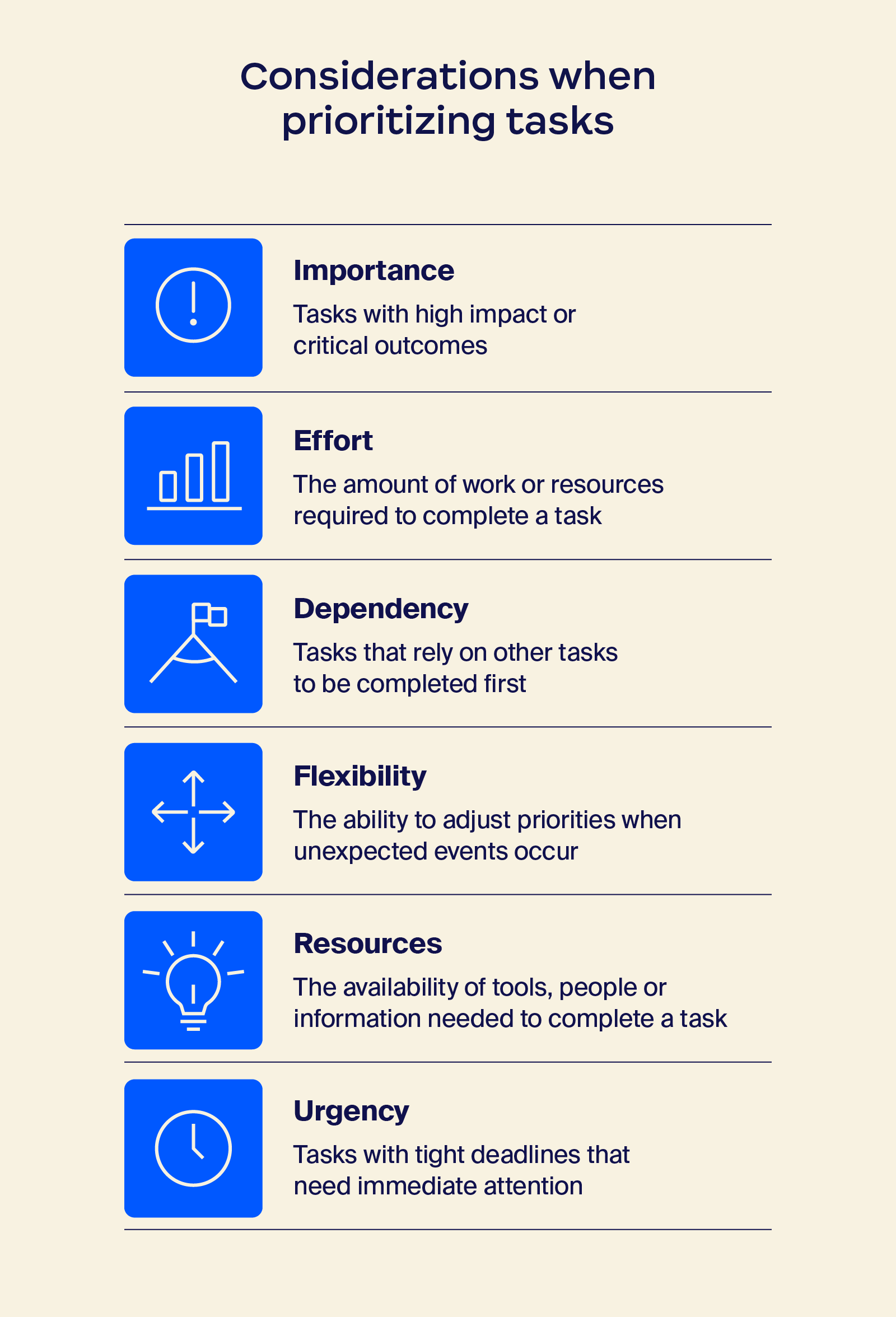
Understanding the various prioritization techniques can transform your approach to managing tasks. Whether it’s using a simple list or a more structured method, these techniques help you stay organized so that the most crucial tasks get your attention first. Let’s dive into some popular methods that can make a real difference in your productivity.
The Eisenhower Matrix is a type of prioritization matrix that helps you sort tasks by what’s urgent and what actually matters.
It helps you see which tasks need immediate attention, which ones should be planned for later, and which ones you can delegate or drop. The goal is to spend less time reacting and more time working on what moves things forward.
It divides tasks into four Eisenhower quadrants:
Pro tip: Color-code each quadrant of your Eisenhower Matrix to quickly visualize your priorities and stay focused on what needs immediate attention. This visual cue can help you better manage your time and avoid overlooking important tasks.
Try Zoom’s Eisenhower Matrix template to quickly prioritize tasks and stay focused on what matters most.
The Eat That Frog technique is all about tackling the biggest, most challenging, or most dreaded task at the start of your day. The idea comes from the famous saying by Mark Twain: “If you eat a live frog first thing in the morning, nothing worse will happen to you for the rest of the day.” In this case, the “frog” is the task you’re most likely to avoid, but that has the most impact on your productivity.
Here’s how it works:
“Eating your frog” early has another advantage: It frees your mind from the burden of procrastination. Instead of spending hours dreading the task, you can check it off your list and focus on other work with a clear head. Give it a try, and you’ll find that your productivity — and maybe even your mood — gets a boost.
Pro tip: Choose your frog the night before. Before wrapping up your day, identify the most challenging task for tomorrow and put it at the top of your to-do list. This simple step makes it easier to dive in first thing and start the day with a sense of accomplishment.
The ABCDE method is a great way to prioritize tasks based on task importance and urgency. Each letter stands for a different category, which helps you decide what to tackle first, what can wait, what to delegate, and what to get rid of entirely.
Here’s what each letter means:
Here’s how to implement the ABCDE method in your daily work life:
Pro tip: Review your task list daily. As you complete tasks and get new ones, update your list. This method helps you focus on what’s important, get help where you can, and let go of the stuff that doesn’t matter. It’s a great way to simplify your workload and keep stress at bay.
The MoSCoW prioritization method is similar to the ABCDE method but with one key difference: There’s no explicit option for “delegate.”
This makes it especially useful for tasks you need to complete yourself. It helps you decide which tasks to focus on by breaking them into four categories: Must, Should, Could, and Won’t. With this approach, you can manage your workload more effectively, ensuring the most important tasks get done while lower-priority tasks don’t clutter your day.
Here’s what each category means:
To use the MoSCoW method:
An example application could be a project with tight deadlines:
By categorizing tasks this way, you can keep your focus where it matters most.
Pro tip: Use color-coding to categorize your tasks. For example, red for “Must,” orange for “Should,” yellow for “Could,” and gray for “Won’t.” As you create your task list, mark each task with the appropriate color. This visual cue helps you quickly identify what needs immediate attention and what can wait.
The Ivy Lee method is a classic approach to productivity that’s straightforward and effective. It was developed by Ivy Lee, a consultant Charles Schwab asked to improve Bethlehem Steel’s efficiency. The method focuses on simplicity: Each day, you choose six important tasks to work on the following day and then prioritize them.
Here’s how it works:
The Ivy Lee method is great for personal productivity because it provides a clear focus for each day. Limiting the list to six tasks prevents you from feeling overwhelmed. It also encourages you to concentrate on one task at a time, promoting deeper focus and reducing the temptation to multitask.
Pro tip: Spend a few minutes reviewing your list of six tasks at the end of each workday. Note any obstacles you encountered. This reflection can help you adjust your approach and prioritize more effectively for the next day.
Timeboxing is a technique where you allocate specific time slots to specific tasks. It’s like setting an appointment with yourself to get work done. Doing this creates a focused period for each task, which helps you avoid getting overwhelmed by your to-do list.
Begin by estimating how much time each task will take. Then, block off those time slots in your calendar. For example, if you have an hour-long report to write, schedule it from 9 to 10 a.m. The key is to stick to your time slots — work on the task during that time, then move on to the next one when the slot is up.
Timeboxing helps you stay on track and prevents you from getting stuck on one task for too long. It also creates a sense of urgency, pushing you to focus and get things done within the set time. If needed, adjust your time estimates, but try not to get into the habit of stretching them. The goal is to maintain a steady pace and keep momentum throughout the day.
Pro tip: Set a timer to maintain focus. It could be a phone alarm or a simple kitchen timer. When the timer rings, move on to the next task or take a quick break.
The Most Important Task (MIT) method is about focusing on the top tasks that make the biggest impact on your day. It’s simple: Pick the three most important tasks you need to accomplish and make sure you get them done, leaving the rest for another day.
By narrowing your focus to the most crucial tasks, you avoid getting overwhelmed by a long to-do list. It also helps you maintain momentum because you know exactly what you need to prioritize.
To implement the MIT method:
Check each task off your list as you complete it. This sense of accomplishment can boost your motivation and keep you on track. Keep it simple and focus on what matters most.
Pro tip: Use a productivity app to track your MITs. Keep your three most important tasks in focus by listing your MITs, setting reminders, and checking them off as you go.
The batching technique is all about grouping similar tasks to boost efficiency and save time. When you switch between different types of tasks — like answering emails, making phone calls, or writing reports — you can lose focus. This “context switching” eats into your productivity.
For example, set aside 30 minutes in the morning and afternoon to go through your emails. Instead of checking your inbox throughout the day, you focus on it during that specific time. You can do the same with phone calls, meetings, or any other task type. It helps keep your day from getting chopped into unproductive pieces.
Pro tip: Create dedicated blocks for similar tasks. You can schedule specific times in your calendar for similar tasks. For example, set aside 30 minutes in the morning and afternoon for emails or block off an hour for phone calls.
The Kanban method is a visual way to manage tasks, keeping you organized and focused. It’s like having a digital bulletin board where everyone can see the status of each task at a glance.
This method is especially useful for cross-functional teams collaborating on a project, like developing a product, because it helps ensure everyone knows what stage the project is in. The key to the Kanban method is breaking tasks into stages and moving them along as you progress.
Here’s how to ace the Kanban method:
Try to limit the number of tasks in the “In progress” column. This helps avoid multitasking, allowing you to focus on completing one task before moving on to the next. By keeping the “in progress” list short, you can maintain a steady workflow without getting overwhelmed.
Turn your sprint chaos into clarity — use our Kanban board template to visualize work, move faster, and keep everyone aligned in real time.
Pro tip: Use a digital tool like Zoom Whiteboard, which is perfect for creating a Kanban board. You can set up columns, add tasks, easily move them from one stage to another, and even customize your Kanban template. You can also share your goals with other team members or your manager with its shareability feature to enhance collaboration.
The Getting Things Done (GTD) method is a popular productivity framework designed to help you stay organized and reduce stress. It’s based on a simple principle: Get all of your tasks and ideas out of your head and into a reliable system so you can focus on actually getting things done.
Here’s how to make the GTD method work:
Pro tip: Use a dedicated tool to capture tasks and ideas. With a tool like Zoom Tasks or Zoom Canvas, you can quickly jot down tasks, categorize them, and set reminders. This way, you have a place to store your thoughts and can easily review your lists without losing track of anything.
The 1-3-5 Rule is similar to the ABCDE method, particularly in its approach to prioritization. The 1-3-5 Rule helps you focus on what’s most important without overloading yourself. Think of it like packing for a trip — you need to prioritize the essentials, add a few extra items, and leave out what you don’t need.
Here’s the 1-3-5 Rule breakdown:
Pro tip: Use a digital planner or app to set reminders for your 1-3-5 tasks. This helps you stay on track and complete your most important tasks throughout the day.
The Pickle Jar Theory is a simple way to think about prioritizing tasks. Imagine you have a big jar, a bunch of large rocks, some pebbles, and a pile of sand. If you start by filling the jar with sand, there’s no space for the rocks. But if you start with the big rocks and then add the pebbles, the sand can fill the gaps. This way, everything fits.
In this analogy, the big rocks are your most important tasks — the ones you need to focus on first. The pebbles are the less urgent tasks, and the sand is all the little things that take up time but aren’t crucial. If you start with the critical tasks, there’s room for everything else. But if you fill your day with minor tasks, you’ll struggle to fit in the important work.
The Pickle Jar Theory is more a way of thinking about priorities than an actual method for task management. Once you have this mindset, you can choose a specific task prioritization technique to get the job done.
Pro tip: Identify your “big rocks” each morning. List your top three critical tasks — the “big rocks” — that need your focus and energy. Work on these first, then add the smaller tasks later. This simple approach helps you get your most important work done while still leaving room for everything else.
When it comes to task prioritization, it’s important to stay flexible and adaptable. Even the best plans can be disrupted by interruptions or unexpected tasks. Here’s how to stay on track and optimize your productivity.
Start by getting everything out of your head and onto a priority list. Big projects, quick follow-ups, random ideas — write it all down in one place. If tasks live only in your head, they compete for attention all day and make it harder to focus on the work in front of you.
Once everything is listed, step back and sort tasks by what actually matters versus what just feels pressing. Ask yourself which tasks impact outcomes or long-term goals and which ones are simply time-sensitive. This prevents urgent but low-value work from taking over your day.
Not all tasks are worth the same amount of energy. Look at how much effort a task will take compared to the payoff it delivers. Prioritize work that creates meaningful progress without draining your time, and be realistic about what you can finish in a day.
Assign specific blocks of time to your top priorities instead of leaving them open-ended. A time management matrix reduces decision fatigue and helps prevent tasks from expanding to fill your entire day. When the time is up, move on.
At the end of the day or week, review what you completed and what didn’t happen. Adjust priorities based on new information, shifting deadlines, or changing goals. Prioritization is an ongoing process that works best when you revisit it regularly.
There are tons of ways to prioritize your tasks. From “eating the frog” to the 1-3-5 Rule, experiment with each method to find the one that suits you best. Remember, task prioritization is about focusing on what really matters and avoiding unnecessary stress.
To keep things organized and manage your schedule efficiently, consider using Zoom Workplace, our AI-first UCaaS platform. With a task management solution and a full suite of communication tools, you can schedule meetings, set reminders, and keep track of all your to-dos in one place. By leveraging these tools, you can streamline your priorities and maintain productivity without feeling overwhelmed.
Choosing the right technique depends on your work style and the complexity of your tasks. If you prefer simplicity, try the Most Important Task (MIT) method or the 1-3-5 Rule.
For a more visual and team-friendly approach, the Kanban method is great. Consider your workflow, your team, and what keeps you focused when deciding which technique to use. Experiment with a few different techniques to see what suits you best.
To create a priority list, start by listing all your tasks. Then, use a technique like the ABCDE method or the MoSCoW method to categorize them by importance and urgency.
To determine what’s truly important, think about which tasks will have the most significant impact on your goals or carry the most severe consequences if not completed. Prioritize the “Must” or “A” tasks first, then move to the “Should” or “B” tasks, and so on. Keep your list visible and review it regularly to stay on track. You can also use a digital tool or productivity app to organize and update your list as needed.
The 3-3-3 rule for tasks is a simple productivity method to prevent overwhelm and maintain focus. It goes like this:
The core idea is simplicity and focus: You’re not trying to do everything — just the three things that matter most, with a clear plan for each.
The 1‑3‑9 method is a task management framework that helps you prioritize your day. It works like this:
This approach keeps your day realistic and productive by balancing high-impact work with smaller, necessary tasks.








