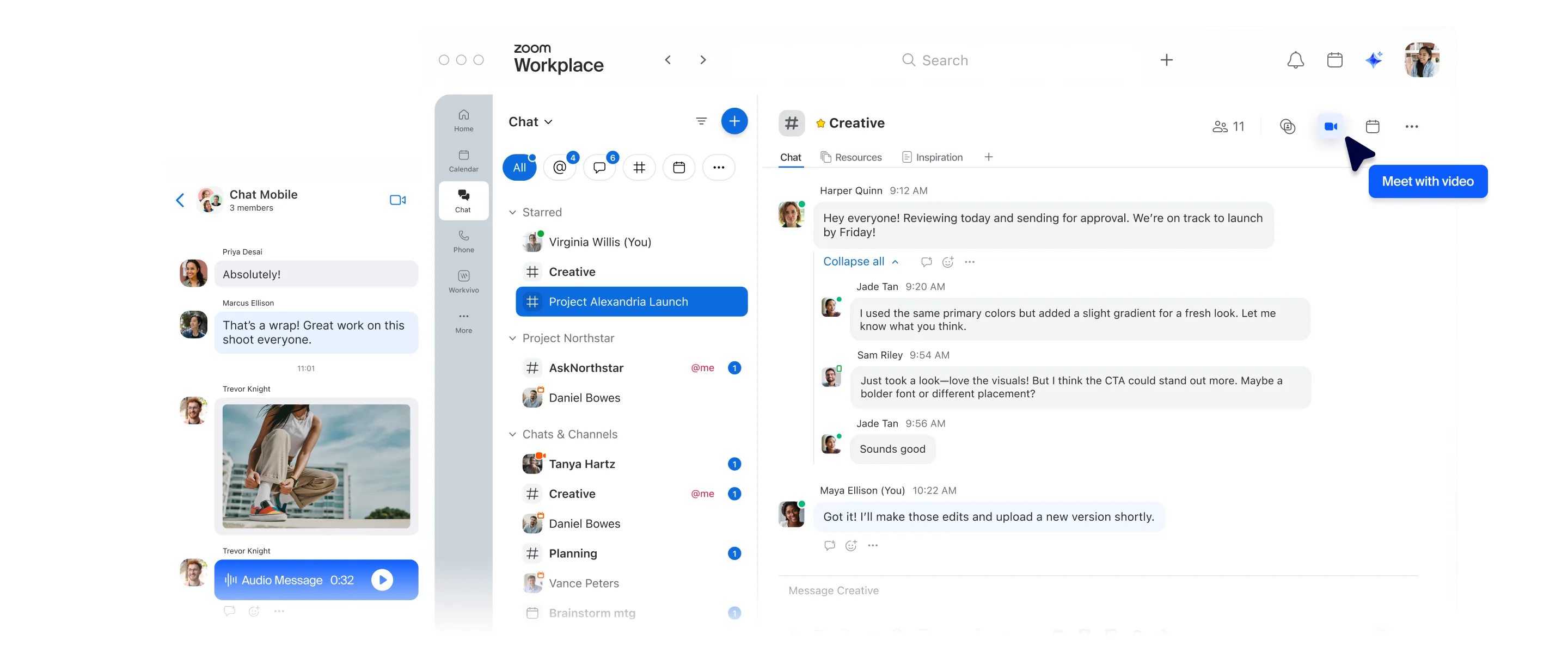
Với Zoom Chat, bạn sẽ có các tính năng quen thuộc của Slack, cùng với AI có sẵn, trong một nền tảng trò chuyện tích hợp mọi tính năng.
Không cần phải chuyển đổi ứng dụng.
Bỏ qua và chuyển đến nội dung chính
Với Zoom Chat, bạn sẽ có các tính năng quen thuộc của Slack, cùng với AI có sẵn, trong một nền tảng trò chuyện tích hợp mọi tính năng.
Không cần phải chuyển đổi ứng dụng.

Điều phối viên CNTT Pyatok

Được cung cấp miễn phí với tất cả các gói, cùng các tính năng trò chuyện AI cốt lõi, ghi chú AI không giới hạn và tạo tài liệu AI (Canvas) trong các gói trả phí bắt đầu từ 14,16 USD mỗi người dùng mỗi tháng, thanh toán hàng năm
Gói miễn phí có giới hạn
8,75 USD - 18 USD/người dùng/tháng
Chức năng AI đầy đủ chỉ có trong gói Kinh doanh+ (18 USD/người dùng/tháng) hoặc cao hơn
Zoom Chat là một phần của ứng dụng Zoom Workplace, giúp bạn dễ dàng trò chuyện tại nơi diễn ra hầu hết các cuộc họp.
Bạn có thể truy cập các cuộc trò chuyện cuộc họp trong Zoom Chat trước và sau cuộc họp, cùng với tóm tắt cuộc họp do AI tạo ra với cả những người dự thính nội bộ và bên ngoài mà không mất thêm phí cho các gói trả phí đủ điều kiện.
Nhập các từ khóa có liên quan để tìm kiếm trên toàn bộ nền tảng Zoom Workplace, từ Zoom Chat đến Meetings, Whiteboard, Canvas, Sheets, Slides, Contacts v.v. để tìm tệp hoặc tin nhắn phù hợp với tiêu chí tìm kiếm của bạn.
Tạo một không gian chung để cộng tác dự án mà chỉ những thành viên được chọn mới có thể truy cập
Luôn ngăn nắp trong tất cả các khía cạnh của dự án với nhiều kênh trong một không gian chung
Hướng dẫn nhập môn một thành viên nhóm tham gia vào một không gian chung và họ sẽ được thêm ngay lập tức vào tất cả các kênh liên kết
Phạm vi dựa trên gói
Phạm vi dựa trên gói
Có (Tiện ích mở rộng trả phí*) Người dùng có thể gọi tác tử bằng lệnh gạch chéo (/) hoặc nhắc tên (@) đối với các tương tác riêng tư hoặc công khai.
Tác tử kết nối với các sản phẩm Zoom, MCP nội bộ và các công cụ bên thứ ba để nâng cao quy trình làm việc.
Chức năng tóm tắt cuộc họp chỉ hoạt động khi tất cả người tham gia đều thuộc cùng một tổ chức (không thể tóm tắt nếu có người tham gia bên ngoài).
Tiện ích mở rộng trả phí
Thông qua quy trình (Tiện ích mở rộng trả phí cho quy trình AI nâng cao và có định mức*)
(Chỉ áp dụng cho gói Kinh doanh+) & thủ công so với dựa trên AI
Chỉ áp dụng cho gói Kinh doanh+
Lên lịch gửi tin nhắn dựa trên múi giờ của người nhận
Có - nhưng chỉ theo thời gian của người gửi
Với một ghi chú lời nhắc
Các chuỗi tin nhắn được tích hợp trong cuộc trò chuyện
Các chuỗi tin nhắn chỉ hiển thị trong thanh bên
Có chế độ xem chia màn hình
Kéo, thả, ghim các thẻ vào thanh bên
Trò chuyện làm nổi bật với thẻ Đã gắn sao
Chức năng lọc và sắp xếp nâng cao hơn
Thẻ trò chuyện để theo dõi các cuộc trò chuyện trước và sau cuộc họp.
16 thẻ có sẵn.
Chức năng hạn chế
Tiện ích mở rộng trả phí cho quy trình AI nâng cao và định mức*
Phải có gói dịch vụ cấp cao hơn để sử dụng các quy trình AI
Mọi tài khoản trả phí
Chỉ dành cho tài khoản Doanh nghiệp lớn
Có trong gói Doanh nghiệp lớn hoặc như một tiện ích mở rộng trả phí
Tiện ích mở rộng trả phí
Chi tiết
Cơ bản
So sánh tính năng và giá cả dựa trên thông tin công khai tính đến tháng 6 năm 2026
* Việc sử dụng các tính năng AI nâng cao và có giới hạn yêu cầu gói đăng ký ZoomMate và số tín dụng AI khả dụng. Tìm hiểu thêm.

Trao đổi với một trong các chuyên gia của chúng tôi để tìm ra gói dịch vụ phù hợp với bạn.