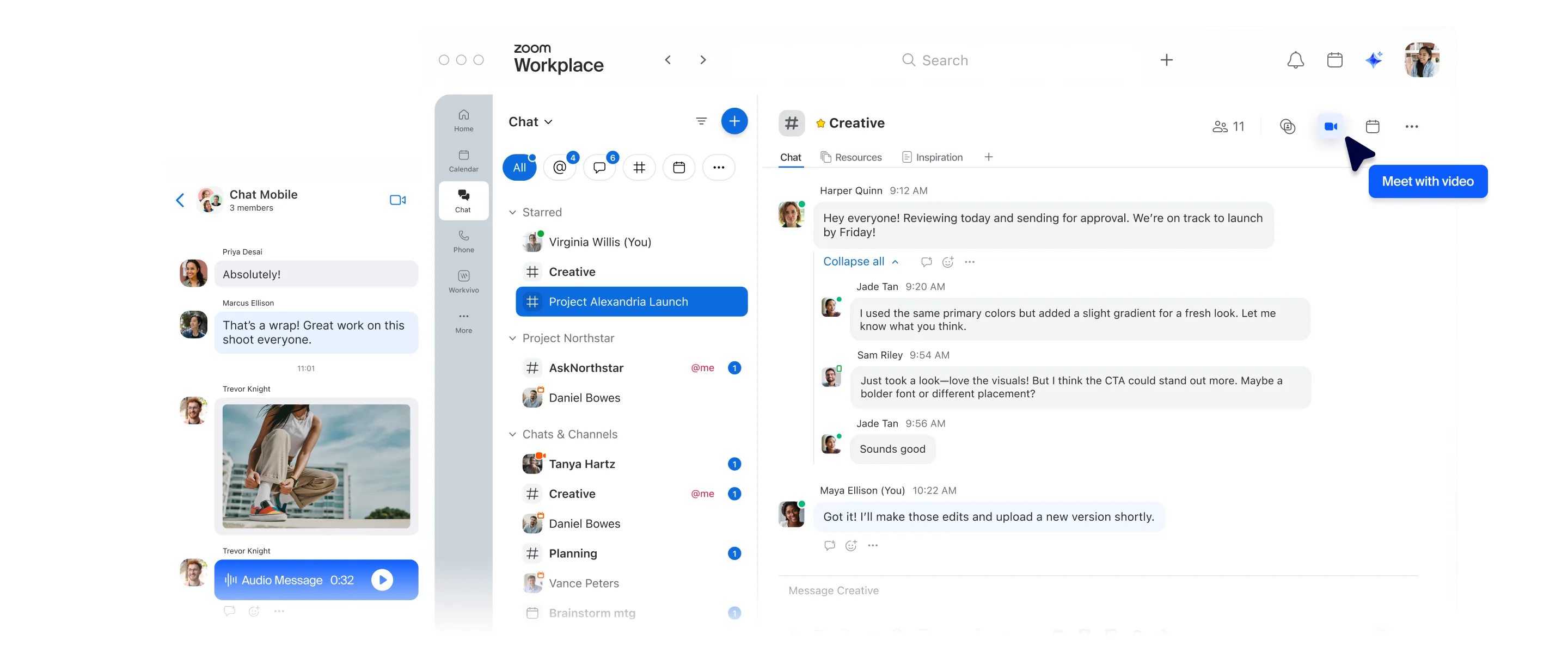
Ce qui rend Team Chat unique

Avec Team Chat, vous bénéficiez des fonctionnalités Slack que vous connaissez déjà, ainsi que d’une IA intégrée, dans une plateforme de chat tout-en-un.
Pas besoin de changer d’application.

  • Plateforme de collaboration unifiée

    Centralisez vos communications sur une seule plateforme grâce à Zoom Team Chat, Meetings, Phone, Whiteboard et bien d’autres fonctionnalités conçues pour fonctionner ensemble.

  • Gestion admin simplifiée

    Gérez facilement les paramètres à l’échelle de l’organisation dans un portail admin centralisé et réduisez au minimum les besoins en formation et en assistance grâce à une plateforme que vos utilisateurs connaissent déjà et apprécient.

  • Économies de coûts consolidées

    Communiquez et échangez entre équipes grâce à la messagerie instantanée incluse dans votre abonnement Zoom Workplace payant, sans frais supplémentaires.

Pyatok

« L’intégration de données peut être un véritable parcours du combattant, mais l’outil de migration Team Chat a rendu le processus fluide et serein lors du transfert de nos canaux publics et privés, de nos messages directs et même de nos fichiers. »

Dillon Harrison

Coordinateur informatique, Pyatok

Zoom comparé à Slack

Pourquoi choisir Zoom plutôt que Slack ?

Zoom Team Chat
Slack

Included at no additional cost with all plans + AI Companion included with paid plans starting at $13.99 per user per month billed annually

Limited no cost plan
$8.75 - $18 User/Month
Full AI capability is only available in the Business+ plan
($18 User/month) or above

Continue in-meeting chat in channel

Zoom Team Chat is part of the Zoom Workplace app, making it easy for you to chat where most of your meetings take place.


Meeting chats can be accessed in Team Chat before and after the meeting, along with AI-generated meeting summaries with internal and external attendees at no additional cost for eligible paid plans.

Users must be members of a channel to join a Huddle and use chat or leverage third-party integration with Zoom or other meeting providers

Always-on Huddles

Yes (Beta – available upon request)

Search across your communication and collaboration tools

Yes


Enter relevant keywords to search for across the entire Zoom Workplace platform, from Team Chat to Meetings, Whiteboard, Docs, Contacts, and more, to find files or messages that match your search criteria.

Integrated phone capability
Integrated mail and calendar client
Shared spaces

Create a shared space for project collaboration that only select members can access


Stay organized on all aspects of the project with multiple channels within a shared space


Onboard a team member to a shared space and they’re instantly added to all associated channels

Native AI tools included*

Yes (Scope based on license plan)

AI meeting summaries to chat

Yes


Meeting summary only works when all participants are from the same organization (cannot summarize if there are external participants)

Channel summary
Quick schedule
Sentence completion
Chat compose
Summarize chat threads

Yes (Paid Add-on)

Daily Recap

Yes - via workflow automation

Yes (On Business+ plan only) & manually vs. AI driven

Mobile quick replies
Document summarization

Yes (On Business+ plan only)

Schedule messages

Schedule message based on recipient's time zone

Yes - but only the sender's time

Message Reminders

Yes - with a reminder note

Threaded conversations

Yes - Threads integrated in conversation

Yes - Threads in side panel only

Audio & video messages
Native screenshot annotation
Create and arrange folders or sections
External chat
External chat controls and dashboard
Resource tabs in chat

Yes - With split view

Sidebar navigation

Drag, drop, pin tabs in sidebar


Spotlight chats with Starred tab


More advanced filtering and sorting capabilities


Meetings chat tab to keep track of conversations before and after meetings.


16 tabs available.

Yes (Limited Capability)

Quoting a message
Chat apps and integrations
Creating and sharing documents
No code/low code builder
Template workflows
Sequential workflows
Conditional workflows
Switchboard workflows
Legal hold

Yes (any paid account)

Yes (Enterprise account only)

File sharing controls
Automated SSO/IDP Channel Mapping
LTI Pro integration for education
Customer Managed Keys
User group permissions

Yes (define different permissions for a group in a very granular level which Slack doesn't have)


Les comparaisons des fonctionnalités et des tarifs sont basées sur des informations accessibles au public en septembre 2025.


En envoyant ce formulaire, j’accepte la Politique de confidentialité