Werk slimmer en bespaar meer tijd met de juiste AI-tool

Zoom AI Companion zet vergaderingen, notities en ideeën om in actie en impact – zonder beperkingen of verborgen functies. Kijk hoe het zich verhoudt tot de rest.
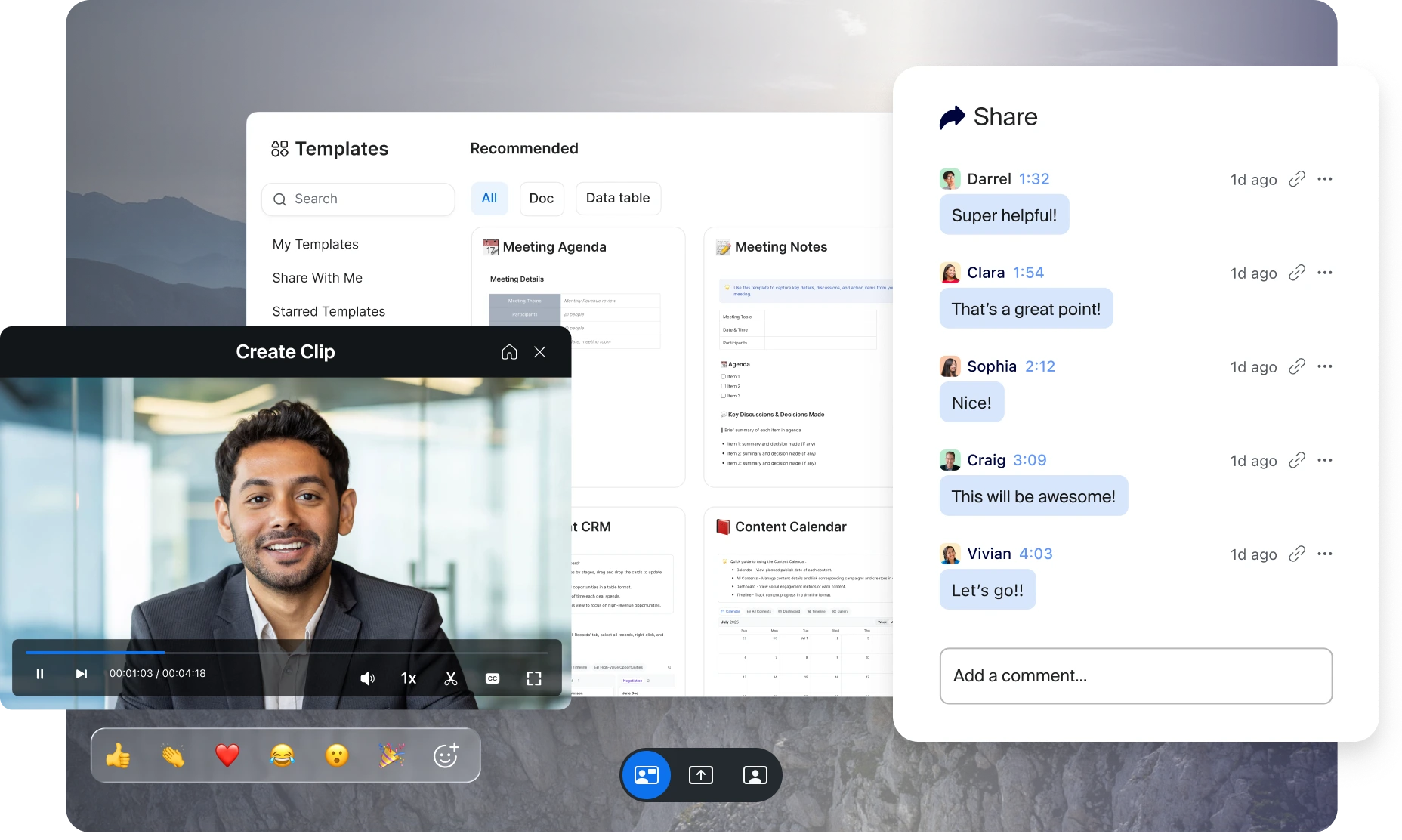

Wat maakt AI Companion bijzonder?

  • Geen extra kosten of leveranciers

    Zoom Workplace biedt alle essentiële tools voor AI-gestuurd werken in documenten, chats, e-mails en meer. Het is inbegrepen bij betaalde Zoom-licenties zonder extra kosten. Voor nog meer mogelijkheden is de Custom AI Companion add-on beschikbaar voor $ 12 per gebruiker per maand.

  • Gemakkelijk te gebruiken

    Intuïtieve en naadloze ervaring die werkt in Zoom Meetings, Phone, Team Chat, Docs en meer. Vertrouwen op de resultaten, met reacties gebaseerd op je communicatie binnen Zoom.

  • Je inhoud is van jou

    We gebruiken gee content van klanten
om onze AI-modellen of modellen van derden te trainen die in onze functies worden gebruikt. Lees meer over verantwoorde AI ondersteund door Zoom.

  • Antwoorden binnen handbereik

    AI Companion levert kennis afkomstig van het web, je Zoom-content en verbonden gegevensbronnen om je te helpen bij allerlei soorten taken – van de voorbereiding van vergaderingen en projectplannen tot verkoopgesprekken en meer.

Couch Cork

“Bij elk product wordt altijd gezegd dat het je tijd zal besparen. Maar ik heb daadwerkelijk dingen die ik moet doen. Nu we Zoom AI Companion gebruiken, kan ik zeggen: elke maand, in de tweede week, heb ik een hele dag – 8 volle uren – waarin ik me alleen op dit examen kan richten. Dat is geweldig. Dat was eerder niet mogelijk.”

Nancy Jozlol

Oprichter van Couch + Cork

Zoom vs. de concurrentie

AI Companion kan je alternatief voor ChatGPT zijn

Zoom AI Companion

AI Companion inbegrepen bij betaalde abonnementen

ChatGPT

$ 15 - $ 24 per gebruiker/maand

(maandelijks of jaarlijks gefactureerd)

No additional cost for paid Zoom accounts

$20-$30 per user per month

Leverages data from your Zoom Meetings and Zoom Team Chat as well as Gmail and Outlook, if connected. Can also use web-based search.

No integration with Zoom Workplace; must use it in a separate window or tab. Can only use generalized web-based search.
(billed monthly or annually)

Unlimited with higher tier plans (system file size limitations apply)

Unlimited with paid upgrade
(billed monthly or annually)

AI Companion vs. andere tools om notities te maken

Zoom AI Companion
Otter.AI
Fathom

Zoom AI Companion is included in Zoom paid plans at no additional cost


Now Includes AI note-taking capabilities for Zoom Meetings and third party meeting platforms (Microsoft Teams and Google Meet)

Limited free plan


$8.33 or $20 per user per month for Pro or Business

Limited free plan


$15, $19, or $29 per user, per month for Premium, Team Edition Standard or Team Edition Pro

Available only through web portal and monthly query limit depend on plan type

Only available post meeting via web browser

Automate AI Companion with an intuitive onboarding flow that allows you to set it up and forget it, or have AI Companion join specific Zoom meetings as per your choice.


Add AI bot as an extra participant or configure automatic join


Add AI bot as an extra participant or configure automatic join


Supports 3 languages for meeting summary


Supports six languages for meeting summary


Requires paid Business plan or above


Requires paid Team Edition plan or above

Admin controls require paid Enterprise plan

10 pre-built templates available

Custom templates available with Custom AI Companion add-on

Requires paid plan for advanced features

Requires paid plan with customization limitations

Based on plan tier:
Basic: 300 minutes/month
Pro: 1200 minutes/month
Business and up: 6000 minutes/month

Based on plan tier:
Basic: 30 minutes
Pro: 90 minutes
Business and up: 4 hours

Requires paid Enterprise plan

Requires paid Team Edition plan and above

Requires paid Enterprise plan

Requires paid Enterprise plan

Requires paid Team Edition plan and above

Yes - Zoom AI Companion supports Optical Character Recognition (OCR) to extract readable text from screen share content during meetings

While Otter does not explicitly state support for OCR, they have the ability to add screen shots of slides or screen shares during a meeting and generate summary with relevant context.

Vergelijkingen van functies en prijzen op basis van openbaar beschikbare informatie per september 2025. AI Notetake by Fathom is inbegrepen in de Zoom Essential Apps-bundel zonder kosten gedurende 1 jaar na activering van de app voor bepaalde in aanmerking komende Zoom Workplace Pro-, Pro Plus-, Zakelijk- en Zakelijk Plus-abonnementen.

Zoom versus Microsoft 365 Copilot en Google Gemini

Zoom AI Companion
Microsoft 365 Copilot
Google Gemini

$13.32 per user, per month for Zoom
Workplace Pro including AI Companion,
billed annually

$36.00 per month, per user for Microsoft
365 Business Basic plus Microsoft 365
Copilot add-on, billed annually

$14 per month, per user for Google
Workspace Business Standard, billed
annually

Standalone chat
Meeting summary
In-meeting questions
Smart recording
Chat compose
Thread summary
Quick schedule
Whiteboard content generation
Generate title & description
Email compose
Content generation
Summarize
Templates
Multi-language translation
Convert meeting summaries into doc
Google Mail, Calendar, Drive
Microsoft Outlook, Calendar, OneDrive

*Functie- en prijsvergelijkingen op basis van openbaar beschikbare informatie vanaf juni 2025.

Ga vandaag nog aan de slag met
Zoom AI Companion

Zoom AI Companion is beschikbaar bij betaalde Zoom Workplace-abonnementen die ervoor in aanmerking komen. Mogelijk niet beschikbaar voor alle regio's of sectoren. Meer informatie.