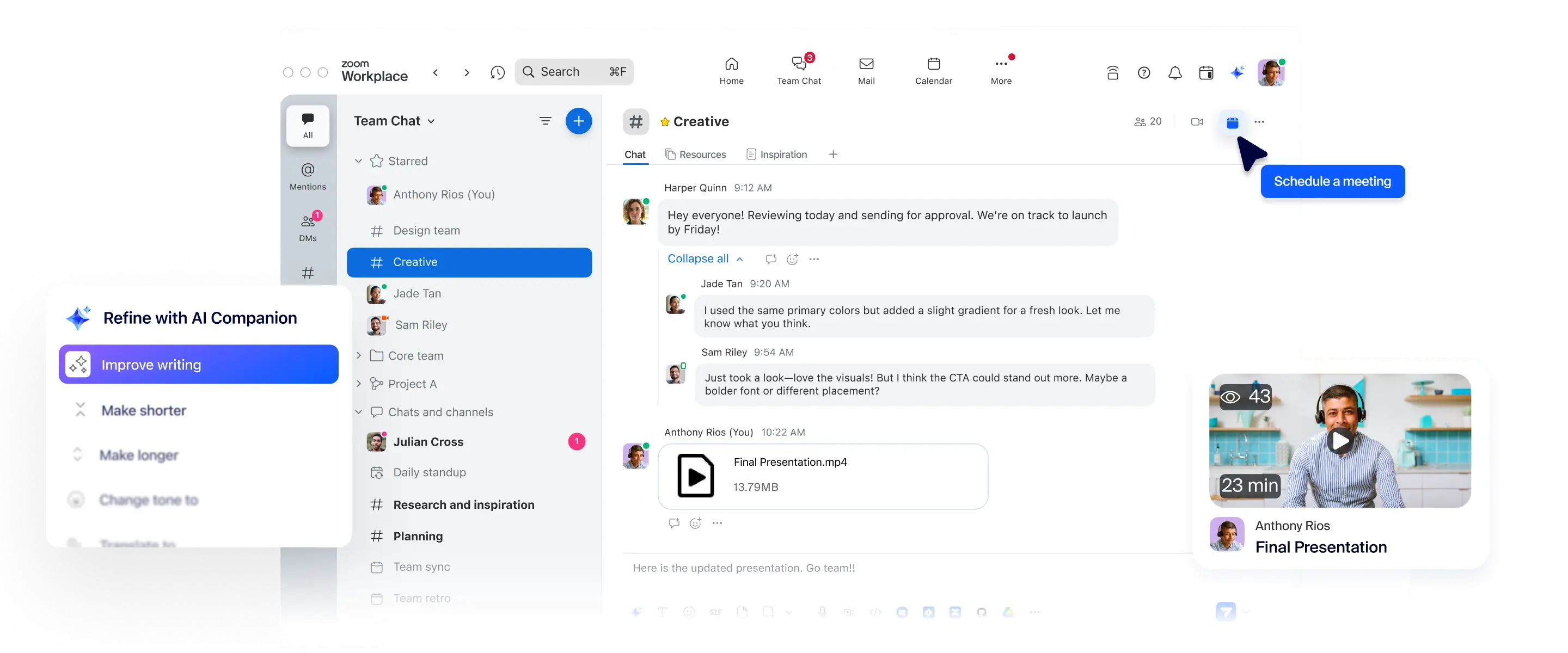
Zoom Team Chat을 사용하면 익숙한 회의 경험에 더해 채팅, 채널, 내장 AI까지 모두 한 곳에서 이용할 수 있습니다. 추가 비용이 없으며, 개방적인 생태계를 기반으로 합니다.

"지속적인 회의 채팅을 통해 질문으로 사전 회의를 진행하고, 회의 중에도 동일한 채팅을 이어가며, 회의 이후에 논의할 내용에 대해 해당 채팅으로 후속 조치를 취할 수 있다는 아이디어 덕분에 이메일로 회의 초대를 받고, 채팅으로 이야기하고, 워드 문서로 안건을 확인하고, 다른 프로그램을 열어 메모를 작성하느라 정신없이 왔다 갔다 해야 하는 번거로움에서 해방될 수 있습니다."
Chris Blackstone
Convera 디지털 작업 공간 책임자

Zoom과 Microsoft Teams 비교
고객이 Microsoft보다 Zoom Chat을 선택하는 이유
Zoom Team Chat
Microsoft Teams
Team Chat core features included at no additional cost with all plans.
AI Companion and other advanced features included with paid plans starting at per user per month billed annually
Basic chat functionality included with all paid plans.
AI capabilities add-on (Microsoft 365 Copilot): $30.00 per user per month billed annually
Native AI tools included*
Requires additional CoPilot license
AI meeting summaries to chat
Requires Premium or CoPilot license
Channel summary
Summarization of threads and channels is one click away and built into chat
Requires additional CoPilot license
Quick schedule
Sentence completion
Chat compose
Summarize chat threads
Requires additional CoPilot license
Mobile quick replies
Document summarization
Requires additional CoPilot license
Combine Zoom Meeting chats with all other communication without app switching
Yes - Zoom Team Chat brings all your communication—before, during, and after meetings—into one seamless experience.
As a Zoom Meeting user, you won't need to switch to other apps for the rest of your conversations.
Post-Zoom Meeting conversations require switching between Zoom and Microsoft Teams.
Search across your communication and collaboration tools
Supports advanced search across the entire Zoom Workplace platform, including chats, docs, emails, whiteboard. Also, third-party applications like Google and Microsoft.
Supports search across Microsoft 365
Integrated phone capability
Built-in calendar
Built-in mail client
Shared spaces
Create a shared space for project collaboration that only select members can access.
Stay organized on all aspects of the project with multiple channels within a shared space.
Onboard a team member to a shared space and they’re instantly added to all associated channels.
A team in Microsoft Teams is a collection of channels with the same roster.
Schedule messages
Message reminders
Threaded conversations
Audio & video messages
Native screenshot annotation
Dedicated email address for chats and channels
—
Only channels
Create and arrange folders or sections
External chat
External chat controls and dashboard
Resource tabs in chat
Bookmarks
Sent messages tab
Quoting a message
Spotlight chats with starred tab
Chat apps and integrations
App catalogue
Creating and sharing documents
No code/low code builder
Template workflows
Sequential workflows
Conditional workflows
Switchboard workflows
Legal hold
File sharing controls
Automated SSO/IDP channel mapping
LTI Pro integration for education
Customer managed keys
With a paid add-on or Zoom Workplace Enterprise plan
User group permissions
*AI Companion은 Zoom 사용자 계정의 유료 서비스에 포함되어 있습니다. 일부 지역 또는 업종에서는 AI Companion이 제공되지 않을 수 있습니다.